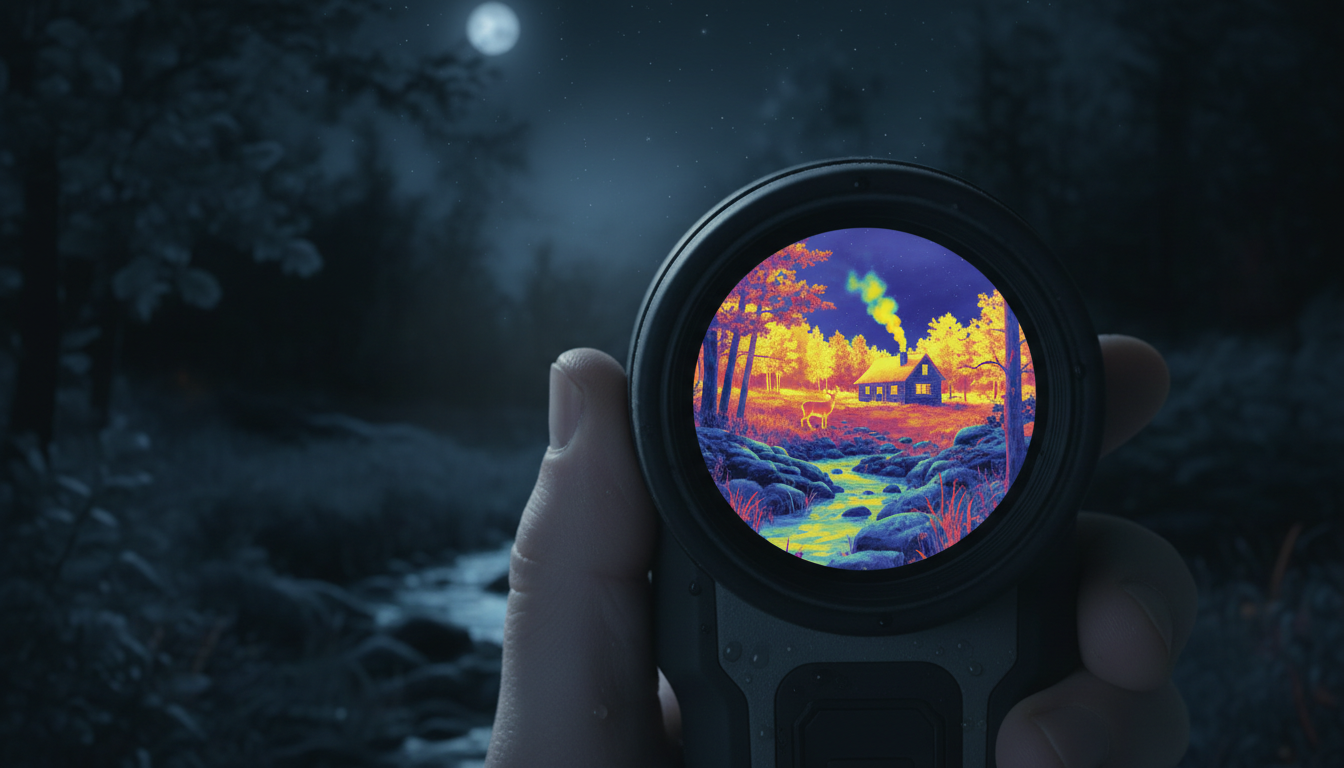
If you’ve been looking into thermal monoculars for hunting, wildlife observation, or outdoor activities, you’ve probably wondered about the connection between thermal technology and infrared. The short answer? Yes, a thermal monocular is absolutely an infrared device—but there’s more to the story. Let’s break down how these technologies relate and why it matters for your next adventure.
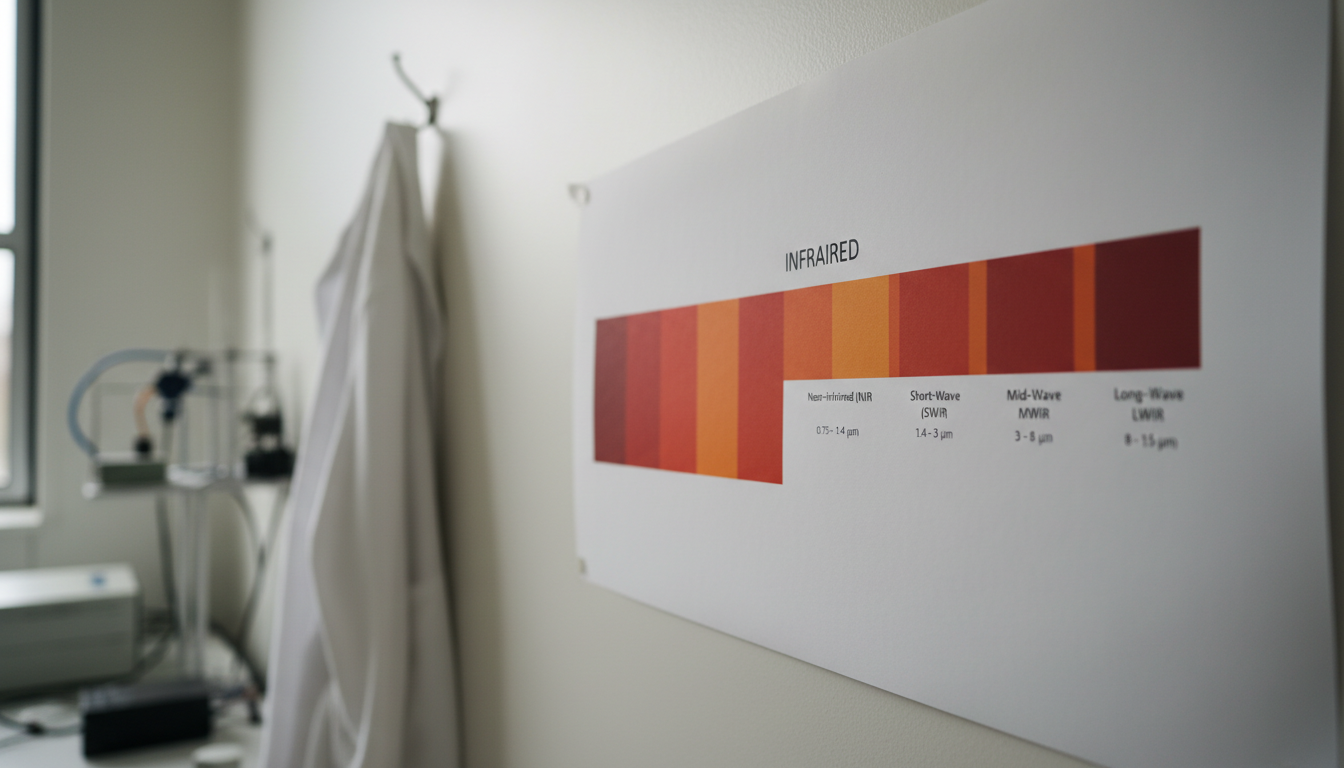
Infrared radiation sits between visible light and microwaves on the electromagnetic spectrum, with wavelengths ranging from around 780 nanometers to 1 millimeter. But here’s the thing: infrared isn’t just one thing. The infrared spectrum includes multiple sub-bands: near-infrared (NIR) from 0.7-1.4 μm, short-wavelength infrared (SWIR) from 1.4-3 μm, mid-wavelength infrared (MWIR) from 3-8 μm, and long-wavelength infrared (LWIR) from 8-15 μm.
Think of it like radio stations—they’re all radio waves, but each frequency gives you different content. Same deal with infrared wavelengths. Each band has different properties and applications, which is why understanding where thermal imaging fits in matters.
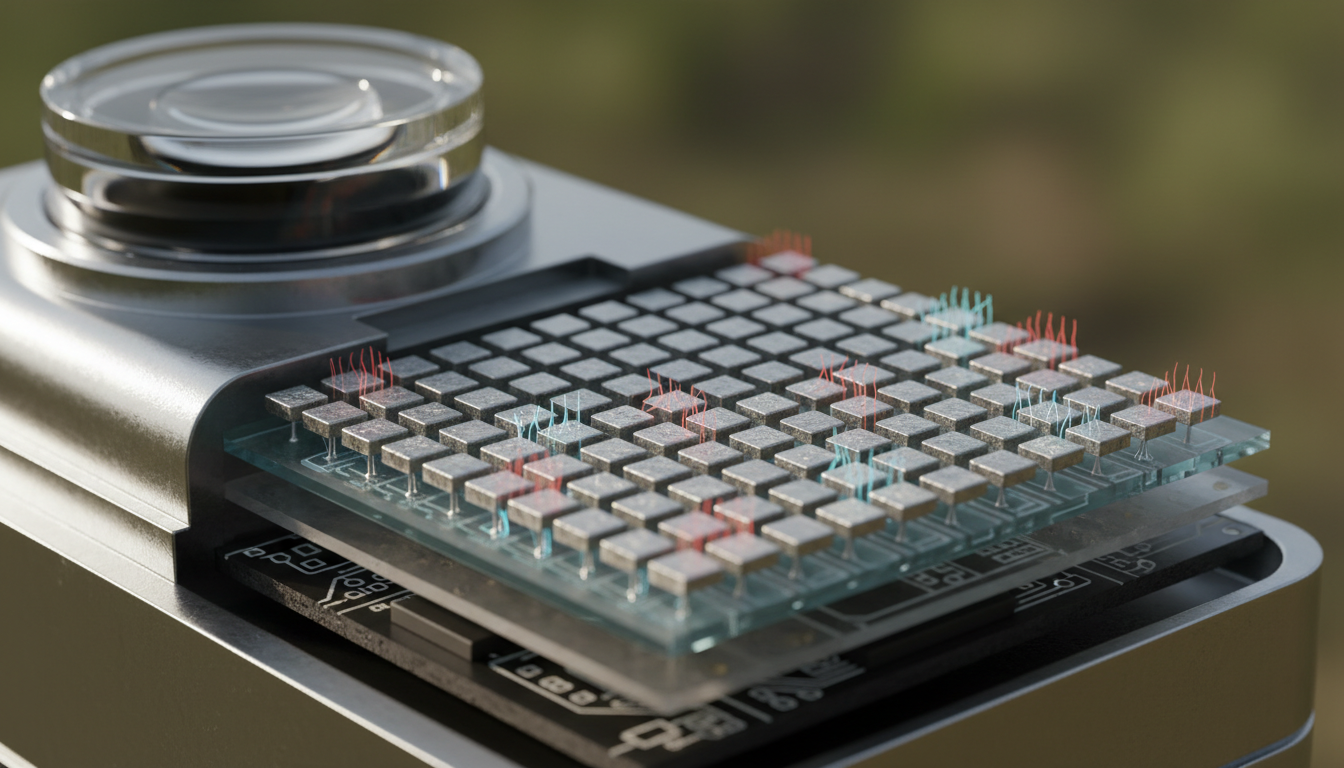
A thermal monocular is an infrared device that operates by detecting infrared radiation (heat) from objects and then translating those differences into visual images. Thermal cameras most commonly operate in the long-wave infrared (LWIR) range (7–14 μm), with some systems designed for the mid-wave infrared (MWIR) range (3–5 μm).
We love thermal monoculars at Pixfra because they work differently than your eyes or regular cameras. All objects emit infrared radiation (heat), which is invisible to the naked eye, and the amount of infrared radiation emitted by an object increases with its temperature. Thermal vision monoculars work by detecting and capturing infrared light, which is not visible to the human eye but can be felt as heat.
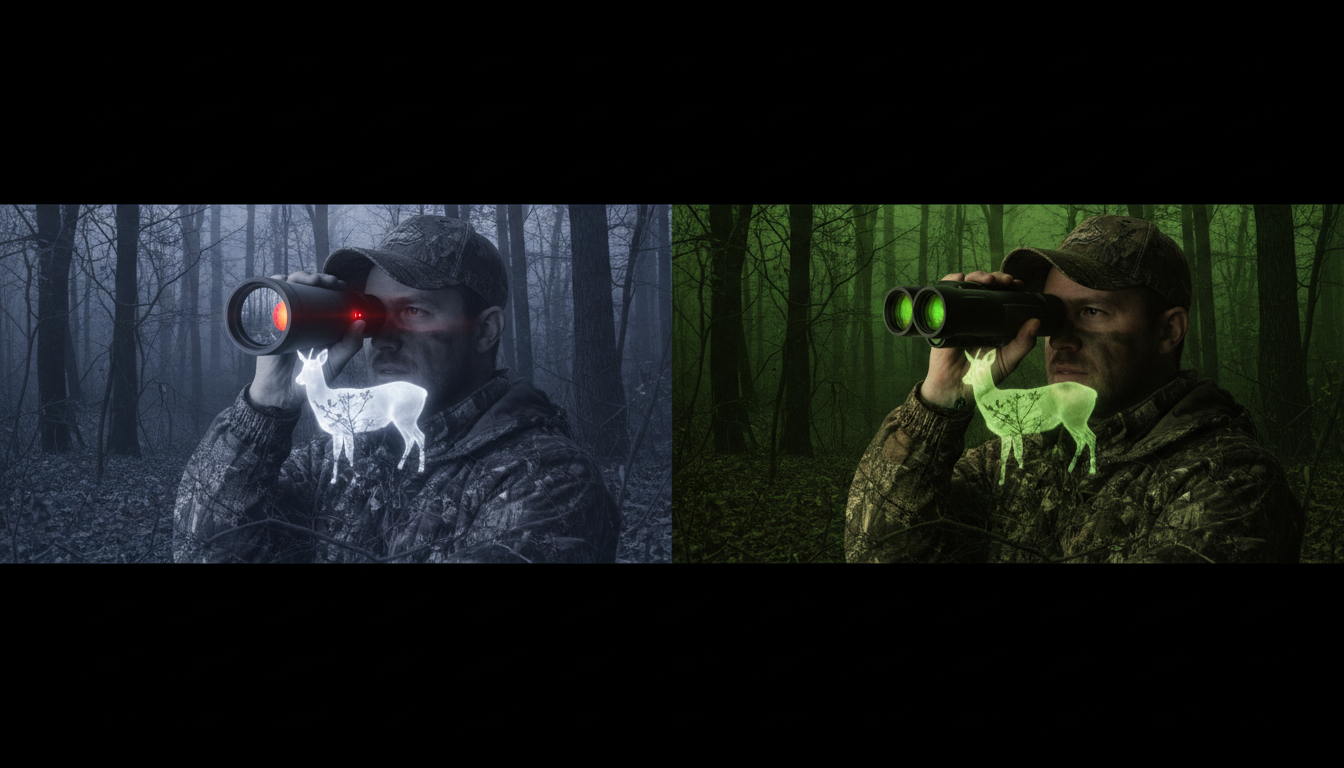
Here’s where things get interesting. Not all infrared devices are the same. Infrared imaging uses heat to produce images, while conventional night vision uses light. Traditional night vision devices amplify near-infrared light (around 0.85 micrometers), giving you that classic green-tinted image. They need some ambient light to work.
Thermal monoculars? They’re playing a completely different game. Thermal imaging monoculars do not require any ambient light to function effectively, as they detect temperature differences instead, allowing them to create images based on heat signatures emitted by objects. This means our thermal imaging devices work in total darkness, through fog, and even light vegetation.
At the core of a modern thermal scope’s ability to detect infrared radiation is the microbolometer sensor technology, which consists of arrays of microscopic detector elements made from materials (typically vanadium oxide or amorphous silicon) that change electrical resistance when exposed to infrared radiation, and these minute resistance changes are measured, processed, and converted into a visible thermal image.
The Pixfra Sirius HD and other premium thermal devices use advanced sensors that can detect temperature differences as small as 18 millikelvin. That’s incredibly sensitive—we’re talking about spotting the faintest heat signatures at serious distances.
Most thermal monoculars operate in the Long Wave Infrared (LWIR) spectrum from 8-14 micrometers, which is optimal for detecting body heat and general thermal signatures. This wavelength range has a practical advantage: Earth’s surface materials (like soil, water, and vegetation) emit radiation in the LWIR region at their ambient temperature.
What does this mean for you? Whether you’re scanning for deer with the Pegasus 2 LRF or checking your property line at night, your thermal monocular is tuned to the exact wavelength that living creatures and warm objects naturally emit. It’s not about artificial illumination—it’s about reading the thermal signature of your environment.
Infrared is the radiation type, while thermal imaging is the visualization technique. So when someone asks if thermal is infrared, the answer is yes—but it’s a specific application of infrared technology. The terms thermal imaging camera and infrared camera are often used interchangeably, as thermal imaging sensors detect infrared radiation and then express each heat value (or wavelength) through a set of corresponding colors that is viewable on a screen.
All thermal monoculars are infrared devices, but not all infrared devices are thermal. Night vision goggles use near-infrared. Remote controls use near-infrared. But thermal monoculars specifically use the mid- to long-wave infrared bands where heat signatures live. That’s the key distinction that makes products like the Draco and Arc LRF so effective for outdoor applications.
Understanding that thermal monoculars operate in the infrared spectrum helps explain why they excel in specific situations. Thermal imaging technology allows you to see what the human eye cannot by detecting the heat energy emitted by objects, creating a clear picture even in total darkness, dense fog, or heavy vegetation.
We’ve seen hunters use thermal monoculars to spot game that’s completely hidden in brush. Law enforcement uses them for search and rescue in zero-visibility conditions. Firefighters rely on them to see through smoke. All of this works because these devices tap into the long-wave infrared spectrum—the part of the electromagnetic spectrum where thermal energy lives.
So, is a thermal monocular considered infrared? Absolutely. Thermal monoculars are specialized infrared devices that operate in the LWIR spectrum (8-14 micrometers), detecting heat rather than reflected light. This makes them fundamentally different from night vision devices, which use near-infrared amplification. Understanding this distinction helps you appreciate why thermal technology works in conditions where nothing else will—complete darkness, fog, smoke, and camouflage mean nothing when you’re detecting infrared heat signatures. Whether you’re hunting, conducting security patrols, or exploring the outdoors, thermal monoculars give you access to an invisible world of thermal energy that regular optics simply can’t see.
Can thermal monoculars detect all types of infrared radiation?
No, thermal monoculars are specifically designed to detect mid-wave and long-wave infrared radiation (typically 8-14 micrometers). They cannot detect near-infrared radiation used by night vision devices or the infrared signals from TV remotes. Each infrared device is tuned to specific wavelength bands based on its intended purpose.
Do thermal monoculars work better than night vision devices?
It depends on your needs. Thermal monoculars excel at detecting heat signatures in total darkness, fog, and smoke without any light source. Night vision provides more detailed images with better facial recognition but requires some ambient light. Many professionals use both technologies for different situations. Thermal is better for detection and scanning, while night vision offers clearer identification.
Why do thermal monoculars show different colors if they detect infrared?
The colors you see on a thermal display are artificial—they’re created by the device’s processor to help your brain interpret temperature differences. Hotter objects appear in brighter colors (often white or red), while cooler objects show up in darker tones (black or blue). These color palettes make it easier to spot heat signatures quickly compared to viewing raw infrared data.
Can thermal monoculars see through walls?
No, thermal monoculars cannot see through walls like in movies. Walls are thick and insulated, blocking infrared radiation from passing through. What thermal devices can detect is heat on the surface of walls—for example, if there’s a fire or hot water pipe inside, you might see a warm spot on the wall’s surface, but you’re not seeing through the wall itself.
Does weather affect thermal monocular performance?
Thermal monoculars handle most weather conditions better than conventional optics. They work well in fog, light rain, and darkness. However, heavy rain can reduce detection range because water droplets can scatter infrared radiation. Extreme cold or heat can also affect performance by reducing temperature contrast between objects and their surroundings. Still, they outperform regular optics in nearly all low-visibility conditions.
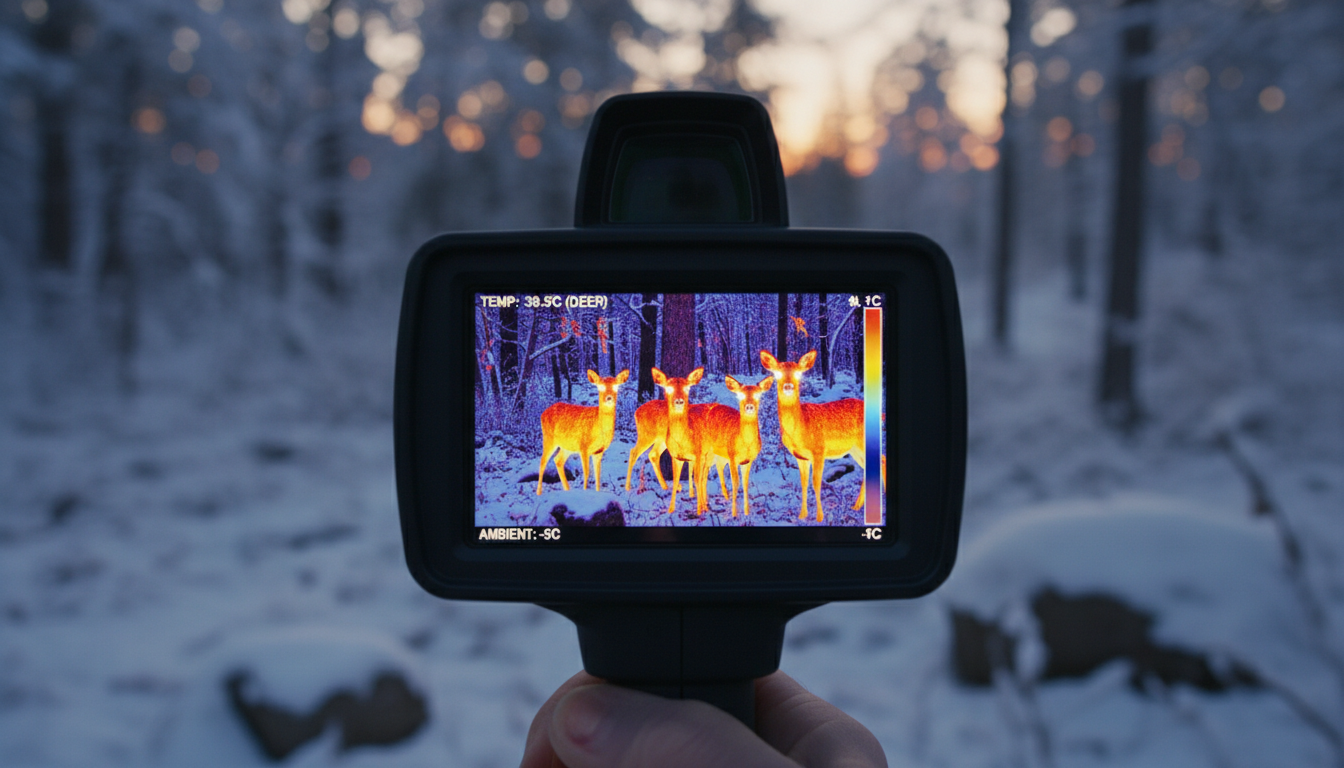
Temperature plays a surprisingly complex role in thermal imaging performance. If you’ve ever wondered why your thermal device produces sharper images in certain conditions than others, you’re not alone. The relationship between temperature and image sharpness in thermal devices involves multiple factors—from how the detector itself responds to heat, to the temperature differences in the scene you’re viewing.
We’ll break down exactly how temperature influences what you see through your thermal imager, and what you can do to get the clearest results possible.
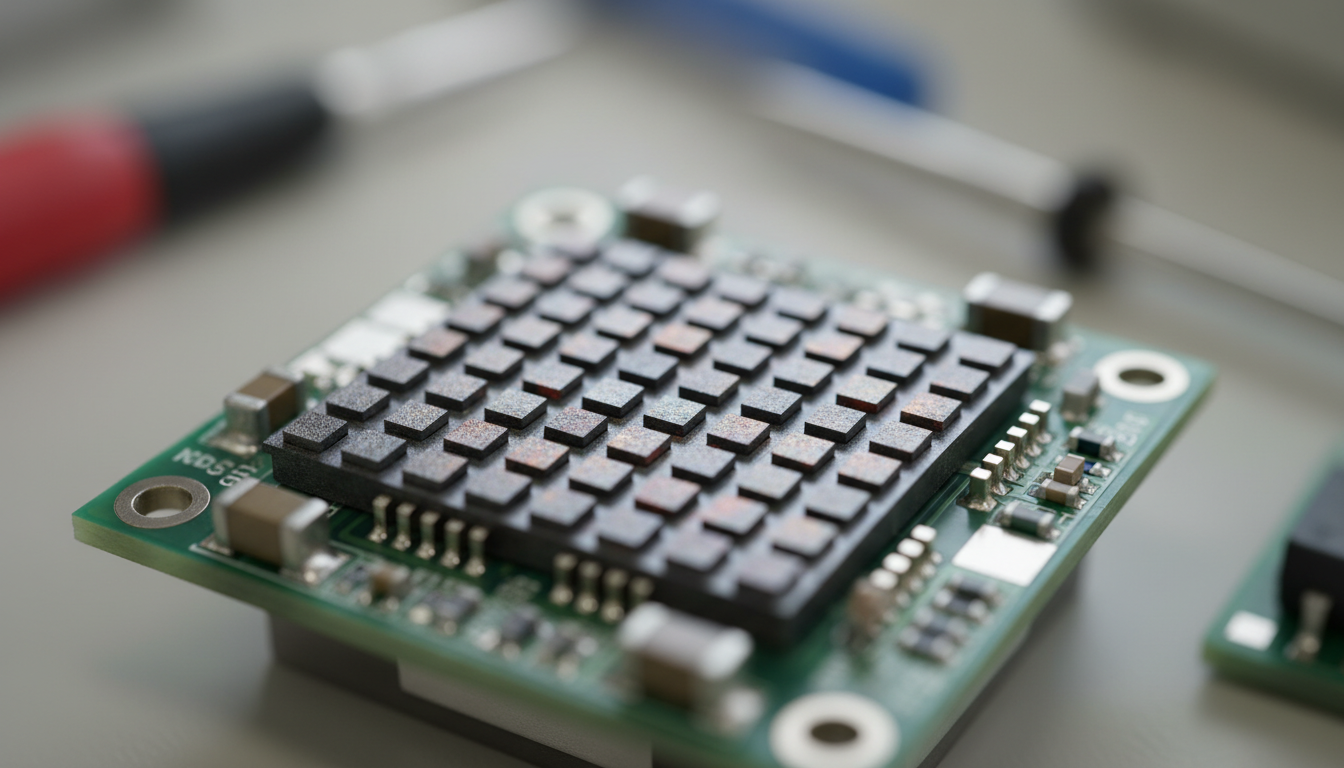
A thermal camera’s sensitivity will directly impact the image clarity and sharpness that the camera can produce. The detector inside your thermal device has a specification called NETD (Noise Equivalent Temperature Difference), measured in milliKelvins (mK). The lower the number, the more sensitive the detector. Thermal sensitivity describes the smallest temperature difference observed when using a thermal device.
Better sensitivity translates to sharper images, especially when you’re scanning scenes with subtle temperature variations. Increased sensitivity makes thermal imagers more effective at seeing smaller temperature differences, which is especially important in scenes with low thermal contrast and when operating in challenging environmental conditions like fog, smoke, and dust. Think of it like this—a device with 50 mK sensitivity can pick up temperature changes half the size of one rated at 100 mK.
For outdoor activities like hunting or surveillance, we recommend devices with NETD below 40 mK. Our thermal imaging products are designed to deliver sharp, detailed imagery even in challenging conditions.
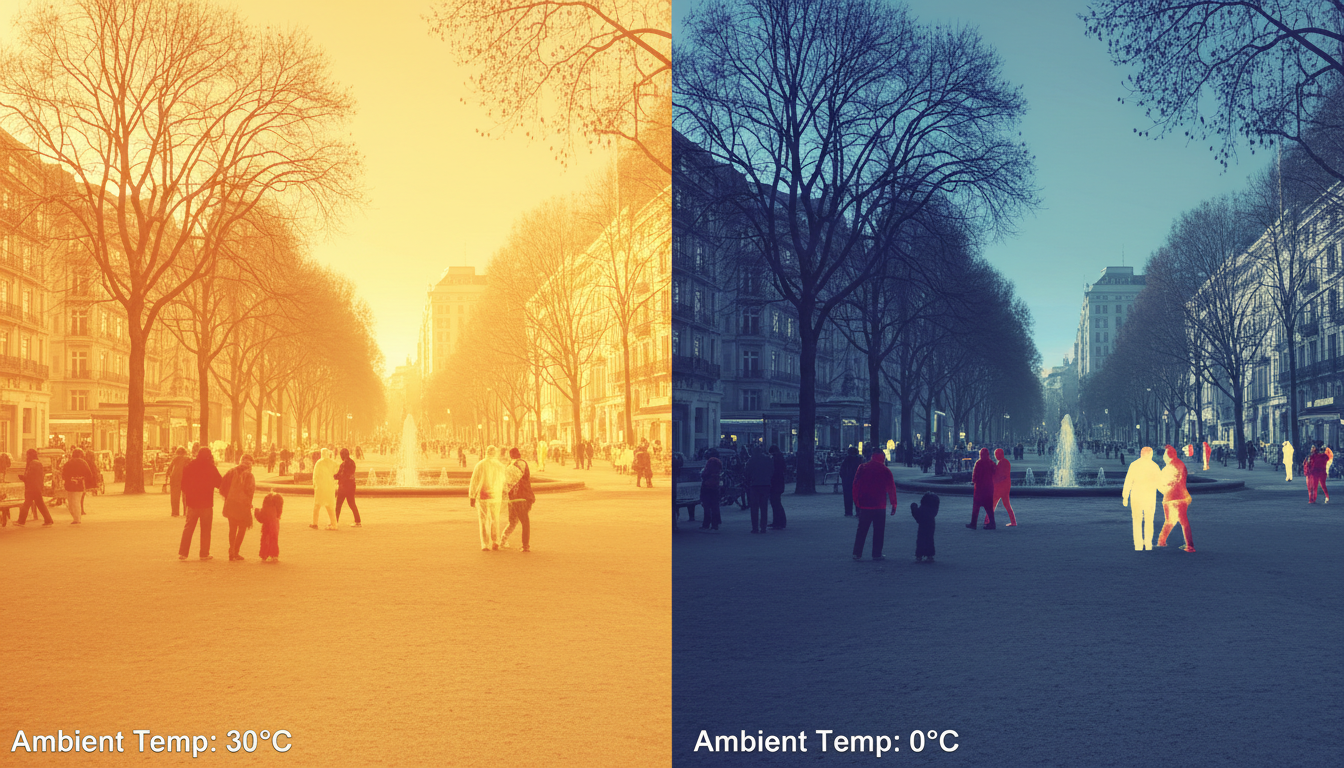
The surrounding temperature also influences the actual temperature of the measured target, which in turn affects measurement accuracy. In high-temperature environments, the target may heat up, causing readings to appear higher than the real value. Conversely, in low-temperature environments, the measured value may be underestimated.
Ambient temperature doesn’t just affect accuracy—it impacts how your detector performs. The stability of the detector response with the ambient temperature was studied showing that some cameras present a stable response with a negligible dependence on room temperature. Conversely, lower-end models exhibited errors up to 4 °C and 15 °C, respectively. The detector itself needs to maintain stable operating conditions, and extreme ambient temperatures can introduce noise or drift in the readings.
Modern thermal devices include temperature compensation mechanisms to address these issues. But understanding that your device works best within its specified operating range helps you plan better for field use. Weather conditions matter more than most people think—weather affects thermal imaging in ways beyond just visibility.
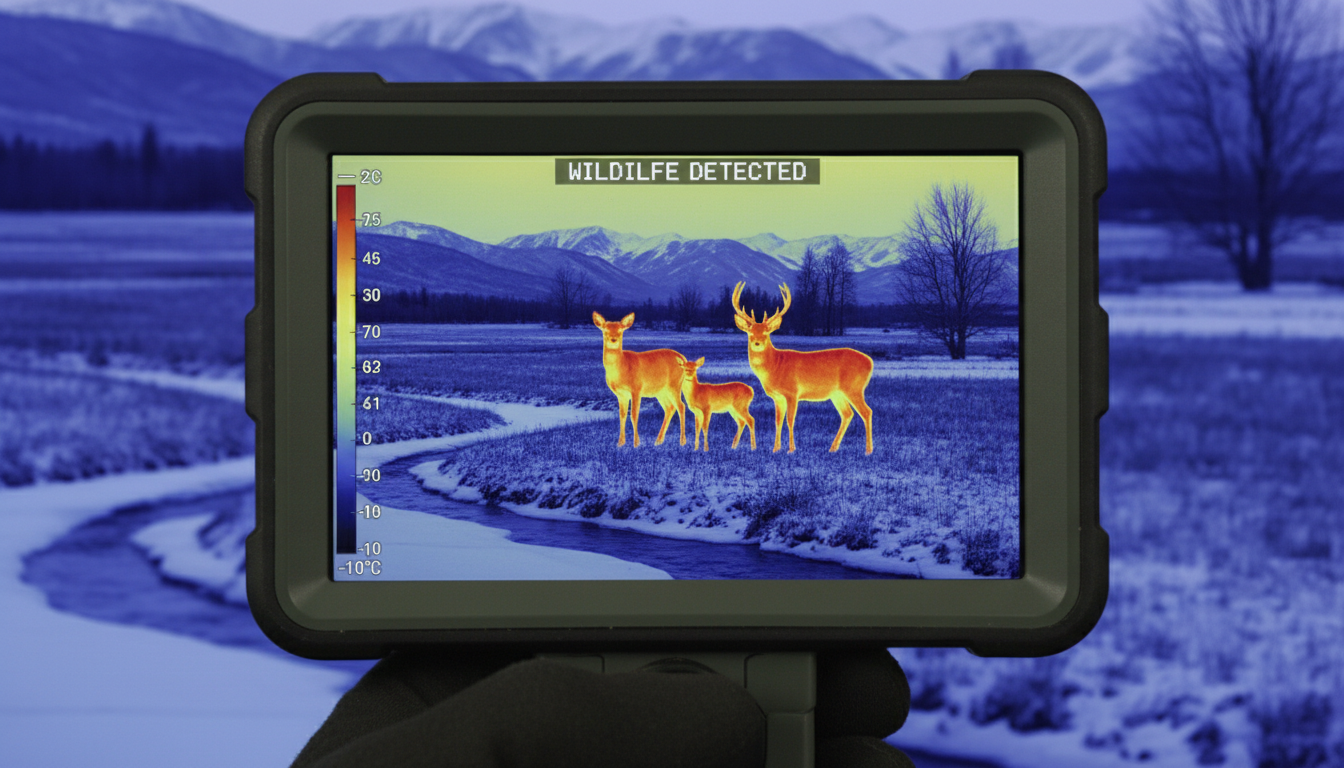
Every thermal device has a specified operating temperature range, typically from -20°C to 50°C for consumer models. Operating outside this range doesn’t just risk damage—it degrades performance. Temperature variations in the optics or objects near the sensor, including the camera case, modify the level and distribution of unwanted irradiation in the focal plane, and temperature variations in the focal plane array influence its responsivity.
When you’re using thermal gear in extreme cold or heat, give your device time to acclimate. Rapid temperature swings force the internal calibration system to work harder, which can temporarily reduce image quality. Some higher-end units like the Sirius HD include advanced thermal stabilization to maintain consistent performance across wider temperature ranges.
The detector’s own temperature matters too. A cooled thermal imaging camera has an imaging sensor that is integrated with a cryocooler, which lowers the sensor temperature to cryogenic temperatures. This reduction in sensor temperature is necessary to reduce thermally-induced noise to a level below that of the signal from the scene being imaged. Most consumer devices use uncooled detectors, which are lighter and more affordable but require proper thermal management for optimal sharpness.
The greater the temperature difference between an object and its surroundings, the clearer the thermal images will be. This is where temperature’s impact on sharpness becomes most obvious. If you’re trying to spot wildlife on a cold morning, the thermal contrast between a warm-blooded animal and the cold background creates a sharp, clear image. But on a hot summer afternoon when ambient temperatures approach body temperature, that contrast drops—and so does apparent sharpness.
Low thermal contrast applications include building diagnosis where the camera is imaging interior walls with very little temperature variations and issues like moisture can only be visualized by increasing the contrast to the point where the cameras thermal sensitivity limits the useful temperature span settings. When thermal contrast is low, even minor temperature differences in your environment or detector can introduce noise that masks fine details.
You can work around low-contrast situations by adjusting your device’s temperature span settings. Narrowing the temperature range displayed increases apparent contrast, but this only works if your detector has good sensitivity to begin with. Devices with better NETD ratings handle low-contrast scenarios more gracefully.
Getting sharp thermal images isn’t just about buying the best gear—it’s about using it right. The focus position directly affects image clarity and measurement accuracy. The thermal camera’s focus can be adjusted manually or electronically to ensure that the target is sharply visible. Many operators overlook focus, assuming thermal devices are always in focus. They’re not.
Here are practical steps we recommend:
Let your device stabilize. After powering on or moving between temperature zones, wait 2-3 minutes for internal calibration to complete.
Check your focus. Don’t assume autofocus got it right, especially at longer ranges. Manual focus often produces sharper results.
Adjust your temperature span. Match the displayed temperature range to your scene. Too wide a range and you lose detail; too narrow and you might miss targets.
Consider environmental parameters. Accurate measurement depends on correctly setting key parameters such as emissivity, reflected temperature, target distance, atmospheric transmittance, and ambient temperature. While these primarily affect temperature measurement accuracy, they also influence image processing.
Products like the Pegasus 2 LRF and Draco incorporate sophisticated algorithms that automatically adjust for many of these variables, helping you maintain sharp imagery across changing conditions.
Temperature affects thermal imaging sharpness in multiple ways: through detector sensitivity (NETD), ambient temperature effects on detector stability, the device’s operating temperature range, and most visibly, through thermal contrast in the scene itself. Understanding these relationships helps you choose the right equipment and use it more effectively.
The best thermal images come from devices with low NETD values (good sensitivity), operated within their specified temperature ranges, on scenes with adequate thermal contrast. When conditions aren’t ideal, proper focus, span adjustment, and allowing time for thermal stabilization can make the difference between a usable image and a blurry mess.
If you want to explore how different conditions impact thermal performance, check out our article on privacy risks with thermal imaging devices.
What is NETD and why does it matter for sharpness?
NETD (Noise Equivalent Temperature Difference) measures the smallest temperature difference a thermal detector can distinguish, expressed in milliKelvins. Lower NETD means better sensitivity, which directly translates to sharper images with more detail, especially in low-contrast scenes. A device with 40 mK NETD will produce noticeably sharper images than one rated at 100 mK when viewing scenes with subtle temperature variations.
Can cold weather damage my thermal device or reduce sharpness?
Operating within the manufacturer’s specified temperature range (typically -20°C to 50°C) won’t damage your device, but extreme cold can temporarily affect sharpness until the device stabilizes. Cold weather can cause detector drift and affect optics. Give your thermal device 2-3 minutes to acclimate after powering on in very cold conditions for optimal image quality.
Why do my thermal images look blurry on hot days?
On hot days, the temperature difference between your target and background decreases, reducing thermal contrast. This makes edges appear less sharp even though your detector is working fine. It’s not actually blurriness—it’s low contrast. You can improve this by narrowing your temperature span setting to focus on the specific temperature range of your target.
Does ambient temperature affect all thermal devices equally?
No. Higher-quality thermal devices include better temperature compensation and stabilization mechanisms. Budget models can show temperature drift of 4-15°C as ambient temperature changes, while professional-grade devices maintain stable performance. The detector material, thermal management design, and built-in calibration systems all affect how ambient temperature impacts image quality.
How often should I calibrate my thermal device for temperature changes?
Most modern thermal devices perform automatic calibration (often called NUC – Non-Uniformity Correction) periodically or when the device detects significant temperature changes. You’ll sometimes hear a shutter click—that’s the calibration happening. Manual calibration is rarely needed, but if you move between drastically different temperatures (like from a heated vehicle to freezing outdoors), manually triggering calibration can restore optimal sharpness faster.
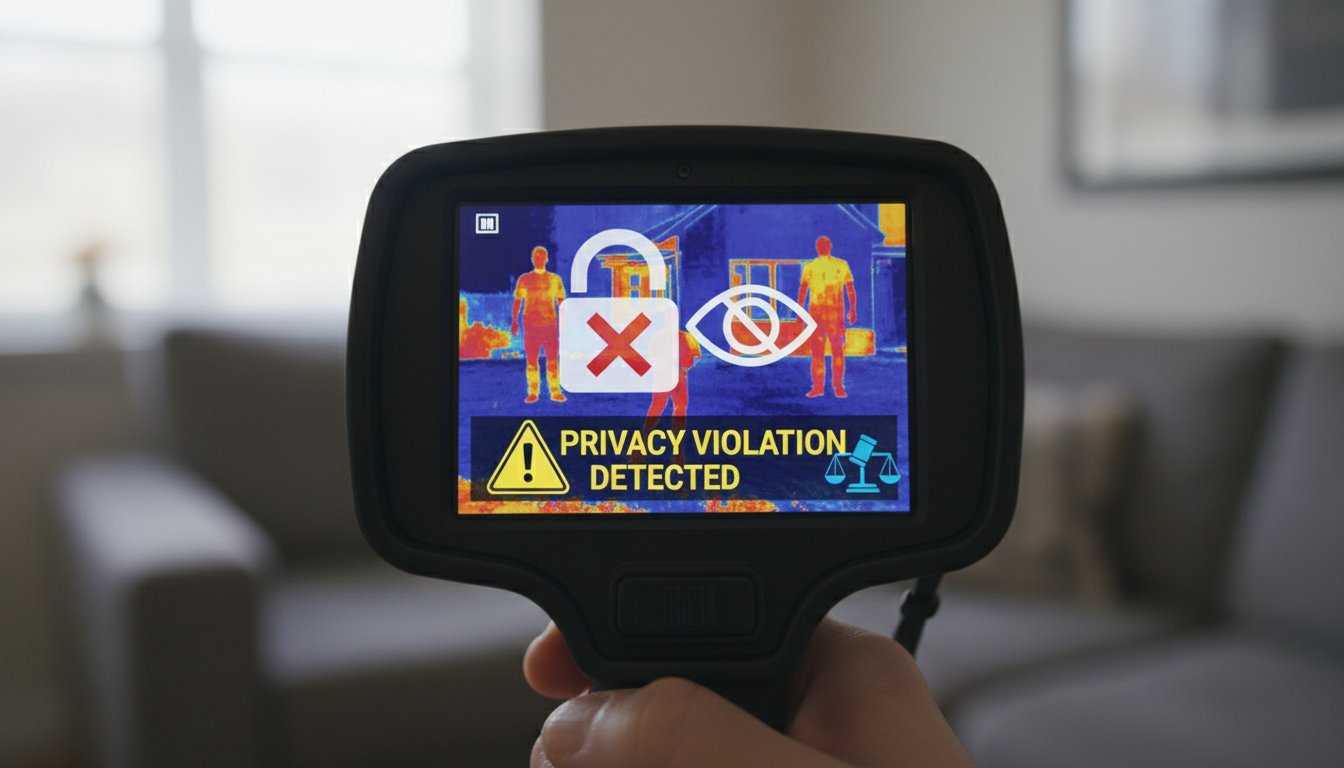
Thermal imaging devices have become more accessible than ever. They’re used for everything from hunting to home inspections. But as these cameras get cheaper and easier to buy, we’re facing a real question: can they be misused?
The short answer is yes. While thermal cameras serve legitimate purposes, they also open the door to privacy violations, neighbor disputes, and questionable surveillance practices. We’ve seen cases of people worried about neighbors watching them through walls, law enforcement pushing legal boundaries, and companies selling fever-detection cameras that don’t actually work as promised.
Let’s look at how thermal imaging can be abused, what the laws say, and what you can do to protect yourself.
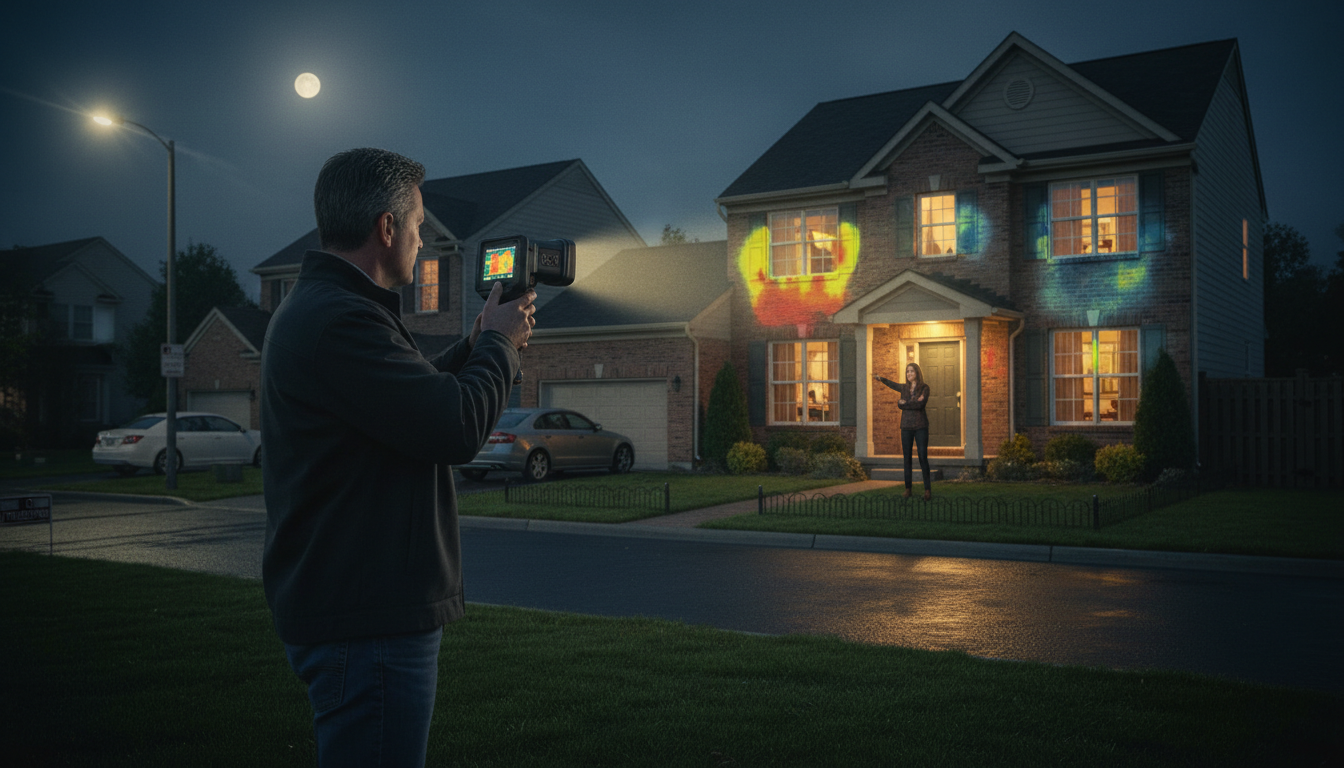
One of the most common concerns involves neighbors using thermal cameras to monitor people inside their homes. While thermal cameras can’t actually see through walls despite what movies show, they detect surface heat—but that hasn’t stopped people from feeling violated when they discover someone pointing a thermal device at their property.
Legal experts recommend documenting incidents and checking local privacy laws if you suspect unauthorized thermal camera use. The reality is that proving someone is using thermal imaging to spy on you can be difficult without clear evidence. But the fact that people are asking these questions shows how the technology creates new privacy concerns.
If you’re interested in legitimate outdoor uses for thermal devices, check out our Sirius HD or Pegasus 2 LRF models designed for hunting and wildlife observation.
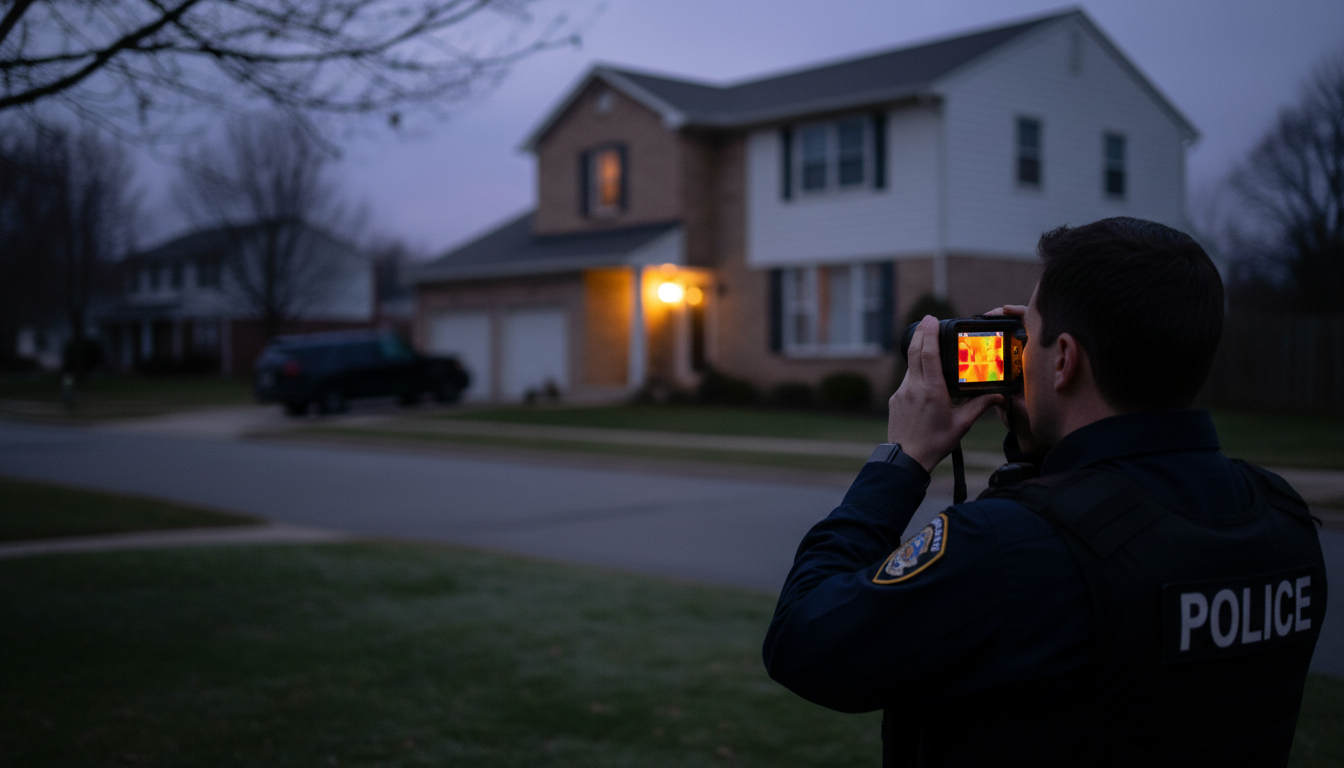
The Supreme Court ruled in Kyllo v. United States that using thermal imaging devices to monitor heat radiation in or around a person’s home without a warrant is unconstitutional, as it explores details that would previously have been unknowable without physical intrusion.
This case set an important precedent. Justice Scalia noted the surveillance powers that could be abused by police with technologies that are “not in general public use”. The ruling recognized that as thermal technology improves, the potential for abuse grows.
The technology aids the fight against drugs, but the potential for abuse is great and may destroy basic Fourth Amendment rights. Some courts had previously ruled that thermal imaging didn’t require a warrant, arguing that people have no reasonable expectation of privacy in heat escaping from their homes. The Supreme Court disagreed.
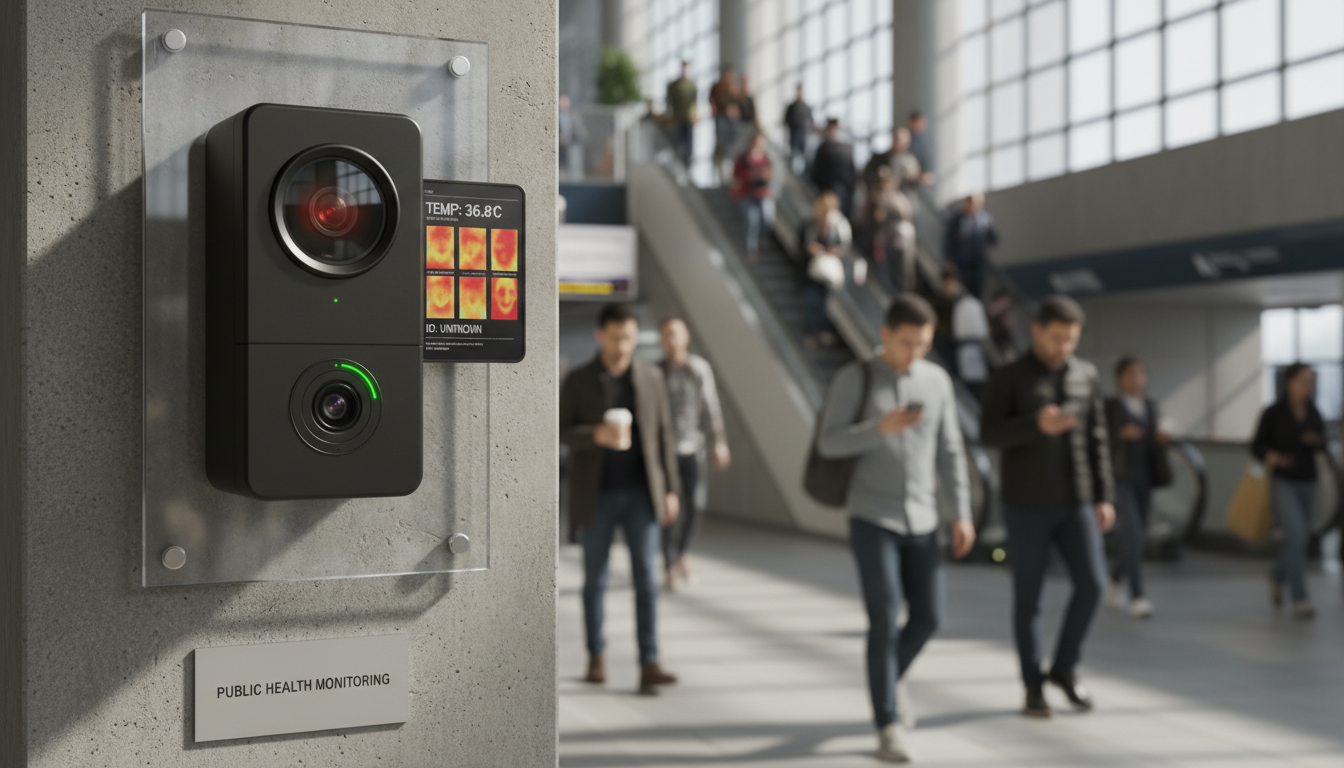
Thermal cameras threaten to build a future where public squares and sidewalks are filled with constant video surveillance, and spending money to install infrastructure like “fever detection” cameras increases the likelihood that the hardware will long outlive its usefulness during public health crises.
During the COVID-19 pandemic, many businesses rushed to install thermal cameras for temperature screening. Many thermal cameras are being combined with facial recognition capabilities, which is particularly problematic as facial recognition technology relies on the capture, extraction, storage, or sharing of people’s biometric facial data—often in absence of explicit consent or prior notice.
This combination creates a perfect storm for privacy invasion. You’re not just having your temperature taken—you’re potentially being identified, tracked, and monitored without your knowledge.
Thermal imaging can disclose privacy information from individuals, as residual thermal radiation transferred from users to objects can disclose gender characteristics. Thermal attacks have been successfully used to steal passwords and PIN codes at ATMs by examining residual thermal radiation in keypads.
These aren’t theoretical concerns. Attackers have actually used thermal imaging to compromise security in real-world scenarios. The heat signature your fingers leave on a keypad can reveal the numbers you just pressed.
Thermal imaging can be beneficial for attackers as it can identify locations where surveillance devices are unlikely to be observed, such as finding spots where a camera can blend with the background near a heating source.
For those looking for legitimate thermal imaging tools, our Draco and Arc LRF models offer reliable performance for outdoor activities.
Using infrared light to take someone’s temperature works well as long as you don’t want it to be particularly precise, but that’s exactly what’s expected of thermal cameras. Experts have concluded that thermal imaging from a distance—including camera systems that claim to detect fevers—may not be effective.
The camera and its environment must be tightly controlled—temperature, humidity, air currents, reflective surfaces, and heat sources all affect readings, and the camera must be warmed up for 30 minutes while the person being scanned must not have washed their face or exercised in the 15-30 minutes before being scanned.
Despite these limitations, businesses installed thousands of these systems and made decisions about who could enter based on potentially inaccurate readings. That’s a form of abuse—selling and using technology that doesn’t actually work as advertised.
It is unlawful to observe, photograph, or record someone without their knowledge or consent in areas where they expect privacy. It is illegal to use, install, or permit the installation of imaging devices to capture or record visual images of a person’s private areas without their knowledge and consent, especially in situations where individuals have a reasonable expectation of privacy, including intentions of video voyeurism.
State laws vary, but most protect against surveillance in private spaces. State laws often build on Fourth Amendment foundations, providing additional protections against private intrusions and prohibiting surveillance without consent.
If you believe you’re being monitored, reporting to law enforcement is a necessary step—start with the local police department, presenting all documented evidence including recordings, photographs, and logs.
So what can you do? First, understand what thermal cameras actually can and can’t do. They don’t have X-ray vision. They can’t see you undressing through a brick wall. But they can detect heat patterns that reveal where people are in outdoor spaces or detect warm spots on surfaces.
Documenting unauthorized surveillance is essential—gather concrete evidence such as recordings of unusual sounds, photographs of suspicious devices, or detailed logs of suspicious activities to create a timeline that can be critical in legal proceedings.
If you’re using thermal devices yourself—whether for home security, hunting, or professional work—be mindful of where you point them. Just because the technology is legal to own doesn’t mean every use of it is legal or ethical. Our thermal imaging products at Pixfra are designed for legitimate outdoor applications, and we encourage responsible use.
Yes, thermal imaging devices can be abused. From neighbor disputes to law enforcement overreach, from password theft to ineffective health screening, the technology creates real privacy risks. The Supreme Court has provided some protection against government abuse, but private misuse is harder to police. State laws offer some recourse, but proving thermal surveillance is difficult.
The best defense is awareness. Know your rights, understand the technology’s limitations, and document any suspicious activity. As thermal cameras become more common, we’ll need to keep having conversations about where the line is between legitimate use and privacy invasion. The technology itself isn’t good or bad—it’s how people choose to use it that matters.
Can my neighbor legally point a thermal camera at my house?
It depends on your state laws and how the camera is being used. While owning a thermal camera is legal, using it to monitor someone in areas where they have a reasonable expectation of privacy—like inside their home—typically violates privacy laws. Document the activity and consult local law enforcement or an attorney about your specific situation.
Can thermal cameras actually see through walls?
No, despite what you see in movies. Thermal cameras only detect surface heat. They can’t see people behind walls or reveal what’s happening in the next room. They might show warm spots on a wall caused by heating ducts or poor insulation behind it, but they’re not seeing through the wall itself—just temperature patterns on the surface.
Do police need a warrant to use thermal imaging on my home?
Yes. The Supreme Court ruled in Kyllo v. United States that law enforcement must obtain a search warrant before using thermal imaging devices to monitor a private residence. Using such technology without a warrant violates the Fourth Amendment’s protection against unreasonable searches.
Are thermal cameras effective for COVID temperature screening?
Not really. Experts have found that thermal imaging from a distance is often inaccurate for fever detection. The cameras require highly controlled environments, proper calibration, and specific protocols to work correctly. Many systems installed during the pandemic didn’t meet these requirements and provided unreliable readings.
What should I do if I suspect thermal surveillance?
Document everything—dates, times, suspicious behavior, and any evidence you can safely gather. Check your state’s privacy and surveillance laws. File a police report with all your documentation. You may also want to consult an attorney about civil remedies like restraining orders or privacy violation lawsuits, depending on the severity of the situation.

Mushroom foraging has always relied on sharp eyes and patience. But recent videos online show hunters using thermal scopes to spot morels through the woods. Sound too good to be true? We dug into the science and real-world experiences to see if this method works—and when it doesn’t.
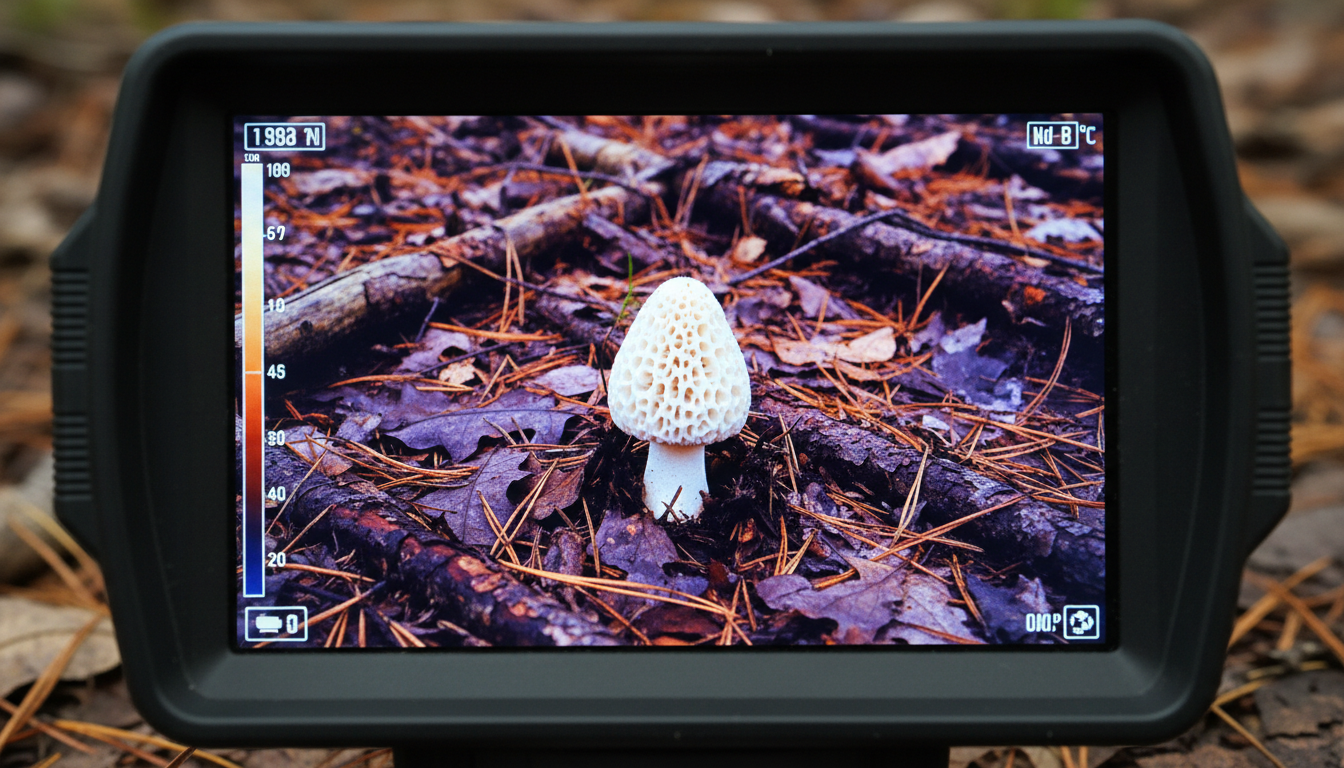
Thermal imaging cameras capture temperature differences, and morels release cool, moist air through evaporation, creating a cold pocket that shows up on thermal scopes. When tested, morels measured less than 70 degrees Fahrenheit while the surrounding area was warmer, with the mushroom appearing bright white on the thermal image. The bigger the temperature gap between the mushroom and its surroundings, the easier it is to spot.
Thermal devices work by detecting infrared radiation from objects. Morels and other fungi can be up to 36 degrees cooler than their surroundings in natural settings. That’s a pretty big difference. This temperature contrast is what makes detection possible, though conditions need to be right.
If you’re looking to expand your outdoor gear arsenal, check out Pixfra’s thermal imaging devices that offer high-resolution detection for various applications.
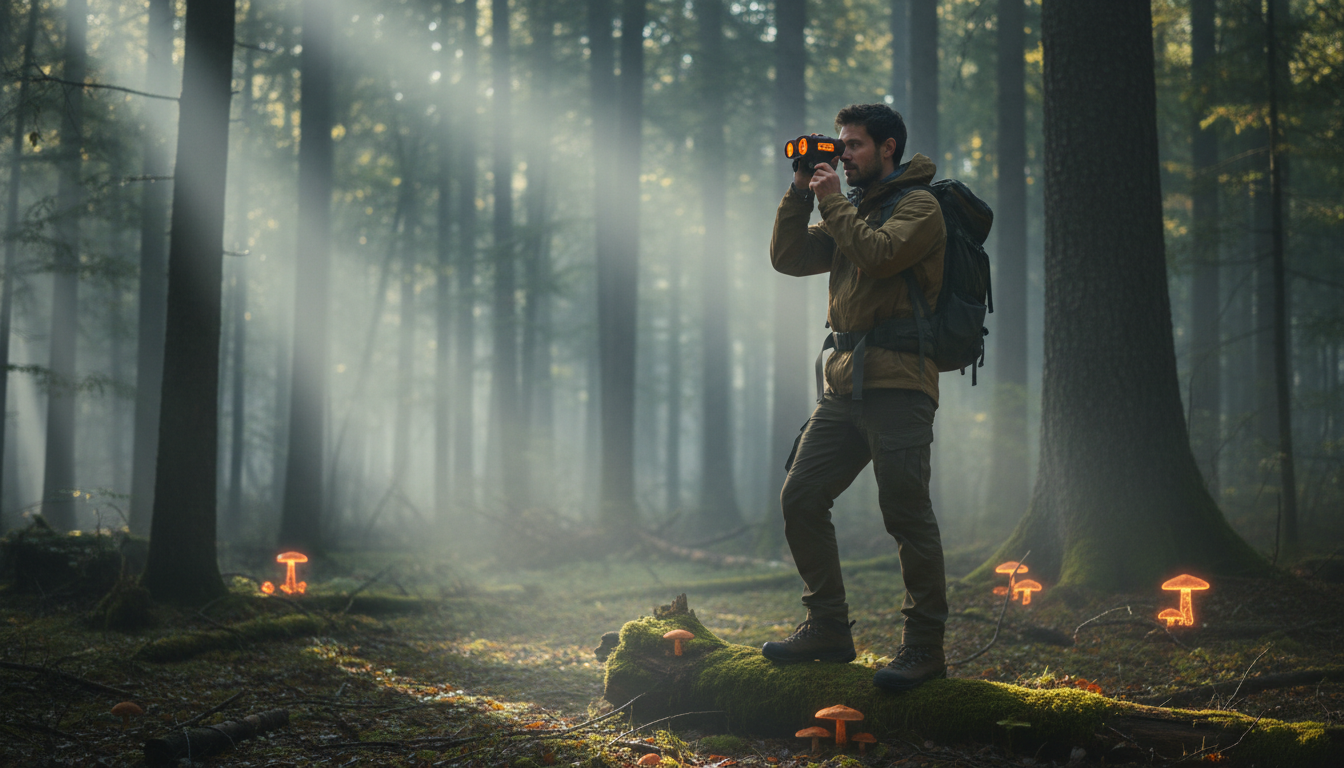
Field testers using a Hogster 35 on white hot mode confirmed the method works, with mushrooms standing out as bright white. One Oklahoma forager reported finding 643 morels in a single season using thermal scopes. But here’s the catch: not everyone sees the same success.
Some hunters with 640 resolution thermal scopes found no success, particularly when sunlight warmed the ground and created too much image detail. The method works best in specific conditions, which we’ll get to next.
Whether this counts as a “cheat code” depends on who you ask. Wildlife photographer Kyle Underwood proved morels show up on thermal cameras but faced criticism for sharing what some called an unfair advantage. But the technology isn’t perfect—it’s another tool that requires skill to use right.
Early mornings or late evenings work best for thermal mushroom hunting because cooler temperatures create a bigger contrast between mushrooms and their environment. Midday heat can wash out the temperature differences that make morels visible.
Temperature sensitivity limits thermal detection—ambient warmth makes it harder to distinguish mushrooms, and dense foliage, moisture, and humidity can affect thermal readings. You can’t just scan any forest at any time and expect results. Conditions matter.
For serious outdoor enthusiasts, devices like the Pixfra Sirius HD or Pegasus 2 LRF offer the resolution and sensitivity needed to pick up subtle temperature differences in challenging conditions.
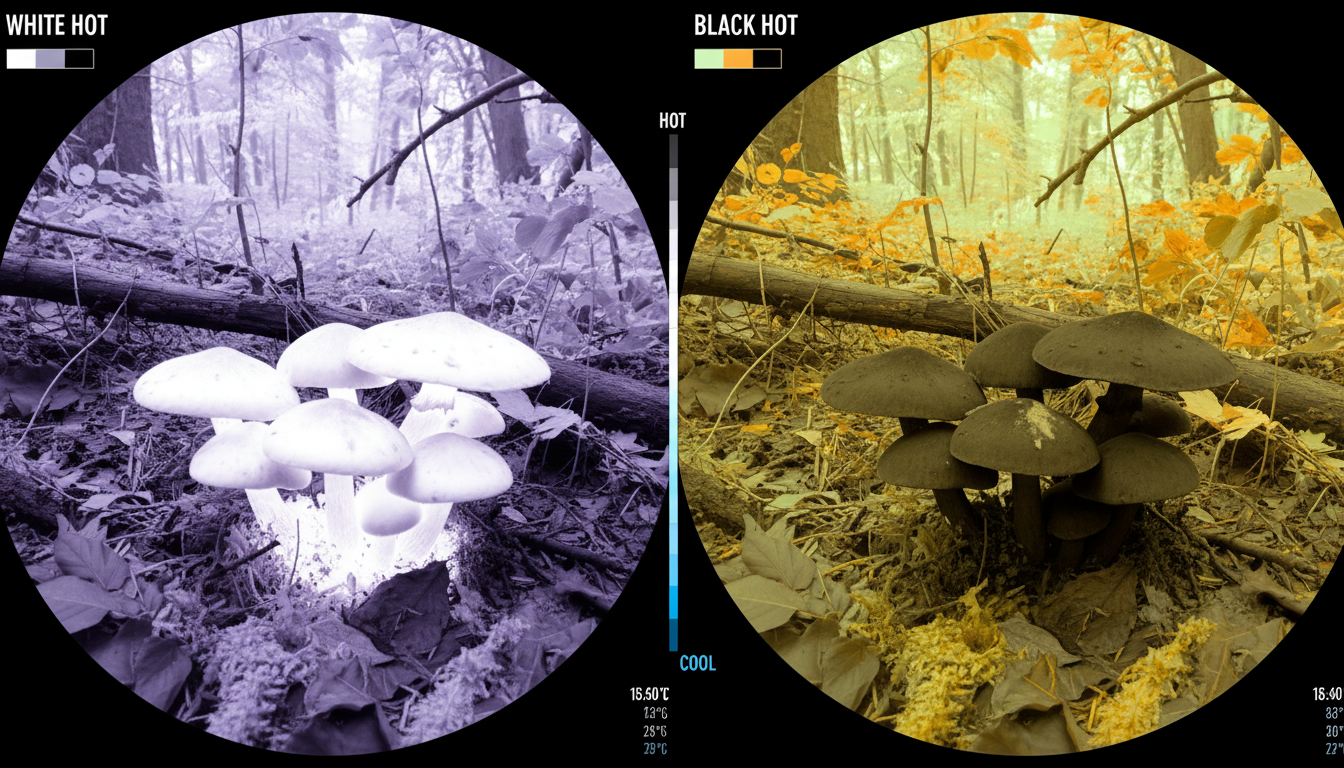
Mushrooms are cooler than ambient temperature, so using white hot or black hot settings on your thermal device is key. White hot mode shows cooler objects as brighter, making morels stand out against warmer ground. While you can’t scan entire woods effectively, thermal scopes work well for peering through briars and dense undergrowth.
Resolution matters too. Lower-resolution devices might struggle to pick up the subtle temperature differences, especially in variable conditions. Higher-end thermal optics give you better chances of success, though they come with higher price tags.
Not all mushrooms are easily detectable with thermal imaging—effectiveness depends on temperature differences, with morels standing out because they’re cooler than their environment. Other mushroom varieties might not create enough temperature contrast to show up clearly.
Don’t expect to replace traditional foraging skills with technology. Even advocates of thermal mushroom hunting emphasize you don’t need thermal cameras to find morels—the technology works but isn’t necessary. You still need to know where morels grow, what trees they prefer, and how to identify them properly.
Using thermal scopes effectively requires practice to interpret images correctly and distinguish between different fungi and environmental features. There’s a learning curve. And you’ll still walk past plenty of mushrooms if you’re only relying on your scope.
For mushroom hunters who already own thermal optics for other activities, it’s worth testing. The method has proven results in the right conditions. But buying a thermal scope just for mushroom hunting? That’s a tougher call.
Thermal scopes range from budget models around $200 to professional units over $1,000. Consider what else you’d use the device for—wildlife observation, property security, or nighttime navigation. Multi-use tools justify the investment better than single-purpose gear.
Devices like the Pixfra Draco or IR Torch offer versatility for various outdoor applications beyond mushroom hunting, making them smarter purchases for outdoor enthusiasts.
Can you find mushrooms with a thermal scope? Yes, when conditions align. Morels create detectable temperature differences that thermal imaging can pick up, especially in early morning or evening when cooler air increases contrast. Real foragers have found hundreds of mushrooms using this method. But it’s not magic—you need the right conditions, proper settings, and practice interpreting thermal images. Traditional foraging skills still matter. Thermal scopes work best as a supplementary tool, not a replacement for knowledge and experience. If you already own thermal optics, give it a shot during mushroom season. Just don’t expect to scan the forest from your truck and fill a basket.
Do thermal scopes work for all types of mushrooms?
No. Thermal detection works best for morels because they’re significantly cooler than their surroundings. Other mushroom species might not create enough temperature contrast to show up clearly on thermal imaging. The effectiveness depends on how much cooler the mushroom is compared to the ground and vegetation around it.
What time of day is best for thermal mushroom hunting?
Early mornings and late evenings give the best results. Cooler air temperatures during these times create bigger contrasts between the mushrooms and their environment. Midday heat reduces the temperature difference, making mushrooms harder to detect on thermal scopes.
What thermal scope settings work for finding mushrooms?
Use white hot mode, which displays cooler objects as brighter. Since mushrooms are cooler than the surrounding ground and vegetation, they’ll appear as bright white spots. Black hot mode can also work—it reverses the display, showing hot objects as black and cool objects as white.
Can I scan large areas of forest with a thermal scope for mushrooms?
Not really. Thermal scopes work better for looking through dense undergrowth, briars, and areas you’ve already identified as good mushroom habitat. Scanning entire forests isn’t practical because of distance limitations, foliage interference, and the small size of individual mushrooms.
Is using thermal imaging legal for mushroom foraging?
Yes, in most places. Unlike hunting game animals—where thermal optics are illegal in many states—there are typically no restrictions on using thermal imaging for mushroom foraging. However, always check local foraging regulations and land-use rules before heading out.
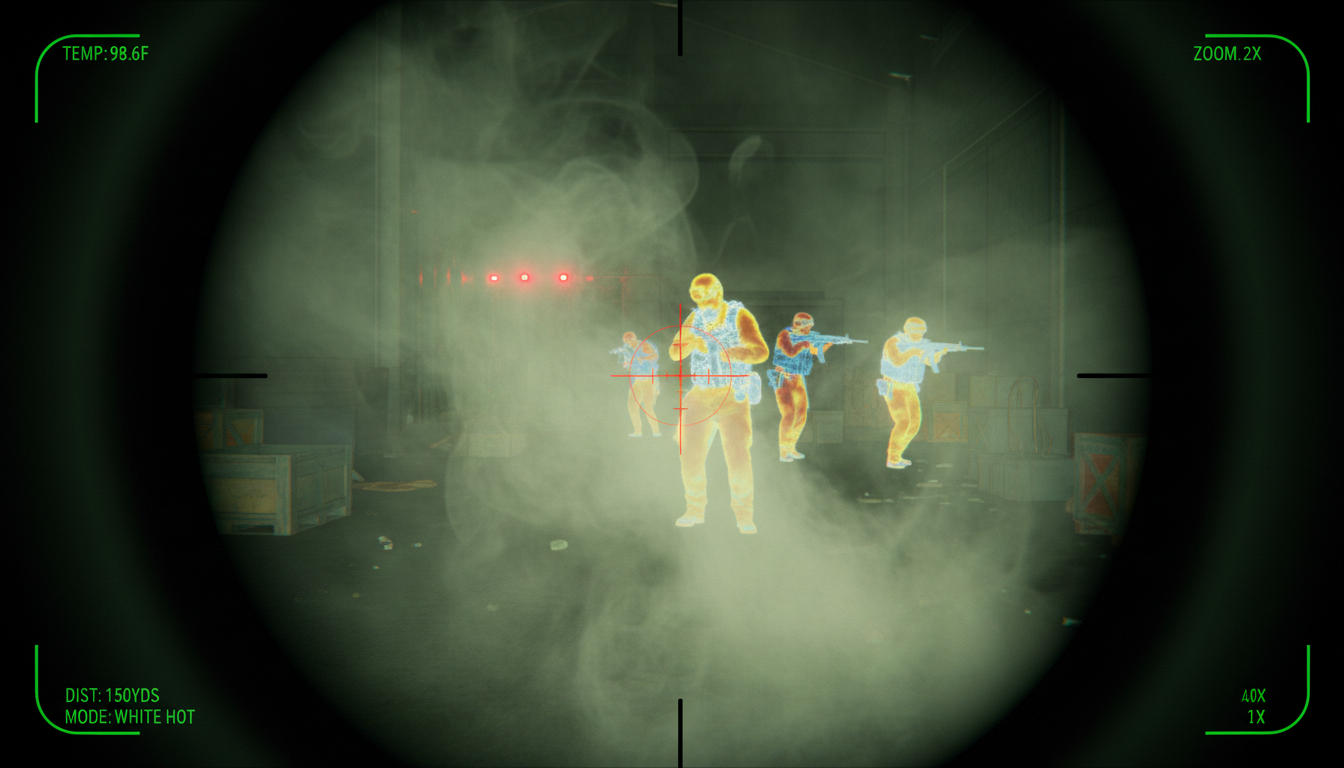
Thermal scopes have changed the game for hunters, tactical professionals, and outdoor enthusiasts. But there’s one question that comes up again and again: can these devices actually see through smoke? The answer isn’t a simple yes or no. We’re going to walk you through how thermal imaging interacts with smoke, what affects performance, and what you can realistically expect in different situations.
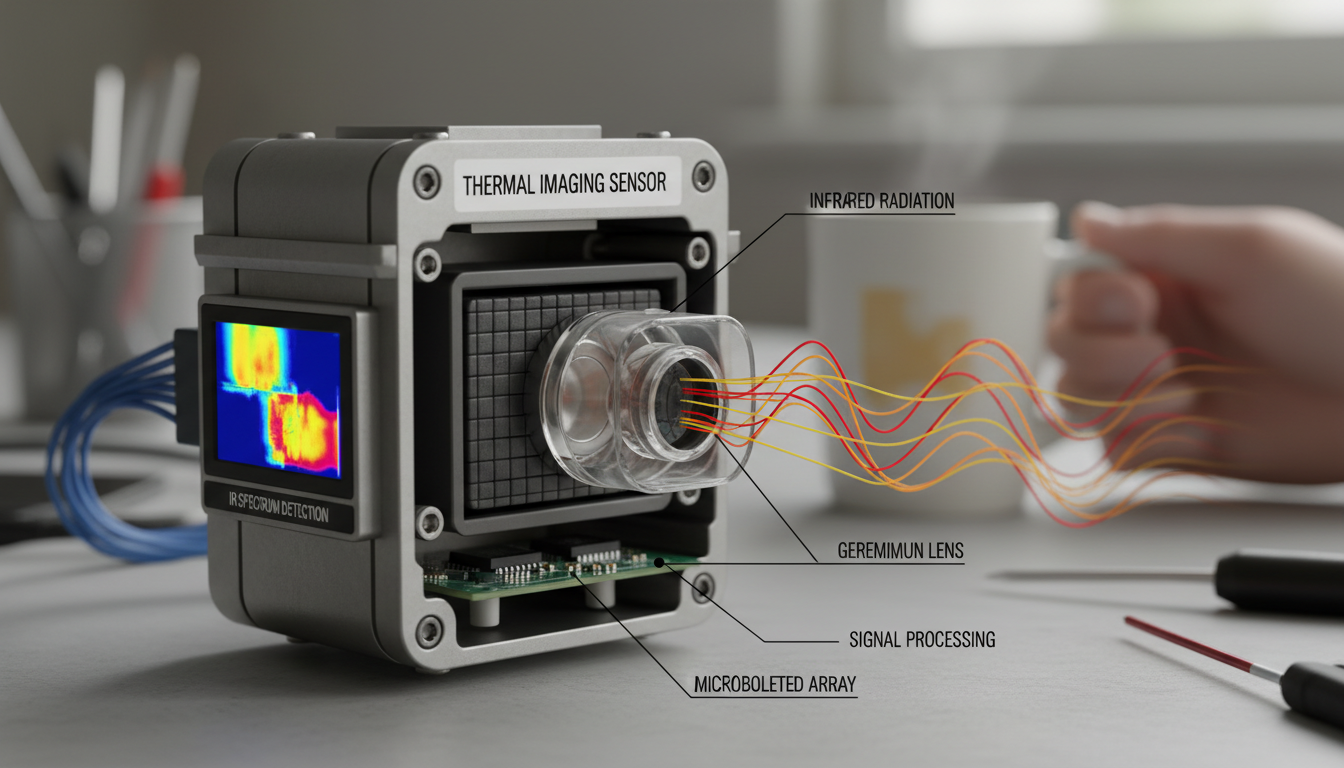
Before we talk about smoke, let’s cover the basics. Thermal imaging detects infrared radiation emitted by objects based on their heat, unlike conventional cameras that capture images based on light reflections. Your thermal scope picks up heat signatures and converts them into a visible image. This is why they work in total darkness—they don’t need light at all.
Every object above absolute zero gives off heat. What you see with a thermal scope are hot and cold spots, as thermal scopes detect the heat coming off objects and living things. The bigger the temperature difference, the clearer the image. This makes thermal devices like the Pixfra Sirius HD and Pixfra Pegasus 2 LRF excellent for spotting game or people against cooler backgrounds.
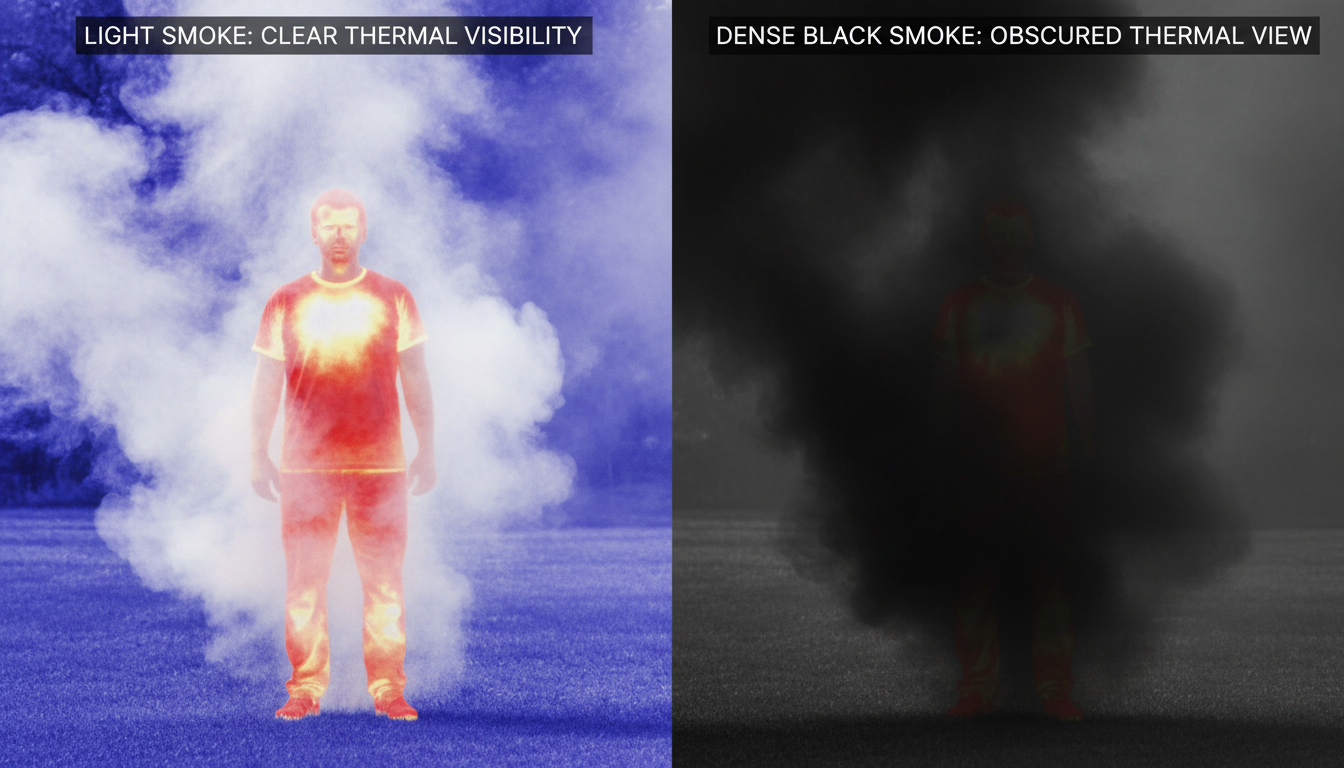
Here’s where it gets interesting. Yes, thermal scopes can see through smoke because particles in the smoke block visible light but allow heat signatures to penetrate. Firefighters use thermal scopes for this very reason. By rendering infrared radiation as visible light, such cameras allow firefighters to see areas of heat through smoke, darkness, or heat-permeable barriers.
But—and this is a big but—performance depends on several factors. You won’t always get a crystal-clear view through every type of smoke.
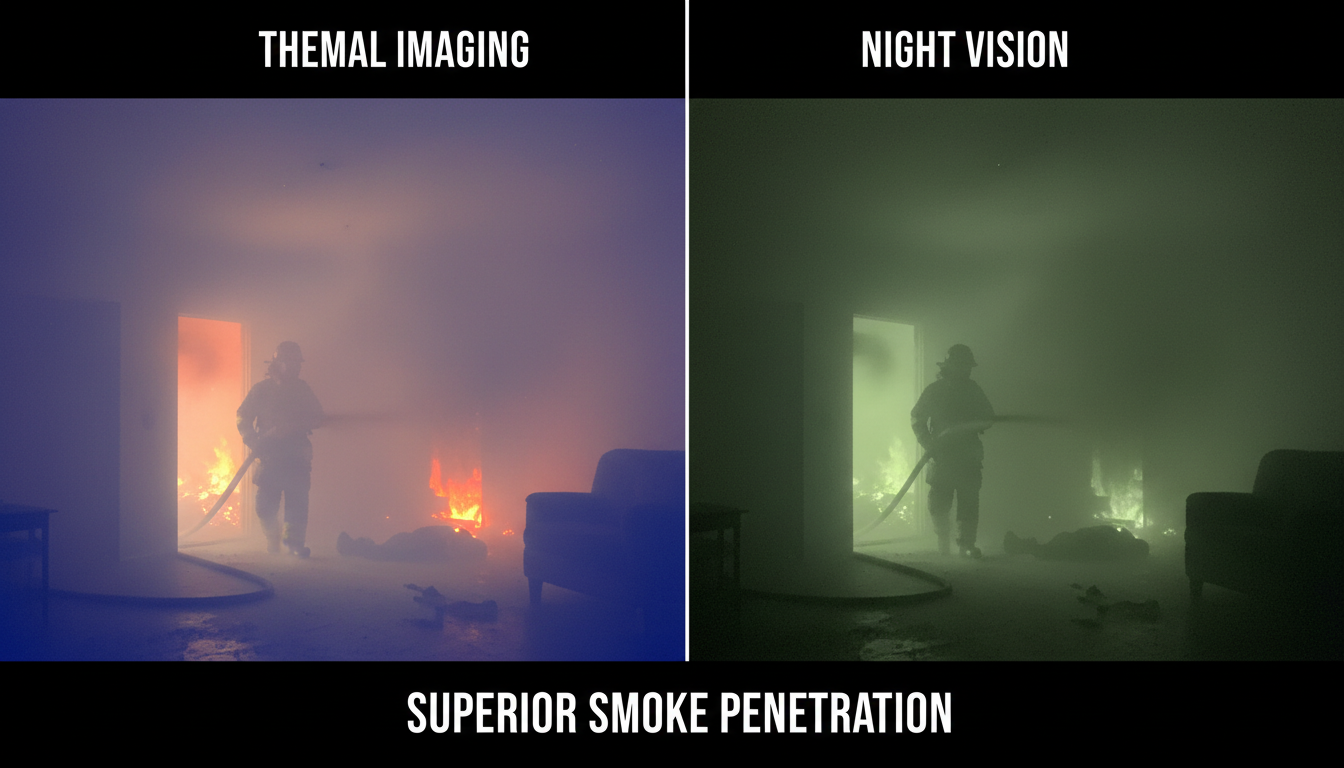
Light smoke may not significantly obstruct thermal imaging, allowing heat signatures to be visible, however dense smoke which contains a higher concentration of particles can absorb and scatter infrared radiation, making it challenging to detect objects behind it. Think of it like this: a thin wisp from a campfire? No problem. Thick black smoke from a structure fire? That’s going to limit what you can see.
Smoke is made of heated particles and has to be created by something hot, and if the heat source making the smoke is close, the thermal scope may pick up that heat and therefore not see very clearly through the smoke. The smoke itself can emit infrared radiation, which saturates your sensor and washes out the image.
The effectiveness of a thermal scope in smoke depends on the temperature difference between the target and the surrounding environment—a person’s body heat may still be detectable through light smoke if there’s a significant contrast between their temperature and the ambient conditions. On a cold night, you’ll spot heat signatures better than on a warm day.
The composition of smoke can vary based on its source—smoke from fires may contain hot gases that emit infrared radiation, potentially interfering with the thermal image, while smoke from smoke grenades may have different thermal properties. Silica particles in smoke can prevent thermals from being able to see through it.
We’ve seen thermal imaging prove itself in countless scenarios. In firefighting or search and rescue operations, the ability to see through smoke can mean the difference between life and death, as firefighters rely on thermal imaging to locate victims trapped in smoke-filled environments. Deep learning models trained with thermal cameras can achieve over 95% precision for locating people in low-visibility smoky scenarios, with results reported to control centers to help provide timely rescue.
For hunters using devices like the Pixfra Draco or Arc LRF, smoke is less of an issue than fog or rain. But understanding these limitations helps you make better decisions in the field.
In severe, thick smoke conditions, thermal imaging effectiveness can be reduced as smoke particles can obscure the infrared radiation emitted by the heat source. Infrared thermal imaging is significantly affected in foggy environments, while its impact is minor in smoky environments.
You also need to consider your equipment’s sensor quality. Thick smoke with intense heat can saturate the sensor, especially if the environment itself emits high thermal signatures, though advanced thermal monoculars use image optimization algorithms to enhance clarity even in dense smoke.
Let’s clear up another common question. Night vision amplifies existing light, so it’s completely useless in smoke. Night vision amplifies existing light while thermal detects heat, with thermal working in total darkness and through obscurants like smoke. That’s why search and rescue teams choose thermal over night vision for smoky environments.
If you’re evaluating different technologies, check out our guide on the best remote visual inspection devices with thermal imaging for more comparisons.
Thermal scopes have their limits. Thermal imaging cannot see through walls, as walls—especially solid ones like concrete, brick, or wood—block the transmission of heat. Thermal scopes can’t see through glass because it’s a very good insulator, and if you focus a scope on glass, it’ll pick up the heat reflected off it.
So while smoke is generally permeable to infrared radiation, solid objects are not.
When you’re shopping for thermal equipment, look for:
Brands like Pixfra focus on these features, designing scopes that perform when conditions get tough.
So, can a thermal scope see through smoke? Yes, but with conditions. Light to moderate smoke? You’ll get decent visibility of heat signatures. Dense, hot smoke from an active fire? Your view will be degraded. The technology works by detecting infrared radiation that passes through smoke particles, but density, heat, and composition all play a role.
Thermal imaging gives you a real advantage in low-visibility situations where standard optics fail completely. Whether you’re hunting in foggy conditions, conducting search and rescue, or need reliable inspection devices, understanding how your thermal scope interacts with smoke helps you use it more effectively. Just remember—thermal scopes are powerful tools, but they’re not magic. Know their limits, and you’ll know when to trust what you’re seeing.
Does thermal imaging work better in fog or smoke?
Thermal imaging generally works better in smoke than fog. While both can reduce visibility, smoke particles have less impact on infrared radiation than water droplets in fog. Research shows thermal imaging is significantly affected in foggy environments but only minimally impacted in smoky conditions. You’ll still get usable images through moderate smoke, though very dense smoke near a heat source will limit effectiveness.
Can military thermal scopes see through smoke grenades?
It depends on the type of smoke grenade. Standard smoke grenades that produce regular smoke can often be penetrated by thermal imaging. However, specialized thermal-blocking smoke grenades contain particles like silica that specifically obstruct infrared radiation. Military-grade thermal scopes work well against most tactical smoke screens, which is why they’re widely used in combat situations where smoke is deployed as cover.
Why do firefighters use thermal cameras if smoke blocks the view?
Firefighters use thermal cameras because they can detect heat signatures through most smoke conditions, even when visibility is severely reduced. The human body emits enough heat to create a detectable signature against cooler backgrounds, allowing rescuers to locate victims in smoke-filled rooms. While extremely thick, hot smoke can degrade the image, thermal cameras still outperform all other vision technologies in these conditions, making them life-saving tools.
Will a thermal scope help hunters in smoky forest conditions?
Yes, thermal scopes help hunters see through light to moderate smoke from wildfires or controlled burns. The scope will pick up the heat signature of animals even when smoke obscures your normal vision. However, if you’re hunting near an active fire or in very dense smoke, the heat from the smoke itself may interfere with target detection. Temperature contrast matters too—cooler weather gives you better thermal images.
What’s the difference between cheap and expensive thermal scopes in smoke?
Expensive thermal scopes typically have higher resolution sensors, better image processing algorithms, and superior optics that make a real difference in challenging conditions like smoke. Budget models may show washed-out images or struggle with dense smoke, while premium scopes use advanced filtering to enhance heat signatures even when smoke partially obscures the view. The sensor quality and processing power directly impact how well you can see through smoke.
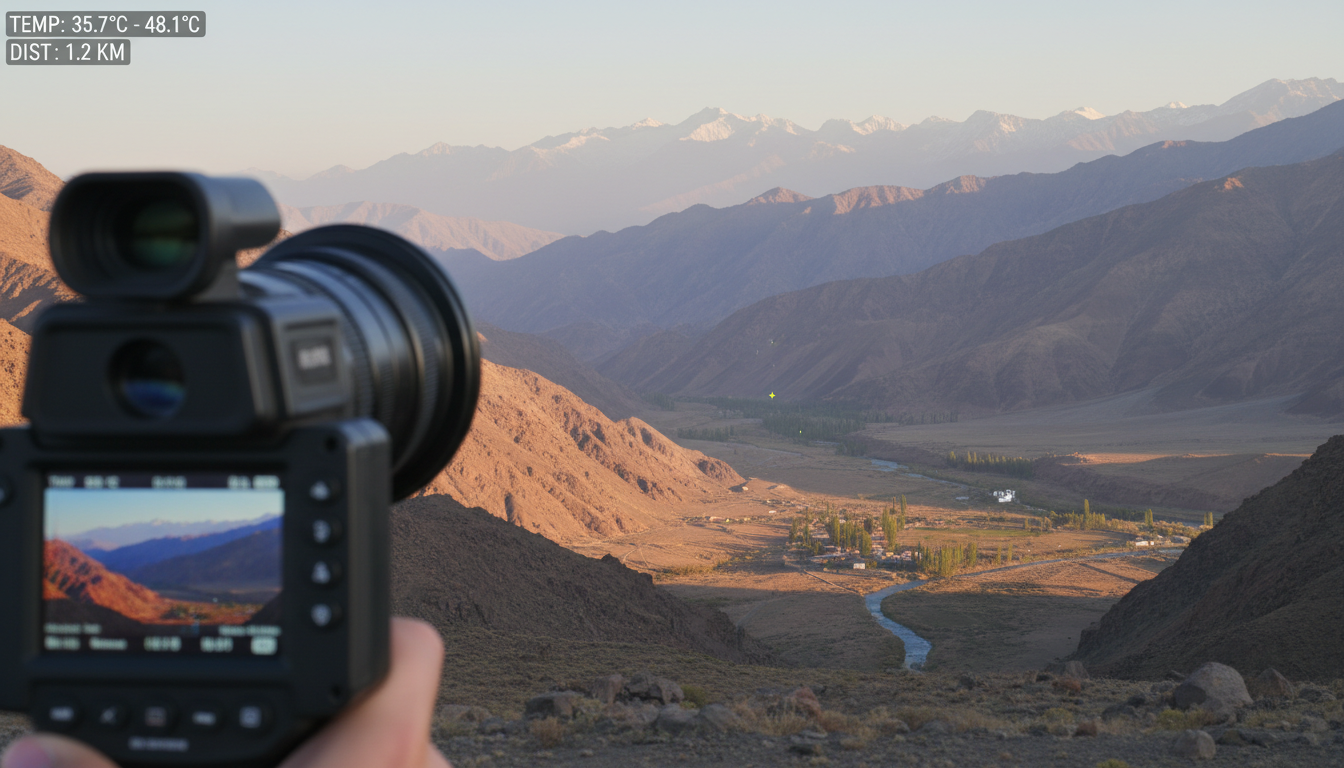
Thermal devices have become game-changers for everything from security to wildlife observation. But here’s what most people want to know: can these devices actually work from far away?
The short answer is yes. High-end thermal cameras can detect vehicles at up to 60 km and humans at up to 30 km. That said, distance performance depends on several factors. We’ll break down how thermal devices work at different ranges and what affects their performance.
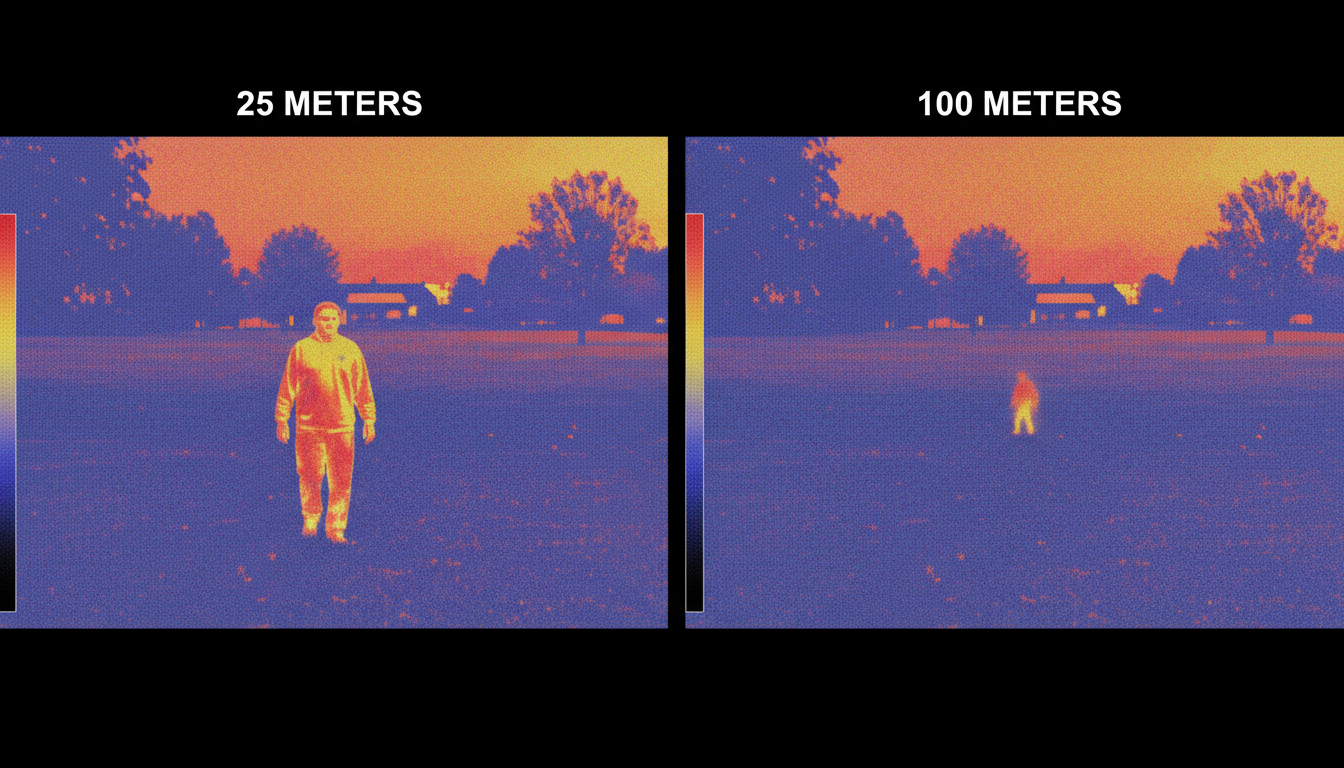
A thermal camera works by detecting the heat emitted by objects and converting it into an electronic signal. Unlike regular cameras that need visible light, thermal devices pick up infrared radiation that all objects emit based on their temperature.
Humans, animals and vehicles are typically warmer than their environment, providing a high contrast that allows for fast wide-angle detection of threats from a much further distance (sometimes up to 50km). This makes thermal imaging particularly effective for long-range surveillance and outdoor applications.
At Pixfra, we’ve designed our thermal imaging devices to maximize detection capabilities across various distances. Our Pegasus 2 LRF and Sirius HD models offer different range options depending on your specific needs.
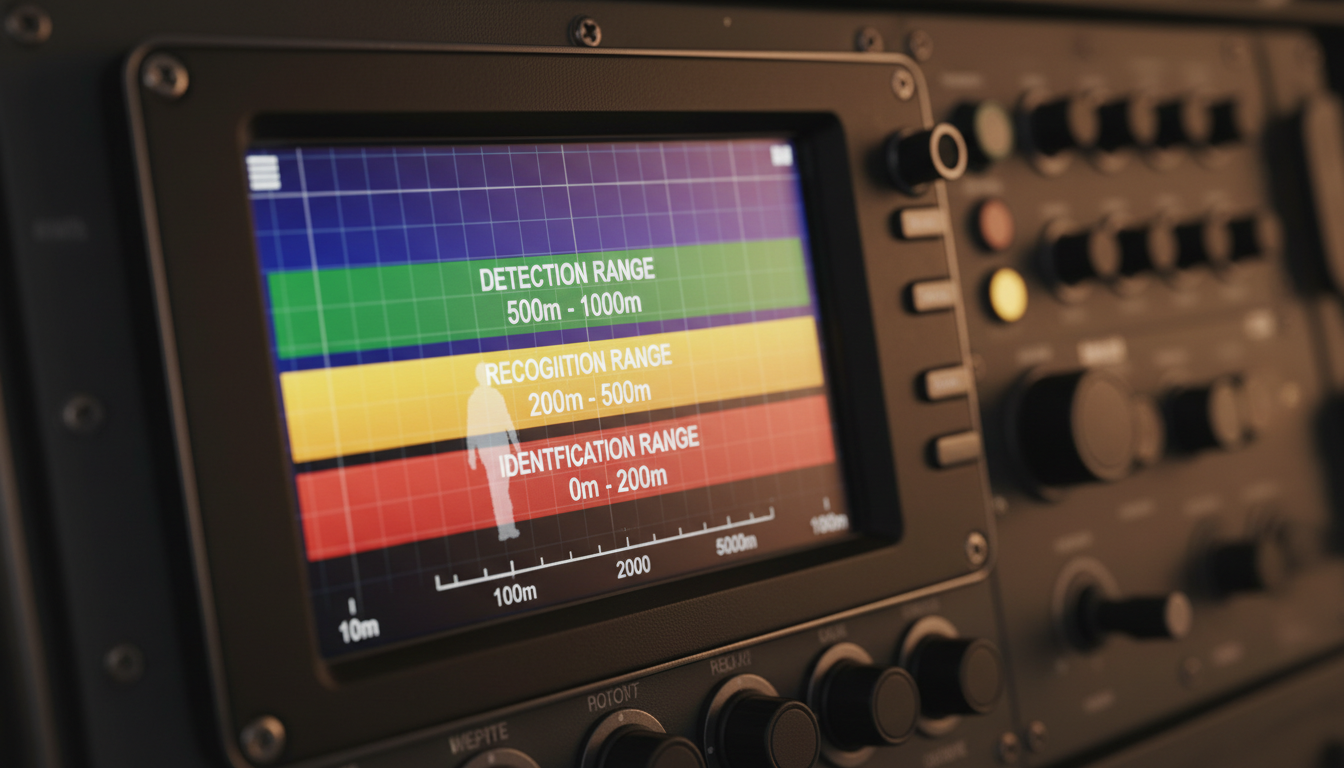
Not all “seeing” is the same. There’s a big difference between spotting something and actually identifying what it is.
Detection range is the distance at which the critical mass on your subject covers around 2 or more pixels, recognition range is approximately 40% of the detection range where you can discern what type of animal you’re looking at, and identification range is approximately 20% of the detection range where the critical mass covers at least 12 pixels.
For example, you might detect a heat signature at 2 kilometers, but you’ll only be able to tell if it’s a person versus a deer at 800 meters. And you’d need to be within 400 meters to identify specific features. These distances vary based on your device’s specifications.
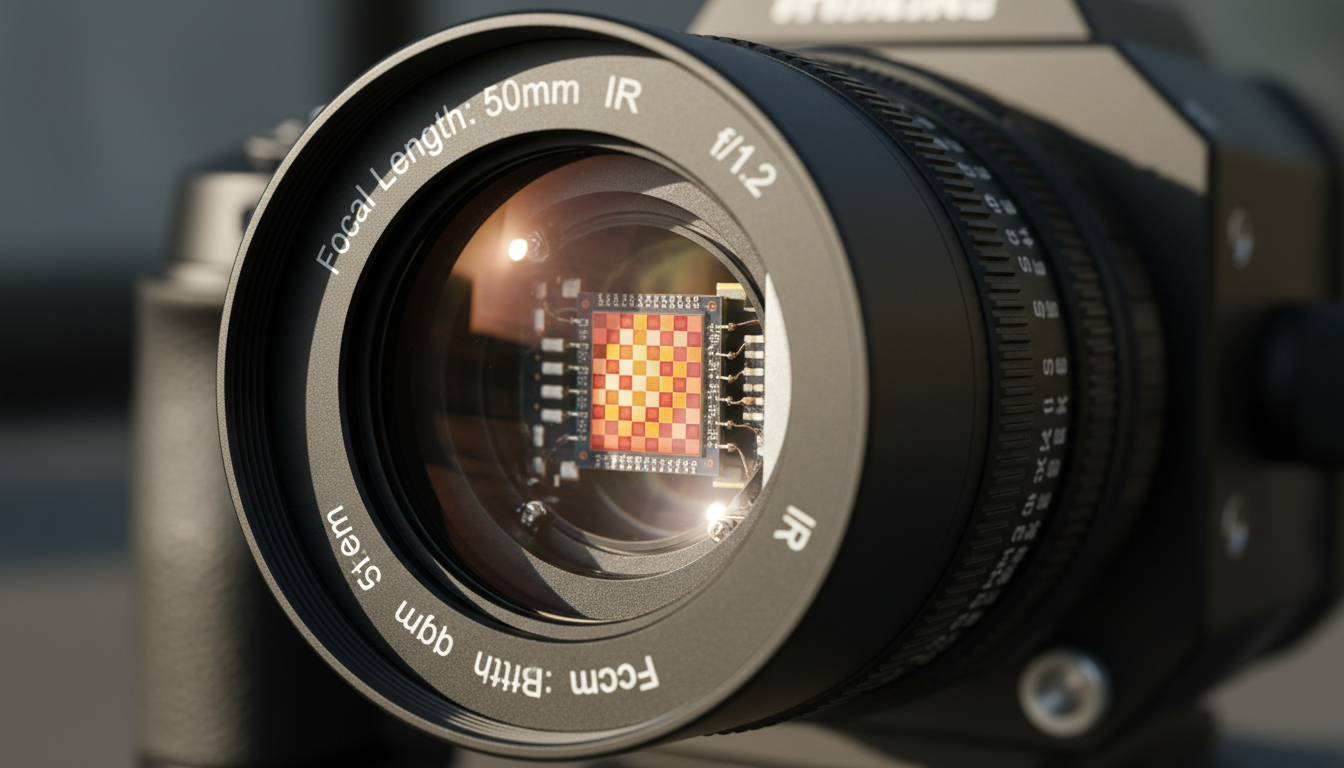
The resolution of a thermal camera significantly impacts its ability to detect distant objects. Higher resolution cameras capture more pixels, providing clearer and more detailed images. A 640×480 camera will outperform a 320×240 camera when it comes to distance work.
The lens focal length directly affects the image size formed by the target, which corresponds to how many pixels it occupies on the focal plane. Longer focal length lenses let you see farther, but with a narrower field of view. Short focal length lenses give you a wider view but less distance.
Most thermal cameras have a range of several hundred meters. However, the detection range can be significantly reduced in conditions of high humidity, fog, or heavy rain, as these conditions can attenuate the thermal radiation emitted by objects.
Clear, dry conditions give you the best performance. Heavy fog or rain can cut your effective range in half or more.
The size, distance, and temperature difference of the target significantly affect the camera’s ability to detect and measure it accurately. Larger targets with significant temperature differences are easier to identify and measure from a distance.
A warm vehicle against a cool background? Easy to spot from miles away. A person wearing insulated clothing in moderate weather? Much harder at the same distance.
Let’s get specific about what different thermal devices can actually do.
Handheld thermal cameras generally have a range of several hundred yards to about 1,000 yards, depending on the model and specifications. These work well for most home inspection, hunting, and basic security applications.
Specialized models can identify heat signatures from power lines or solar panels at distances of up to 2 kilometers or more. Industrial and professional models go much further.
Some high-end security models can have ranges exceeding several miles, with certain models offering a range of up to 4 miles. Military and border security applications use the longest-range thermal devices available.
Our best remote visual inspection devices with thermal imaging offer various detection ranges suited to different professional applications.
Detecting heat and measuring temperature are two different things.
When measuring temperature with a thermal camera, you want at least 3 × 3 pixels on your target to ensure you’re getting an accurate measurement. This means your effective measurement distance is much shorter than your detection distance.
Lower-resolution options should not be used for distance measurements, especially if it’s important for your application to have accurate temperature measurements. Higher-resolution cameras like those in professional series will be better suited to making measurements at a distance.
If you need precise temperature data, plan to get closer or invest in higher resolution equipment.
For long-range detection or detailed inspections, a larger lens size and a narrower FOV may be preferred. On the other hand, for broader scene coverage or close-range applications, a wider FOV may be more suitable.
Think about your actual use case. Security perimeter monitoring? You’ll want long-range detection with a narrow field of view. Wildlife observation in your backyard? A wider view at shorter ranges makes more sense.
Our Draco, IR Torch, and ARC LRF models each serve different distance and field of view requirements.
Thermal devices absolutely work from far away, with detection capabilities ranging from hundreds of yards for consumer models to dozens of kilometers for professional systems. But “working” means different things depending on whether you need to detect, recognize, or identify targets.
Your effective range depends on resolution, lens quality, environmental conditions, and target characteristics. Higher-end devices with better sensors and longer lenses will always outperform budget models when distance matters. And remember: detection distance and measurement accuracy are two separate considerations.
For professional applications requiring reliable long-range thermal imaging, investing in quality equipment with higher resolution and appropriate lens options will give you the performance you need.
Can thermal cameras see through walls from a distance?
No. Thermal cameras detect heat radiating from surfaces, not through them. While they can detect temperature differences on wall surfaces that might indicate issues behind the wall, they can’t actually see through solid materials like walls, glass, or dense foliage.
How far can a consumer-grade thermal camera detect a person?
Most consumer and entry-level thermal cameras can detect a person at 300 to 1,000 yards depending on conditions and specifications. Recognition (telling it’s a person rather than an animal) typically happens at about 40% of that distance, while identification of specific features requires getting much closer.
Does zoom improve thermal camera distance performance?
Digital zoom doesn’t improve detection capability—it just enlarges existing pixels. For better distance performance, you need higher resolution sensors or optical telephoto lenses. Digital zoom can help you see detected targets more clearly but won’t let you detect new targets farther away.
What’s the maximum distance thermal cameras can work?
Professional long-range thermal systems can detect vehicles at distances up to 60 kilometers and humans at 30 kilometers under ideal conditions. However, these are specialized military or security systems. Most commercial applications work within a few kilometers at most.
Do thermal devices work better at night for distance detection?
Thermal devices work equally well day or night since they detect heat, not visible light. However, temperature contrasts are often greater at night when ambient temperatures drop, which can improve detection of warm targets. Weather conditions affect performance more than time of day.