













Your thermal device is only half the equation. The apps and software you pair with it can turn a good field experience into a great one — or leave you fumbling in the dark with files you can’t use. Here at Pixfra, we’ve built our entire ecosystem around making sure the software side works just as hard as the hardware.
Why Thermal Image Analysis Software Matters
A thermal device captures heat data. But that raw data doesn’t do you much good sitting on the device itself. You need software to view it clearly, adjust it, share it, and sometimes analyze it later back at home. Whether you’re a hunter reviewing footage from last night’s sit, a wildlife observer documenting nocturnal animal behavior, or a property owner running security sweeps, the right app or software turns thermal captures into real, usable information.
Thermal imaging software helps make the most of the images collected from your camera. Without it, you’re stuck with a raw thermal feed and no way to fine-tune what you’re seeing. Think about it this way: you wouldn’t shoot photos on a DSLR and never edit or organize them. Thermal imaging works the same way. The software layer is where raw heat signatures become clear visuals you can act on, save, or share.

Thermal image analysis software is a cornerstone of modern infrared data utilization, enabling organizations to transform raw thermal imagery into actionable insights across engineering, maintenance, and research. And while that language sounds like it’s aimed at industrial users, the same principle applies to outdoor users like hunters and wildlife observers. Your thermal monocular or scope captures temperature differences — the software is what lets you see those differences clearly, switch color palettes, record video, and pull useful details from the image.
At Pixfra, we pair our thermal devices with the Pixfra Outdoor App specifically because we know that a companion app isn’t a bonus feature — it’s a core part of the experience. If you’re still shopping for the right thermal device to go with your software setup, our guide on the top 6 features needed in the best thermal device in 2026 breaks down what actually matters in the field.
Types of Thermal Imaging Software and Apps
Not all thermal imaging software does the same thing, and knowing the difference saves you time, money, and frustration. The thermal software landscape in 2026 broadly falls into a few categories: companion apps that pair directly with your thermal device, desktop analysis suites for post-processing, cloud-based platforms for team collaboration, and open-source tools for tinkerers who want full control.
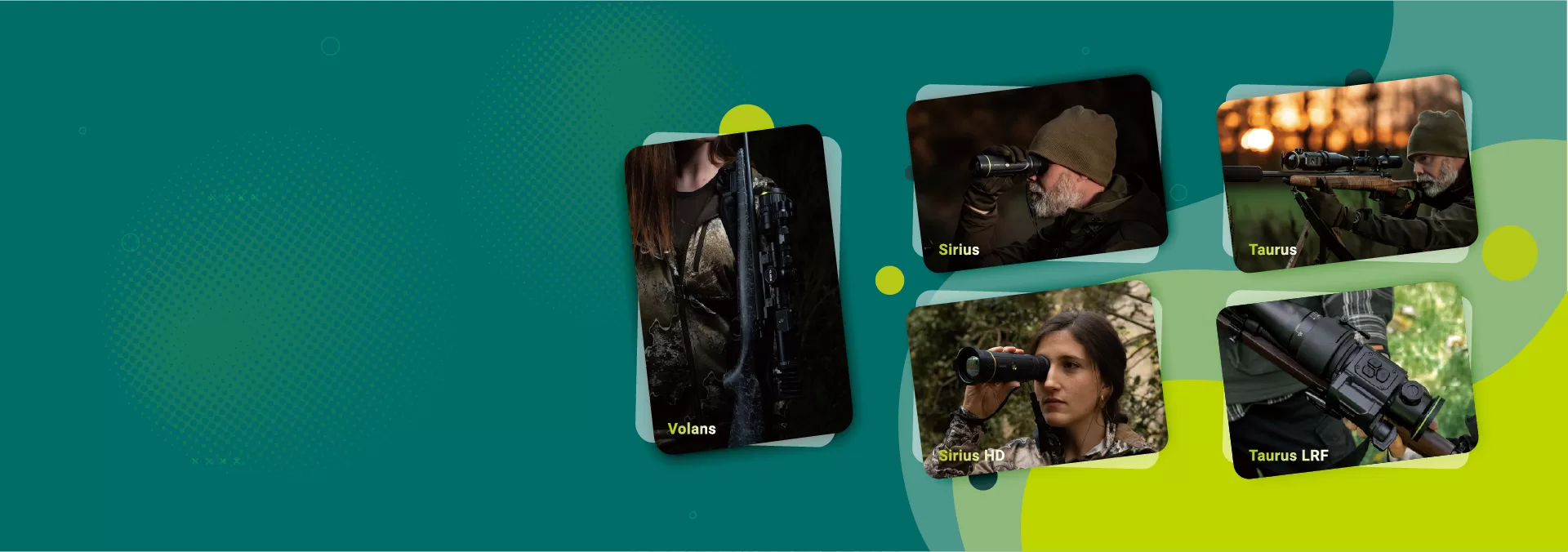
Companion apps are the most relevant for hunters and outdoor users. These are the mobile apps — usually for iOS and Android — that connect to your thermal monocular, scope, or front attachment via Wi-Fi. In this setup, the app plays a role — it allows users to view thermal images in real time, switch color palettes, measure temperatures, record photos or videos, and sometimes generate inspection reports. The Pixfra Outdoor App falls squarely in this category. It supports all our current models, including the Sirius, Arc LRF, Mile 2, Pegasus Pro, Chiron LRF, Taurus, and Taurus LRF series. Through the app, you can update firmware, adjust device settings, and transfer images and video directly to your smartphone. That kind of connectivity means you’re not just looking through a thermal device — you’re managing a complete field toolkit from your phone.
Desktop analysis suites sit on the other end of the spectrum. Thermal image analysis software is a cornerstone of modern data-driven decision-making, enabling accurate interpretation of infrared data across sectors like engineering, construction, and research. With options ranging from professional tools for advanced batch processing to free essentials for basic analysis, choosing the right software is key to unlocking actionable insights. These desktop programs — things like radiometric analysis tools or batch processing platforms — are built for professionals who process large volumes of thermal data. They handle isotherms, delta temperature measurements, trend analysis, and customizable report generation. For most outdoor and hunting users, a strong companion app covers everything you need without the learning curve of industrial-grade software.
Open-source options also exist for users who want to dig deeper without paying for a license. There is free open-source software that provides much more functionality over that of the OEM supplied software. It runs on Linux, preferably Debian variants and recent RaspPi distros. It requires no privileges unlike the OEM smartphone apps and the source is free to inspect or modify as desired. These tools are great for hobbyists and DIY users, but they often lack the polish and direct hardware integration that branded companion apps offer. If you want a plug-and-play experience — where your app talks directly to your thermal device without setup headaches — a purpose-built companion app is the way to go.
Key Features to Look for in a Thermal Imaging App
When you’re evaluating thermal device apps and software, don’t just look at the marketing screenshots. Focus on the features that actually affect your experience in the field. Here’s what separates a solid thermal imaging app from one that’ll frustrate you on your third outing.

Real-time streaming and live view are baseline features in 2026. Your app should let you see what your thermal device sees, streamed directly to your phone screen over Wi-Fi. This is useful for showing hunting partners what you’re looking at, streaming footage for documentation, or simply getting a bigger screen view. The mobile app lets you stream live video to your mobile device from most thermal cameras with Wi-Fi capability, allowing you to monitor from a safe distance and show others what the camera is seeing as it happens. The Pixfra Outdoor App handles this seamlessly — you get a live feed from your device right on your phone, no cables, no fuss.
Color palette controls are another feature you’ll use constantly. Your thermal device probably offers multiple palette modes, and your app should let you switch between them on the fly. White Hot is the most common mode where heat sources show up as white — it’s the go-to for general detection in open fields. Black Hot, where heat sources appear dark against a lighter background, is popular with hunters who want better detail on an animal’s body shape. Red Hot highlights the hottest points in red and is great for picking out a target fast in a messy environment. Iron Bow and Rainbow use a full spectrum to show temperature gradients, which can help with everything from spotting game to identifying environmental features. There is no universally best thermal palette. Personal visual perception plays a role, and preferences vary from one hunter to another. The most effective approach is understanding the general characteristics of each palette and then selecting the one that matches your eyes, your environment, and your hunting objective.
Firmware updates over the air (OTA) are a feature that often gets overlooked until you need it. Your thermal device’s performance depends on up-to-date firmware, and the easiest way to keep it current is through your companion app. The Pixfra Outdoor App supports OTA firmware updates across our entire product lineup, so you never have to connect cables or visit a service center just to get the latest software version.
Image and video capture, transfer, and storage round out the must-haves. You should be able to record thermal video, snap still images, and transfer them to your phone for sharing or archiving. Whether you’re documenting a hunt, keeping records of wildlife activity on your land, or sharing scouting data with a partner, this feature turns your thermal device into more than just a viewing tool — it becomes a recording system.
The table below breaks down the key software features and how they map to different use cases:
| Feature | Hunting | Wildlife Observation | Property Security | Backcountry Exploration |
|---|---|---|---|---|
| Live Wi-Fi streaming | High value | High value | High value | Medium value |
| Color palette switching | High value | High value | Medium value | Medium value |
| OTA firmware updates | High value | High value | High value | High value |
| Video recording & transfer | High value | High value | High value | Medium value |
| Ballistic calculator integration | High value | Not needed | Not needed | Not needed |
| Image annotation & notes | Medium value | High value | High value | Medium value |
How the Pixfra Outdoor App Works With Our Devices
We built the Pixfra Outdoor App to be the control center for every thermal device in our lineup. It’s not an afterthought or a third-party bolt-on — it’s designed from the ground up to work with our hardware. The app connects to your Pixfra device via Wi-Fi and gives you full access to settings, firmware updates, image and video transfer, and live streaming, all from your smartphone.
One thing we hear from hunters and outdoor users over and over is that they want simplicity. Nobody wants to scroll through complicated menus at 2 AM in a hunting blind with cold hands. That’s why we keep the Pixfra Outdoor App’s interface clean and direct. You open it, connect to your device, and you’re ready to go. Adjust your color palette, start recording, transfer your files — all with a few taps.
The app also ties into the smart features built into our hardware. Models like the Chiron LRF, Taurus LRF, and Volans LRF include integrated ballistic calculators that compute bullet drop, wind correction, and adjusted aiming points. The app connects to this data and lets you review or adjust your settings without squinting at a small device screen. For hunters taking shots beyond 150 yards at night, that kind of integration between app and hardware means faster, more confident shot placement. Paired with our devices’ ≤18mK NETD thermal sensitivity, you get a system that not only sees targets with razor-sharp clarity but also gives you the software tools to act on what you see — all from a single ecosystem. Our Volans series takes this even further with all-day vision capability and an adjustable aperture from F1.2 to F3.0, meaning the app works alongside a device that performs just as well in broad daylight as it does in total darkness.
Thermal Camera Apps vs. Real Thermal Imaging Software
Here’s where a lot of people get tripped up. There’s a big difference between a thermal camera app and actual thermal imaging software that works with real thermal hardware.
Most thermal camera apps available today do not perform real thermal imaging. Instead, they apply visual effects or color filters to images captured by a phone’s standard camera. These filters change colors based on brightness, contrast, or pixel intensity, creating an image that looks similar to a thermal image. In other words, those free “thermal camera” apps on the app store? They’re just applying a color filter to your regular phone camera. They can’t detect heat, measure temperature, or show you anything a standard photo filter couldn’t. Most apps are not detecting heat at all — they are simply modifying visible-light images. Without access to real thermal data, these apps cannot measure temperature or detect heat patterns in a meaningful way.

Real thermal imaging requires real thermal hardware. Your phone doesn’t have an infrared sensor, so no app can magically turn it into a thermal camera. What a proper companion app does — like the Pixfra Outdoor App — is serve as the display, control, and data management platform for an actual thermal device that contains a real infrared sensor. The phone app is not acting as the thermal sensor. Instead, it functions as a display and control platform for the external thermal imaging camera.
This distinction matters because if you’re relying on a fake thermal app while hunting or observing wildlife, you’re getting zero useful data. No heat signatures, no temperature readings, no ability to distinguish a deer from a rock at 200 meters. Invest in a real thermal device with a proper companion app, and you get a system that actually works. At Pixfra, every device in our lineup — from the compact Arc LRF to the long-range Sirius HD series with its 3,600-meter detection range — pairs with the Pixfra Outdoor App for real thermal data, real-time streaming, and real results.
Tips for Getting the Most Out of Your Thermal Software
Even the best thermal imaging app won’t help if you’re not using it right. Here are some practical tips we’ve picked up from years of field testing our own devices and software.
First, always update your firmware before heading out. This sounds obvious, but a surprising number of users skip firmware updates and then wonder why a feature isn’t working or why the image looks off. Once per season, check for app updates and feature enhancements. The Pixfra Outdoor App makes this a one-tap process — connect your device, check for updates, and install. Do it at home over Wi-Fi before your hunt, not in the field where connectivity might be spotty.
Second, learn your color palettes before you need them. Don’t wait until you’re tracking a coyote through dense brush to figure out which palette works best. Skilled hunters treat palettes as tools, switching between them to match environmental and operational demands. Start with White Hot for broad-area scanning, transition to Black Hot for detailed confirmation and identification, and switch to Monochrome or Rainbow modes for specialized tasks. Spend time with each palette during daylight practice sessions so that switching becomes second nature in the dark.
Third, use the recording features to build a library. Thermal footage isn’t just for bragging rights on social media — it’s genuinely useful data. Record your hunts and observation sessions, transfer the files to your phone via the app, and review them later. You’ll start noticing patterns in animal movement, identifying hotspots on your property, and refining your strategies based on real evidence rather than guesswork. The Pixfra Outdoor App lets you transfer images and video directly to your smartphone, so building that library takes minimal effort.
Finally, keep your device’s battery situation in check. Your app can monitor battery status, but it can’t magically add more charge. Our Pixfra devices range from about 4.5 to 15 hours of battery life depending on the model, and many use swappable 18650 batteries. Always carry spares, especially in cold weather where battery performance can drop by 30 to 50 percent.
FAQs
Can I use a free thermal camera app instead of a real thermal device?
No. Free thermal camera apps on your phone are just color filters applied to standard photos. Most thermal camera apps available today do not perform real thermal imaging. Instead, they apply visual effects or color filters to images captured by a phone’s standard camera. They can’t detect heat, measure temperatures, or identify targets in darkness. For real thermal imaging, you need a dedicated thermal device with an infrared sensor — and a proper companion app to control it.
What does a thermal imaging companion app actually do?
A good companion app connects to your thermal device via Wi-Fi and acts as a display, controller, and file manager. The app allows users to view thermal images in real time, switch color palettes, measure temperatures, record photos or videos, and sometimes generate inspection reports. The Pixfra Outdoor App also handles OTA firmware updates and supports all current Pixfra models.
Which thermal color palette is best for hunting at night?
There’s no single best palette — it depends on your environment and personal preference. White Hot and Black Hot are the most versatile and reliable for most conditions, but the optimal choice depends on environment, temperature, and observation goal. White Hot is great for general detection, Black Hot works well in hot environments or dense foliage, and Red Hot helps pick out targets quickly in cluttered scenes.
Do I need desktop software to analyze my thermal images?
For most hunters and outdoor users, a companion mobile app covers everything you need. Desktop analysis suites are built for professional thermographers who process thousands of images with tools like isotherms, batch processing, and detailed reporting. Robust desktop and mobile phone software is a key aspect of thermal inspection workflows. Thermography software can help enhance and clarify images, add analysis, and share professional-looking reports. If you’re using your thermal device for hunting, wildlife observation, or property security, a well-built mobile app like the Pixfra Outdoor App will handle your needs without the complexity of desktop software.
How often should I update the firmware on my thermal device?
At least once per season, or whenever your companion app notifies you of an available update. To ensure your thermal camera has the latest updates and operates at optimal performance, it is essential to ensure the product firmware is up to date. Product firmware and desktop software updates will include key features and applications, as well as bug fixes and feature improvements. The Pixfra Outdoor App makes firmware updates quick and painless — connect, tap update, and you’re done.