


OEM thermal camera modules are the sensor-and-processing core you build into a finished product, so the right choice comes down to image quality, interface fit, supply stability, compliance, and support after launch. For system integrators, the best module isn’t the one with the longest spec sheet. It’s the one that works inside your enclosure, survives your use case, and can still be bought when your second production run starts.
OEM Module Basics
OEM thermal camera modules are unfinished thermal imaging engines used inside products such as security cameras, handheld viewers, drone payloads, industrial inspection devices, vehicle systems, and perimeter detection units. A module usually includes the infrared detector, lens mount or lens, image signal processing, firmware, and one or more video or data interfaces.
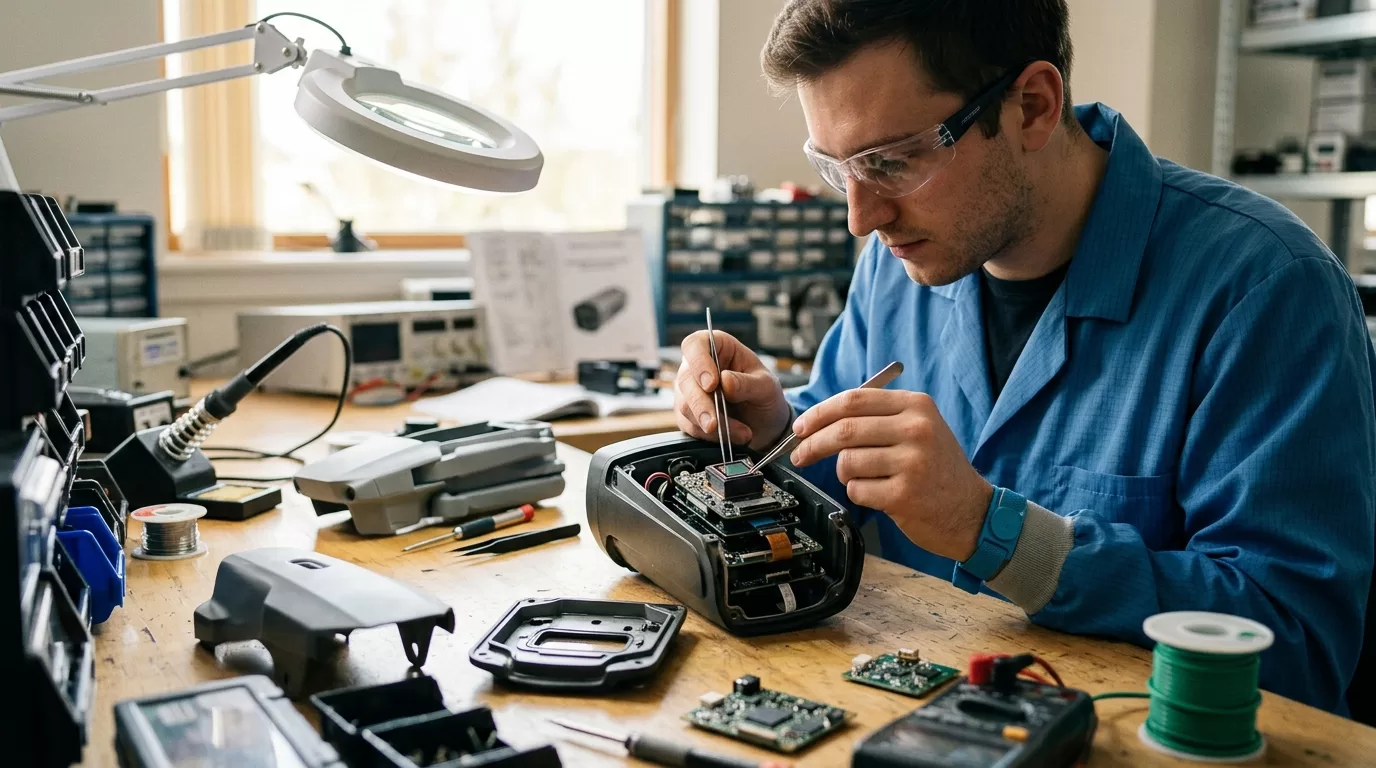
A finished thermal monocular is a product. A module is a building block.
That distinction matters. When you buy a finished camera, you judge the screen, buttons, battery, housing, menu, app, and warranty as one package. When you buy a module, you inherit part of the engineering burden: power design, thermal drift control, mechanical alignment, ingress protection, software integration, and final regulatory work.
| Buying choice | Best fit | Main advantage | Watchout |
|---|---|---|---|
| Finished thermal camera | Fast deployment | Known user experience | Limited product differentiation |
| OEM module | Custom product | Control over enclosure, software, and branding | More validation work |
| Board-level sensor | Deep R&D | Maximum hardware control | Higher optical and firmware burden |
| Private-label device | Channel sales | Faster catalog expansion | Less control over firmware roadmap |
A parking-lot security integrator and a handheld outdoor optics brand can both start with the same 640 x 512 LWIR detector, then end up with completely different products. The security unit needs Ethernet, stable 24/7 operation, and alarm logic. The handheld device needs battery life, compact optics, low boot time, and a viewfinder that doesn’t punish the user’s eye at 2 a.m.
Don’t treat a thermal module as a drop-in part until you’ve tested it inside your real product.
That means the final enclosure, final lens position, final processor, final cable length, final heat source, and final firmware settings. A lab bench demo tells you the module can produce an image. It doesn’t tell you whether your product will hold focus after a hot car test in Arizona or avoid false alerts during a rainstorm in Ohio.
Sensor Specs That Matter
Resolution gets the attention. NETD, pixel pitch, frame rate, lens choice, and image tuning decide whether the product feels usable after the first five minutes. When comparing OEM thermal camera modules, ask for raw test images, startup behavior, interface documentation, and low-contrast sample footage before you argue over a single line in the datasheet.

What resolution should integrators choose?
A 256 x 192 module can work for short-range detection, compact handheld products, and cost-sensitive channels. A 384 x 288 module is the practical middle ground. A 640 x 512 module works better for identification, digital zoom, wider scenes, and premium optics, but it raises cost, power draw, and processing load.
The easiest mistake is choosing resolution as if it were image quality. A tuned 384 x 288 module with a clean lens and good image processing can beat a poorly tuned 640 x 512 unit in foggy, low-contrast scenes. You see this in perimeter detection. The bigger sensor finds more detail, but only when the lens, algorithm, and display chain preserve it.
Pixel pitch affects optical size and cost. Common uncooled thermal module pitches include 12 micrometers and 17 micrometers. A 12 micrometer detector can support smaller lenses for the same field of view, which helps when the industrial designer wants a compact front end. A 17 micrometer detector may still make sense where the supplier has a proven module, stable stock, and known calibration behavior.
NETD is another spec that gets copied into comparison sheets without context. A module listed at less than 40 mK should show finer temperature contrast than one listed at less than 50 mK under matched conditions. Fine. But the real question is what the image looks like at dawn, in drizzle, through a plastic protective window, after the unit has warmed for 25 minutes.
| Spec | Practical question | Bad surprise |
|---|---|---|
| Resolution | Can the user detect and identify at your target range? | Digital zoom exposes weak tuning |
| NETD | Does low-contrast detail remain visible? | Pretty spec, flat real-world image |
| Frame rate | Does motion look natural? | 9 Hz feels choppy for moving platforms |
| Lens FOV | Does the scene match the job? | Wide lens loses distance detail |
| Power draw | Can your battery or PoE budget handle it? | Heat causes drift inside enclosure |
| Interface | Can your host process it cleanly? | Driver work delays launch |
Frame rate depends on the application. A stationary fire-watch camera can tolerate lower frame rates. A drone gimbal, vehicle-mounted viewer, or handheld search device usually feels better at 25 Hz, 30 Hz, 50 Hz, or 60 Hz, depending on local rules and available SKUs. Motion reveals weak choices fast. Pan across a tree line with a 9 Hz module and the scene stutters. The user notices before they can name the problem.
Lens choice is where integrators often lose weeks.
A 9 mm lens, 13 mm lens, and 19 mm lens can turn the same detector into three very different products. Wider fields of view feel easier at close range and inside buildings. Narrower fields of view help detection distance but make the product harder to aim. If your product will be mounted by contractors, not optical engineers, the wide lens may win even when the sales team wants longer range numbers.
Integration Risks And Controls
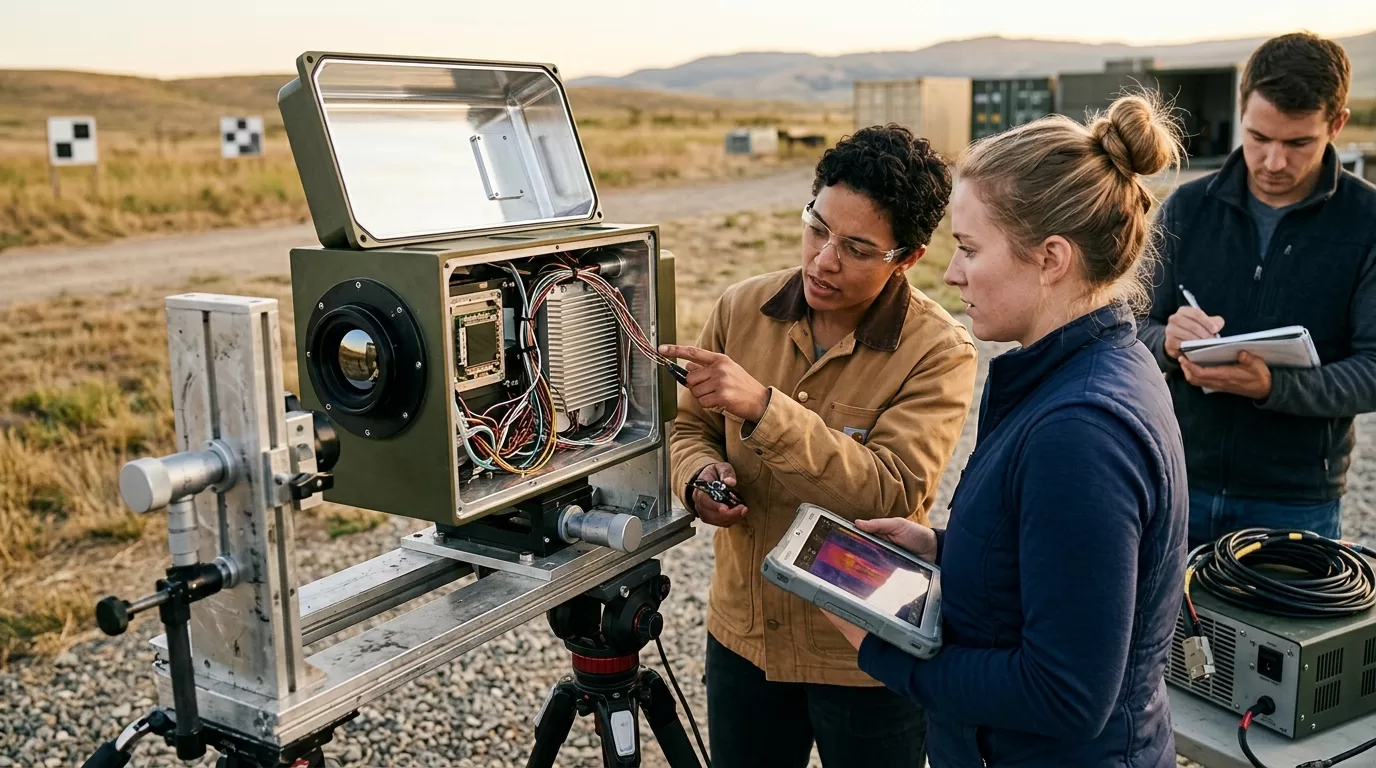
The module’s demo board is friendly. Your product is less forgiving. Heat, vibration, cable routing, firmware timing, and enclosure reflections can make a clean evaluation image turn into a noisy production image.
Do thermal modules need calibration?
Yes. Uncooled thermal modules need calibration for image uniformity, drift, and lens-related behavior. Many modules use non-uniformity correction, often with a shutter or shutterless algorithm. Your team should test calibration during startup, after warm-up, under temperature swings, and after repeated power cycles inside the finished housing.
Start with electrical fit. Confirm input voltage range, peak current during startup, ripple tolerance, connector type, board-to-board cable length, and grounding guidance. A module that behaves on a short evaluation cable can show artifacts when the host board moves 120 mm away inside a tight enclosure. Thermal cameras are sensitive instruments sitting next to processors, radios, batteries, and power regulators. Layout matters.
Then check the data path. USB UVC is convenient for prototypes. MIPI CSI can work well for embedded products. Ethernet fits fixed security and industrial systems. Analog video still appears in some defense-style or vehicle retrofit projects, but it limits what you can do with metadata and software features. Pick the interface that matches the product’s life, not the engineering team’s favorite dev kit.
Ask for these files before you commit:
- Interface control document with timing, pinout, command set, and boot sequence
- SDK or sample code for your target host, such as Linux, Android, Windows, or embedded ARM
- Mechanical drawing with optical axis, mounting holes, keep-out zones, and lens protrusion
- Firmware release notes that show bug fixes, image-tuning changes, and known limits
- Calibration guidance for shuttered and shutterless operation
The shutter question deserves its own meeting. A shuttered module can give cleaner non-uniformity correction, but the image may freeze briefly during correction. In a handheld monocular, that brief freeze is often accepted. In a driver-assist or robotic perception system, it can be a problem. Shutterless designs avoid the moving part and the freeze, but they demand stronger algorithms and careful thermal design.
One more thing: don’t ignore boot time. A consumer outdoor device that takes 14 seconds to show an image feels broken to a hunter in the dark. A fixed industrial camera can boot slower if the system starts once and runs for months. Put boot time in the product requirements document, then test it 100 times.
Compliance And Export Issues
Regulatory work depends on the final product, the market, and the transaction path. A module supplier can give declarations, test data, RoHS or REACH statements, and export classification support, but your finished device may still need its own review before it can be sold, imported, exported, or installed.

Are thermal modules export controlled?
Thermal imaging products can be export controlled, depending on detector type, resolution, frame rate, end use, destination, and final product form. The U.S. Bureau of Industry and Security publishes the Export Administration Regulations, including Commerce Control List entries that may affect thermal imaging cameras and components.
For U.S. projects, separate two questions. Can you import and sell the finished device in the United States? Can you export or re-export it from the United States to another country? Those are different workflows. A product that clears one internal checklist may still need review for the other.
FCC rules also matter when the finished device contains digital electronics, radios, Wi-Fi, Bluetooth, LTE, or other RF functions. The Federal Communications Commission states that RF devices subject to equipment authorization must meet technical rules before marketing or import, as described in its equipment authorization procedures. A bare thermal module doesn’t settle the final device’s FCC position.
> Integrator note: ask for compliance support during supplier selection, not during the week before shipment. By then, the enclosure, PCB, antenna, cable, and firmware choices may already be locked.
If you sell into government, public safety, critical infrastructure, or defense-adjacent channels, procurement language can be stricter than the baseline regulation. NDAA-related supplier restrictions, entity-list screening, country-of-origin expectations, cybersecurity review, and firmware update controls may appear in bids. This advice doesn’t apply equally to a hobby outdoor monocular, a warehouse fire-detection camera, and a border-security project.
Document control is part of compliance too. Keep supplier declarations, ECCN notes, firmware versions, test reports, serial-number ranges, and bill-of-material changes in one place. A distributor asking for “the certificate” rarely knows which certificate they need. Your job is to know before the product reaches the warehouse.
Supplier Selection For Integrators
A good module supplier helps you make tradeoffs before you spend tooling money. A weak supplier sends a beautiful demo image, then disappears when your host board throws a timing issue.

Use known market references to set your questions. Teledyne FLIR Boson 320 and Boson 640 modules are common benchmarks in integrator conversations. Teledyne FLIR Lepton 3.5 often comes up in compact, lower-cost products. Lynred and InfiRay are also familiar names in thermal detector and module sourcing. You don’t need to copy those products. You need to know why one supplier’s module fits your device better than another.
If your team is also evaluating finished outdoor optics partners, the supplier questions overlap with our guide to thermal monocular manufacturers, especially around quality control, channel support, sample testing, and after-sales response. Module projects add one more layer: your engineering team becomes part of the product’s reliability story.
| Supplier question | Strong answer | Risk signal |
|---|---|---|
| Can you support our host platform? | SDK, sample code, named engineer | “Our demo board works” |
| How long is the module available? | Written lifecycle plan | No PCN process |
| Can we tune image settings? | Controlled firmware options | Locked black-box behavior |
| What happens after launch? | RMA flow, firmware policy, spare stock | Sales-only contact |
| Can you support U.S. channel needs? | Labeling, documentation, compliance help | Vague paperwork |
Samples should be bought like engineering tools, not souvenirs. Order at least two modules from the same batch and, if possible, one from a second batch. Test warm-up drift, focus, vibration, startup, image freeze, interface errors, and behavior near hot components. Then leave the unit running. A 30-minute demo hides problems that show up after 72 hours.
Price matters, but price without availability is fake savings. If your first production order is 500 units and your second order is 3,000 units, ask what happens at month 14. Will the lens remain the same? Will the firmware change? Will the supplier notify you before changing the detector, lens coating, connector, EEPROM settings, or image algorithm?
Private-label and OEM work also require channel discipline. If your product depends on protected territory, customer-specific firmware, or a unique enclosure, put it in writing. Friendly calls don’t settle disputes when two dealers find the same product under different names at a trade show.
Module Decision Checklist
A short checklist beats a long debate. Use it before sample purchase, before industrial design freeze, and before pilot production. The same questions catch different problems at each stage.

How should teams test samples?
Test samples in the final use case, not only on the supplier’s evaluation board. Run indoor, outdoor, hot, cold, wet, low-contrast, moving-target, and long-duration tests. Record firmware version, lens, distance, ambient temperature, host board, cable length, and power input for every image or clip.
Here is a practical gate for system integrators:
1. Define the target scene: person at 200 meters, cabinet hotspot at 3 meters, vehicle at 800 meters, or roofline heat leak at 15 meters.
2. Pick the detector class: 256 x 192 for compact cost-sensitive products, 384 x 288 for broad mid-range use, 640 x 512 for premium detail and longer identification.
3. Match lens to distance: wide for awareness, narrow for range, fixed focus for cost, adjustable focus for flexible inspection.
4. Confirm interface: USB for fast prototyping, MIPI for embedded products, Ethernet for fixed systems, analog only when the project requires it.
5. Test NUC behavior: record freeze time, correction frequency, shutter sound, and image recovery after temperature change.
6. Validate power and heat: measure startup current, steady draw, enclosure temperature, and image drift after warm-up.
7. Review compliance path: FCC, export classification, RoHS, REACH, labeling, customer procurement rules, and country-specific needs.
8. Lock documentation: drawings, command list, firmware version, PCN terms, warranty process, lead time, and end-of-life notice period.
9. Run a pilot build: 20 to 50 units reveal assembly and supplier issues that one golden sample won’t show.
10. Keep a reference unit: store one approved module and one approved finished device for future image comparison.
One scenario makes the point. You build a vehicle-mounted thermal camera with a 640 x 512 module and a narrow lens. On paper, it looks premium. In the field, vibration softens the connector, the shutter pauses during turns, and the driver hates the narrow view. A 384 x 288 module with a wider lens, stronger mount, and better motion behavior would have made the product easier to sell.
The right spec is the one the user trusts.
FAQ
What is an OEM thermal module?
An OEM thermal module is a thermal imaging core built into another product. It usually includes the infrared detector, lens interface, processing electronics, firmware, and video or data output.
Which resolution is best?
For many B2B products, 384 x 288 is the best cost-to-performance balance. Choose 640 x 512 when identification distance, digital zoom, or premium image detail matters.
Is 9 Hz enough?
9 Hz can work for static monitoring, basic detection, and cost-sensitive products. Moving platforms, handheld scanning, drones, and vehicle systems usually need higher frame rates.
Do modules need shutters?
Some modules use shutters for non-uniformity correction, while others use shutterless correction. Shutters can improve image consistency but may create a brief image freeze.
What should samples include?
A serious sample kit should include the module, lens details, interface board, cables, SDK, drawings, command documentation, firmware version, and compliance notes. Without those, evaluation slows down fast.
Pixfra works with thermal imaging partners and product teams that need practical OEM support, not spec-sheet noise. Bring your target range, host platform, enclosure limits, compliance market, and expected annual volume to the first discussion, and Pixfra can help narrow the module path before expensive design decisions are locked.