











How to use our product

Our Local Partner Program (LPP) has been meticulously designed to provide robust support to our most esteemed partners in the local market.

Become a Dealer

Our Local Partner Program (LPP) has been meticulously designed to provide robust support to our most esteemed partners in the local market.

编组 26备份

Fox Hunting at Night: Behavior and Techniques That Actually Work

When darkness falls and most hunters head home, the real action with foxes is just beginning. Night hunting offers some of the most exciting opportunities to target these clever predators when they’re most active and vulnerable. We’ve put together everything you need to know about fox behavior after sunset and the techniques that’ll help you fill your tag when the sun goes down. Foxes are naturally wired for the night shift. While you might spot one during the day, these animals truly come alive when darkness settles in. Both red and gray foxes spend their nights patrolling territories, searching for food, and staying alert to every sound and smell in their environment. Understanding what makes them tick after hours is your first step toward consistent success in the field. Similar to alligator hunting behaviors after sunset, foxes have adapted remarkably well to nocturnal activities.   Why Foxes Hunt at Night Red foxes are predominantly nocturnal and prefer to hunt late in the evening through until the early hours of the morning, with more food in their stomachs at night than during the daytime. This isn’t just random behavior – there are solid biological reasons behind their nighttime activity. Most foxes patrol at least part of their territory each night, becoming acutely aware of where the best feeding sites are and when new food sources appear in the area.   The cover of darkness gives foxes a major advantage over their prey. Small mammals like mice, voles, and rabbits are active at night, making them easier targets. Plus, foxes feel safer moving through open areas when they can’t be spotted as easily by larger predators or humans. Varmints are very susceptible to being killed at night because they are more active, which means there will be more opportunities if you target the right areas.

Alligator Hunting Behaviors After Sunset: What Makes Night the Prime Time

When the sun dips below the horizon and darkness blankets Florida’s wetlands, something shifts in the waters. At night, alligators are most active, focusing on hunting and feeding from dusk to dawn. These prehistoric predators transform from lazy sunbathers into efficient killing machines, patrolling their territories with razor-sharp focus. If you’ve ever wondered what makes nighttime so special for these apex predators, you’re about to find out why the hours after sunset reveal their true nature. Understanding alligator hunting behaviors after sunset isn’t just for hunters and wildlife enthusiasts—it’s essential knowledge for anyone living near or visiting gator country. Whether you’re planning your first nighttime adventure or just curious about these fascinating reptiles, we’re breaking down everything you need to know about what happens when gators come alive in the dark.   Are Alligators Nocturnal or Diurnal? Although alligators basking in the sun are a common sight, making people think they are diurnal, they are actually nocturnal. But here’s where it gets interesting—their behavior isn’t quite black and white. According to scientific research, alligators are nocturnal, with an interesting tendency to be diurnal. They are most active at night but can also be active during the day.   Alligators are crepuscular animals, meaning they’re most active during dawn and dusk hours. This means you’ll see peak activity levels during those twilight periods when the sun is either rising or setting. During the day, gators spend most of their time basking in the sun to regulate their body temperature—a behavior called thermoregulation. But once darkness falls, they switch into hunting mode. During the night, the alligator’s body adapts and becomes active enough to use more energy than during the day. This metabolic shift allows them to become the fearsome hunters they’re known to be. But the bottom line is that alligators are more active at night, making them

Best Thermal Monocular For Hunting in 2025: Your Complete Guide

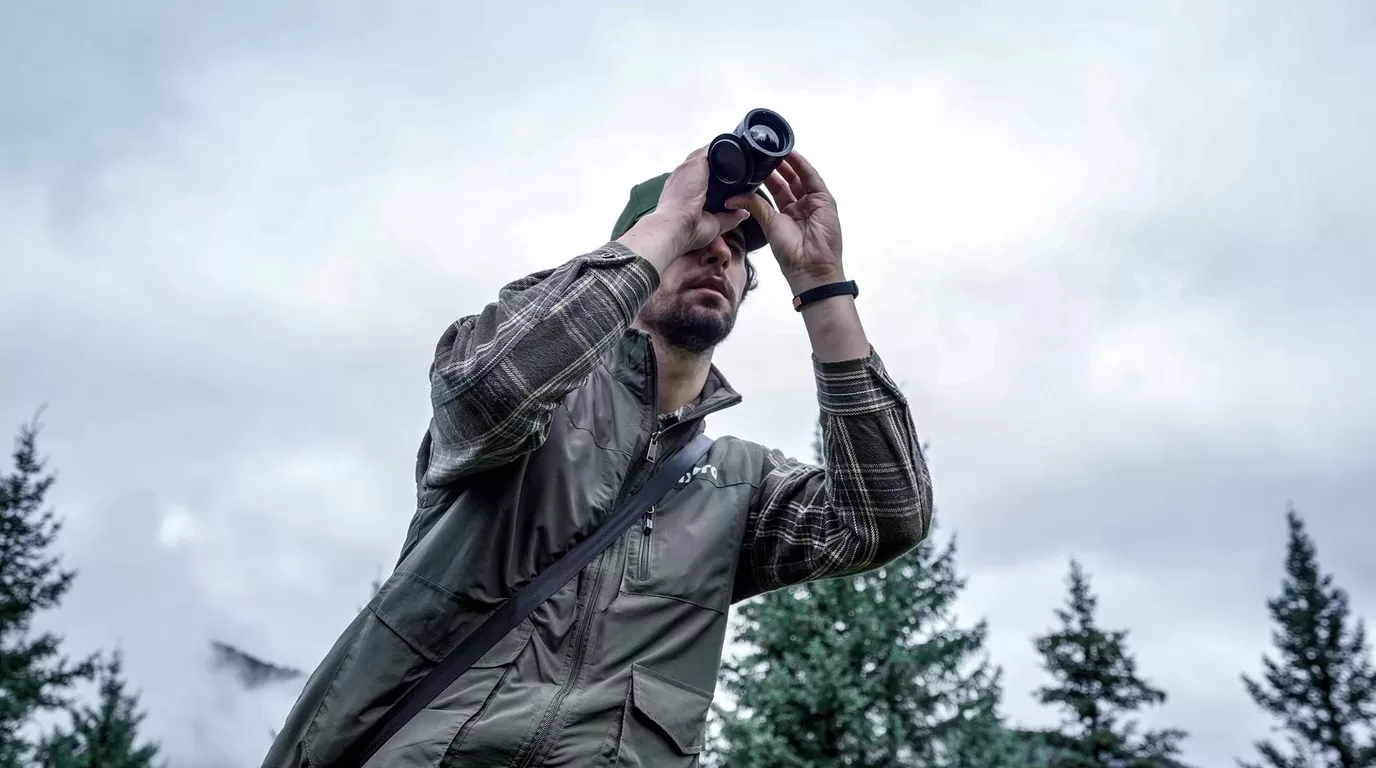
When you’re out there in the dark, trying to track down that elusive coyote or looking for deer after sunset, you need every advantage you can get. That’s where a thermal monocular for hunting comes into play. We’re talking about game-changing gear that lets you see heat signatures in complete darkness, through fog, and even through light brush. Unlike your grandpa’s night vision that needs some moonlight to work, thermal imaging picks up the heat that animals naturally give off. It doesn’t care if it’s pitch black outside or if there’s dense fog rolling in. If there’s something warm out there, you’re going to see it. And trust us, once you start hunting with thermal, there’s no going back to squinting in the dark.   What Makes Thermal Monoculars Perfect for Hunting Thermal monoculars have become the go-to tool for serious hunters, and it’s easy to see why. These compact devices detect infrared radiation (heat) instead of relying on visible light, which means they work in conditions where traditional optics fail. Whether you’re tracking nocturnal predators or scanning fields at dawn, thermal monoculars give you eyes that can see what’s hiding in the darkness.   The beauty of a monocular setup is that you keep one hand free for your rifle, rangefinder, or just navigating rough terrain. You can pull it out of your pocket, glass an area quickly, and get back to the hunt without lugging around bulky gear. Plus, using one eye helps preserve your natural night vision in the other eye—something binoculars can’t do as well.   Modern thermal monoculars are also surprisingly tough. Most models come with waterproof ratings (look for IP67 or better), so a little rain or snow won’t stop your hunt. They’re built to handle getting knocked around in your pack, dropped in the dirt, and used in freezing

Nocturnal Predators: Animals That Hunt in Darkness After Sunset

When the sun sets and darkness blankets the landscape, a whole different world comes alive. While most of us are winding down for the evening, nocturnal predators are just getting started with their nightly hunt. These remarkable creatures have spent millions of years perfecting the art of hunting in darkness, developing extraordinary senses and abilities that make them some of nature’s most efficient killers. Whether you’re a wildlife enthusiast, a night hunter looking to understand your quarry better, or simply curious about the creatures that roam after dark, understanding these animals gives us a deeper appreciation for the complex ecosystem that thrives when we’re asleep.   What Makes an Animal Nocturnal? Nocturnal animals aren’t just creatures that happen to stay up late—they’ve evolved specific biological adaptations that make nighttime their optimal hunting period. These animals have internal circadian rhythms that are essentially the opposite of ours, making them naturally alert and active when darkness falls. The advantages of being nocturnal are significant: less competition for food, cooler temperatures in hot climates, and most importantly, the cover of darkness to ambush unsuspecting prey. For predators specifically, the night offers a tactical advantage that diurnal hunters simply don’t have. Their prey might be sleeping, less alert, or struggling to see danger approaching. Evolution has shaped these hunters into perfectly designed nighttime killing machines, each species developing unique adaptations that suit their specific hunting style and environment. From the thermal-sensing abilities of some snakes to the incredible hearing of owls, nocturnal predators prove that you don’t need sunlight to be an apex predator. For those interested in observing these creatures, modern technology like thermal scopes has revolutionized our ability to witness their nocturnal activities without disturbing their natural behavior. Superior Senses in the Dark The most striking feature of nocturnal predators is their sensory adaptations that allow

5 Best Thermal Scopes That Revolutionize Night Hunting (2025 Guide)

Night hunting presents unique challenges that even the most experienced hunters struggle with. Limited visibility can make identifying targets nearly impossible, and traditional night vision often fails when there’s no ambient light or when facing dense vegetation. This is where thermal scopes come in—they’ve completely transformed how hunters operate after dark.   Unlike traditional night vision that amplifies existing light, thermal scopes detect heat signatures from animals, making them visible regardless of lighting conditions. This technology can spot a deer’s body heat from hundreds of yards away, even through moderate fog, light rain, or brush cover. For hunters pursuing nocturnal game or controlling predator populations, this capability isn’t just helpful—it’s revolutionary. The market for thermal scopes has exploded in recent years, with technological advancements making these devices more affordable and feature-rich than ever before. What was once military-grade technology available only to special forces has now become accessible to civilian hunters. Today’s thermal scopes offer incredible detection ranges, high-definition displays, recording capabilities, and battery life that can last entire hunting expeditions.   While standard rifle scopes rely on ambient light to function, thermal imaging works by detecting infrared radiation (heat) emitted by all living things. This fundamental difference means you can spot a coyote, wild hog, or other game animal in complete darkness, through light fog, or even partially obscured by vegetation. The animal’s heat signature appears as a bright silhouette against a cooler background, making target identification substantially easier than with any other night hunting technology.   The practical applications for hunters are immense. Feral hog control, which often occurs at night when these destructive animals are most active, becomes dramatically more effective with thermal imaging. Predator hunters pursuing coyotes can detect their targets at distances that would be impossible with traditional optics. Conservation efforts that require population surveys

The Silent Predator: How Owls Hunt in Total Darkness

When darkness falls across the landscape, most predators face significant limitations. But for owls, nighttime is prime hunting time. These extraordinary birds have evolved into what might be the most perfectly designed nocturnal hunters on our planet, capable of locating and capturing prey in conditions that would render most predators effectively blind and helpless.   Owls represent nature’s pinnacle of specialized night hunting adaptations. Unlike other predators that might compromise between daytime and nighttime capabilities, owls have evolved almost exclusively for after-dark hunting efficiency. Their entire physical structure – from specialized feathers to asymmetrical ears – serves a single purpose: to detect and capture prey in minimal light conditions with maximum effectiveness. The true mastery of owl hunting becomes apparent when you consider their success rates. Studies tracking hunting efficiency across different predator species show that some owl species achieve success rates approaching 80% under ideal conditions – far exceeding the 10-20% success rates typical for most mammalian predators. This extraordinary efficiency stems from multiple specialized adaptations working in perfect concert rather than relying on a single hunting advantage.   Most impressive about owl hunting behavior is the near-complete silence with which they operate. While we often associate predators with dramatic chases or fierce struggles, owls represent the opposite end of the hunting spectrum – deploying stealth, precision, and surprise to such a degree that prey animals often remain unaware of the owl’s presence until the moment of capture. This hunting approach requires remarkable sensory capabilities combined with specialized physical adaptations that we’ll explore in depth.   The role of owls as nocturnal apex predators shapes entire ecosystems. Their hunting prowess helps control rodent populations, influencing everything from disease transmission to seed dispersal patterns in forest ecosystems. A single barn owl family can consume over 3,000 rodents annually, creating ripple

Application Scenarios
outdoor exploration
Hunting
Animal Observation

Designed to increase situational awareness at any time of day, the camera can detect humans, animals, and objects in complete darkness, haze, or through glaring light, equipping law enforcement professionals,  and outdoor enthusiasts with reliable thermal imaging in tough conditions.

Hope to Receive More Information

Please enable JavaScript in your browser to complete this form.
=
privacy terms
This site is registered on wpml.org as a development site. Switch to a production site key to remove this banner.