When a rescue team gets the call that someone is missing in the backcountry at night, every minute matters. Traditional search methods — flashlights, headlamps, ground sweeps — are slow and burn through manpower fast. We at Pixfra have seen firsthand how thermal imaging technology changes the entire equation, turning what used to be a desperate guessing game into a fast, targeted operation.
Before we get into the case study itself, let’s cover the basics so you know exactly what’s happening when a thermal device hits the field during a rescue mission. Thermal cameras work by detecting infrared radiation emitted by all objects, including people and animals. That radiation gets converted into a thermal image, displaying varying temperatures in different colors. Warmer objects, such as a human body, appear brighter against cooler backgrounds. That’s the whole trick — your body is basically a beacon of heat in a cold landscape, and a thermal device picks that up whether it’s pitch black, foggy, or raining sideways.

Search and rescue missions at night present unique challenges. Limited visibility, difficult terrain, and unpredictable weather can hinder even the most well-trained teams. Traditional night-vision devices and spotlights have their limitations, especially in environments like forests, mountains, or urban areas with obstructed views. This is exactly where a handheld thermal monocular or scope gives you an edge that nothing else can match. Unlike night vision, which needs at least some ambient light to work, thermal devices detect heat rather than light. That means total darkness, dense fog, and heavy rain don’t shut you down.
This tech isn’t new, but what’s changed in 2026 is the accessibility. You no longer need a government budget to get a solid thermal device with high sensitivity and long detection range. Our lineup at Pixfra, for example, offers NETD values of ≤18mK and detection ranges reaching up to 3,600 meters — specs that were strictly military-grade not long ago. If you want to know what separates the best thermal devices in 2026 from mediocre ones, check out our breakdown of the Las 6 características imprescindibles que debe tener el mejor dispositivo térmico en 2026. Those same features — thermal sensitivity, rugged build, battery life, detection range — are exactly what determine whether a thermal device performs when a life is on the line.
Here’s the scenario. A 68-year-old man with early-stage cognitive decline wanders off a well-marked trail in a wooded mountain area during the late afternoon. By the time his family calls it in, the sun is already setting. Temperatures are dropping fast — into the low 30s°F — and the terrain is a mix of dense forest, rocky outcrops, and brush-covered ravines. A ground search team is mobilized, but within the first two hours, they’ve covered very little ground. The flashlights barely cut through the trees, and the terrain is too dangerous to move through quickly at night.
This is a scenario that plays out across the United States more often than most people realize. According to the U.S. Coast Guard Search and Rescue Statistics, there are over 15,000 reported cases per year in the United States alone. Nearly 86% result in lives saved. But that 14% gap — the cases that don’t end well — is often a matter of time and visibility. When you can’t see the person you’re looking for, the clock runs out fast, especially in cold weather where hypothermia becomes a real threat in just a few hours.
The search team in this scenario pulled out a handheld thermal monocular — a compact, rugged unit with a 640×512 sensor resolution, ≤18mK NETD, and a detection range well over 1,000 meters. Within minutes of powering up the device and scanning from a ridge, the operator spotted a bright heat signature roughly 400 meters out, partially obscured by brush. The thermal device found the man within just eight minutes. He was lying still in tall sagebrush, making it impossible for the ground search crew to locate him. With its White Hot palette, the cold ground was displayed as dark gray on the thermal camera’s sensor, while the man showed up in bright white, contrasting sharply with the area around him. That contrast — a warm body against cold terrain — is exactly what makes thermal imaging so effective when every other search method fails.
Not every thermal device can deliver in a scenario like this. The difference between a successful rescue and a failed one often comes down to a few specs you might overlook when shopping. Let’s walk through what actually mattered in this case.

Thermal sensitivity, measured by NETD (Noise Equivalent Temperature Difference), was the first factor. The missing man had been stationary for a while, his body temperature dropping toward the ambient surroundings. A device with poor NETD — say, anything above 40mK — might not have picked up the fading contrast between his body and the cold brush around him. Our Pixfra devices hit ≤18mK NETD, which means they detect incredibly small temperature differences and produce clear, high-contrast images even when the heat gap between a person and the environment is narrow. In rescue terms, that’s the difference between a bright, obvious shape on your screen and a smudgy nothing.
Detection range was the second factor. The operator scanned from an elevated ridge roughly 400 meters away. A device with a 256×192 sensor and a short detection range — common in budget thermal units — might not have resolved that heat signature at all. Higher sensor resolutions like 640×512, paired with our 12μm pixel pitch technology, give you the detail you need to distinguish a human body from a warm rock or an animal at distances that matter in the field. Our Sirius HD series, for example, pushes detection range out to 3,600 meters. For search and rescue teams sweeping large areas, that kind of reach means you cover more ground from fewer positions.
Build quality and battery life were the third and fourth factors. This rescue happened in cold, wet conditions — exactly the kind of environment that kills cheap electronics. IP67-rated housing, which all our Pixfra devices carry, means the unit is fully sealed against dust and survives water submersion. On top of that, cold weather can cut battery life by 30-50%. The team used a device with swappable 18650 batteries, which meant they could pop in a warm spare from an inside pocket without any downtime. That kind of real-world readiness isn’t a luxury — it’s what keeps a device running when conditions turn ugly.
To put the value of thermal imaging into perspective during rescue operations, here’s a quick comparison:
| Factor | Traditional Ground Search | Thermal Device-Assisted Search |
|---|---|---|
| Visibility in Darkness | Very limited (flashlights only) | Full visibility via heat detection |
| Average Area Covered per Hour | 0.1–0.5 sq. miles | 1–3+ sq. miles (from elevated position) |
| Effectiveness in Fog/Rain | Severely reduced | Minimal impact on detection |
| Ability to Detect Stationary Persons | Very low | High (body heat still visible) |
| Risk to Search Personnel | High (terrain, fatigue) | Reduced (scan from safe distance) |
| Typical Time to First Detection | Hours | Minutes |
Thermal imaging enables quick identification of individuals, significantly reducing search times. When you’re working against hypothermia, injury, or exposure, cutting your search time from hours to minutes isn’t just a performance stat — it directly translates to lives saved. The ability to detect heat signatures makes thermal devices incredibly effective in pinpointing the exact location of individuals, even in complex terrains. Dense forests, rocky landscapes, and mountainous regions can be navigated with greater accuracy using thermal imaging, reducing false positives and missed targets.
Our Pixfra Outdoor App also plays a role here. Through the app, you can stream live thermal footage, transfer images and video directly to your smartphone, and share data with other team members in real time. In a coordinated search, that means the person with the thermal device can relay a target’s GPS position to ground teams instantly — no radio miscommunication, no wasted time guessing at directions.
If there’s one takeaway from this rescue, it’s that the device you carry needs to match the worst-case scenario, not the best one. A thermal monocular that performs well on a calm, dry evening might fall apart when you actually need it — in the rain, in the cold, at 2 AM, with gloved hands.

Here’s what we recommend based on what worked in this rescue and what we’ve learned from years of building thermal devices at Pixfra. First, don’t compromise on NETD. You want ≤25mK at minimum for any outdoor use, and ≤18mK if you’re serious about detection in tough conditions. Second, match your sensor resolution to your expected range. If you’re scanning wide areas from elevated positions, go for 640×512. If you’re working shorter distances in denser terrain, 384×288 will serve you well and keep costs down. Third, make sure your battery system can handle extended, cold-weather use. Swappable 18650 batteries beat proprietary internal cells every time for field operations. And fourth, insist on IP67 or better weather resistance — no exceptions.
Our Pixfra Outdoor App supports all our current models, including the Sirius, Arc LRF, Mile 2, Pegasus Pro, Chiron LRF, Taurus, and Taurus LRF series. Through the app, you can update firmware, adjust device settings, and transfer scouting data — all useful features whether you’re on a rescue team, managing property security, or tracking wildlife. If you want a device that can pull double duty across hunting, observation, and emergency scenarios, the Volans series stands out with its all-day vision capability and adjustable aperture from F1.2 to F3.0, making it one of the few thermal devices that performs equally well in daylight and total darkness. That kind of flexibility means one device covers all your bases.
While this case study focuses on search and rescue, the same features that saved a life here are the ones that make a thermal device invaluable for hunters, property owners, and wildlife observers. A hunter tracking hogs at night benefits from the exact same NETD sensitivity and detection range that let a rescue team spot a stationary person in dense brush. A rancher checking fence lines after dark relies on the same IP67 weather resistance and battery endurance. The application of thermal imaging technology is not limited by environmental conditions. Even in pitch-dark environments where visibility is zero, or when individuals are unconscious and immobile, thermal imagers can still capture body temperature signals emitted by humans. Swap “humans” for “coyotes approaching your livestock” and the value is identical.
At Pixfra, we build thermal monoculars, thermal scopes, thermal front attachments, and multispectral binoculars — all designed for real outdoor conditions. Whether you need the lightweight portability of our Draco series for all-day carry or the long-range precision of the Sirius HD series for professional applications, we engineer around the six features that matter most: thermal sensitivity, sensor resolution, detection range, battery life, durability, and smart connectivity. We don’t build features for spec sheets — we build them for 2 AM in a hunting blind, for a freezing ridge during a search, for the real moments when gear either performs or fails you.
If you’re ready to see what a properly built thermal device can do, check out our full product lineup at Pixfra and find the right fit for your needs.
Can a thermal device find a person who is unconscious or not moving?
Yes. Even in pitch-dark environments where visibility is zero, or when individuals are unconscious and immobile, thermal imagers can still capture body temperature signals emitted by humans. A thermal device detects heat, not movement. As long as a person’s body is warmer than the surrounding environment — which it almost always is — the device will pick up the contrast. This is one of the biggest advantages thermal has over visual or motion-based search methods.
Does thermal imaging work through fog, smoke, and heavy rain?
Infrared thermal cameras offer a distinct operational advantage as they rely on heat detection, allowing them to penetrate haze, glare, light smoke, or total darkness. Heavy rain and very dense fog can reduce effective range somewhat, but thermal devices still dramatically outperform flashlights, spotlights, and standard night-vision gear in those conditions. For any serious outdoor use, look for a device with high NETD sensitivity (≤18mK) and an IP67 weather rating to ensure it keeps working when the weather turns bad.
What NETD rating do I need for a rescue or outdoor thermal device?
For search and rescue, wildlife observation, and hunting, you want a thermal device with an NETD of ≤25mK or lower. At Pixfra, our devices achieve ≤18mK, which places them at the top end of sensitivity for outdoor-grade thermal optics. Lower NETD means the device can detect smaller temperature differences, which is exactly what you need when you’re trying to spot a person whose body heat is fading in cold conditions.
How far can a thermal device detect a person?
Detection range depends on the sensor resolution, lens size, and environmental conditions. Entry-level handheld thermal devices typically detect a human-sized heat source at 500 meters or less. Mid-range models like our Pixfra Arc LRF and Mile 2 series hit the sweet spot for most users in the 600–1,500-meter range. Our premium Sirius HD series pushes detection out to 3,600 meters — more than enough for large-area scanning during a search operation or open-terrain surveillance.
Is a thermal device worth carrying on backcountry trips for safety?
Absolutely. Beyond the obvious search and rescue applications, a compact thermal monocular lets you scan trail areas for wildlife at night, check your surroundings when you hear something outside camp, and signal rescuers if you become the one who needs help. Lightweight models like our Draco series are built specifically for multi-functional performance without adding bulk to your pack. If you spend any time in the backcountry after dark, a thermal device is one of the highest-value safety tools you can carry.
Most people hear “handheld thermal device” and think it’s just for hunters. But that’s only scratching the surface. A single handheld thermal monocular covers hunting, property security, wildlife observation, boating, search and rescue, camping, and utility inspection. Whether you’re scanning your back forty for coyotes at 2 AM, checking your home for heat leaks, or navigating a foggy trail in the backcountry, a thermal imager earns its place in your gear bag fast. At Pixfra, we build thermal monoculars, thermal scopes, thermal front attachments, and multispectral binoculars — all designed for real outdoor conditions. And we’ve seen firsthand just how many ways people put these devices to work outside of hunting season.
Before we walk through all nine uses, it helps to know what separates a good handheld thermal device from a frustrating one. If you’re still sorting out what specs actually matter when you’re shopping, our guide on the Las 6 características imprescindibles que debe tener el mejor dispositivo térmico en 2026 breaks down everything from NETD sensitivity to battery life and IP ratings — so you can match the right device to the job you need it for.
This is the use case that put handheld thermal devices on the map, and it’s still the number-one reason people buy them. Thermal technology allows hunters to detect and track animals based on their body heat, irrespective of the lighting conditions, offering an undeniable advantage for nighttime hunting and wildlife observation. Whether you’re running hogs in Texas, calling coyotes in Kansas, or sitting a deer stand in Georgia, a thermal monocular lets you spot game before it spots you — in total darkness, through fog, and even in thick brush.

Here’s how it works in practice: instead of picking up your rifle and swinging a scope left and right — which gets tiring and sloppy after a few hours — you scan with your handheld thermal device first. The biggest advantage of owning a thermal monocular is that it saves you from picking up your rifle with a thermal scope and swinging it in different directions, which can be exhausting and inconvenient. With a thermal monocular, you can easily spot game, set the monocular down, and then grab your rifle to take an accurate shot without unnecessary movement. That’s safer and more effective.
Game recovery is the other half of this equation. After making a successful shot, an animal can run out of sight fast. A handheld thermal imager picks up the heat signature of a downed animal from hundreds of yards out — no more crawling through brush with a flashlight. Our Pixfra lineup covers detection ranges from around 500 meters for entry-level models all the way up to 3,600 meters with the Sirius HD series. For most recreational hunters working inside 300 to 600 meters, mid-range models like our Arc LRF and Mile 2 series hit the sweet spot between performance and price. Models with “LRF” in the name also include built-in laser rangefinders with 1,000-meter range — so you get exact distance to your target without fumbling for a separate device in the dark.
You don’t have to be a hunter to get serious use out of a handheld thermal device. Thermal imaging cameras have revolutionised wildlife observation, allowing us to see the unseen in nature. Birders, wildlife researchers, nature photographers, and backyard naturalists are all picking up thermal monoculars to watch nocturnal animals without disturbing them. A flashlight or headlamp scares animals away. A thermal device doesn’t — because it’s completely passive. It doesn’t emit any light or radiation. It just reads the heat that’s already there.
This means you can watch a family of foxes playing in your meadow, track an owl hunting along a tree line, or count deer bedded down in a field — all without the animals ever knowing you’re there. These devices detect heat instead of light, so they work day or night, piercing through darkness, fog, and even camouflage to reveal animals that would otherwise remain hidden. For researchers doing population surveys, thermal monoculars speed up the work and produce more accurate counts.
Our Pixfra thermal devices achieve NETD values of ≤18mK, which gives you crisp contrasts between an animal and its background, even in tricky conditions like fog, rain, or humidity. When we pair that with 12μm pixel pitch technology across our product lines, from the Mile 2 series for everyday use to the Sirius HD series for demanding professional work, you get sharp, high-contrast images that let you tell a raccoon from a possum at distance — not just see a blob of heat.
Nothing beats thermal imaging for keeping an eye on your property after dark. Traditional security cameras struggle in low light, but thermal monoculars work perfectly in total darkness. Whether you own a rural ranch, a suburban home, or a commercial property, a handheld thermal device adds a layer of security that standard cameras and floodlights can’t match.

Think about it this way: a security camera needs light to see. Even a good infrared security camera has limited range and can be fooled by shadows, foliage, or weather. A thermal device reads heat signatures, so a person walking along your fence line at 3 AM lights up on the display like a beacon — regardless of what they’re wearing, how dark it is, or whether it’s raining. In the security and law enforcement sectors, a thermal monocular can detect people and vehicles in total darkness, through fog, and even in densely vegetated areas.
You can scan your entire property in seconds with a quick sweep. There’s no waiting for motion-triggered alerts, no reviewing hours of footage. Just point, look, and you know immediately if something is out there. For folks in rural areas dealing with trespassers, poachers, or livestock predators, this kind of rapid situational awareness is a real game-changer. Our Pixfra Draco series was designed with a lightweight build for exactly these kinds of multi-use scenarios — property security one night, predator control the next.
When someone’s lost or injured, every minute counts. Thermal imaging dramatically improves search and rescue success rates by detecting body heat from distances that would be impossible with flashlights or night vision. This is one of the most life-saving uses for a handheld thermal device, and it’s one that doesn’t get talked about enough outside of professional circles.
For SAR teams navigating thick forests or urban wreckage, thermal imaging monoculars provide a compact, one-handed solution for rapid area sweeps. These devices are essential for detecting the “thermal glow” of a survivor trapped under debris or hidden behind foliage, significantly reducing the time spent on manual ground searches. First responders, volunteer search teams, fire departments, and rural sheriffs all use handheld thermal imagers on the regular. But you don’t have to be a professional to carry one. If you spend time in the backcountry, on the water, or in areas where people get lost, a thermal monocular in your pack could save a life — including your own.
A key spec to watch here is refresh rate. A 50Hz refresh rate gives you smooth, fluid imagery so you can track movement without blur or chop. Anything below 30Hz will stutter and make fast-moving targets hard to follow. Our Pixfra devices are built with high refresh rates across the board because in the field, smooth imaging isn’t a luxury — it’s a necessity. Paired with IP67-rated housing that survives rain, stream crossings, and accidental drops, you’ve got a device that performs when conditions go sideways.
Farmers and ranchers have dozens of uses for thermal monoculars that save time and prevent losses. Check on animals at night without disturbing the herd. Spot a cow that’s separated from the group or lying down when she shouldn’t be. Identify sick animals by detecting fever — elevated body temperature shows up instantly on thermal displays. You can cover large pastures quickly without driving out to every corner of your property.

This is a use case that’s growing fast in the ag community, especially in beef cattle, dairy, and poultry operations. Thermal imaging lets you spot early signs of illness, mastitis, or lameness in livestock before the condition gets worse. You don’t need to run the animal through a chute or get hands on them — you can scan from a distance and flag the ones that need attention. During calving season, ranchers use thermal devices to check pregnant cows overnight without spooking them with headlights or pickup trucks.
Thermal imaging also helps with predator control. Coyotes, feral hogs, or other animals threatening livestock show up clearly, even from long distances. If you’re running livestock in an area with predator pressure, a thermal monocular doubles as both a management tool and a security device. You check on the herd and scan for threats in the same sweep.
Here’s a quick look at how different farming operations benefit from handheld thermal devices:
| Farm Operation | Primary Use | Secondary Use |
|---|---|---|
| Beef cattle ranching | Nighttime herd checks, calving monitoring | Coyote and predator detection |
| Dairy farming | Early illness/fever detection | Facility heat loss inspection |
| Poultry operations | Flock health monitoring | Barn insulation checks |
| Horse ranching | Injury/inflammation detection | Property perimeter security |
| Crop farming | Irrigation leak detection | Wildlife damage assessment |
When the sun sets and the fog rolls in, most boaters know the feeling: disorientation, anxiety, and a deep respect for the power of the water. Whether you’re a mariner navigating the coast, an angler chasing the bite before dawn, or a search-and-rescue responder cutting through rough water at night, visibility can mean the difference between mission success and dangerous uncertainty.
A handheld thermal device gives you the ability to spot floating debris, unlit boats, swimmers, buoys, and shoreline features in total darkness or through fog and haze. Thermal technology makes a valuable difference. For one, it allows you to operate your boat more safely at night or in difficult weather because it can identify bridges, docks, buoys, fixed markers, and other boats. In addition, it will show shoaling rocks, floating debris, and other unlit objects. You don’t need a $20,000 fixed-mount system to get this benefit. A compact handheld thermal monocular you can stow in the console or a dry bag gives you serious situational awareness on any size vessel.
Anglers are getting in on this, too. Thermal imaging can help you spot weed lines, kelp paddies, and surface disturbances from schools of fish at night — all features that attract offshore gamefish. For kayak anglers, bass boaters, and inshore fishermen running before first light, a handheld thermal device adds a margin of safety that’s hard to put a price on. Our Pixfra devices work in both day and night conditions. The Volans series specifically features all-day vision capability with an adjustable aperture from F1.2 to F3.0, making it one of the few thermal devices that performs just as well in broad daylight as in total darkness.
There are several reasons why thermal imaging cameras are becoming indispensable for campers and outdoor enthusiasts. Wildlife detection: if you’re camping in areas with abundant wildlife, a thermal imaging camera can help you spot animals that are active at night or hidden in dense vegetation. The ability to see animals in complete darkness can enhance both the excitement and safety of your camping experience.

This goes beyond just “cool factor,” though it is pretty cool to see the world in thermal. A handheld thermal device solves real problems in the backcountry. Need to navigate back to camp after dark without blowing out your night vision with a headlamp? Thermal. Want to know if that rustling in the bushes is a raccoon or something bigger before you unzip your tent? Thermal. Trying to find your buddy who wandered off from the campfire? Thermal.
Camping security is a valuable aspect to consider, especially if you are in a remote area. These cameras can help detect potential threats such as animals approaching your camp or intruders in the vicinity. In bear country, knowing there’s a large animal 200 yards from your camp gives you time to react calmly instead of being startled. Our Pixfra devices range from approximately 4.5 hours to 15 hours of battery life depending on the model and conditions. Many models use standard 18650 batteries that you can swap in seconds — a deliberate design choice because proprietary internal batteries don’t help when you’re three days into a backcountry trip.
Your heating bill’s high, but you don’t know where the warmth’s escaping. A thermal monocular solves that problem in minutes. Walk around your house with a thermal device and you’ll instantly see cold spots where insulation’s missing or deteriorating. Windows and doors that aren’t properly sealed show up as temperature differences on the display. You can check wall cavities for gaps without tearing anything apart.
This is one of those uses that surprises people who think thermal devices are only for the outdoors. Energy auditing is the most common homeowner application. Thermal imagers reveal missing or compressed insulation in walls and ceilings, air leaks around windows and doors, and uninsulated areas behind switch plates or HVAC penetrations. You can also check for moisture intrusion, find hot spots in your electrical panel, and verify that your HVAC system is distributing air evenly.
One homeowner saved over $400 annually after finding and fixing insulation gaps they discovered with thermal imaging. The device pays for itself after just a few years of reduced energy costs. If you already own a thermal monocular for hunting or outdoor use, you’ve got a home energy audit tool sitting right in your gear closet. Just point it at your walls, windows, and attic and you’ll see exactly where your money is going.
For hunters and campers, a handheld thermal monocular is a convenience. For police officers and search-and-rescue crews, it is a safety-critical tool. Law enforcement officers, border patrol agents, security professionals, and private property managers all rely on handheld thermal devices for perimeter monitoring, suspect tracking, and evidence documentation.

Handheld thermal imagers work by creating a virtual display showing the heat signatures of objects in the field of view. These devices can provide responders with a covert method of surveillance, providing a tactical advantage at night.The beauty of thermal is that it’s passive — no light, no laser, no signal that gives away the operator’s position. You see them; they don’t see you.
For this kind of work, durability and ergonomics matter just as much as image quality. Cold, gloved hands at 2 AM don’t mix well with complicated menus or tiny buttons. Our Pixfra controls are designed for single-handed, intuitive operation — because if you can’t run your device in the dark with gloves on, it’s not built for real fieldwork. We also support all our current models through the Pixfra Outdoor App, including the Sirius, Arc LRF, Mile 2, Pegasus Pro, Chiron LRF, Taurus, and Taurus LRF series. Through the app, you can update firmware, adjust settings, stream live footage, and transfer images and video directly to your phone for evidence documentation or team coordination.
Not all handheld thermal devices are built the same, and the spec sheet doesn’t always tell you the full story. Here’s a quick reference that shows what numbers actually matter when you’re comparing devices:
| Spec | What It Means | What to Look For |
|---|---|---|
| NETD (thermal sensitivity) | Smallest temperature difference the sensor can pick up | ≤25mK for general use; ≤18mK for serious field work |
| Sensor resolution | Number of pixels on the thermal sensor | 256×192 for short range; 384×288 mid-range; 640×512 for long range |
| Detection range | How far the device can spot a heat signature | 500m entry-level to 3,600m premium |
| Refresh rate | How smooth the live image looks | 50Hz for smooth tracking; below 30Hz will stutter |
| IP rating | Dust and water resistance | IP67 minimum for outdoor use |
| Battery life | How long you can operate before recharging | 8-15 hours for all-night use; swappable 18650s preferred |
Our Pixfra devices hit ≤18mK NETD across the lineup, which puts them at the high end of sensitivity for outdoor-grade thermal optics. Paired with 12μm pixel pitch and IP67 construction, you’re getting a device that’s built for the conditions you’ll actually use it in — not just the ones that look good in a product video.
Can a handheld thermal device see through walls?
No. Thermal imagers can’t “see through” solid walls like X-rays do — this is a common misunderstanding. Their job is to detect the temperature on an object’s surface. A thermal imager can show the temperature pattern across a wall. If something behind the wall causes unusual temperatures on the wall’s surface, or if the wall has insulation gaps, moisture, or air leaks, the thermal imager will spot these hidden temperature differences on the wall itself. But they do not penetrate solid barriers.
Do handheld thermal devices work in rain, fog, and bad weather?
Yes, they still work — and usually far better than your eyes or night vision goggles. Thermal imagers can detect through a light amount of fog, rain, dust, smoke, and snow. However, as these conditions worsen, it lowers the visibility of the thermal camera. That’s one reason we build our Pixfra devices with IP67-rated housing — so the unit itself survives the weather, too.
How far can a handheld thermal device detect?
Many handheld thermals can detect heat signatures between 1,000 and 2,000 yards, with top-end 640 models reaching even farther. Real-world identification distances are usually shorter and depend on resolution, lens size, weather, and background conditions. At Pixfra, our detection ranges go from about 500 meters on entry-level models to 3,600 meters on the Sirius HD series.
What’s the difference between a thermal device and night vision?
Unlike traditional night vision that amplifies ambient light, thermal devices do not require any light at all — they rely solely on heat. This means you can get a clear picture in complete darkness as well as in daylight, since the technology is based on temperature contrast, not visible light. Night vision needs at least some ambient light to work. Thermal works anywhere, anytime.
Is a built-in laser rangefinder worth the extra cost?
If you’re hunting at distances beyond 150 yards or shooting at night, yes. A built-in LRF gives you instant distance data so you can adjust your shot. Our Pixfra Arc LRF, Chiron LRF, and Taurus LRF models all include integrated laser rangefinders with 1,000-meter range. Paired with built-in ballistic calculators, these models give you a complete targeting solution in one device. For close-range use in heavy timber, though, you might not need the extra feature.
Tu dispositivo térmico es solo la mitad de la ecuación. Las aplicaciones y el software que utilices junto con él pueden convertir una buena experiencia sobre el terreno en una experiencia fantástica… o dejarte a ciegas con archivos que no puedes utilizar. Aquí, en Pixfra, hemos construido todo nuestro ecosistema con el objetivo de garantizar que el software funcione con la misma eficacia que el hardware.
Un dispositivo térmico recoge datos sobre el calor. Pero esos datos sin procesar no te sirven de mucho si se quedan almacenados en el propio dispositivo. Necesitas un software para visualizarlos con claridad, ajustarlos, compartirlos y, en ocasiones, analizarlos más tarde en casa. Tanto si eres un cazador que revisa las imágenes de la noche anterior, un observador de la fauna que documenta el comportamiento de los animales nocturnos o el propietario de un inmueble que realiza rondas de seguridad, la aplicación o el software adecuados convierten las capturas térmicas en información real y útil.
El software de imágenes térmicas te ayuda a sacar el máximo partido a las imágenes captadas por tu cámara. Sin él, te quedas con una señal térmica sin procesar y sin posibilidad de ajustar lo que estás viendo. Piénsalo de esta manera: no harías fotos con una cámara réflex digital para luego no editarlas ni organizarlas nunca. La termografía funciona de la misma manera. La capa de software es donde las firmas térmicas sin procesar se convierten en imágenes claras sobre las que puedes actuar, guardar o compartir.

El software de análisis de imágenes térmicas es una pieza clave en el uso moderno de los datos infrarrojos, ya que permite a las organizaciones transformar imágenes térmicas sin procesar en información útil para los ámbitos de la ingeniería, el mantenimiento y la investigación. Y aunque esta descripción pueda parecer dirigida a usuarios industriales, el mismo principio se aplica a usuarios que realizan actividades al aire libre, como cazadores y observadores de la fauna silvestre. Tu monocular térmico o visor captura las diferencias de temperatura; el software es lo que te permite ver esas diferencias con claridad, cambiar de paleta de colores, grabar vídeo y extraer detalles útiles de la imagen.
En Pixfra, combinamos nuestros dispositivos térmicos con la aplicación Pixfra Outdoor precisamente porque sabemos que una aplicación complementaria no es una característica adicional, sino una parte fundamental de la experiencia. Si todavía estás buscando el dispositivo térmico adecuado para tu configuración de software, nuestra guía sobre el Las 6 características imprescindibles que debe tener el mejor dispositivo térmico en 2026 desglosa lo que realmente importa en este ámbito.
No todos los programas de imágenes térmicas hacen lo mismo, y conocer las diferencias te ahorra tiempo, dinero y frustraciones. El panorama del software térmico en 2026 se divide, a grandes rasgos, en varias categorías: aplicaciones complementarias que se conectan directamente con tu dispositivo térmico, paquetes de análisis de escritorio para el posprocesamiento, plataformas basadas en la nube para la colaboración en equipo y herramientas de código abierto para los aficionados al bricolaje que desean un control total.
Las aplicaciones complementarias son las más relevantes para los cazadores y los aficionados a las actividades al aire libre. Se trata de aplicaciones móviles —normalmente para iOS y Android— que se conectan a tu monocular térmico, visor o accesorio frontal a través de Wi-Fi. En esta configuración, la aplicación desempeña un papel fundamental: permite a los usuarios ver imágenes térmicas en tiempo real, cambiar de paleta de colores, medir temperaturas, grabar fotos o vídeos y, en ocasiones, generar informes de inspección. La aplicación Pixfra Outdoor encaja perfectamente en esta categoría. Es compatible con todos nuestros modelos actuales, incluidas las series Sirius, Arc LRF, Mile 2, Pegasus Pro, Chiron LRF, Taurus y Taurus LRF. A través de la aplicación, puedes actualizar el firmware, ajustar la configuración del dispositivo y transferir imágenes y vídeos directamente a tu smartphone. Este tipo de conectividad significa que no solo estás mirando a través de un dispositivo térmico, sino que estás gestionando un completo kit de herramientas de campo desde tu teléfono.
Las suites de análisis de escritorio se sitúan en el extremo opuesto del espectro. El software de análisis de imágenes térmicas es una piedra angular de la toma de decisiones moderna basada en datos, ya que permite una interpretación precisa de los datos infrarrojos en sectores como la ingeniería, la construcción y la investigación. Con opciones que van desde herramientas profesionales para el procesamiento avanzado por lotes hasta programas básicos gratuitos para el análisis elemental, elegir el software adecuado es clave para obtener información útil. Estos programas de escritorio —como las herramientas de análisis radiométrico o las plataformas de procesamiento por lotes— están diseñados para profesionales que procesan grandes volúmenes de datos térmicos. Permiten trabajar con isotermas, mediciones de diferencias de temperatura, análisis de tendencias y la generación de informes personalizables. Para la mayoría de los usuarios que practican actividades al aire libre o la caza, una buena aplicación complementaria cubre todas sus necesidades sin la curva de aprendizaje que supone el software de nivel industrial.
También existen opciones de código abierto para los usuarios que quieran profundizar más sin tener que pagar una licencia. Hay software libre gratuito que ofrece muchas más funciones que el software suministrado por el fabricante. Funciona en Linux, preferiblemente en variantes de Debian y en distribuciones recientes de RaspPi. A diferencia de las aplicaciones para smartphones de los fabricantes, no requiere privilegios y el código fuente se puede examinar o modificar libremente según se desee. Estas herramientas son ideales para aficionados y usuarios que les gusta hacer las cosas por su cuenta, pero a menudo carecen del acabado y la integración directa con el hardware que ofrecen las aplicaciones complementarias de marca. Si quieres una experiencia «plug-and-play» —en la que tu aplicación se comunique directamente con tu dispositivo térmico sin complicaciones de configuración—, lo mejor es optar por una aplicación complementaria diseñada específicamente para ello.
Cuando evalúes aplicaciones y programas para dispositivos térmicos, no te limites a fijarte en las capturas de pantalla promocionales. Céntrate en las funciones que realmente influyen en tu experiencia sobre el terreno. Esto es lo que distingue a una aplicación de termografía fiable de otra que te acabará frustrando ya en tu tercera salida.

Transmisión en tiempo real y visualización en directo son funciones básicas en 2026. Tu aplicación debería permitirte ver lo que ve tu dispositivo térmico, transmitido directamente a la pantalla de tu móvil a través de Wi-Fi. Esto resulta útil para mostrar a tus compañeros de caza lo que estás viendo, transmitir imágenes con fines de documentación o, simplemente, disfrutar de una vista en una pantalla más grande. La aplicación móvil te permite transmitir vídeo en directo a tu dispositivo móvil desde la mayoría de las cámaras térmicas con conexión Wi-Fi, lo que te permite vigilar desde una distancia segura y mostrar a otros lo que ve la cámara en tiempo real. La aplicación Pixfra Outdoor lo gestiona a la perfección: obtienes una transmisión en directo desde tu dispositivo directamente en tu teléfono, sin cables y sin complicaciones.
Controles de la paleta de colores son otra función que utilizarás constantemente. Es probable que tu dispositivo térmico ofrezca varios modos de paleta, y tu aplicación debería permitirte cambiar de uno a otro sobre la marcha. «White Hot» es el modo más habitual, en el que las fuentes de calor se muestran en blanco; es el modo por excelencia para la detección general en campos abiertos. El modo «Black Hot», en el que las fuentes de calor aparecen oscuras sobre un fondo más claro, es muy popular entre los cazadores que buscan un mayor detalle de la silueta del animal. «Red Hot» resalta los puntos más calientes en rojo y es ideal para localizar rápidamente un objetivo en un entorno confuso. «Iron Bow» y «Rainbow» utilizan un espectro completo para mostrar los gradientes de temperatura, lo que puede ayudar en todo, desde avistar presas hasta identificar características del entorno. No existe una paleta térmica que sea la mejor para todos los casos. La percepción visual personal influye, y las preferencias varían de un cazador a otro. El enfoque más eficaz consiste en comprender las características generales de cada paleta y, a continuación, seleccionar la que mejor se adapte a tu vista, a tu entorno y a tu objetivo de caza.
Actualizaciones de firmware por aire (OTA) es una función que a menudo se pasa por alto hasta que la necesitas. El rendimiento de tu dispositivo térmico depende de que el firmware esté actualizado, y la forma más sencilla de mantenerlo al día es a través de la aplicación complementaria. La aplicación Pixfra Outdoor admite actualizaciones de firmware OTA en toda nuestra gama de productos, por lo que nunca tendrás que conectar cables ni acudir a un centro de servicio técnico solo para obtener la última versión del software.
Captura, transferencia y almacenamiento de imágenes y vídeos Completa la lista de elementos imprescindibles. Deberías poder grabar vídeos térmicos, tomar fotografías y transferirlas a tu teléfono para compartirlas o archivarlas. Tanto si estás documentando una cacería, llevando un registro de la actividad de la fauna en tus terrenos o compartiendo datos de exploración con un compañero, esta función convierte tu dispositivo térmico en algo más que una simple herramienta de visualización: se convierte en un sistema de grabación.
En la tabla siguiente se detallan las principales funciones del software y cómo se adaptan a los distintos casos de uso:
| Característica | Caza | Observación de la fauna silvestre | Seguridad inmobiliaria | Exploración de zonas vírgenes |
|---|---|---|---|---|
| Transmisión en directo por Wi-Fi | Alto valor | Alto valor | Alto valor | Valor medio |
| Cambio de paleta de colores | Alto valor | Alto valor | Valor medio | Valor medio |
| Actualizaciones de firmware OTA | Alto valor | Alto valor | Alto valor | Alto valor |
| Grabación y transferencia de vídeo | Alto valor | Alto valor | Alto valor | Valor medio |
| Integración de la calculadora balística | Alto valor | No es necesario | No es necesario | No es necesario |
| Anotaciones y notas en las imágenes | Valor medio | Alto valor | Alto valor | Valor medio |
Hemos creado la aplicación Pixfra Outdoor para que sea el centro de control de todos los dispositivos térmicos de nuestra gama. No se trata de una solución de última hora ni de un complemento de terceros, sino que está diseñada desde cero para funcionar con nuestro hardware. La aplicación se conecta a tu dispositivo Pixfra a través de Wi-Fi y te ofrece acceso completo a la configuración, las actualizaciones de firmware, la transferencia de imágenes y vídeos, y la retransmisión en directo, todo ello desde tu smartphone.
Una cosa que nos repiten una y otra vez los cazadores y los aficionados a las actividades al aire libre es que buscan simplicidad. Nadie quiere tener que navegar por menús complicados a las 2 de la madrugada en un puesto de caza con las manos heladas. Por eso mantenemos la interfaz de la aplicación Pixfra Outdoor limpia y directa. La abres, te conectas a tu dispositivo y ya estás listo para empezar. Ajusta tu paleta de colores, empieza a grabar, transfiere tus archivos… todo con unos pocos toques.
La aplicación también se integra con las funciones inteligentes incorporadas en nuestro hardware. Modelos como el Chiron LRF, el Taurus LRF y el Volans LRF incluyen calculadoras balísticas integradas que calculan la caída del proyectil, la corrección del viento y los puntos de puntería ajustados. La aplicación se conecta a estos datos y te permite revisar o ajustar tu configuración sin tener que entrecerrar los ojos para ver la pequeña pantalla del dispositivo. Para los cazadores que disparan a más de 150 yardas por la noche, ese tipo de integración entre la aplicación y el hardware se traduce en disparos más rápidos y con mayor seguridad. Si a esto le sumamos la sensibilidad térmica NETD ≤18 mK de nuestros dispositivos, obtienes un sistema que no solo detecta los objetivos con una nitidez extraordinaria, sino que también te proporciona las herramientas de software necesarias para actuar en función de lo que ves, todo ello desde un único ecosistema. Nuestra serie Volans lleva esto aún más lejos con capacidad de visión durante todo el día y una apertura ajustable de F1,2 a F3,0, lo que significa que la aplicación funciona junto con un dispositivo que rinde igual de bien a plena luz del día que en la oscuridad total.
Aquí es donde mucha gente se confunde. Hay una gran diferencia entre una aplicación de cámara térmica y un software de imagen térmica propiamente dicho que funcione con hardware térmico real.
La mayoría de las aplicaciones de cámaras térmicas disponibles hoy en día no realizan imágenes térmicas reales. En su lugar, aplican efectos visuales o filtros de color a las imágenes captadas por la cámara estándar del móvil. Estos filtros cambian los colores en función del brillo, el contraste o la intensidad de los píxeles, creando una imagen que se parece a una imagen térmica. En otras palabras, ¿esas aplicaciones gratuitas de “cámara térmica” que hay en la tienda de aplicaciones? Simplemente aplican un filtro de color a la cámara habitual de tu móvil. No pueden detectar calor, medir la temperatura ni mostrarte nada que un filtro fotográfico estándar no pudiera. La mayoría de las aplicaciones no detectan calor en absoluto: simplemente modifican imágenes de luz visible. Sin acceso a datos térmicos reales, estas aplicaciones no pueden medir la temperatura ni detectar patrones de calor de forma significativa.

Para obtener imágenes térmicas reales se necesita un dispositivo térmico real. Tu móvil no tiene un sensor de infrarrojos, por lo que ninguna aplicación puede convertirlo por arte de magia en una cámara térmica. Lo que hace una aplicación complementaria adecuada —como la aplicación Pixfra Outdoor— es servir de pantalla, panel de control y plataforma de gestión de datos para un dispositivo térmico real que sí cuenta con un sensor de infrarrojos auténtico. La aplicación del móvil no actúa como sensor térmico, sino que funciona como pantalla y panel de control para la cámara termográfica externa.
Esta distinción es importante porque, si te fías de una aplicación térmica falsa mientras cazas u observas fauna silvestre, no obtendrás ningún dato útil. Ni firmas térmicas, ni lecturas de temperatura, ni capacidad para distinguir un ciervo de una roca a 200 metros. Invierte en un dispositivo térmico auténtico con una aplicación complementaria adecuada y obtendrás un sistema que realmente funciona. En Pixfra, todos los dispositivos de nuestra gama —desde el compacto Arc LRF hasta la serie Sirius HD de largo alcance, con su radio de detección de 3.600 metros— se conectan con la aplicación Pixfra Outdoor para ofrecer datos térmicos reales, transmisión en tiempo real y resultados reales.
Ni siquiera la mejor aplicación de termografía te servirá de nada si no la utilizas correctamente. A continuación te ofrecemos algunos consejos prácticos que hemos recopilado tras años de pruebas sobre el terreno con nuestros propios dispositivos y software.
En primer lugar, actualiza siempre el firmware antes de salir. Esto parece obvio, pero un número sorprendente de usuarios se salta las actualizaciones de firmware y luego se pregunta por qué una función no funciona o por qué la imagen no se ve bien. Una vez por temporada, comprueba si hay actualizaciones de la aplicación y mejoras en las funciones. La aplicación Pixfra Outdoor te permite hacerlo con un solo toque: conecta tu dispositivo, comprueba si hay actualizaciones e instálalas. Hazlo en casa a través de Wi-Fi antes de salir a cazar, no en el campo, donde la conexión puede ser irregular.
En segundo lugar, familiarízate con tus paletas de colores antes de que las necesites. No esperes a estar rastreando a un coyote entre la espesa maleza para averiguar qué paleta funciona mejor. Los cazadores expertos tratan las paletas como herramientas, alternando entre ellas para adaptarse a las exigencias del entorno y de la situación. Empieza con «White Hot» para el escaneo de áreas amplias, pasa a «Black Hot» para la confirmación e identificación detalladas, y cambia a los modos «Monochrome» o «Rainbow» para tareas especializadas. Dedica tiempo a cada paleta durante las sesiones de entrenamiento diurnas, de modo que cambiar de una a otra se convierta en algo natural en la oscuridad.
En tercer lugar, utiliza las funciones de grabación para crear una biblioteca. Las imágenes térmicas no sirven solo para presumir en las redes sociales, sino que son datos realmente útiles. Graba tus salidas de caza y sesiones de observación, transfiere los archivos a tu móvil a través de la aplicación y revísalos más tarde. Empezarás a detectar patrones en los movimientos de los animales, a identificar los puntos clave de tu terreno y a perfeccionar tus estrategias basándote en pruebas reales en lugar de en conjeturas. La aplicación Pixfra Outdoor te permite transferir imágenes y vídeos directamente a tu smartphone, por lo que crear esa biblioteca requiere un esfuerzo mínimo.
Por último, vigila el estado de la batería de tu dispositivo. Tu aplicación puede supervisar el estado de la batería, pero no puede recargarla por arte de magia. Nuestros dispositivos Pixfra tienen una autonomía que oscila entre unas 4,5 y 15 horas, dependiendo del modelo, y muchos utilizan pilas 18650 intercambiables. Lleva siempre pilas de repuesto, sobre todo cuando hace frío, ya que el rendimiento de la batería puede reducirse entre un 30 y un 50 por ciento.
¿Puedo utilizar una aplicación gratuita de cámara térmica en lugar de un dispositivo térmico de verdad?
No. Las aplicaciones gratuitas de cámara térmica para el móvil no son más que filtros de color aplicados a fotos normales. La mayoría de las aplicaciones de cámara térmica disponibles hoy en día no realizan imágenes térmicas reales. En su lugar, aplican efectos visuales o filtros de color a las imágenes captadas por la cámara estándar del móvil. No pueden detectar calor, medir temperaturas ni identificar objetivos en la oscuridad. Para obtener imágenes térmicas reales, necesitas un dispositivo térmico específico con un sensor de infrarrojos, y una aplicación adecuada para controlarlo.
¿Para qué sirve realmente una aplicación complementaria para cámaras termográficas?
Una buena aplicación complementaria se conecta a tu dispositivo térmico a través de Wi-Fi y actúa como pantalla, controlador y gestor de archivos. La aplicación permite a los usuarios visualizar imágenes térmicas en tiempo real, cambiar de paleta de colores, medir temperaturas, grabar fotos o vídeos y, en ocasiones, generar informes de inspección. La aplicación Pixfra Outdoor también gestiona las actualizaciones de firmware OTA y es compatible con todos los modelos actuales de Pixfra.
¿Qué paleta de colores térmicos es la más adecuada para cazar de noche?
No existe una paleta que sea la mejor en todos los casos: depende de tu entorno y de tus preferencias personales. «White Hot» y «Black Hot» son las más versátiles y fiables para la mayoría de las condiciones, pero la elección óptima depende del entorno, la temperatura y el objetivo de la observación. «White Hot» es ideal para la detección general, «Black Hot» funciona bien en entornos calientes o con follaje denso, y «Red Hot» ayuda a identificar objetivos rápidamente en escenas con mucho desorden.
¿Necesito un programa de ordenador para analizar mis imágenes térmicas?
Para la mayoría de los cazadores y aficionados a las actividades al aire libre, una aplicación móvil complementaria cubre todas sus necesidades. Los paquetes de análisis para ordenador están diseñados para termógrafos profesionales que procesan miles de imágenes con herramientas como isotermas, procesamiento por lotes y generación de informes detallados. Un software robusto, tanto para ordenador como para móvil, es un aspecto clave de los flujos de trabajo de inspección térmica. El software de termografía puede ayudar a mejorar y clarificar las imágenes, añadir análisis y compartir informes de aspecto profesional. Si utilizas tu dispositivo térmico para la caza, la observación de la fauna silvestre o la seguridad de la propiedad, una aplicación móvil bien diseñada, como la Pixfra Outdoor App, cubrirá tus necesidades sin la complejidad del software de escritorio.
¿Con qué frecuencia debo actualizar el firmware de mi dispositivo térmico?
Al menos una vez por temporada, o cada vez que la aplicación complementaria te notifique que hay una actualización disponible. Para garantizar que tu cámara térmica cuente con las últimas actualizaciones y funcione con un rendimiento óptimo, es fundamental asegurarte de que el firmware del producto esté actualizado. Las actualizaciones del firmware del producto y del software de escritorio incluirán funciones y aplicaciones clave, así como correcciones de errores y mejoras en las prestaciones. La aplicación Pixfra Outdoor hace que las actualizaciones de firmware sean rápidas y sencillas: conéctate, pulsa «Actualizar» y ya está.
The thermal imaging space in 2026 is moving fast — faster than most people realize. The global thermal imaging market is projected to grow from about $4.6 billion in 2023 to $7.6 billion by 2030. If you’re a hunter, wildlife watcher, or someone who just wants to see more in the dark, these shifts hit close to home. We’re Pixfra, and we build thermal monoculars, scopes, front attachments, and multispectral binoculars for the real outdoors. In this post, we’re breaking down the seven new thermal device technologies you need to have on your radar right now — and what they mean for your next purchase.
Before you read on, it’s worth knowing what features actually make the best thermal device in 2026. That piece covers the hardware side. This one is all about where the tech is headed — and how it’s already changing what you get in the field.
If there’s one tech trend that’s reshaping thermal devices more than anything else in 2026, it’s artificial intelligence. The integration of artificial intelligence into thermal imaging systems represents perhaps the most significant shift in how organizations deploy and operate infrared technology. But what does that actually mean for you when you’re out in the field at 2 AM?

In plain terms, AI-enhanced image processing takes the raw heat data your sensor picks up and makes it sharper, cleaner, and easier to read — all in real time. SharpIR AI-enhanced imaging dynamically sharpens edges, improves contrast, and enhances target definition in real time. We’re not talking about a filter you apply after the fact. The device itself is constantly analyzing every frame and adjusting the picture. That means when you zoom in digitally on a target at 400 yards, the image doesn’t just get bigger and blurrier — AI algorithms work to maintain edge definition and reduce noise so you can still tell a coyote from a stump.
This tech also ties into smarter scene recognition. AI deep learning intelligently suppresses noise and interference. It analyzes each captured frame in real-time, adapting the optimal algorithm based on different scenarios to enhance the dynamic range of the image. This not only makes the image clearer and sharper but also highlights the targets more prominently. For hunters and outdoor users, that’s a real-world advantage — not a marketing bullet point. At Pixfra, our proprietary heat-detection technology already delivers ≤18mK NETD sensitivity across our device lineup. Pairing that level of sensor performance with AI-driven processing is where thermal imaging goes from good to game-changing.
And this isn’t a feature reserved for $5,000+ scopes anymore. AI-enhanced image processing and smartphone integration will expand capabilities while maintaining current price points. Across the industry, AI-powered thermal imaging is filtering down to mid-range models, which means more of you will get access to it without breaking the bank.
Sensor sensitivity has always been the backbone of a good thermal device. NETD — Noise Equivalent Temperature Difference — tells you the smallest temperature change a sensor can detect. The lower the number, the sharper the picture when conditions get tough: think heavy fog, rain, or a warm summer night where everything is radiating at similar temperatures.
In 2026, the bar has moved. The industry’s latest high-sensitivity thermal sensors offer performance down to sub-15 mK NETD, paired with high-transmission germanium optics that maximize light throughput and detection capability. Two years ago, ≤25mK was solid. Now the premium standard is pushing below 15mK, and what used to be high-end sensitivity — like the ≤18mK that our Pixfra devices deliver — sits comfortably in the sweet spot between performance and price.
Why does this matter to you? Because when you’re scanning a treeline in humid summer air, or trying to pick up a bedded deer at 300 yards in a light rain, those extra millikelvins of sensitivity are the difference between seeing a clear outline and squinting at a blob. A sub-20mK unit can detect temperature differences as small as 0.018°C, revealing animals through heavy brush that would be invisible to units with 50mK+ ratings. The difference between 18mK and 40mK sensitivity is dramatic when tracking wounded game or detecting partially concealed targets.
Across our Pixfra lineup — from the Mile 2 series to the Sirius HD — we pair ≤18mK sensors with 12μm pixel pitch for sharp, high-contrast images. That combination gives you crisp detail at every zoom level, even in challenging conditions that would wash out less sensitive devices.
Sensors are getting smaller — and that’s a good thing. Sensor miniaturization has driven pixel sizes from 35μm down to 10μm or smaller, enabling more compact form factors without sacrificing resolution. A smaller pixel pitch means you can pack more pixels onto the same sensor, which gives you higher resolution in a device that doesn’t weigh you down.

The 12μm pixel pitch has become the standard across serious thermal devices in 2026. It’s the sweet spot that lets manufacturers build compact, lightweight units with enough resolution to identify targets at real-world distances. Our Pixfra devices use 12μm pixel pitch technology across the board — from entry-level models to our pro-grade Sirius HD series — so you get sharp detail no matter which price tier you’re shopping in.
This miniaturization also feeds directly into lighter, more ergonomic designs. Our Draco series, for example, was built around a lightweight platform specifically for hunters who need multi-functional performance without the bulk. When you’re carrying a device for hours on a cold night, every gram counts. Shrinking the sensor means shrinking the optics housing, the battery requirements, and the overall weight — while actually improving image quality. That’s the kind of engineering trade-off that only happens when the underlying sensor tech takes a real step forward.
One of the most exciting thermal device technologies gaining traction in 2026 is multispectral imaging — combining thermal data with other sensor bands in a single unit. Multi-spectral fusion combines thermal with low-light or digital night vision for superior situational awareness. Instead of carrying two devices (a thermal monocular for night and a standard optic for day), you get one device that handles both.

Organizations with diverse operational requirements are increasingly turning to multi-sensor imaging platforms that combine different spectral capabilities. Rather than deploying separate systems for different scenarios, multi-band solutions provide flexibility to address varying target temperatures, atmospheric conditions, and mission profiles with a single platform.
We built our Pixfra Volans series around this exact concept. The Volans features all-day vision capability with an adjustable aperture from F1.2 to F3.0 to adapt to different lighting conditions, making it one of the few thermal devices on the market that performs just as well in broad daylight as it does in total darkness. You carry one device instead of two. That kind of versatility used to be restricted to military-grade gear. Now it’s in the hands of hunters and outdoor enthusiasts.
For hunters in states where thermal use is legal for predator control at night but who also want a capable optic for daytime scouting, this is a no-brainer. And for wildlife observers who track animal activity across dawn and dusk transition periods, a multispectral system means you never have to swap devices during the golden hour when animals are most active.
The trend toward all-in-one thermal systems keeps accelerating. Built-in laser rangefinders, onboard audio and video recording, Wi-Fi streaming, and companion app ecosystems are increasingly standard on serious devices rather than premium additions. The best thermal imaging monocular options in 2026 deliver an entire field toolkit in a single unit.
A built-in laser rangefinder (LRF) gives you exact distance to your target at the press of a button. No fumbling for a separate device in the dark. For hunters taking shots beyond 150 yards at night, an integrated LRF is the line between confidence and guesswork. Our Pixfra models with LRF capability — the Arc LRF, Chiron LRF, and Taurus LRF — all pack 1,000-meter range in a single unit. The Chiron LRF and Taurus LRF take it further with built-in ballistic calculators that compute bullet drop and give you an adjusted aiming point on the fly.
This technology trend speaks to something bigger: thermal devices are no longer just observation tools. They’re complete targeting systems. Next-generation thermal imaging riflescopes include precision laser ranging, AI ballistic calculation, and a true open display for situational awareness — day or night, without compromise.The devices shipping in 2026 replace what used to be three or four separate pieces of gear. And the data these integrated systems produce — from range readings to ballistic solutions — feeds directly into companion apps for documentation, sharing, and post-hunt analysis.
Here’s a quick look at how integrated features stack up across different use scenarios in 2026:
| Característica | Casual Use / Short Hunts | Serious Night Hunting | Professional / Law Enforcement |
|---|---|---|---|
| Laser Rangefinder | Nice to have | Must-have | Must-have |
| Calculadora balística | No es necesario | Highly recommended | Must-have |
| Wi-Fi / App Connectivity | Nice to have | Recommended | Must-have |
| Onboard Video Recording | Nice to have | Recommended | Must-have |
| Picture-in-Picture | No es necesario | Nice to have | Recommended |
Build quality isn’t a flashy spec, but it’s one of the technologies that’s quietly gotten a lot better in 2026. The combination of lightweight materials and high-grade environmental sealing means you don’t have to choose between a device that’s easy to carry and one that can survive real conditions.
IP67 is the gold standard right now. It means full dust sealing and protection against temporary water submersion — enough to handle rain, stream crossings, snow, and those “oops” drops into a puddle. Some cheaper devices still ship with IP54 ratings, which cover splashes but won’t survive a real dunking. If you hunt in any kind of weather (and let’s be honest — when do you not?), IP67 is non-negotiable.
At Pixfra, we build our devices for the same conditions we use them in. Our thermal scopes handle heavy recoil. Our monoculars survive drops. Our housing materials resist corrosion over years of use. Weight plays a role here too — a thermal device that’s too heavy will wear you out during long sessions, messing with your aim and your patience. That’s why models like our Draco series prioritize lightweight builds for multi-functional performance without the bulk.
Ergonomics tie into this as well. Cold, gloved hands at 2 AM in a hunting blind don’t mix well with complicated menus or finicky buttons. If you can’t operate your thermal device with one hand in the dark while wearing gloves, the design has failed. Simple, accessible controls across every device in a lineup is what separates field-tested gear from lab-tested gear.
The last technology on our list might surprise some people, but it’s one of the fastest-growing differentiators in thermal devices: software. The integration of thermal imaging systems with smart technologies and the Internet of Things (IoT) is emerging as a significant trend. This convergence allows for enhanced data collection and analysis, enabling real-time monitoring and decision-making.

The best thermal devices in 2026 don’t just show you a heat image — they connect to your phone, record video, stream live footage, and update their own firmware over the air. Our Pixfra Outdoor App supports all our current models, including the Sirius, Arc LRF, Mile 2, Pegasus Pro, Chiron LRF, Taurus, and Taurus LRF series. Through the app, you can update firmware, adjust settings, and transfer images and video directly to your smartphone. That kind of connectivity is more than a convenience — it’s a tool for documenting hunts, sharing scouting data with hunting partners, or keeping records of wildlife activity on your property.
Over-the-air firmware updates are especially big. Instead of your device being locked into the feature set it shipped with, OTA updates let manufacturers push improvements — better image processing, new color palettes, bug fixes, even new features — directly to your device. It’s how phones have worked for years, and it’s finally standard in thermal optics. When you buy a Pixfra device, you’re not just buying today’s feature set. You’re buying a platform that gets better over time.
Color palettes are another smart feature that experienced users swear by. White Hot, Black Hot, Red Hot, Iron Bow, and Rainbow modes each serve a specific purpose depending on terrain, weather, and personal preference. Multiple palette options let you adapt your display on the fly without changing the detection ability of the device itself.
How does AI improve thermal imaging devices in 2026?
AI processes each frame from the thermal sensor in real time, sharpening edges, reducing noise, and boosting contrast — especially at longer ranges or when you’re zoomed in digitally. The result is a clearer, more detailed picture that helps you identify targets faster and more accurately, even in bad weather or cluttered backgrounds.
What NETD should I look for in a thermal monocular?
For hunting, wildlife observation, and general outdoor use, look for an NETD of ≤25mK or lower. Devices with ≤18mK — like the Pixfra lineup — deliver crisp images even in challenging conditions like fog, rain, or total darkness. The lower the number, the better the sensor picks up small heat differences between a target and its background.
Is a built-in laser rangefinder worth it on a thermal scope?
Yes — especially if you’re hunting at distances beyond 150 yards or shooting at night. A built-in LRF gives you instant distance data without carrying a second device. When paired with a ballistic calculator (like in our Chiron LRF and Taurus LRF), you get a complete targeting solution that computes bullet drop and gives you an adjusted aiming point.
Can thermal devices be used during the day?
Thermal devices detect heat, not light, so they work around the clock. Some models, like our Pixfra Volans series, go even further with all-day vision capability and an adjustable aperture (F1.2–F3.0) that adapts to changing light conditions — making them a strong pick for 24-hour coverage from a single device.
What’s the difference between detection range and identification range?
Detection range tells you how far out a device can spot any heat signature. Identification range — where you can confirm what you’re seeing — is always shorter. A device might detect heat at 1,500 meters, but you might only be able to tell if it’s a deer or a stump at 600 meters. Always check both numbers before you buy.
Thermal for cold-storage & refrigerated logistics helps you find the warm air paths and insulation defects that make refrigeration systems work harder: torn gaskets, warped doors, wet panels, cracked foam, failed trailer seals, and dock gaps. Use it as a fast building-envelope check, then confirm food temperatures with probes, data loggers, and your normal HACCP or FSMA records.
Thermal for cold-storage & refrigerated logistics is a surface-temperature inspection method for cold rooms, freezers, reefers, and loading docks. It doesn’t prove product safety by itself. It shows where heat is entering, where cold is escaping, and where insulation may be wet, crushed, detached, or bridged by metal.
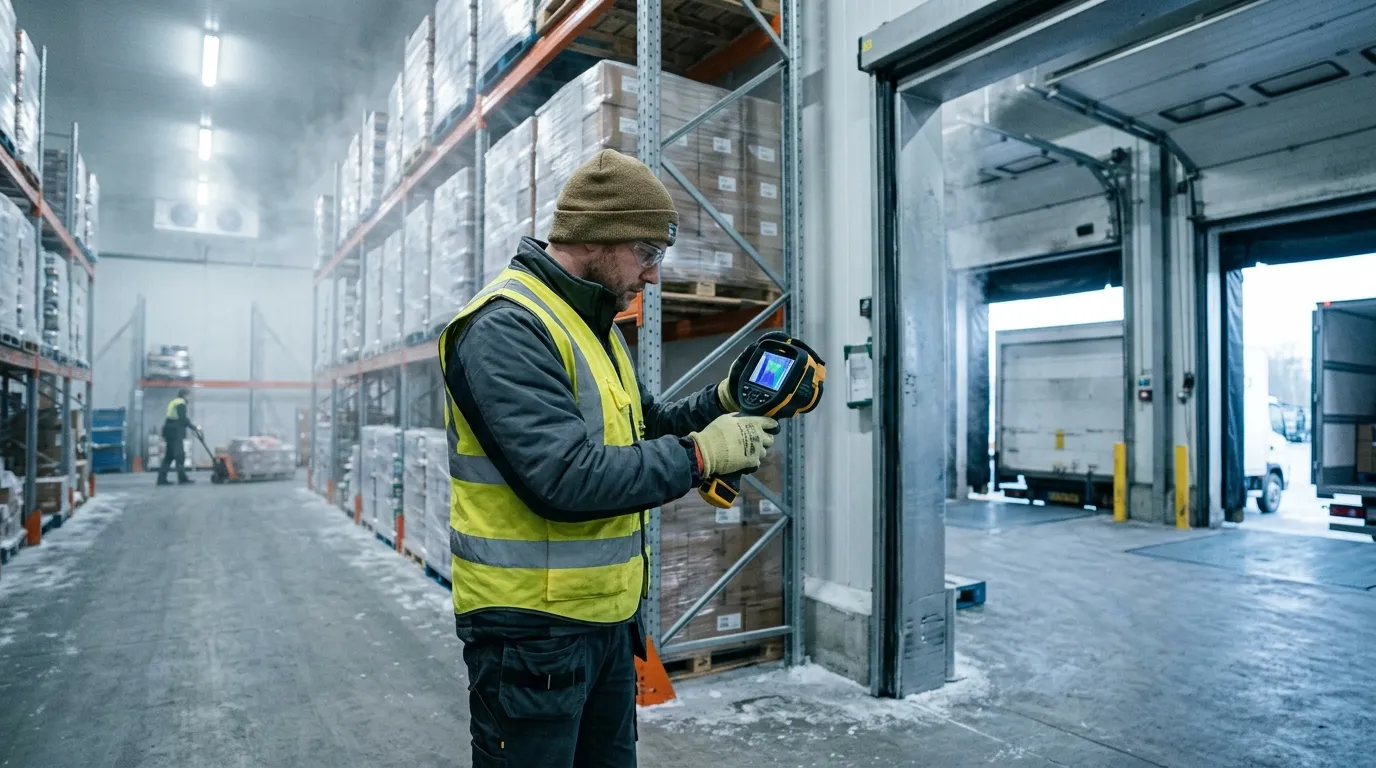
A good scan starts with a temperature difference. If your cooler is at 38°F and the dock is at 72°F, leaks draw themselves on the screen. If the dock and room are both cold after a long winter night, thermal contrast drops and small defects disappear. Wait for a real load condition: doors cycling, evaporators running, forklifts moving, people rushing because the 6 a.m. route is already late.
Use thermal imaging for the shell. Use calibrated contact tools for the food. The FDA Food Code 2022 sets 41°F or less as the cold-holding benchmark for many time/temperature control for safety foods at retail and foodservice, but a thermal camera sees apparent surface temperature. A box of chicken under film wrap, a stainless table, and a shiny trailer liner can all mislead the image.
| Área | Thermal clue | Likely cause | Best follow-up |
|---|---|---|---|
| Door gasket | Thin warm line around edge | Torn vinyl, weak latch, ice buildup | Close on paper strip, adjust latch, replace gasket |
| Panel seam | Warm vertical or ceiling stripe | Failed sealant, foam gap, thermal bridge | Inspect joint, check fasteners, reseal |
| Floor-wall joint | Warm band near cove | Damaged curb, forklift impact, moisture | Probe for water, inspect kick plates |
| Trailer rear doors | Bright edge at hinge side | Worn compression seal, bent door | Check cam locks, hinge pins, gasket crush |
The best time to scan a walk-in freezer is after it has been under load for at least 20 to 30 minutes. You want the system working. A perfectly empty box that has sat closed all night can look clean even when the door sweep leaks during shift change. Scan from inside and outside when you can, because a warm streak visible from the inside may show as a cold plume outside the door.
One small trick helps in cold storage: carry matte tape. Stainless steel, aluminum tread plate, and glossy FRP panels reflect the worker holding the camera. A square of black electrical tape or painter’s tape gives the thermal device a more reliable reference spot. It feels low-tech. It works.
Door problems are the first place to look because they happen every hour. A cold room door may cycle hundreds of times per day, and the gasket takes abuse from pallet jacks, washdown, ice, pressure changes, and impatient shoulders. On a thermal image, a healthy gasket usually shows a clean temperature boundary. A bad gasket shows a bright thread, a feathered plume, or a hot patch near the latch.
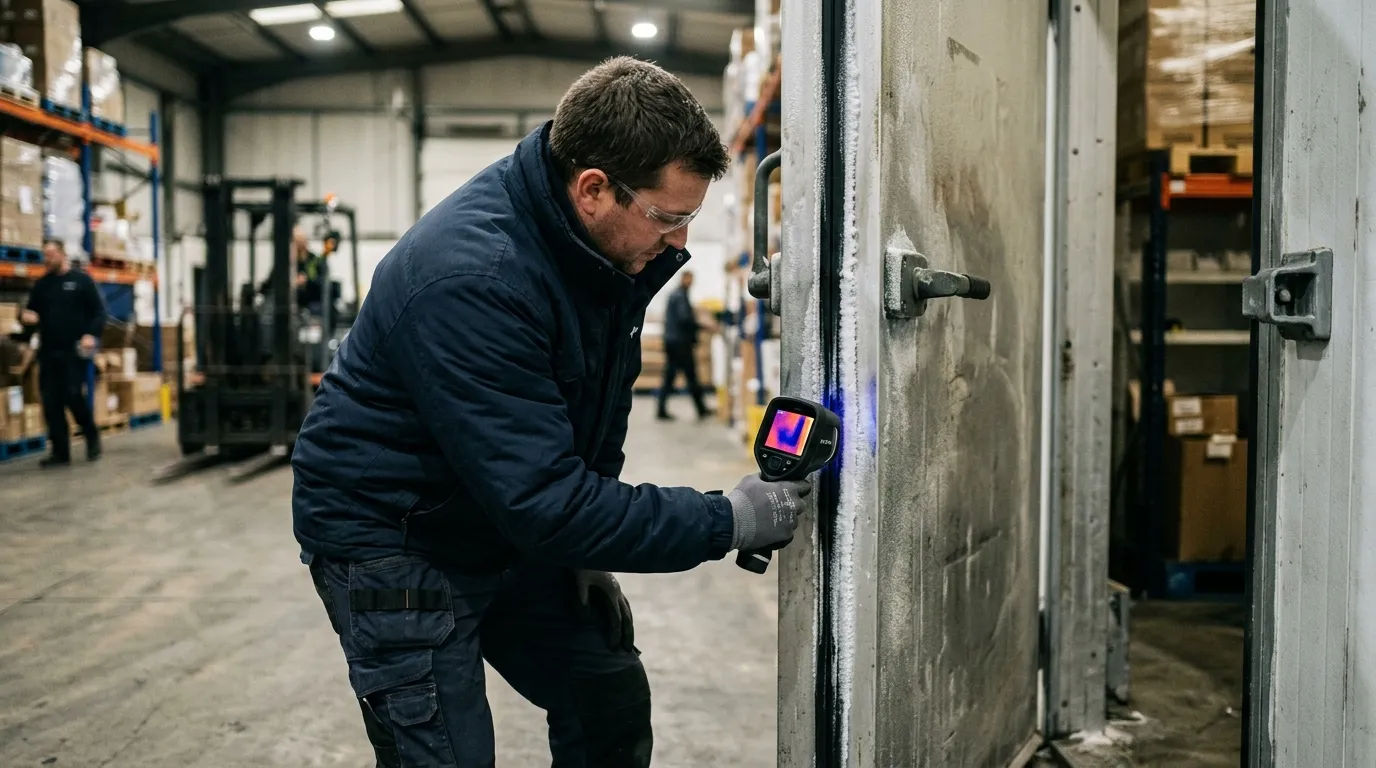
Don’t treat every warm edge the same. A straight warm line around the entire door often points to latch pressure or door alignment. A hot corner near the threshold often points to a torn sweep, floor heave, or ice that stops the gasket from seating. A warm oval at handle height can be nothing more than a handprint from ten seconds ago (annoying, but real).
For refrigerated logistics, rear trailer doors deserve their own scan. A Thermo King Precedent S-750 or Carrier Transicold Vector 8500 can hold setpoint only if the box stops exchanging air with the yard. Scan Utility 3000R, Great Dane Everest, and Wabash refrigerated trailers at the rear frame, hinge side, lower sill, and vent door. The refrigeration unit may be fine; the leak may be a $90 gasket.
Run this quick door test before you blame the refrigeration unit:
A thermal image also helps stop guesswork between operations and maintenance. The operator says, “Freezer 2 won’t recover after lunch.” The technician sees a warm tongue under the roll-up door and a frost ridge on the threshold. Now the repair is specific: replace the bottom seal, inspect the heater wire, and retrain the team to clear ice before the dock rush.
Panel failures are quieter than door leaks. They don’t whistle. They don’t slam. They sit behind product racks and slowly turn electricity into waste. A failed insulated metal panel can show as a warm rectangle, a vertical stripe, or a blotchy area that doesn’t match the panel pattern beside it.
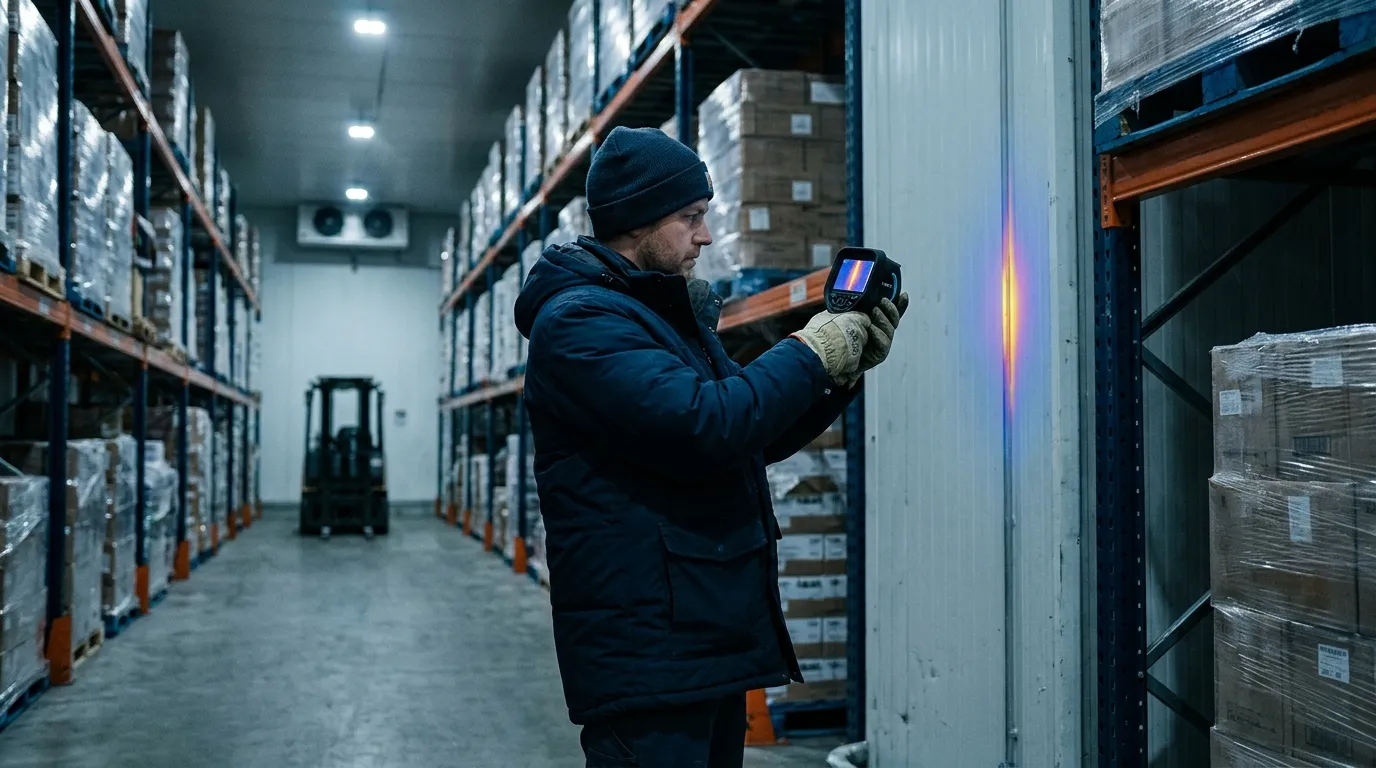
Wet insulation is the ugly version. Once moisture enters foam or mineral wool, the panel loses thermal resistance and can stay wet for months. A thermal scan won’t tell you the moisture percentage, but it can flag the suspect bay. After that, use a pinless moisture meter where the surface allows, inspect penetrations, and check roof drainage. If this is a freezer, look for frost on the warm side too. Frost outside a freezer wall is a bill with a delay.
The same discipline used when plumbers locate slab leaks & radiant heating pipes with thermal applies inside a cold room: you aren’t hunting for the pipe or leak directly every time; you’re reading the pattern left by heat moving through material. Straight lines often mean structure. Soft patches often mean moisture. Repeating marks often mean fasteners or panel geometry.
Panel seams need special attention near evaporators, door frames, pipe penetrations, and electrical conduit. A half-inch unsealed conduit gap can matter more than a scuffed wall panel because moving air carries heat and moisture. Warm air enters, moisture condenses, ice forms, the gap grows, and then the evaporator spends more time removing a problem the wall created.
| Thermal pattern | Common location | Maintenance read | Repair priority |
|---|---|---|---|
| Sharp vertical stripe | Panel joint | Sealant failure or metal bridge | High if near product zone |
| Blotchy warm patch | Wall or ceiling panel | Wet or damaged insulation | High if spreading |
| Warm halo | Pipe or conduit penetration | Air leak around sleeve | Medium to high |
| Repeating dots | Fasteners or clips | Thermal bridging | Low unless condensation appears |
Scan panel seams at a slight angle, then straight on. Move slowly. If the pattern follows your viewing angle, reflection may be fooling you. If the pattern stays fixed on the wall, you probably have a real thermal anomaly. This is where patience beats a dramatic color palette.
Trailers add motion, sunlight, and schedule pressure. A reefer trailer can look fine at the yard and fail on a route after four door openings, one long dwell at a grocery dock, and a driver who parks the rear doors facing afternoon sun. Thermal scanning gives you a pre-trip and post-trip way to catch weak points before they become rejected loads.

Scan before loading, not after product blocks the walls. A clean trailer inspection takes five to seven minutes: rear doors, sidewalls, ceiling, floor channels, bulkhead, drain openings, chute, and unit frame. For multi-temp trailers, scan the bulkhead and movable divider after it is locked. A divider that leaks between frozen and chilled zones can make one zone overwork while the other one drifts.
A practical trailer scan has four data points attached to every image:
| Field | Example entry | Por qué es importante | Mistake to avoid |
|---|---|---|---|
| Setpoint | 34°F fresh, -10°F frozen | Gives context for thermal contrast | Recording only air temp |
| Ambient | 88°F sunny yard | Explains solar load | Comparing to night scans |
| Trailer ID | Wabash RF-2048 | Ties defect to asset | Using route name only |
| Door state | Closed 10 minutes | Confirms stable condition | Scanning during open-door chaos |
Sidewalls need extra caution in direct sun. Solar gain can paint a warm rectangle that looks like insulation failure. If the sun is hitting the curb side, scan the road side too. Better yet, repeat the scan in shade or indoors. This works better than arguing over one image in a maintenance meeting.
For distribution centers with cold rooms next to offices or dry storage, moisture risk can move beyond the cold envelope. After a gasket leak or wet panel is repaired, the adjacent wall cavity may still need attention; the inspection logic behind detecting hidden moisture & mold risk behind drywall with thermal fits those mixed-use areas well. Cold-chain damage often shows up first as condensation where no one expected condensation.
Thermal imaging also helps during claims. If a receiver rejects a load, your records should include reefer download data, product probe checks, trailer pre-trip notes, and any thermal images from before dispatch. Thermal evidence won’t overrule a failed pulp temperature. It can show whether the box had visible envelope defects before the load left.
Energy waste in cold storage is brutally direct. Heat leaks in. Compressors remove it. You pay twice when moisture rides with the heat, because latent load adds defrost cycles, ice, fan penalties, and labor. ENERGY STAR says certified commercial refrigerators and freezers are on average 20 percent more energy efficient than standard models, but even efficient equipment loses ground when the envelope leaks.
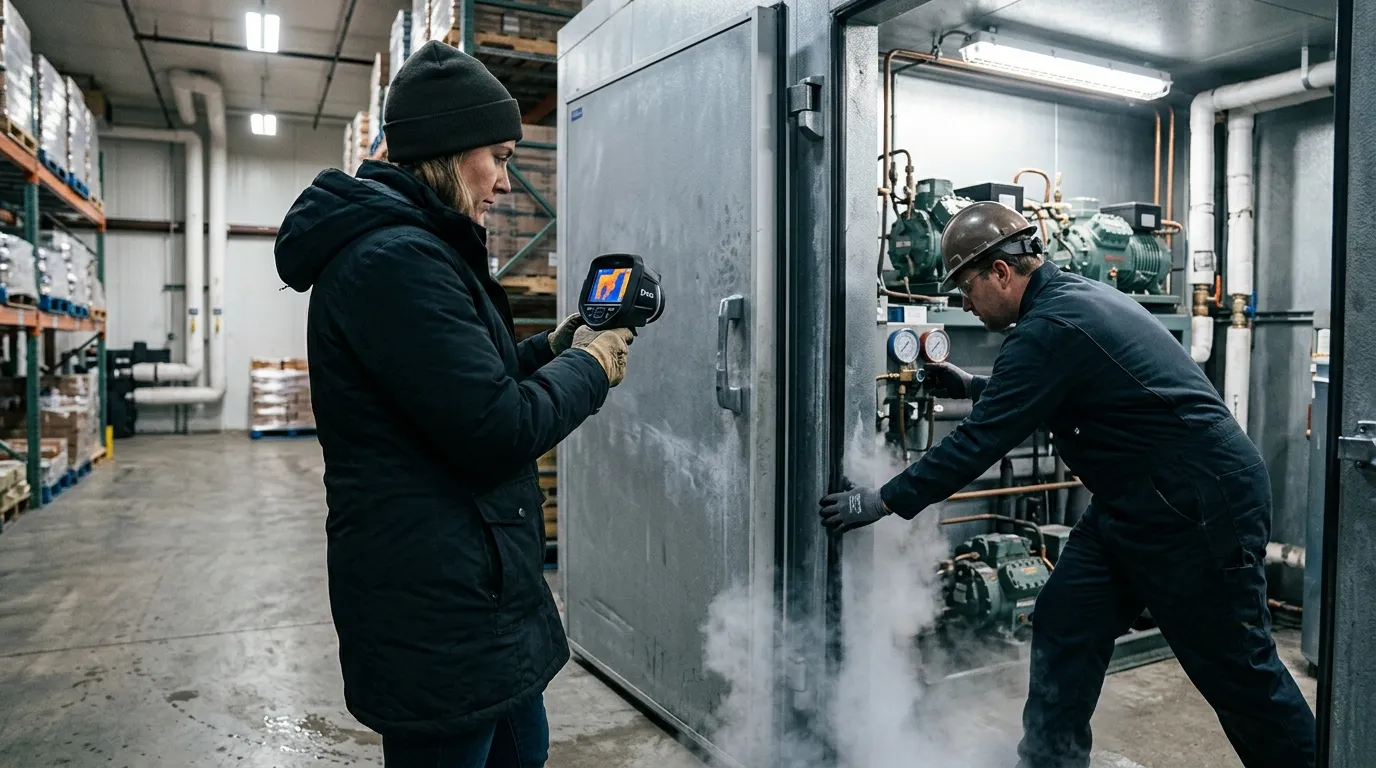
Compliance has a different language. The FDA FSMA Sanitary Transportation final rule, issued in 2016, requires covered shippers, loaders, carriers, and receivers to use practices that keep food safe during transport, including temperature controls when needed. A thermal image isn’t a regulatory temperature record. It is maintenance evidence that supports the control program.
Think of the record package as two folders. Folder one proves product control: calibrated probes, data logger files, reefer downloads, corrective actions, and receiving checks. Folder two proves asset condition: thermal images, gasket work orders, panel repairs, PM logs, and retest photos. Auditors and customers care about folder one first. Folder two explains why folder one stayed clean.
Use this naming format for thermal files:
2026-06-13_Freezer2_DoorA_Inside_0Fset_76Fambient_before.jpg2026-06-13_Freezer2_DoorA_Inside_0Fset_76Fambient_after.jpg2026-06-13_TrailerRF2048_RearDoor_34Fset_88Fambient_pretrip.jpg2026-06-13_Cooler5_CeilingSeam_38Fset_70Fambient_workorder8127.jpgThat level of detail feels fussy until six months later, when a customer asks why their berries warmed during a holiday weekend route. A dated image with setpoint, ambient temperature, trailer ID, and repair note is much easier to defend than “maintenance checked it.”
Don’t use thermal imaging where it doesn’t fit. If the room has no meaningful temperature difference, wait. If the target surface is mirror-like metal, add a matte reference or change your angle. If the question is “Is this pallet safe?”, use product temperature methods. If the question is “Where is heat entering this box?”, thermal earns its place.
Start with the asset list. Pick the rooms and trailers that hurt you most: high door counts, slow pull-down, repeated frost, unusual compressor runtime, rejected loads, or employee complaints about sweating walls. One freezer with a chronic ice ridge deserves attention before ten perfect coolers.
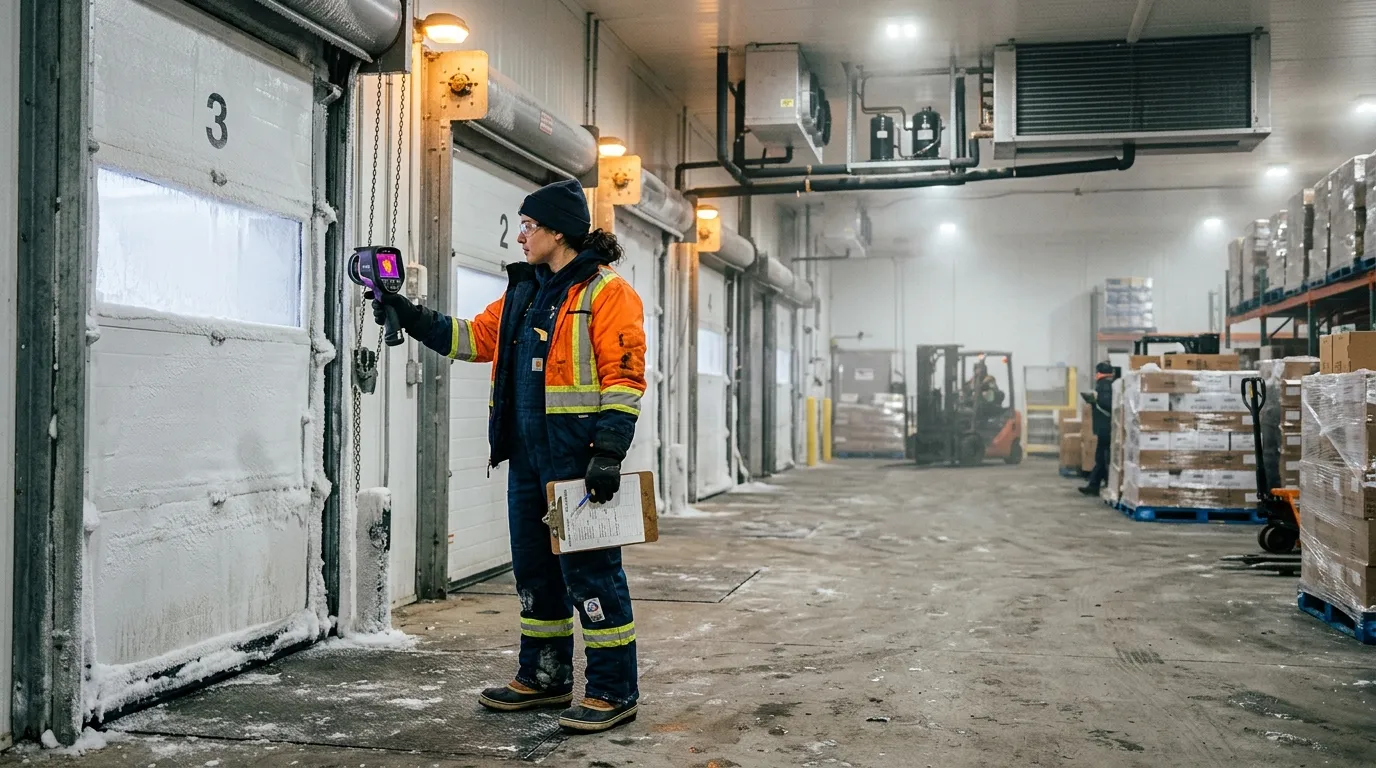
For each asset, scan the same path every time. Consistency beats drama. In a walk-in cooler, start at the main door, move clockwise around wall seams, check penetrations, scan ceiling joints, scan evaporator surrounds, then finish at the floor-wall joint. In a reefer trailer, start at rear doors, move forward along sidewalls, scan the ceiling, check the bulkhead, scan the floor channels, then finish at the unit end.
A good thermal route takes less than 15 minutes per room once the team knows it. The first pass takes longer because you are building the map and naming the assets. After that, the value comes from comparison: before repair, after repair, summer peak, winter baseline, pre-trip, post-trip.
Use a simple scoring method:
| Score | Condition | Action | Retest timing |
|---|---|---|---|
| 1 | Minor bridge, no condensation | Watch list | Next monthly scan |
| 2 | Small air leak or gasket wear | Schedule repair | Within 30 days |
| 3 | Warm seam near product or frost | Repair soon | Within 7 days |
| 4 | Major door leak, wet panel, load risk | Remove from service or restrict use | Same day |
Train two people per shift if possible. Cold-chain inspections fail when only one technician knows the camera and that person is off on inventory day. The scan path should be boring enough that a night-shift lead can repeat it without guessing.
Set the palette to something your team can read quickly. Iron and rainbow palettes make defects pop, but they can exaggerate small differences. Grayscale can be calmer for documentation. Temperature span matters more than palette choice: lock or narrow the span when comparing before-and-after images, or the camera may auto-adjust and make a repaired gasket look unchanged.
No. Thermal imaging shows surface-temperature patterns on doors, panels, floors, and trailer walls. Use calibrated probes, data loggers, and reefer downloads to document product temperature and food safety control.
A 15°F to 25°F difference between the cold space and surrounding area usually gives useful contrast. Bigger differences help, especially around gaskets, panel seams, and trailer rear doors.
Scan parked trailers with doors closed and the reefer running at setpoint. Moving scans are poor for records because airflow, sunlight, vibration, and changing backgrounds can distort the image.
Yes. Stainless steel and glossy liners reflect heat from people, forklifts, lights, and open dock doors. Change the angle or add a small matte tape reference spot before trusting the reading.
Scan high-use doors weekly, refrigerated trailers before peak routes, and full cold rooms monthly. Also scan after gasket replacement, panel repair, forklift impact, water intrusion, or any unexplained pull-down problem.
Before the next dock rush, pick one cooler and run a 12-minute Pixfra scan: door gasket, lower sill, latch side, ceiling seams, pipe penetrations, and floor-wall joint. Save one before image, fix one visible defect, then rescan the same spot under the same setpoint. That single before-and-after pair is the fastest way to turn thermal inspection from a neat picture into a maintenance habit.
Every year, American homeowners waste hundreds of dollars on energy they never actually use — all because of hidden air leaks, insulation gaps, and drafts they can’t see with the naked eye. At Pixfra, we build thermal imaging technology that makes these invisible problems visible. In this case study, we’ll walk you through exactly how thermal devices are used in home energy audits and why this simple step can save you real money.
A home energy audit is a full checkup of how your house uses energy and where it wastes it. Think of it like a doctor’s visit — but for your home. A certified auditor comes in with specialized tools and examines everything from your walls and windows to your HVAC system and attic insulation. A certified pro inspects insulation, doors and windows, ductwork, and major systems — often using tools like blower doors and infrared cameras — to find where you’re wasting energy. The result is a prioritized roadmap that can lower utility bills, improve comfort, and boost indoor air quality.

The goal is simple: find out where your home is leaking energy and fix it. Making energy efficiency upgrades identified in a home energy assessment can save 5–30 percent on your monthly energy bill while also ensuring the health and safety of your house. That’s a big deal when you add it up over the course of a year or a decade. And the main tool that makes all of this possible? A thermal imaging camera.
Before we get into the details of the case study, let’s quickly talk about what makes a thermal device worth your time. If you want a deeper breakdown of the specs that actually matter, we’ve put together a full guide on the Las 6 características imprescindibles que debe tener el mejor dispositivo térmico en 2026. It covers everything from NETD sensitivity to refresh rate — all the things that separate a good camera from one that gives you blurry, useless images.
Thermal imaging, also called infrared thermography, uses a special camera that picks up heat energy your eyes can’t see. Thermal imaging involves the use of infrared cameras to capture temperature variations in a home. These cameras detect heat emissions and create visual representations that highlight areas of energy inefficiency. Different temperatures show up as different colors on the screen — warm spots appear red, orange, or yellow, while cold areas look blue or purple. This color map lets you instantly spot where heat is escaping or cold air is sneaking in.

The process is non-invasive, which means nobody has to rip open your walls or tear up your floors. Thermal imaging is a non-invasive method for identifying energy inefficiencies. It’s a fast and efficient process that doesn’t require the removal of materials or causing any damage to your home. An auditor can scan an entire room in minutes and get a clear picture of what’s happening behind the drywall. You get results fast, and the process doesn’t disrupt your daily life at all.
For the best results, auditors typically look for a significant temperature gap between the inside and outside of your home. For reliable results, audits are usually conducted when there is a significant temperature differential (ΔT) — at least 18°F (10°C) between indoor and outdoor environments. This contrast helps reveal areas where heat is escaping or entering the building. That’s why winter and early morning are popular times for these inspections. But with the right equipment, you can run a scan at almost any time of year — especially if you pair it with a blower door test to push air through cracks and gaps artificially.
Here’s a real-world example that shows exactly why thermal devices matter for energy audits. A homeowner faced high heating bills despite installing a new furnace. A thermal imaging assessment revealed unsealed attic vents and insufficient wall insulation. After addressing these issues, the homeowner saw a 20% reduction in energy costs and significantly improved comfort during winter.
That’s the power of thermal imaging. The homeowner had already spent money on a new furnace, thinking that was the problem. But the real culprits — unsealed vents and thin insulation — were hiding behind the walls where no one could see them. A standard visual inspection would’ve missed these problems entirely. Only a thermal scan could pick up the subtle temperature differences that told the whole story.
This experience lines up with what we see across the industry. Numerous homeowners have witnessed significant improvements after inspections with infrared cameras. For instance, a case study in a suburban neighborhood revealed that homes undergoing infrared inspections identified hidden air leaks and insulation gaps. Time after time, thermal imaging catches things that other methods miss — and the fixes are often cheap and simple. Sealing a gap around a vent or adding insulation to a wall cavity doesn’t cost much, but the payoff on your energy bill is real and lasting.
Research backs this up too. In one study, householders who received a thermal image reduced their energy use at a 1-year follow-up, whereas householders who received a carbon footprint audit and a non-intervention control demonstrated no change. In a second study, householders were nearly 5 times more likely to install draught-proofing measures after seeing a thermal image.There’s something about actually seeing the heat leaking from your home that motivates you to act on it. Numbers on a report are easy to ignore. A glowing red streak showing warm air pouring out of your roof? That gets your attention.
So what exactly can a thermal camera find during a home energy audit? The list is longer than you might think.
The biggest one is poor insulation. Whether it’s missing, damaged, or just settled over time, bad insulation is a top cause of high energy bills. Poor insulation is a leading cause of high energy bills. Thermal imaging allows auditors to quickly spot inconsistencies in the thermal envelope — especially in attics, crawl spaces, and exterior walls — without disturbing the building materials.Blown-in insulation is especially prone to settling over the years, leaving cold spots that slowly drain your heating budget every winter.

Air leaks are another big one. Air leaks are one of the most common causes of energy loss in a home. Small gaps around windows, doors, vents, and ducts can allow warm or cool air to escape, forcing your HVAC system to work harder. These tiny gaps might seem harmless on their own, but add them all up and it’s like leaving a window open year-round. Addressing air leakage, which accounts for 25–40% of energy loss in typical homes, often delivers 10–20% savings in heating and cooling costs for a relatively modest investment of $300–$1,500.
Moisture problems are another thing thermal cameras catch. Thermal imagers are very effective tools for identifying moisture. Water has a high thermal capacitance, meaning that it efficiently absorbs and stores energy. The thermal capacitance of water or the effects of evaporative cooling (usually a 2°F to 5°F surface temperature difference) help reveal the extent of moisture damage, even when the surface feels dry to the touch. Left alone, moisture behind walls can lead to mold, rot, and even bigger repair bills down the road.
And then there’s your HVAC ductwork. Leaky ductwork causes the average home to lose 20–30% of its heating and cooling capacity. That’s a huge amount of energy you’re paying for but never getting. A thermal scan of your ducts can show exactly where the leaks are so you can seal them up.
Key findings thermal devices typically reveal during a home energy audit:
| Problem Detected | Common Locations | Typical Energy Loss | Average Fix Cost |
|---|---|---|---|
| Missing/settled insulation | Attics, walls, crawl spaces | 15–25% of heating/cooling | $500–$2,500 |
| Air leaks & drafts | Windows, doors, vents, outlets | 25–40% of total energy | $300–$1,500 |
| Ductwork leaks | Basement, attic, between floors | 20–30% of HVAC output | $300–$1,000 |
| Moisture intrusion | Behind walls, ceilings, basements | Reduces insulation R-value | $500–$3,000+ |
| Thermal bridging | Studs, lintels, slab edges | 5–15% of envelope loss | Varies |
Let’s talk dollars and cents — because at the end of the day, that’s what matters most.
The average homeowner saves $685 annually by implementing audit recommendations. It’s about having a clear roadmap for making your home better. At an average cost of $437 with payback in under 8 months, an audit is one of the smartest investments you can make in your home. That means you spend a few hundred dollars once, and you start saving every single month from that point forward.

The cost for home energy audits typically ranges from $300 to $600, with some advanced audits exceeding this range due to specialized tools and testing. The more detailed the audit — with blower door tests, infrared scanning, and full reporting — the higher the cost, but also the higher the payoff. And many utility companies and state programs offer discounts, rebates, or even free assessments to their customers, so your out-of-pocket cost could be a lot lower than you’d expect.
The return on investment here is hard to ignore. Acting on an audit typically cuts energy use 5–30%. On a $200/month bill, that’s about $120–$720 per year saved. With a $200–$700 audit, the fee often pays back within 1–3 years. And the savings keep coming year after year for as long as you live in the home. Unlike a lot of home improvement projects that are mostly about looks, an energy audit generates actual, measurable financial returns.
Not all thermal cameras are built the same, and when it comes to energy audits, the details in the device specs make a big difference. The most telling spec is NETD, which stands for Noise Equivalent Temperature Difference. It measures how sensitive the camera is to small changes in temperature. The lower the NETD value, the better the camera is at picking up subtle heat patterns — and subtle is exactly what you’re dealing with in a home energy audit, where a drafty window might only show a temperature shift of a few degrees.
At Pixfra, we build our thermal cameras with proprietary heat-detection technology. Our devices achieve NETD values of ≤18mK, which means they can pick up extremely small temperature differences with sharp clarity. That level of sensitivity is what separates a camera that gives you a blurry heat blob from one that shows you exactly where the problem is — down to the nail heads in your wall studs. As one home inspector put it: “the temperature differential does reveal what’s going on behind the wall” — and with the right device, those differentials are crystal clear.
Thermal sensitivity also plays a big role in detecting moisture, which is one of the sneakier issues thermal cameras can catch. Since wet materials cool down through evaporative cooling, the temperature difference is often just 2°F to 5°F compared to dry surfaces. A camera with poor NETD will miss that entirely. A camera with ≤18mK sensitivity will catch it every time. If you’re using a thermal device for any kind of home inspection or energy audit work, sensitivity should be at the top of your priority list — it’s the single spec that determines whether you find the real problems or just the obvious ones.
You’ve got two main options when it comes to thermal imaging for home energy audits: do it yourself or hire a pro.
Thermal imaging is available through professional services or DIY tools. Professional services use certified technicians with advanced equipment to conduct thorough energy audits and provide actionable insights. Affordable infrared cameras and smartphone attachments allow homeowners to conduct their own assessments. However, professional expertise is often necessary for accurate interpretation of results.

DIY thermal scans have gotten a lot more affordable in recent years. You can grab a smartphone-attached thermal camera for as little as $200, and it’ll give you a basic picture of where heat is escaping. It’s a great first step if you want to find obvious issues like major drafts around windows or completely missing insulation in your attic. But DIY has its limits. A DIY audit can show you that a window is drafty, but it can’t tell you the home’s total leakage rate or how it compares to building standards.
Professional audits, on the other hand, deliver the full picture. A certified energy auditor brings high-sensitivity thermal cameras, blower door equipment, and the know-how to read the results correctly. Energy auditors and weatherization professionals use thermal imaging because it provides a fast and easy way to pinpoint and document exact locations of problems. In an industry where speed and accuracy are vital, infrared allows for faster inspections and more detailed documentation. They’ll compile everything into a report with prioritized recommendations, so you know exactly what to fix first for the biggest savings. If you’re serious about cutting your energy bills, the professional route is worth every dollar.
Can thermal imaging really save money on energy bills?
Yes. Thermal imaging helps you find and fix hidden energy leaks that you’d never spot with your eyes alone. Once you seal air leaks, improve insulation, and fix ductwork issues, the savings show up on your energy bills right away. Homeowners who act on audit recommendations typically save 5–30% on their monthly energy costs, which adds up to hundreds of dollars every year.
What is the best time of year for a thermal energy audit?
Winter is usually the best time in most parts of the U.S. because the bigger the temperature gap between inside and outside, the easier it is for the thermal camera to pick up problems. However, you can get useful results in summer too — especially if you’re running the air conditioner. The key is having at least an 18°F difference between indoor and outdoor temperatures.
How much does a thermal imaging energy audit cost?
Most professional thermal energy audits cost between $300 and $700, depending on your home’s size and the level of detail involved. Many utility companies and state programs offer rebates or even free assessments. The average payback period is under 8 months, making it one of the best home investments you can make.
Can I do a thermal energy audit myself?
You can do a basic one with an affordable infrared camera or smartphone attachment. It’s good for spotting obvious drafts and insulation gaps. But for a full assessment with blower door testing, detailed thermographic analysis, and a written report with prioritized recommendations, hiring a certified professional is the way to go. Their equipment and training let them catch problems that DIY tools simply can’t.
What does a thermal camera actually show during a home energy audit?
A thermal camera picks up infrared radiation — heat energy — and displays it as a color-coded image on the screen. Warm areas show up as red, orange, or yellow, and cold areas appear as blue or purple. During an energy audit, this makes it easy to see where heat is leaking out of your home, where insulation is missing, and where cold air is getting in. It also picks up moisture intrusion and overheating electrical components.