When a rescue team gets the call that someone is missing in the backcountry at night, every minute matters. Traditional search methods — flashlights, headlamps, ground sweeps — are slow and burn through manpower fast. We at Pixfra have seen firsthand how thermal imaging technology changes the entire equation, turning what used to be a desperate guessing game into a fast, targeted operation.
Before we get into the case study itself, let’s cover the basics so you know exactly what’s happening when a thermal device hits the field during a rescue mission. Thermal cameras work by detecting infrared radiation emitted by all objects, including people and animals. That radiation gets converted into a thermal image, displaying varying temperatures in different colors. Warmer objects, such as a human body, appear brighter against cooler backgrounds. That’s the whole trick — your body is basically a beacon of heat in a cold landscape, and a thermal device picks that up whether it’s pitch black, foggy, or raining sideways.

Search and rescue missions at night present unique challenges. Limited visibility, difficult terrain, and unpredictable weather can hinder even the most well-trained teams. Traditional night-vision devices and spotlights have their limitations, especially in environments like forests, mountains, or urban areas with obstructed views. This is exactly where a handheld thermal monocular or scope gives you an edge that nothing else can match. Unlike night vision, which needs at least some ambient light to work, thermal devices detect heat rather than light. That means total darkness, dense fog, and heavy rain don’t shut you down.
This tech isn’t new, but what’s changed in 2026 is the accessibility. You no longer need a government budget to get a solid thermal device with high sensitivity and long detection range. Our lineup at Pixfra, for example, offers NETD values of ≤18mK and detection ranges reaching up to 3,600 meters — specs that were strictly military-grade not long ago. If you want to know what separates the best thermal devices in 2026 from mediocre ones, check out our breakdown of the 6 nejdůležitějších funkcí, které by mělo mít nejlepší termální zařízení v roce 2026. Those same features — thermal sensitivity, rugged build, battery life, detection range — are exactly what determine whether a thermal device performs when a life is on the line.
Here’s the scenario. A 68-year-old man with early-stage cognitive decline wanders off a well-marked trail in a wooded mountain area during the late afternoon. By the time his family calls it in, the sun is already setting. Temperatures are dropping fast — into the low 30s°F — and the terrain is a mix of dense forest, rocky outcrops, and brush-covered ravines. A ground search team is mobilized, but within the first two hours, they’ve covered very little ground. The flashlights barely cut through the trees, and the terrain is too dangerous to move through quickly at night.
This is a scenario that plays out across the United States more often than most people realize. According to the U.S. Coast Guard Search and Rescue Statistics, there are over 15,000 reported cases per year in the United States alone. Nearly 86% result in lives saved. But that 14% gap — the cases that don’t end well — is often a matter of time and visibility. When you can’t see the person you’re looking for, the clock runs out fast, especially in cold weather where hypothermia becomes a real threat in just a few hours.
The search team in this scenario pulled out a handheld thermal monocular — a compact, rugged unit with a 640×512 sensor resolution, ≤18mK NETD, and a detection range well over 1,000 meters. Within minutes of powering up the device and scanning from a ridge, the operator spotted a bright heat signature roughly 400 meters out, partially obscured by brush. The thermal device found the man within just eight minutes. He was lying still in tall sagebrush, making it impossible for the ground search crew to locate him. With its White Hot palette, the cold ground was displayed as dark gray on the thermal camera’s sensor, while the man showed up in bright white, contrasting sharply with the area around him. That contrast — a warm body against cold terrain — is exactly what makes thermal imaging so effective when every other search method fails.
Not every thermal device can deliver in a scenario like this. The difference between a successful rescue and a failed one often comes down to a few specs you might overlook when shopping. Let’s walk through what actually mattered in this case.

Thermal sensitivity, measured by NETD (Noise Equivalent Temperature Difference), was the first factor. The missing man had been stationary for a while, his body temperature dropping toward the ambient surroundings. A device with poor NETD — say, anything above 40mK — might not have picked up the fading contrast between his body and the cold brush around him. Our Pixfra devices hit ≤18mK NETD, which means they detect incredibly small temperature differences and produce clear, high-contrast images even when the heat gap between a person and the environment is narrow. In rescue terms, that’s the difference between a bright, obvious shape on your screen and a smudgy nothing.
Detection range was the second factor. The operator scanned from an elevated ridge roughly 400 meters away. A device with a 256×192 sensor and a short detection range — common in budget thermal units — might not have resolved that heat signature at all. Higher sensor resolutions like 640×512, paired with our 12μm pixel pitch technology, give you the detail you need to distinguish a human body from a warm rock or an animal at distances that matter in the field. Our Sirius HD series, for example, pushes detection range out to 3,600 meters. For search and rescue teams sweeping large areas, that kind of reach means you cover more ground from fewer positions.
Build quality and battery life were the third and fourth factors. This rescue happened in cold, wet conditions — exactly the kind of environment that kills cheap electronics. IP67-rated housing, which all our Pixfra devices carry, means the unit is fully sealed against dust and survives water submersion. On top of that, cold weather can cut battery life by 30-50%. The team used a device with swappable 18650 batteries, which meant they could pop in a warm spare from an inside pocket without any downtime. That kind of real-world readiness isn’t a luxury — it’s what keeps a device running when conditions turn ugly.
To put the value of thermal imaging into perspective during rescue operations, here’s a quick comparison:
| Factor | Traditional Ground Search | Thermal Device-Assisted Search |
|---|---|---|
| Visibility in Darkness | Very limited (flashlights only) | Full visibility via heat detection |
| Average Area Covered per Hour | 0.1–0.5 sq. miles | 1–3+ sq. miles (from elevated position) |
| Effectiveness in Fog/Rain | Severely reduced | Minimal impact on detection |
| Ability to Detect Stationary Persons | Very low | High (body heat still visible) |
| Risk to Search Personnel | High (terrain, fatigue) | Reduced (scan from safe distance) |
| Typical Time to First Detection | Hours | Minutes |
Thermal imaging enables quick identification of individuals, significantly reducing search times. When you’re working against hypothermia, injury, or exposure, cutting your search time from hours to minutes isn’t just a performance stat — it directly translates to lives saved. The ability to detect heat signatures makes thermal devices incredibly effective in pinpointing the exact location of individuals, even in complex terrains. Dense forests, rocky landscapes, and mountainous regions can be navigated with greater accuracy using thermal imaging, reducing false positives and missed targets.
Our Pixfra Outdoor App also plays a role here. Through the app, you can stream live thermal footage, transfer images and video directly to your smartphone, and share data with other team members in real time. In a coordinated search, that means the person with the thermal device can relay a target’s GPS position to ground teams instantly — no radio miscommunication, no wasted time guessing at directions.
If there’s one takeaway from this rescue, it’s that the device you carry needs to match the worst-case scenario, not the best one. A thermal monocular that performs well on a calm, dry evening might fall apart when you actually need it — in the rain, in the cold, at 2 AM, with gloved hands.

Here’s what we recommend based on what worked in this rescue and what we’ve learned from years of building thermal devices at Pixfra. First, don’t compromise on NETD. You want ≤25mK at minimum for any outdoor use, and ≤18mK if you’re serious about detection in tough conditions. Second, match your sensor resolution to your expected range. If you’re scanning wide areas from elevated positions, go for 640×512. If you’re working shorter distances in denser terrain, 384×288 will serve you well and keep costs down. Third, make sure your battery system can handle extended, cold-weather use. Swappable 18650 batteries beat proprietary internal cells every time for field operations. And fourth, insist on IP67 or better weather resistance — no exceptions.
Our Pixfra Outdoor App supports all our current models, including the Sirius, Arc LRF, Mile 2, Pegasus Pro, Chiron LRF, Taurus, and Taurus LRF series. Through the app, you can update firmware, adjust device settings, and transfer scouting data — all useful features whether you’re on a rescue team, managing property security, or tracking wildlife. If you want a device that can pull double duty across hunting, observation, and emergency scenarios, the Volans series stands out with its all-day vision capability and adjustable aperture from F1.2 to F3.0, making it one of the few thermal devices that performs equally well in daylight and total darkness. That kind of flexibility means one device covers all your bases.
While this case study focuses on search and rescue, the same features that saved a life here are the ones that make a thermal device invaluable for hunters, property owners, and wildlife observers. A hunter tracking hogs at night benefits from the exact same NETD sensitivity and detection range that let a rescue team spot a stationary person in dense brush. A rancher checking fence lines after dark relies on the same IP67 weather resistance and battery endurance. The application of thermal imaging technology is not limited by environmental conditions. Even in pitch-dark environments where visibility is zero, or when individuals are unconscious and immobile, thermal imagers can still capture body temperature signals emitted by humans. Swap “humans” for “coyotes approaching your livestock” and the value is identical.
At Pixfra, we build thermal monoculars, thermal scopes, thermal front attachments, and multispectral binoculars — all designed for real outdoor conditions. Whether you need the lightweight portability of our Draco series for all-day carry or the long-range precision of the Sirius HD series for professional applications, we engineer around the six features that matter most: thermal sensitivity, sensor resolution, detection range, battery life, durability, and smart connectivity. We don’t build features for spec sheets — we build them for 2 AM in a hunting blind, for a freezing ridge during a search, for the real moments when gear either performs or fails you.
If you’re ready to see what a properly built thermal device can do, check out our full product lineup at Pixfra and find the right fit for your needs.
Can a thermal device find a person who is unconscious or not moving?
Yes. Even in pitch-dark environments where visibility is zero, or when individuals are unconscious and immobile, thermal imagers can still capture body temperature signals emitted by humans. A thermal device detects heat, not movement. As long as a person’s body is warmer than the surrounding environment — which it almost always is — the device will pick up the contrast. This is one of the biggest advantages thermal has over visual or motion-based search methods.
Does thermal imaging work through fog, smoke, and heavy rain?
Infrared thermal cameras offer a distinct operational advantage as they rely on heat detection, allowing them to penetrate haze, glare, light smoke, or total darkness. Heavy rain and very dense fog can reduce effective range somewhat, but thermal devices still dramatically outperform flashlights, spotlights, and standard night-vision gear in those conditions. For any serious outdoor use, look for a device with high NETD sensitivity (≤18mK) and an IP67 weather rating to ensure it keeps working when the weather turns bad.
What NETD rating do I need for a rescue or outdoor thermal device?
For search and rescue, wildlife observation, and hunting, you want a thermal device with an NETD of ≤25mK or lower. At Pixfra, our devices achieve ≤18mK, which places them at the top end of sensitivity for outdoor-grade thermal optics. Lower NETD means the device can detect smaller temperature differences, which is exactly what you need when you’re trying to spot a person whose body heat is fading in cold conditions.
How far can a thermal device detect a person?
Detection range depends on the sensor resolution, lens size, and environmental conditions. Entry-level handheld thermal devices typically detect a human-sized heat source at 500 meters or less. Mid-range models like our Pixfra Arc LRF and Mile 2 series hit the sweet spot for most users in the 600–1,500-meter range. Our premium Sirius HD series pushes detection out to 3,600 meters — more than enough for large-area scanning during a search operation or open-terrain surveillance.
Is a thermal device worth carrying on backcountry trips for safety?
Absolutely. Beyond the obvious search and rescue applications, a compact thermal monocular lets you scan trail areas for wildlife at night, check your surroundings when you hear something outside camp, and signal rescuers if you become the one who needs help. Lightweight models like our Draco series are built specifically for multi-functional performance without adding bulk to your pack. If you spend any time in the backcountry after dark, a thermal device is one of the highest-value safety tools you can carry.
Most people hear “handheld thermal device” and think it’s just for hunters. But that’s only scratching the surface. A single handheld thermal monocular covers hunting, property security, wildlife observation, boating, search and rescue, camping, and utility inspection. Whether you’re scanning your back forty for coyotes at 2 AM, checking your home for heat leaks, or navigating a foggy trail in the backcountry, a thermal imager earns its place in your gear bag fast. At Pixfra, we build thermal monoculars, thermal scopes, thermal front attachments, and multispectral binoculars — all designed for real outdoor conditions. And we’ve seen firsthand just how many ways people put these devices to work outside of hunting season.
Before we walk through all nine uses, it helps to know what separates a good handheld thermal device from a frustrating one. If you’re still sorting out what specs actually matter when you’re shopping, our guide on the 6 nejdůležitějších funkcí, které by mělo mít nejlepší termální zařízení v roce 2026 breaks down everything from NETD sensitivity to battery life and IP ratings — so you can match the right device to the job you need it for.
This is the use case that put handheld thermal devices on the map, and it’s still the number-one reason people buy them. Thermal technology allows hunters to detect and track animals based on their body heat, irrespective of the lighting conditions, offering an undeniable advantage for nighttime hunting and wildlife observation. Whether you’re running hogs in Texas, calling coyotes in Kansas, or sitting a deer stand in Georgia, a thermal monocular lets you spot game before it spots you — in total darkness, through fog, and even in thick brush.

Here’s how it works in practice: instead of picking up your rifle and swinging a scope left and right — which gets tiring and sloppy after a few hours — you scan with your handheld thermal device first. The biggest advantage of owning a thermal monocular is that it saves you from picking up your rifle with a thermal scope and swinging it in different directions, which can be exhausting and inconvenient. With a thermal monocular, you can easily spot game, set the monocular down, and then grab your rifle to take an accurate shot without unnecessary movement. That’s safer and more effective.
Game recovery is the other half of this equation. After making a successful shot, an animal can run out of sight fast. A handheld thermal imager picks up the heat signature of a downed animal from hundreds of yards out — no more crawling through brush with a flashlight. Our Pixfra lineup covers detection ranges from around 500 meters for entry-level models all the way up to 3,600 meters with the Sirius HD series. For most recreational hunters working inside 300 to 600 meters, mid-range models like our Arc LRF and Mile 2 series hit the sweet spot between performance and price. Models with “LRF” in the name also include built-in laser rangefinders with 1,000-meter range — so you get exact distance to your target without fumbling for a separate device in the dark.
You don’t have to be a hunter to get serious use out of a handheld thermal device. Thermal imaging cameras have revolutionised wildlife observation, allowing us to see the unseen in nature. Birders, wildlife researchers, nature photographers, and backyard naturalists are all picking up thermal monoculars to watch nocturnal animals without disturbing them. A flashlight or headlamp scares animals away. A thermal device doesn’t — because it’s completely passive. It doesn’t emit any light or radiation. It just reads the heat that’s already there.
This means you can watch a family of foxes playing in your meadow, track an owl hunting along a tree line, or count deer bedded down in a field — all without the animals ever knowing you’re there. These devices detect heat instead of light, so they work day or night, piercing through darkness, fog, and even camouflage to reveal animals that would otherwise remain hidden. For researchers doing population surveys, thermal monoculars speed up the work and produce more accurate counts.
Our Pixfra thermal devices achieve NETD values of ≤18mK, which gives you crisp contrasts between an animal and its background, even in tricky conditions like fog, rain, or humidity. When we pair that with 12μm pixel pitch technology across our product lines, from the Mile 2 series for everyday use to the Sirius HD series for demanding professional work, you get sharp, high-contrast images that let you tell a raccoon from a possum at distance — not just see a blob of heat.
Nothing beats thermal imaging for keeping an eye on your property after dark. Traditional security cameras struggle in low light, but thermal monoculars work perfectly in total darkness. Whether you own a rural ranch, a suburban home, or a commercial property, a handheld thermal device adds a layer of security that standard cameras and floodlights can’t match.

Think about it this way: a security camera needs light to see. Even a good infrared security camera has limited range and can be fooled by shadows, foliage, or weather. A thermal device reads heat signatures, so a person walking along your fence line at 3 AM lights up on the display like a beacon — regardless of what they’re wearing, how dark it is, or whether it’s raining. In the security and law enforcement sectors, a thermal monocular can detect people and vehicles in total darkness, through fog, and even in densely vegetated areas.
You can scan your entire property in seconds with a quick sweep. There’s no waiting for motion-triggered alerts, no reviewing hours of footage. Just point, look, and you know immediately if something is out there. For folks in rural areas dealing with trespassers, poachers, or livestock predators, this kind of rapid situational awareness is a real game-changer. Our Pixfra Draco series was designed with a lightweight build for exactly these kinds of multi-use scenarios — property security one night, predator control the next.
When someone’s lost or injured, every minute counts. Thermal imaging dramatically improves search and rescue success rates by detecting body heat from distances that would be impossible with flashlights or night vision. This is one of the most life-saving uses for a handheld thermal device, and it’s one that doesn’t get talked about enough outside of professional circles.
For SAR teams navigating thick forests or urban wreckage, thermal imaging monoculars provide a compact, one-handed solution for rapid area sweeps. These devices are essential for detecting the “thermal glow” of a survivor trapped under debris or hidden behind foliage, significantly reducing the time spent on manual ground searches. First responders, volunteer search teams, fire departments, and rural sheriffs all use handheld thermal imagers on the regular. But you don’t have to be a professional to carry one. If you spend time in the backcountry, on the water, or in areas where people get lost, a thermal monocular in your pack could save a life — including your own.
A key spec to watch here is refresh rate. A 50Hz refresh rate gives you smooth, fluid imagery so you can track movement without blur or chop. Anything below 30Hz will stutter and make fast-moving targets hard to follow. Our Pixfra devices are built with high refresh rates across the board because in the field, smooth imaging isn’t a luxury — it’s a necessity. Paired with IP67-rated housing that survives rain, stream crossings, and accidental drops, you’ve got a device that performs when conditions go sideways.
Farmers and ranchers have dozens of uses for thermal monoculars that save time and prevent losses. Check on animals at night without disturbing the herd. Spot a cow that’s separated from the group or lying down when she shouldn’t be. Identify sick animals by detecting fever — elevated body temperature shows up instantly on thermal displays. You can cover large pastures quickly without driving out to every corner of your property.

This is a use case that’s growing fast in the ag community, especially in beef cattle, dairy, and poultry operations. Thermal imaging lets you spot early signs of illness, mastitis, or lameness in livestock before the condition gets worse. You don’t need to run the animal through a chute or get hands on them — you can scan from a distance and flag the ones that need attention. During calving season, ranchers use thermal devices to check pregnant cows overnight without spooking them with headlights or pickup trucks.
Thermal imaging also helps with predator control. Coyotes, feral hogs, or other animals threatening livestock show up clearly, even from long distances. If you’re running livestock in an area with predator pressure, a thermal monocular doubles as both a management tool and a security device. You check on the herd and scan for threats in the same sweep.
Here’s a quick look at how different farming operations benefit from handheld thermal devices:
| Farm Operation | Primary Use | Secondary Use |
|---|---|---|
| Beef cattle ranching | Nighttime herd checks, calving monitoring | Coyote and predator detection |
| Dairy farming | Early illness/fever detection | Facility heat loss inspection |
| Poultry operations | Flock health monitoring | Barn insulation checks |
| Horse ranching | Injury/inflammation detection | Property perimeter security |
| Crop farming | Irrigation leak detection | Wildlife damage assessment |
When the sun sets and the fog rolls in, most boaters know the feeling: disorientation, anxiety, and a deep respect for the power of the water. Whether you’re a mariner navigating the coast, an angler chasing the bite before dawn, or a search-and-rescue responder cutting through rough water at night, visibility can mean the difference between mission success and dangerous uncertainty.
A handheld thermal device gives you the ability to spot floating debris, unlit boats, swimmers, buoys, and shoreline features in total darkness or through fog and haze. Thermal technology makes a valuable difference. For one, it allows you to operate your boat more safely at night or in difficult weather because it can identify bridges, docks, buoys, fixed markers, and other boats. In addition, it will show shoaling rocks, floating debris, and other unlit objects. You don’t need a $20,000 fixed-mount system to get this benefit. A compact handheld thermal monocular you can stow in the console or a dry bag gives you serious situational awareness on any size vessel.
Anglers are getting in on this, too. Thermal imaging can help you spot weed lines, kelp paddies, and surface disturbances from schools of fish at night — all features that attract offshore gamefish. For kayak anglers, bass boaters, and inshore fishermen running before first light, a handheld thermal device adds a margin of safety that’s hard to put a price on. Our Pixfra devices work in both day and night conditions. The Volans series specifically features all-day vision capability with an adjustable aperture from F1.2 to F3.0, making it one of the few thermal devices that performs just as well in broad daylight as in total darkness.
There are several reasons why thermal imaging cameras are becoming indispensable for campers and outdoor enthusiasts. Wildlife detection: if you’re camping in areas with abundant wildlife, a thermal imaging camera can help you spot animals that are active at night or hidden in dense vegetation. The ability to see animals in complete darkness can enhance both the excitement and safety of your camping experience.

This goes beyond just “cool factor,” though it is pretty cool to see the world in thermal. A handheld thermal device solves real problems in the backcountry. Need to navigate back to camp after dark without blowing out your night vision with a headlamp? Thermal. Want to know if that rustling in the bushes is a raccoon or something bigger before you unzip your tent? Thermal. Trying to find your buddy who wandered off from the campfire? Thermal.
Camping security is a valuable aspect to consider, especially if you are in a remote area. These cameras can help detect potential threats such as animals approaching your camp or intruders in the vicinity. In bear country, knowing there’s a large animal 200 yards from your camp gives you time to react calmly instead of being startled. Our Pixfra devices range from approximately 4.5 hours to 15 hours of battery life depending on the model and conditions. Many models use standard 18650 batteries that you can swap in seconds — a deliberate design choice because proprietary internal batteries don’t help when you’re three days into a backcountry trip.
Your heating bill’s high, but you don’t know where the warmth’s escaping. A thermal monocular solves that problem in minutes. Walk around your house with a thermal device and you’ll instantly see cold spots where insulation’s missing or deteriorating. Windows and doors that aren’t properly sealed show up as temperature differences on the display. You can check wall cavities for gaps without tearing anything apart.
This is one of those uses that surprises people who think thermal devices are only for the outdoors. Energy auditing is the most common homeowner application. Thermal imagers reveal missing or compressed insulation in walls and ceilings, air leaks around windows and doors, and uninsulated areas behind switch plates or HVAC penetrations. You can also check for moisture intrusion, find hot spots in your electrical panel, and verify that your HVAC system is distributing air evenly.
One homeowner saved over $400 annually after finding and fixing insulation gaps they discovered with thermal imaging. The device pays for itself after just a few years of reduced energy costs. If you already own a thermal monocular for hunting or outdoor use, you’ve got a home energy audit tool sitting right in your gear closet. Just point it at your walls, windows, and attic and you’ll see exactly where your money is going.
For hunters and campers, a handheld thermal monocular is a convenience. For police officers and search-and-rescue crews, it is a safety-critical tool. Law enforcement officers, border patrol agents, security professionals, and private property managers all rely on handheld thermal devices for perimeter monitoring, suspect tracking, and evidence documentation.

Handheld thermal imagers work by creating a virtual display showing the heat signatures of objects in the field of view. These devices can provide responders with a covert method of surveillance, providing a tactical advantage at night.The beauty of thermal is that it’s passive — no light, no laser, no signal that gives away the operator’s position. You see them; they don’t see you.
For this kind of work, durability and ergonomics matter just as much as image quality. Cold, gloved hands at 2 AM don’t mix well with complicated menus or tiny buttons. Our Pixfra controls are designed for single-handed, intuitive operation — because if you can’t run your device in the dark with gloves on, it’s not built for real fieldwork. We also support all our current models through the Pixfra Outdoor App, including the Sirius, Arc LRF, Mile 2, Pegasus Pro, Chiron LRF, Taurus, and Taurus LRF series. Through the app, you can update firmware, adjust settings, stream live footage, and transfer images and video directly to your phone for evidence documentation or team coordination.
Not all handheld thermal devices are built the same, and the spec sheet doesn’t always tell you the full story. Here’s a quick reference that shows what numbers actually matter when you’re comparing devices:
| Spec | What It Means | What to Look For |
|---|---|---|
| NETD (thermal sensitivity) | Smallest temperature difference the sensor can pick up | ≤25mK for general use; ≤18mK for serious field work |
| Sensor resolution | Number of pixels on the thermal sensor | 256×192 for short range; 384×288 mid-range; 640×512 for long range |
| Detection range | How far the device can spot a heat signature | 500m entry-level to 3,600m premium |
| Refresh rate | How smooth the live image looks | 50Hz for smooth tracking; below 30Hz will stutter |
| IP rating | Dust and water resistance | IP67 minimum for outdoor use |
| Battery life | How long you can operate before recharging | 8-15 hours for all-night use; swappable 18650s preferred |
Our Pixfra devices hit ≤18mK NETD across the lineup, which puts them at the high end of sensitivity for outdoor-grade thermal optics. Paired with 12μm pixel pitch and IP67 construction, you’re getting a device that’s built for the conditions you’ll actually use it in — not just the ones that look good in a product video.
Can a handheld thermal device see through walls?
No. Thermal imagers can’t “see through” solid walls like X-rays do — this is a common misunderstanding. Their job is to detect the temperature on an object’s surface. A thermal imager can show the temperature pattern across a wall. If something behind the wall causes unusual temperatures on the wall’s surface, or if the wall has insulation gaps, moisture, or air leaks, the thermal imager will spot these hidden temperature differences on the wall itself. But they do not penetrate solid barriers.
Do handheld thermal devices work in rain, fog, and bad weather?
Yes, they still work — and usually far better than your eyes or night vision goggles. Thermal imagers can detect through a light amount of fog, rain, dust, smoke, and snow. However, as these conditions worsen, it lowers the visibility of the thermal camera. That’s one reason we build our Pixfra devices with IP67-rated housing — so the unit itself survives the weather, too.
How far can a handheld thermal device detect?
Many handheld thermals can detect heat signatures between 1,000 and 2,000 yards, with top-end 640 models reaching even farther. Real-world identification distances are usually shorter and depend on resolution, lens size, weather, and background conditions. At Pixfra, our detection ranges go from about 500 meters on entry-level models to 3,600 meters on the Sirius HD series.
What’s the difference between a thermal device and night vision?
Unlike traditional night vision that amplifies ambient light, thermal devices do not require any light at all — they rely solely on heat. This means you can get a clear picture in complete darkness as well as in daylight, since the technology is based on temperature contrast, not visible light. Night vision needs at least some ambient light to work. Thermal works anywhere, anytime.
Is a built-in laser rangefinder worth the extra cost?
If you’re hunting at distances beyond 150 yards or shooting at night, yes. A built-in LRF gives you instant distance data so you can adjust your shot. Our Pixfra Arc LRF, Chiron LRF, and Taurus LRF models all include integrated laser rangefinders with 1,000-meter range. Paired with built-in ballistic calculators, these models give you a complete targeting solution in one device. For close-range use in heavy timber, though, you might not need the extra feature.
Your thermal device is only half the equation. The apps and software you pair with it can turn a good field experience into a great one — or leave you fumbling in the dark with files you can’t use. Here at Pixfra, we’ve built our entire ecosystem around making sure the software side works just as hard as the hardware.
A thermal device captures heat data. But that raw data doesn’t do you much good sitting on the device itself. You need software to view it clearly, adjust it, share it, and sometimes analyze it later back at home. Whether you’re a hunter reviewing footage from last night’s sit, a wildlife observer documenting nocturnal animal behavior, or a property owner running security sweeps, the right app or software turns thermal captures into real, usable information.
Thermal imaging software helps make the most of the images collected from your camera. Without it, you’re stuck with a raw thermal feed and no way to fine-tune what you’re seeing. Think about it this way: you wouldn’t shoot photos on a DSLR and never edit or organize them. Thermal imaging works the same way. The software layer is where raw heat signatures become clear visuals you can act on, save, or share.

Thermal image analysis software is a cornerstone of modern infrared data utilization, enabling organizations to transform raw thermal imagery into actionable insights across engineering, maintenance, and research. And while that language sounds like it’s aimed at industrial users, the same principle applies to outdoor users like hunters and wildlife observers. Your thermal monocular or scope captures temperature differences — the software is what lets you see those differences clearly, switch color palettes, record video, and pull useful details from the image.
At Pixfra, we pair our thermal devices with the Pixfra Outdoor App specifically because we know that a companion app isn’t a bonus feature — it’s a core part of the experience. If you’re still shopping for the right thermal device to go with your software setup, our guide on the 6 nejdůležitějších funkcí, které by mělo mít nejlepší termální zařízení v roce 2026 breaks down what actually matters in the field.
Not all thermal imaging software does the same thing, and knowing the difference saves you time, money, and frustration. The thermal software landscape in 2026 broadly falls into a few categories: companion apps that pair directly with your thermal device, desktop analysis suites for post-processing, cloud-based platforms for team collaboration, and open-source tools for tinkerers who want full control.
Companion apps are the most relevant for hunters and outdoor users. These are the mobile apps — usually for iOS and Android — that connect to your thermal monocular, scope, or front attachment via Wi-Fi. In this setup, the app plays a role — it allows users to view thermal images in real time, switch color palettes, measure temperatures, record photos or videos, and sometimes generate inspection reports. The Pixfra Outdoor App falls squarely in this category. It supports all our current models, including the Sirius, Arc LRF, Mile 2, Pegasus Pro, Chiron LRF, Taurus, and Taurus LRF series. Through the app, you can update firmware, adjust device settings, and transfer images and video directly to your smartphone. That kind of connectivity means you’re not just looking through a thermal device — you’re managing a complete field toolkit from your phone.
Desktop analysis suites sit on the other end of the spectrum. Thermal image analysis software is a cornerstone of modern data-driven decision-making, enabling accurate interpretation of infrared data across sectors like engineering, construction, and research. With options ranging from professional tools for advanced batch processing to free essentials for basic analysis, choosing the right software is key to unlocking actionable insights. These desktop programs — things like radiometric analysis tools or batch processing platforms — are built for professionals who process large volumes of thermal data. They handle isotherms, delta temperature measurements, trend analysis, and customizable report generation. For most outdoor and hunting users, a strong companion app covers everything you need without the learning curve of industrial-grade software.
Open-source options also exist for users who want to dig deeper without paying for a license. There is free open-source software that provides much more functionality over that of the OEM supplied software. It runs on Linux, preferably Debian variants and recent RaspPi distros. It requires no privileges unlike the OEM smartphone apps and the source is free to inspect or modify as desired. These tools are great for hobbyists and DIY users, but they often lack the polish and direct hardware integration that branded companion apps offer. If you want a plug-and-play experience — where your app talks directly to your thermal device without setup headaches — a purpose-built companion app is the way to go.
When you’re evaluating thermal device apps and software, don’t just look at the marketing screenshots. Focus on the features that actually affect your experience in the field. Here’s what separates a solid thermal imaging app from one that’ll frustrate you on your third outing.

Real-time streaming and live view are baseline features in 2026. Your app should let you see what your thermal device sees, streamed directly to your phone screen over Wi-Fi. This is useful for showing hunting partners what you’re looking at, streaming footage for documentation, or simply getting a bigger screen view. The mobile app lets you stream live video to your mobile device from most thermal cameras with Wi-Fi capability, allowing you to monitor from a safe distance and show others what the camera is seeing as it happens. The Pixfra Outdoor App handles this seamlessly — you get a live feed from your device right on your phone, no cables, no fuss.
Color palette controls are another feature you’ll use constantly. Your thermal device probably offers multiple palette modes, and your app should let you switch between them on the fly. White Hot is the most common mode where heat sources show up as white — it’s the go-to for general detection in open fields. Black Hot, where heat sources appear dark against a lighter background, is popular with hunters who want better detail on an animal’s body shape. Red Hot highlights the hottest points in red and is great for picking out a target fast in a messy environment. Iron Bow and Rainbow use a full spectrum to show temperature gradients, which can help with everything from spotting game to identifying environmental features. There is no universally best thermal palette. Personal visual perception plays a role, and preferences vary from one hunter to another. The most effective approach is understanding the general characteristics of each palette and then selecting the one that matches your eyes, your environment, and your hunting objective.
Firmware updates over the air (OTA) are a feature that often gets overlooked until you need it. Your thermal device’s performance depends on up-to-date firmware, and the easiest way to keep it current is through your companion app. The Pixfra Outdoor App supports OTA firmware updates across our entire product lineup, so you never have to connect cables or visit a service center just to get the latest software version.
Image and video capture, transfer, and storage round out the must-haves. You should be able to record thermal video, snap still images, and transfer them to your phone for sharing or archiving. Whether you’re documenting a hunt, keeping records of wildlife activity on your land, or sharing scouting data with a partner, this feature turns your thermal device into more than just a viewing tool — it becomes a recording system.
The table below breaks down the key software features and how they map to different use cases:
| Funkce | Lov | Pozorování volně žijících živočichů | Property Security | Backcountry Exploration |
|---|---|---|---|---|
| Live Wi-Fi streaming | High value | High value | High value | Medium value |
| Color palette switching | High value | High value | Medium value | Medium value |
| OTA firmware updates | High value | High value | High value | High value |
| Video recording & transfer | High value | High value | High value | Medium value |
| Ballistic calculator integration | High value | Není nutné | Není nutné | Není nutné |
| Image annotation & notes | Medium value | High value | High value | Medium value |
We built the Pixfra Outdoor App to be the control center for every thermal device in our lineup. It’s not an afterthought or a third-party bolt-on — it’s designed from the ground up to work with our hardware. The app connects to your Pixfra device via Wi-Fi and gives you full access to settings, firmware updates, image and video transfer, and live streaming, all from your smartphone.
One thing we hear from hunters and outdoor users over and over is that they want simplicity. Nobody wants to scroll through complicated menus at 2 AM in a hunting blind with cold hands. That’s why we keep the Pixfra Outdoor App’s interface clean and direct. You open it, connect to your device, and you’re ready to go. Adjust your color palette, start recording, transfer your files — all with a few taps.
The app also ties into the smart features built into our hardware. Models like the Chiron LRF, Taurus LRF, and Volans LRF include integrated ballistic calculators that compute bullet drop, wind correction, and adjusted aiming points. The app connects to this data and lets you review or adjust your settings without squinting at a small device screen. For hunters taking shots beyond 150 yards at night, that kind of integration between app and hardware means faster, more confident shot placement. Paired with our devices’ ≤18mK NETD thermal sensitivity, you get a system that not only sees targets with razor-sharp clarity but also gives you the software tools to act on what you see — all from a single ecosystem. Our Volans series takes this even further with all-day vision capability and an adjustable aperture from F1.2 to F3.0, meaning the app works alongside a device that performs just as well in broad daylight as it does in total darkness.
Here’s where a lot of people get tripped up. There’s a big difference between a thermal camera app and actual thermal imaging software that works with real thermal hardware.
Most thermal camera apps available today do not perform real thermal imaging. Instead, they apply visual effects or color filters to images captured by a phone’s standard camera. These filters change colors based on brightness, contrast, or pixel intensity, creating an image that looks similar to a thermal image. In other words, those free “thermal camera” apps on the app store? They’re just applying a color filter to your regular phone camera. They can’t detect heat, measure temperature, or show you anything a standard photo filter couldn’t. Most apps are not detecting heat at all — they are simply modifying visible-light images. Without access to real thermal data, these apps cannot measure temperature or detect heat patterns in a meaningful way.

Real thermal imaging requires real thermal hardware. Your phone doesn’t have an infrared sensor, so no app can magically turn it into a thermal camera. What a proper companion app does — like the Pixfra Outdoor App — is serve as the display, control, and data management platform for an actual thermal device that contains a real infrared sensor. The phone app is not acting as the thermal sensor. Instead, it functions as a display and control platform for the external thermal imaging camera.
This distinction matters because if you’re relying on a fake thermal app while hunting or observing wildlife, you’re getting zero useful data. No heat signatures, no temperature readings, no ability to distinguish a deer from a rock at 200 meters. Invest in a real thermal device with a proper companion app, and you get a system that actually works. At Pixfra, every device in our lineup — from the compact Arc LRF to the long-range Sirius HD series with its 3,600-meter detection range — pairs with the Pixfra Outdoor App for real thermal data, real-time streaming, and real results.
Even the best thermal imaging app won’t help if you’re not using it right. Here are some practical tips we’ve picked up from years of field testing our own devices and software.
First, always update your firmware before heading out. This sounds obvious, but a surprising number of users skip firmware updates and then wonder why a feature isn’t working or why the image looks off. Once per season, check for app updates and feature enhancements. The Pixfra Outdoor App makes this a one-tap process — connect your device, check for updates, and install. Do it at home over Wi-Fi before your hunt, not in the field where connectivity might be spotty.
Second, learn your color palettes before you need them. Don’t wait until you’re tracking a coyote through dense brush to figure out which palette works best. Skilled hunters treat palettes as tools, switching between them to match environmental and operational demands. Start with White Hot for broad-area scanning, transition to Black Hot for detailed confirmation and identification, and switch to Monochrome or Rainbow modes for specialized tasks. Spend time with each palette during daylight practice sessions so that switching becomes second nature in the dark.
Third, use the recording features to build a library. Thermal footage isn’t just for bragging rights on social media — it’s genuinely useful data. Record your hunts and observation sessions, transfer the files to your phone via the app, and review them later. You’ll start noticing patterns in animal movement, identifying hotspots on your property, and refining your strategies based on real evidence rather than guesswork. The Pixfra Outdoor App lets you transfer images and video directly to your smartphone, so building that library takes minimal effort.
Finally, keep your device’s battery situation in check. Your app can monitor battery status, but it can’t magically add more charge. Our Pixfra devices range from about 4.5 to 15 hours of battery life depending on the model, and many use swappable 18650 batteries. Always carry spares, especially in cold weather where battery performance can drop by 30 to 50 percent.
Can I use a free thermal camera app instead of a real thermal device?
No. Free thermal camera apps on your phone are just color filters applied to standard photos. Most thermal camera apps available today do not perform real thermal imaging. Instead, they apply visual effects or color filters to images captured by a phone’s standard camera. They can’t detect heat, measure temperatures, or identify targets in darkness. For real thermal imaging, you need a dedicated thermal device with an infrared sensor — and a proper companion app to control it.
What does a thermal imaging companion app actually do?
A good companion app connects to your thermal device via Wi-Fi and acts as a display, controller, and file manager. The app allows users to view thermal images in real time, switch color palettes, measure temperatures, record photos or videos, and sometimes generate inspection reports. The Pixfra Outdoor App also handles OTA firmware updates and supports all current Pixfra models.
Which thermal color palette is best for hunting at night?
There’s no single best palette — it depends on your environment and personal preference. White Hot and Black Hot are the most versatile and reliable for most conditions, but the optimal choice depends on environment, temperature, and observation goal. White Hot is great for general detection, Black Hot works well in hot environments or dense foliage, and Red Hot helps pick out targets quickly in cluttered scenes.
Do I need desktop software to analyze my thermal images?
For most hunters and outdoor users, a companion mobile app covers everything you need. Desktop analysis suites are built for professional thermographers who process thousands of images with tools like isotherms, batch processing, and detailed reporting. Robust desktop and mobile phone software is a key aspect of thermal inspection workflows. Thermography software can help enhance and clarify images, add analysis, and share professional-looking reports. If you’re using your thermal device for hunting, wildlife observation, or property security, a well-built mobile app like the Pixfra Outdoor App will handle your needs without the complexity of desktop software.
How often should I update the firmware on my thermal device?
At least once per season, or whenever your companion app notifies you of an available update. To ensure your thermal camera has the latest updates and operates at optimal performance, it is essential to ensure the product firmware is up to date. Product firmware and desktop software updates will include key features and applications, as well as bug fixes and feature improvements. The Pixfra Outdoor App makes firmware updates quick and painless — connect, tap update, and you’re done.
Oblast termovize se v roce 2026 vyvíjí velmi rychle – rychleji, než si většina lidí uvědomuje. Předpokládá se, že globální trh s termovizí poroste z přibližně $4,6 miliardy v roce 2023 na $7,6 miliardy do roku 2030. Ať už jste lovec, pozorovatel divoké zvěře nebo prostě jen někdo, kdo chce ve tmě vidět víc, tyto změny se vás přímo dotýkají. Jsme společnost Pixfra a vyvíjíme termovizní monokuláry, dalekohledy, přední přídavná zařízení a multispektrální dalekohledy pro opravdové outdoorové zážitky. V tomto příspěvku se podrobně podíváme na sedm nových technologií v oblasti termálních zařízení, které byste právě teď měli mít na paměti – a co znamenají pro váš příští nákup.
Než budete číst dál, je dobré vědět, že Jaké vlastnosti vlastně činí zařízení nejlepším termálním zařízením roku 2026?. V tom článku se zabýváme hardwarovou stránkou věci. Tento článek se věnuje tomu, kam se technologie ubírá – a jak již nyní mění to, s čím se setkáváte v praxi.
Pokud existuje jeden technologický trend, který v roce 2026 mění podobu termovizních zařízení více než cokoli jiného, je to umělá inteligence. Integrace umělé inteligence do termovizních systémů představuje snad nejvýznamnější změnu v tom, jak organizace nasazují a využívají infračervenou technologii. Co to ale ve skutečnosti znamená pro vás, když jste ve 2 hodiny ráno v terénu?

Zjednodušeně řečeno, zpracování obrazu vylepšené umělou inteligencí bere surová tepelné data, která snímač zachytí, a činí je ostřejšími, čistšími a snáze čitelnými – a to vše v reálném čase. Technologie SharpIR s vylepšeným zobrazováním pomocí umělé inteligence dynamicky zaostřuje hrany, zlepšuje kontrast a zvyšuje zřetelnost cíle v reálném čase. Nemluvíme zde o filtru, který se aplikuje až dodatečně. Samotné zařízení neustále analyzuje každý snímek a upravuje obraz. To znamená, že když digitálně přiblížíte cíl vzdálený 400 yardů, obraz se nezvětší a neztratí ostrost – algoritmy umělé inteligence pracují na zachování ostrosti hran a snížení šumu, takže stále dokážete rozeznat kojota od pařezu.
Tato technologie je také propojena s pokročilejším rozpoznáváním scén. Hluboké učení umělé inteligence inteligentně potlačuje šum a rušení. Analyzuje každý zachycený snímek v reálném čase a na základě různých scénářů přizpůsobuje optimální algoritmus, čímž vylepšuje dynamický rozsah obrazu. Díky tomu je obraz nejen jasnější a ostřejší, ale také lépe zvýrazňuje sledované cíle. Pro lovce a uživatele v přírodě je to skutečná výhoda – ne jen marketingový slogan. V Pixfra již naše vlastní technologie detekce tepla nabízí citlivost NETD ≤18 mK napříč celou naší řadou zařízení. Právě spojení této úrovně výkonu senzoru se zpracováním řízeným umělou inteligencí posouvá termovizi z kategorie „dobré“ do kategorie „revoluční“.
A tato funkce již není vyhrazena pouze pro přístroje s rozlišením $5 000+. Zpracování obrazu vylepšené umělou inteligencí a integrace se smartphony rozšíří možnosti při zachování stávajících cenových hladin. V celém odvětví se termovize využívající umělou inteligenci postupně prosazuje i u modelů střední třídy, což znamená, že k ní bude mít přístup více z vás, aniž by to znamenalo velkou finanční zátěž.
Citlivost snímače byla vždy základem kvalitního termovizního zařízení. Hodnota NETD (Noise Equivalent Temperature Difference, teplotní rozdíl ekvivalentní šumu) udává nejmenší teplotní změnu, kterou je snímač schopen zaznamenat. Čím nižší je tato hodnota, tím ostřejší je obraz i za náročných podmínek: například při husté mlze, dešti nebo v teplé letní noci, kdy vše vyzařuje teplo při podobných teplotách.
V roce 2026 se laťka posunula. Nejnovější vysoce citlivé termální senzory v tomto odvětví nabízejí výkon s hodnotou NETD pod 15 mK, a to v kombinaci s germanovou optikou s vysokou propustností, která maximalizuje průchod světla a detekční schopnosti. Ještě před dvěma lety byla hodnota ≤25 mK považována za solidní. Nyní se špičkový standard posouvá pod 15 mK a to, co bývalo špičkovou citlivostí – jako například ≤18 mK, kterou nabízejí naše zařízení Pixfra – se nyní pohodlně nachází v optimálním poměru mezi výkonem a cenou.
Proč je to pro vás důležité? Protože když v letním vlhkém vzduchu prohledáváte okraj lesa nebo se v mírném dešti snažíte zahlédnout ležícího jelena ve vzdálenosti 300 yardů, právě ty milikelviny citlivosti navíc rozhodují o tom, zda uvidíte jasný obrys, nebo budete mžourat na neurčitou skvrnu. Přístroj s citlivostí pod 20 mK dokáže detekovat teplotní rozdíly již od 0,018 °C, čímž odhalí zvířata skrytá v hustém porostu, která by pro přístroje s citlivostí 50 mK a více zůstala neviditelná. Rozdíl mezi citlivostí 18 mK a 40 mK je dramatický při sledování zraněné zvěře nebo při detekci částečně skrytých cílů.
V celé naší řadě Pixfra – od série Mile 2 až po model Sirius HD – kombinujeme snímače s citlivostí ≤18 mK a roztečí pixelů 12 μm, což zajišťuje ostrý obraz s vysokým kontrastem. Tato kombinace vám poskytuje jasné detaily při každém stupni přiblížení, a to i v náročných podmínkách, ve kterých by méně citlivá zařízení ztratila detaily.
Senzory se zmenšují – a to je dobře. Díky miniaturizaci senzorů se velikost pixelů snížila z 35 μm na 10 μm nebo méně, což umožňuje kompaktnější provedení zařízení bez ztráty rozlišení. Menší rozteč pixelů znamená, že na stejný snímač lze umístit více pixelů, což vám poskytuje vyšší rozlišení v zařízení, které vás nezatíží.

Rozteč pixelů 12 μm se v roce 2026 stala standardem u všech kvalitních termovizních zařízení. Jedná se o ideální kompromis, který výrobcům umožňuje vyrábět kompaktní a lehká zařízení s dostatečným rozlišením pro identifikaci cílů v reálných vzdálenostech. Naše přístroje Pixfra využívají technologii s roztečí pixelů 12 μm napříč celou produktovou řadou – od základních modelů až po profesionální řadu Sirius HD – takže získáte ostré detaily bez ohledu na to, v jaké cenové kategorii nakupujete.
Tato miniaturizace také přímo přispívá k lehčím a ergonomičtějším konstrukcím. Naše řada Draco byla například vyvinuta na základě lehké platformy speciálně pro lovce, kteří potřebují multifunkční výkon bez zbytečné hmotnosti. Když v chladné noci nosíte zařízení celé hodiny, záleží na každém gramu. Zmenšení snímače znamená zmenšení pouzdra optiky, snížení nároků na baterii a celkové hmotnosti – a to při současném zlepšení kvality obrazu. To je ten druh technického kompromisu, ke kterému dochází pouze tehdy, když technologie snímače udělá skutečný krok vpřed.
Jednou z nejzajímavějších technologií v oblasti termovizních zařízení, která v roce 2026 získává na popularitě, je multispektrální snímání – kombinace termovizních dat s daty z jiných senzorových pásem v jediném zařízení. Multispektrální fúze kombinuje termovizi s viděním za slabého osvětlení nebo digitálním nočním viděním, čímž zajišťuje vynikající přehled o situaci. Namísto nošení dvou zařízení (termovizního monokuláru pro noc a standardního optického přístroje pro den) získáte jedno zařízení, které zvládá obojí.

Organizace s rozmanitými provozními požadavky se stále častěji obracejí k multisenzorovým snímkovacím platformám, které kombinují různé spektrální schopnosti. Namísto nasazování samostatných systémů pro různé scénáře nabízejí multispektrální řešení flexibilitu, která umožňuje reagovat na různé teploty cílů, atmosférické podmínky a profily misí pomocí jediné platformy.
Právě na tomto konceptu jsme postavili naši řadu Pixfra Volans. Model Volans nabízí možnost pozorování po celý den díky nastavitelné cloně v rozmezí F1,2 až F3,0, která se přizpůsobí různým světelným podmínkám, což z něj činí jedno z mála termovizních zařízení na trhu, které podává stejně dobrý výkon za plného denního světla i v naprosté tmě. Stačí si s sebou vzít jedno zařízení místo dvou. Taková všestrannost bývala dříve vyhrazena pouze vojenské výbavě. Nyní je k dispozici lovcům a milovníkům outdoorových aktivit.
Pro lovce ve státech, kde je v noci legální používat termovizi k regulaci početnosti dravců, kteří však zároveň hledají výkonný optický přístroj pro denní průzkum, je to jasná volba. A pro pozorovatele divoké zvěře, kteří sledují aktivitu zvířat v přechodných obdobích za úsvitu a za soumraku, znamená multispektrální systém, že během „zlaté hodiny“, kdy jsou zvířata nejaktivnější, nikdy nemusí měnit zařízení.
Trend směřující k integrovaným termovizním systémům se stále zrychluje. Vestavěné laserové dálkoměry, integrované funkce pro záznam zvuku a videa, streamování přes Wi-Fi a ekosystémy doprovodných aplikací se u profesionálních zařízení stávají spíše standardem než prémiovými doplňky. Nejlepší termovizní monokuláry roku 2026 nabízejí kompletní sadu nástrojů pro práci v terénu v jediném zařízení.
Díky vestavěnému laserovému dálkoměru (LRF) zjistíte přesnou vzdálenost k cíli pouhým stisknutím tlačítka. Už nemusíte ve tmě hledat samostatné zařízení. Pro lovce, kteří v noci střílejí na vzdálenost přes 150 yardů, představuje integrovaný LRF rozdíl mezi jistotou a hádáním. Naše modely Pixfra s funkcí LRF – Arc LRF, Chiron LRF a Taurus LRF – všechny nabízejí dosah 1 000 metrů v jediném přístroji. Modely Chiron LRF a Taurus LRF jdou ještě dál díky vestavěným balistickým kalkulátorům, které vypočítávají pokles střely a okamžitě vám poskytnou upravený zaměřovací bod.
Tento technologický trend poukazuje na něco mnohem širšího: termovizní zařízení již nejsou pouhými pozorovacími nástroji. Jedná se o komplexní zaměřovací systémy. Termovizní puškohledy nové generace zahrnují přesné laserové měření vzdálenosti, balistické výpočty založené na umělé inteligenci a skutečně otevřený displej pro přehled o situaci – ve dne i v noci, bez jakýchkoli kompromisů.Zařízení, která se začnou dodávat v roce 2026, nahrazují to, co dříve představovaly tři nebo čtyři samostatné součásti výbavy. A data, která tyto integrované systémy generují – od měření vzdálenosti až po balistická řešení – se přímo přenášejí do doprovodných aplikací pro dokumentaci, sdílení a analýzu po lovu.
Zde je stručný přehled toho, jak si integrované funkce vedou v různých scénářích použití v roce 2026:
| Funkce | Rekreační použití / Krátké lovy | Vážný noční lov | Profesionálové / Orgány činné v trestním řízení |
|---|---|---|---|
| Laserový dálkoměr | Je fajn to mít | To, co musíte mít | To, co musíte mít |
| Kalkulátor balistických parametrů | Není nutné | Vřele doporučujeme | To, co musíte mít |
| Připojení přes Wi-Fi / aplikaci | Je fajn to mít | Doporučeno | To, co musíte mít |
| Záznam videa na palubě | Je fajn to mít | Doporučeno | To, co musíte mít |
| Obraz v obraze | Není nutné | Je fajn to mít | Doporučeno |
Kvalita zpracování sice není žádná okázalá specifikace, ale patří mezi technologie, které se v roce 2026 nenápadně výrazně zlepšily. Díky kombinaci lehkých materiálů a vysoce kvalitního utěsnění proti vnějším vlivům se již nemusíte rozhodovat mezi zařízením, které se snadno přenáší, a zařízením, které vydrží náročné podmínky.
IP67 je v současnosti zlatým standardem. Znamená to úplnou odolnost proti prachu a ochranu před dočasným ponořením do vody – což stačí na déšť, brodění potoků, sníh i ty “ups” momenty, kdy zařízení spadne do louže. Některá levnější zařízení se stále dodávají s krytím IP54, které chrání před stříkající vodou, ale skutečné ponoření nevydrží. Pokud lovíte za jakéhokoli počasí (a buďme upřímní – kdy to vlastně neděláte?), je krytí IP67 nezbytnou podmínkou.
Ve společnosti Pixfra vyrábíme naše přístroje tak, aby odolávaly stejným podmínkám, v jakých je používáme. Naše termovizní zaměřovače zvládají silný zpětný ráz. Naše monokuláry přežijí pády. Materiály, z nichž jsou vyrobena jejich pouzdra, odolávají korozi i po letech používání. Důležitou roli zde hraje také hmotnost – příliš těžké termovizní zařízení vás při dlouhých pozorováních unaví, což negativně ovlivní vaši přesnost i trpělivost. Proto modely jako naše řada Draco kladou důraz na lehkou konstrukci, která zajišťuje multifunkční výkon bez zbytečné hmotnosti.
S tím souvisí i ergonomie. Studené ruce v rukavicích ve 2 hodiny ráno v loveckém úkrytu se příliš neslučují se složitými nabídkami nebo nepraktickými tlačítky. Pokud nemůžete ovládat své termální zařízení jednou rukou ve tmě a v rukavicích, znamená to, že jeho design selhal. Jednoduché a snadno přístupné ovládací prvky u všech zařízení v dané řadě jsou tím, co odlišuje vybavení prověřené v terénu od vybavení testovaného v laboratoři.
Poslední technologie na našem seznamu možná některé lidi překvapí, ale jedná se o jeden z nejrychleji se rozvíjejících faktorů, který odlišuje termální zařízení od ostatních: software. Integrace termovizních systémů s chytrými technologiemi a internetem věcí (IoT) se stává významným trendem. Tato konvergence umožňuje vylepšený sběr a analýzu dat, což vede k monitorování a rozhodování v reálném čase.

Nejlepší termovizní přístroje roku 2026 vám nejen zobrazují termální obraz – lze je propojit s mobilním telefonem, nahrávat videa, streamovat živé záběry a bezdrátově aktualizovat jejich firmware. Naše aplikace Pixfra Outdoor podporuje všechny naše aktuální modely, včetně řad Sirius, Arc LRF, Mile 2, Pegasus Pro, Chiron LRF, Taurus a Taurus LRF. Prostřednictvím aplikace můžete aktualizovat firmware, upravovat nastavení a přenášet snímky i videa přímo do svého smartphonu. Taková konektivita není jen otázkou pohodlí – je to nástroj pro dokumentaci lovů, sdílení průzkumných dat s loveckými partnery nebo zaznamenávání aktivity divoké zvěře na vašem pozemku.
Obzvláště významné jsou bezdrátové aktualizace firmwaru (OTA). Namísto toho, aby vaše zařízení zůstalo omezeno na sadu funkcí, s níž bylo dodáno, umožňují aktualizace OTA výrobcům zasílat vylepšení – lepší zpracování obrazu, nové barevné palety, opravy chyb, dokonce i nové funkce – přímo do vašeho zařízení. Takto fungují telefony už léta a v termovizní optice se to konečně stalo standardem. Když si koupíte zařízení Pixfra, nekupujete jen dnešní sadu funkcí. Kupujete platformu, která se časem zlepšuje.
Další chytrou funkcí, na kterou zkušeným uživatelům nedají dopustit, jsou barevné palety. Režimy „White Hot“, „Black Hot“, „Red Hot“, „Iron Bow“ a „Rainbow“ slouží každý k jinému účelu v závislosti na terénu, počasí a osobních preferencích. Díky široké škále barevných palet můžete přizpůsobit zobrazení za chodu, aniž byste tím ovlivnili detekční schopnosti samotného zařízení.
Jak umělá inteligence v roce 2026 zlepší termovizní zařízení?
Umělá inteligence zpracovává každý snímek z termálního senzoru v reálném čase, přičemž zaostřuje hrany, potlačuje šum a zvyšuje kontrast – zejména na větší vzdálenosti nebo při digitálním přiblížení. Výsledkem je jasnější a detailnější obraz, který vám pomůže identifikovat cíle rychleji a přesněji, a to i za špatného počasí nebo na rušném pozadí.
Jakou hodnotu NETD bych měl hledat u termálního monokuláru?
Pro lov, pozorování divoké zvěře a obecné venkovní použití hledejte přístroje s hodnotou NETD ≤ 25 mK nebo nižší. Přístroje s hodnotou ≤ 18 mK – jako například řada Pixfra – poskytují ostrý obraz i v náročných podmínkách, jako je mlha, déšť nebo úplná tma. Čím nižší je tato hodnota, tím lépe snímač zachytí i malé teplotní rozdíly mezi cílem a pozadím.
Vyplatí se mít u termovizního dalekohledu vestavěný laserový dálkoměr?
Ano – zejména pokud lovíte na vzdálenosti přesahující 150 yardů nebo střílíte v noci. Díky vestavěnému dálkoměru (LRF) získáte okamžité údaje o vzdálenosti, aniž byste museli nosit další zařízení. V kombinaci s balistickým kalkulátorem (jako u našich modelů Chiron LRF a Taurus LRF) získáte kompletní řešení pro zaměření, které vypočítá pokles střely a určí vám upravený zaměřovací bod.
Lze termální přístroje používat během dne?
Termovizní zařízení detekují teplo, nikoli světlo, a proto fungují nepřetržitě. Některé modely, jako například naše řada Pixfra Volans, jdou ještě dál a nabízejí celodenní viditelnost a nastavitelnou clonu (F1,2–F3,0), která se přizpůsobuje měnícím se světelným podmínkám — díky tomu jsou skvělou volbou pro 24hodinový dohled pomocí jediného zařízení.
Jaký je rozdíl mezi detekčním dosahem a identifikačním dosahem?
Detekční dosah udává, jak daleko je zařízení schopno zachytit tepelný signál. Identifikační dosah – tedy vzdálenost, na kterou můžete potvrdit, co vidíte – je vždy menší. Zařízení může detekovat teplo na vzdálenost 1 500 metrů, ale teprve na vzdálenost 600 metrů budete schopni rozpoznat, zda se jedná o jelena nebo pařez. Před nákupem vždy zkontrolujte obě hodnoty.
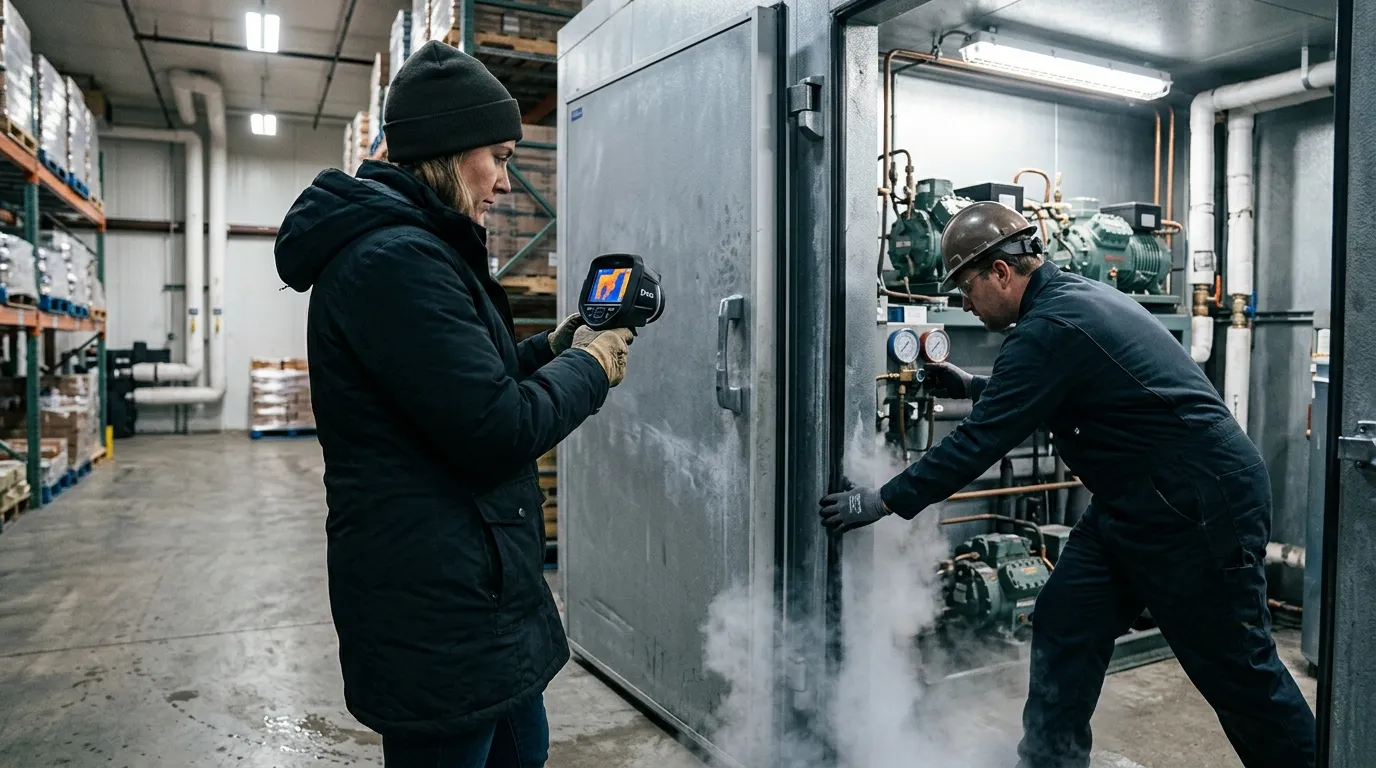
Thermal for cold-storage & refrigerated logistics helps you find the warm air paths and insulation defects that make refrigeration systems work harder: torn gaskets, warped doors, wet panels, cracked foam, failed trailer seals, and dock gaps. Use it as a fast building-envelope check, then confirm food temperatures with probes, data loggers, and your normal HACCP or FSMA records.
Thermal for cold-storage & refrigerated logistics is a surface-temperature inspection method for cold rooms, freezers, reefers, and loading docks. It doesn’t prove product safety by itself. It shows where heat is entering, where cold is escaping, and where insulation may be wet, crushed, detached, or bridged by metal.
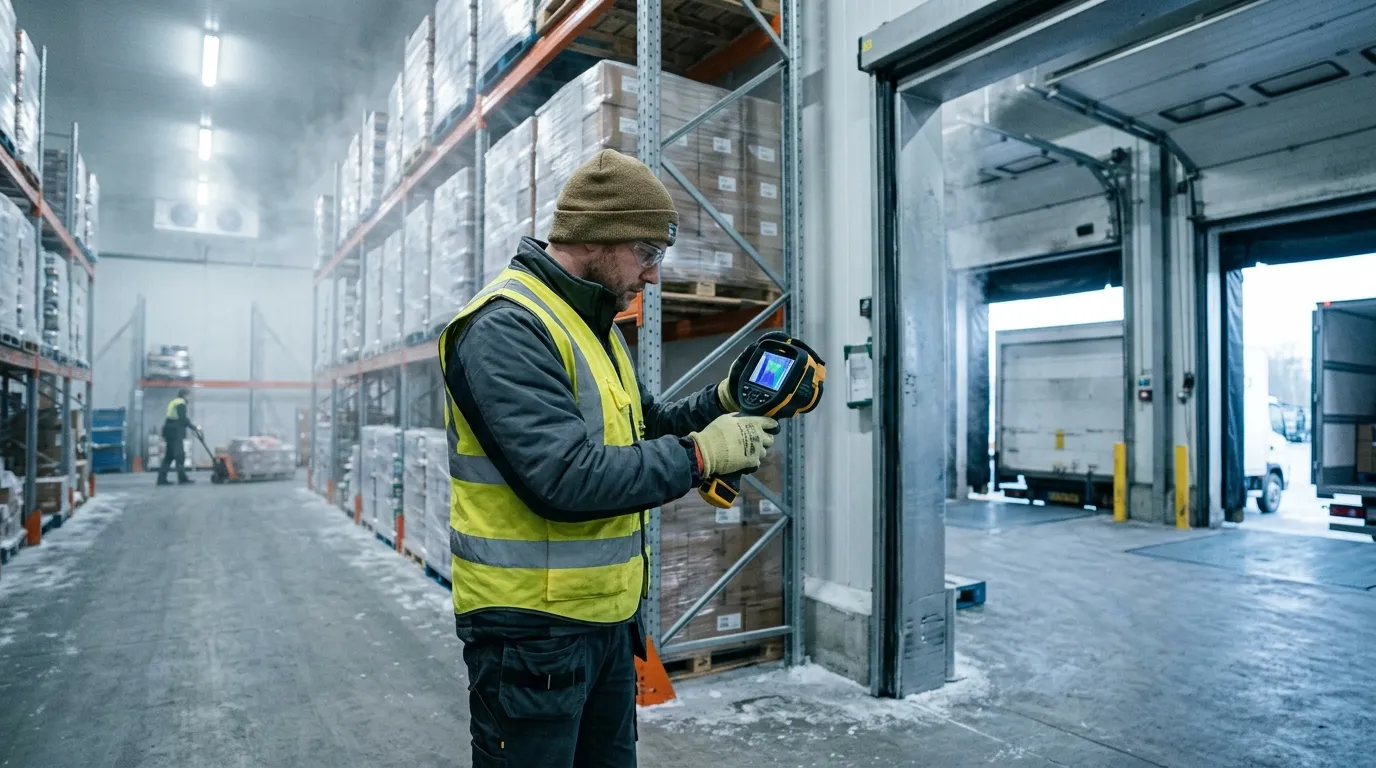
A good scan starts with a temperature difference. If your cooler is at 38°F and the dock is at 72°F, leaks draw themselves on the screen. If the dock and room are both cold after a long winter night, thermal contrast drops and small defects disappear. Wait for a real load condition: doors cycling, evaporators running, forklifts moving, people rushing because the 6 a.m. route is already late.
Use thermal imaging for the shell. Use calibrated contact tools for the food. The FDA Food Code 2022 sets 41°F or less as the cold-holding benchmark for many time/temperature control for safety foods at retail and foodservice, but a thermal camera sees apparent surface temperature. A box of chicken under film wrap, a stainless table, and a shiny trailer liner can all mislead the image.
| Area | Thermal clue | Likely cause | Best follow-up |
|---|---|---|---|
| Door gasket | Thin warm line around edge | Torn vinyl, weak latch, ice buildup | Close on paper strip, adjust latch, replace gasket |
| Panel seam | Warm vertical or ceiling stripe | Failed sealant, foam gap, thermal bridge | Inspect joint, check fasteners, reseal |
| Floor-wall joint | Warm band near cove | Damaged curb, forklift impact, moisture | Probe for water, inspect kick plates |
| Trailer rear doors | Bright edge at hinge side | Worn compression seal, bent door | Check cam locks, hinge pins, gasket crush |
The best time to scan a walk-in freezer is after it has been under load for at least 20 to 30 minutes. You want the system working. A perfectly empty box that has sat closed all night can look clean even when the door sweep leaks during shift change. Scan from inside and outside when you can, because a warm streak visible from the inside may show as a cold plume outside the door.
One small trick helps in cold storage: carry matte tape. Stainless steel, aluminum tread plate, and glossy FRP panels reflect the worker holding the camera. A square of black electrical tape or painter’s tape gives the thermal device a more reliable reference spot. It feels low-tech. It works.
Door problems are the first place to look because they happen every hour. A cold room door may cycle hundreds of times per day, and the gasket takes abuse from pallet jacks, washdown, ice, pressure changes, and impatient shoulders. On a thermal image, a healthy gasket usually shows a clean temperature boundary. A bad gasket shows a bright thread, a feathered plume, or a hot patch near the latch.
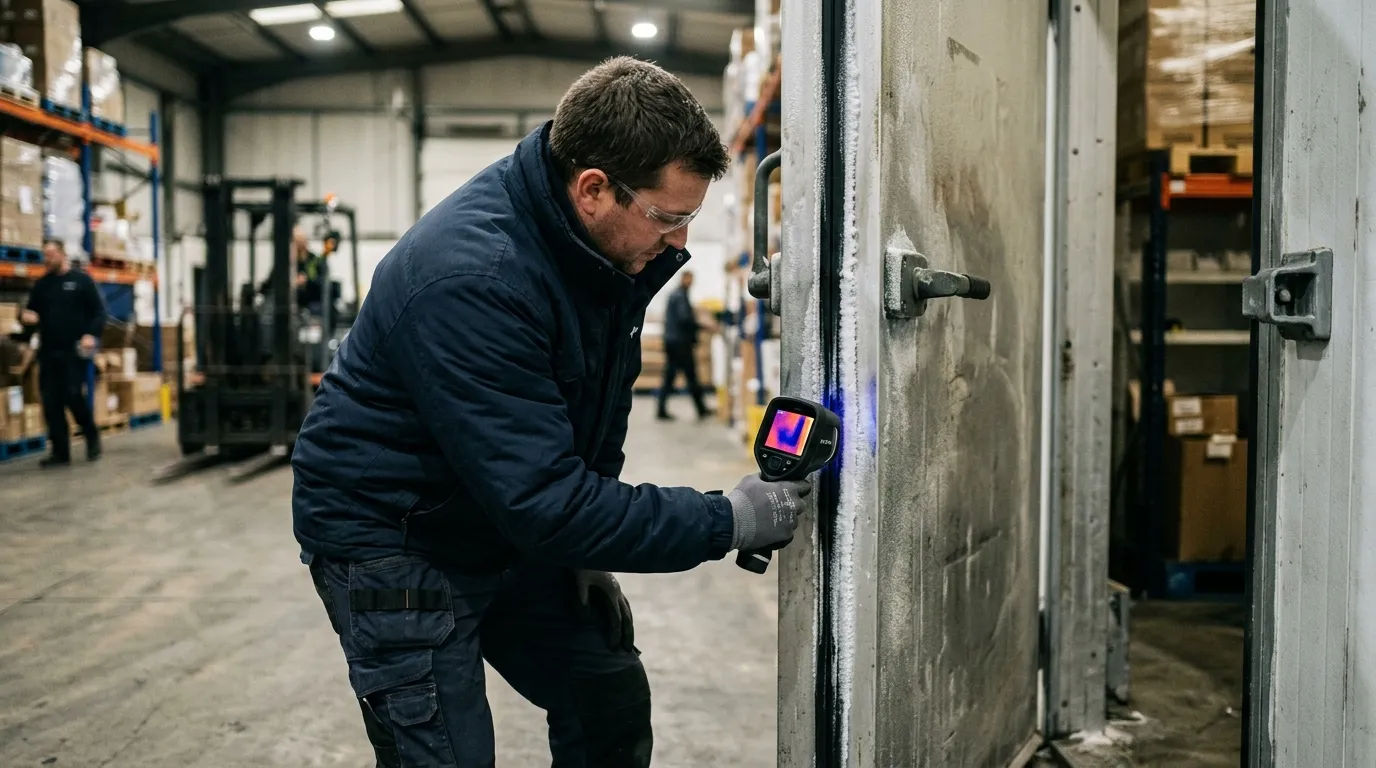
Don’t treat every warm edge the same. A straight warm line around the entire door often points to latch pressure or door alignment. A hot corner near the threshold often points to a torn sweep, floor heave, or ice that stops the gasket from seating. A warm oval at handle height can be nothing more than a handprint from ten seconds ago (annoying, but real).
For refrigerated logistics, rear trailer doors deserve their own scan. A Thermo King Precedent S-750 or Carrier Transicold Vector 8500 can hold setpoint only if the box stops exchanging air with the yard. Scan Utility 3000R, Great Dane Everest, and Wabash refrigerated trailers at the rear frame, hinge side, lower sill, and vent door. The refrigeration unit may be fine; the leak may be a $90 gasket.
Run this quick door test before you blame the refrigeration unit:
A thermal image also helps stop guesswork between operations and maintenance. The operator says, “Freezer 2 won’t recover after lunch.” The technician sees a warm tongue under the roll-up door and a frost ridge on the threshold. Now the repair is specific: replace the bottom seal, inspect the heater wire, and retrain the team to clear ice before the dock rush.
Panel failures are quieter than door leaks. They don’t whistle. They don’t slam. They sit behind product racks and slowly turn electricity into waste. A failed insulated metal panel can show as a warm rectangle, a vertical stripe, or a blotchy area that doesn’t match the panel pattern beside it.
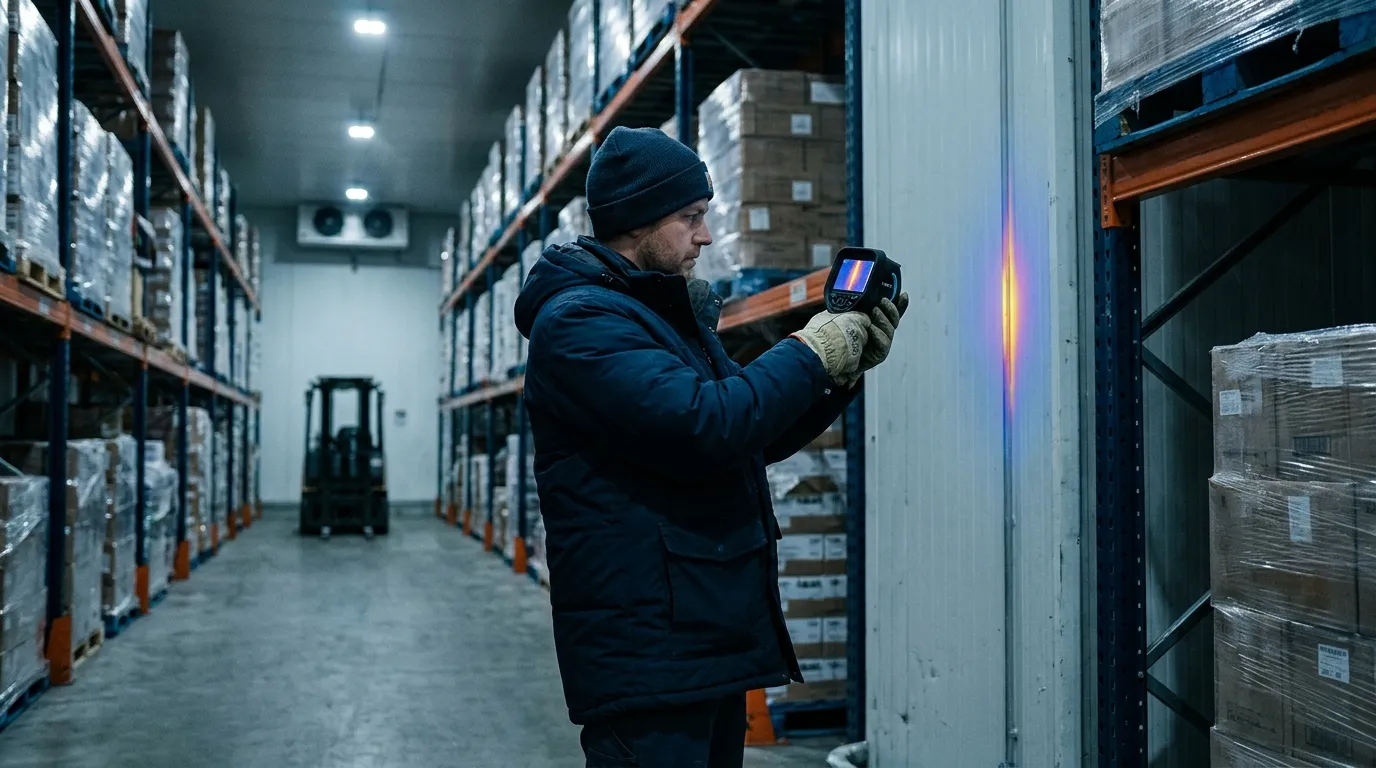
Wet insulation is the ugly version. Once moisture enters foam or mineral wool, the panel loses thermal resistance and can stay wet for months. A thermal scan won’t tell you the moisture percentage, but it can flag the suspect bay. After that, use a pinless moisture meter where the surface allows, inspect penetrations, and check roof drainage. If this is a freezer, look for frost on the warm side too. Frost outside a freezer wall is a bill with a delay.
The same discipline used when Instalatéři lokalizují netěsnosti v betonové desce a potrubí podlahového vytápění pomocí termovize applies inside a cold room: you aren’t hunting for the pipe or leak directly every time; you’re reading the pattern left by heat moving through material. Straight lines often mean structure. Soft patches often mean moisture. Repeating marks often mean fasteners or panel geometry.
Panel seams need special attention near evaporators, door frames, pipe penetrations, and electrical conduit. A half-inch unsealed conduit gap can matter more than a scuffed wall panel because moving air carries heat and moisture. Warm air enters, moisture condenses, ice forms, the gap grows, and then the evaporator spends more time removing a problem the wall created.
| Tepelný vzor | Common location | Maintenance read | Repair priority |
|---|---|---|---|
| Sharp vertical stripe | Panel joint | Sealant failure or metal bridge | High if near product zone |
| Blotchy warm patch | Wall or ceiling panel | Wet or damaged insulation | High if spreading |
| Warm halo | Pipe or conduit penetration | Air leak around sleeve | Medium to high |
| Repeating dots | Fasteners or clips | Tepelné mosty | Low unless condensation appears |
Scan panel seams at a slight angle, then straight on. Move slowly. If the pattern follows your viewing angle, reflection may be fooling you. If the pattern stays fixed on the wall, you probably have a real thermal anomaly. This is where patience beats a dramatic color palette.
Trailers add motion, sunlight, and schedule pressure. A reefer trailer can look fine at the yard and fail on a route after four door openings, one long dwell at a grocery dock, and a driver who parks the rear doors facing afternoon sun. Thermal scanning gives you a pre-trip and post-trip way to catch weak points before they become rejected loads.
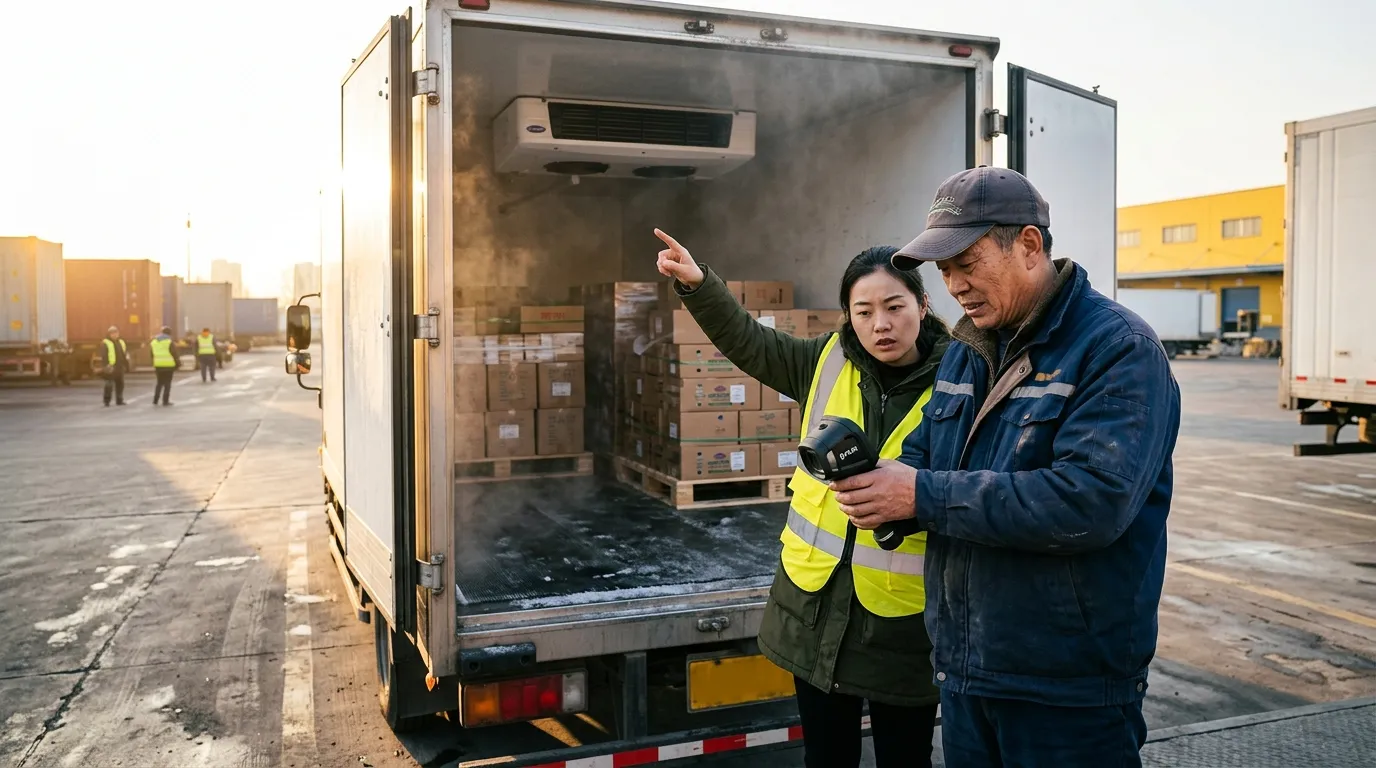
Scan before loading, not after product blocks the walls. A clean trailer inspection takes five to seven minutes: rear doors, sidewalls, ceiling, floor channels, bulkhead, drain openings, chute, and unit frame. For multi-temp trailers, scan the bulkhead and movable divider after it is locked. A divider that leaks between frozen and chilled zones can make one zone overwork while the other one drifts.
A practical trailer scan has four data points attached to every image:
| Field | Example entry | Why it matters | Mistake to avoid |
|---|---|---|---|
| Setpoint | 34°F fresh, -10°F frozen | Gives context for thermal contrast | Recording only air temp |
| Ambient | 88°F sunny yard | Explains solar load | Comparing to night scans |
| Trailer ID | Wabash RF-2048 | Ties defect to asset | Using route name only |
| Door state | Closed 10 minutes | Confirms stable condition | Scanning during open-door chaos |
Sidewalls need extra caution in direct sun. Solar gain can paint a warm rectangle that looks like insulation failure. If the sun is hitting the curb side, scan the road side too. Better yet, repeat the scan in shade or indoors. This works better than arguing over one image in a maintenance meeting.
For distribution centers with cold rooms next to offices or dry storage, moisture risk can move beyond the cold envelope. After a gasket leak or wet panel is repaired, the adjacent wall cavity may still need attention; the inspection logic behind detecting hidden moisture & mold risk behind drywall with thermal fits those mixed-use areas well. Cold-chain damage often shows up first as condensation where no one expected condensation.
Thermal imaging also helps during claims. If a receiver rejects a load, your records should include reefer download data, product probe checks, trailer pre-trip notes, and any thermal images from before dispatch. Thermal evidence won’t overrule a failed pulp temperature. It can show whether the box had visible envelope defects before the load left.
Energy waste in cold storage is brutally direct. Heat leaks in. Compressors remove it. You pay twice when moisture rides with the heat, because latent load adds defrost cycles, ice, fan penalties, and labor. ENERGY STAR says certified commercial refrigerators and freezers are on average 20 percent more energy efficient than standard models, but even efficient equipment loses ground when the envelope leaks.
Compliance has a different language. The FDA FSMA Sanitary Transportation final rule, issued in 2016, requires covered shippers, loaders, carriers, and receivers to use practices that keep food safe during transport, including temperature controls when needed. A thermal image isn’t a regulatory temperature record. It is maintenance evidence that supports the control program.
Think of the record package as two folders. Folder one proves product control: calibrated probes, data logger files, reefer downloads, corrective actions, and receiving checks. Folder two proves asset condition: thermal images, gasket work orders, panel repairs, PM logs, and retest photos. Auditors and customers care about folder one first. Folder two explains why folder one stayed clean.
Use this naming format for thermal files:
2026-06-13_Freezer2_DoorA_Inside_0Fset_76Fambient_before.jpg2026-06-13_Freezer2_DoorA_Inside_0Fset_76Fambient_after.jpg2026-06-13_TrailerRF2048_RearDoor_34Fset_88Fambient_pretrip.jpg2026-06-13_Cooler5_CeilingSeam_38Fset_70Fambient_workorder8127.jpgThat level of detail feels fussy until six months later, when a customer asks why their berries warmed during a holiday weekend route. A dated image with setpoint, ambient temperature, trailer ID, and repair note is much easier to defend than “maintenance checked it.”
Don’t use thermal imaging where it doesn’t fit. If the room has no meaningful temperature difference, wait. If the target surface is mirror-like metal, add a matte reference or change your angle. If the question is “Is this pallet safe?”, use product temperature methods. If the question is “Where is heat entering this box?”, thermal earns its place.
Start with the asset list. Pick the rooms and trailers that hurt you most: high door counts, slow pull-down, repeated frost, unusual compressor runtime, rejected loads, or employee complaints about sweating walls. One freezer with a chronic ice ridge deserves attention before ten perfect coolers.
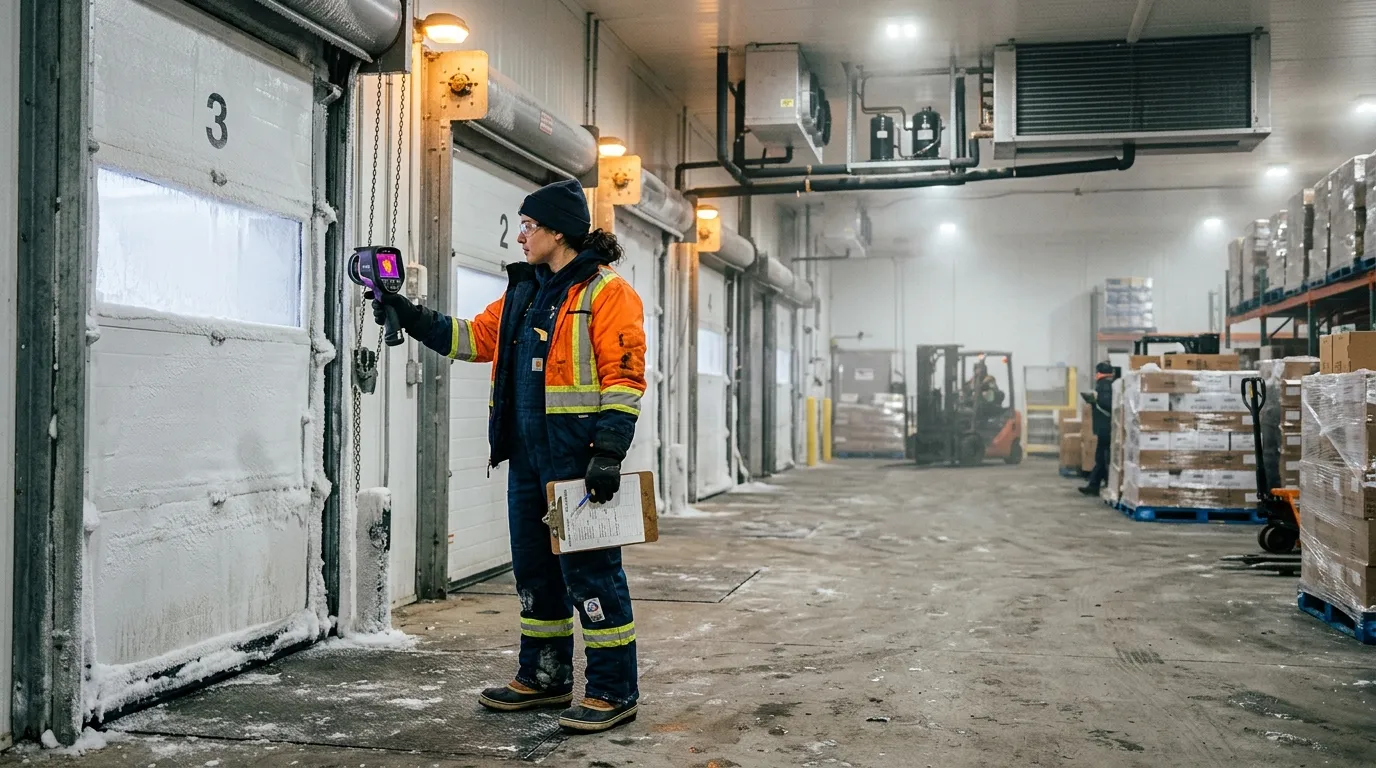
For each asset, scan the same path every time. Consistency beats drama. In a walk-in cooler, start at the main door, move clockwise around wall seams, check penetrations, scan ceiling joints, scan evaporator surrounds, then finish at the floor-wall joint. In a reefer trailer, start at rear doors, move forward along sidewalls, scan the ceiling, check the bulkhead, scan the floor channels, then finish at the unit end.
A good thermal route takes less than 15 minutes per room once the team knows it. The first pass takes longer because you are building the map and naming the assets. After that, the value comes from comparison: before repair, after repair, summer peak, winter baseline, pre-trip, post-trip.
Use a simple scoring method:
| Score | Condition | Action | Retest timing |
|---|---|---|---|
| 1 | Minor bridge, no condensation | Watch list | Next monthly scan |
| 2 | Small air leak or gasket wear | Schedule repair | Within 30 days |
| 3 | Warm seam near product or frost | Repair soon | Within 7 days |
| 4 | Major door leak, wet panel, load risk | Remove from service or restrict use | Same day |
Train two people per shift if possible. Cold-chain inspections fail when only one technician knows the camera and that person is off on inventory day. The scan path should be boring enough that a night-shift lead can repeat it without guessing.
Set the palette to something your team can read quickly. Iron and rainbow palettes make defects pop, but they can exaggerate small differences. Grayscale can be calmer for documentation. Temperature span matters more than palette choice: lock or narrow the span when comparing before-and-after images, or the camera may auto-adjust and make a repaired gasket look unchanged.
No. Thermal imaging shows surface-temperature patterns on doors, panels, floors, and trailer walls. Use calibrated probes, data loggers, and reefer downloads to document product temperature and food safety control.
A 15°F to 25°F difference between the cold space and surrounding area usually gives useful contrast. Bigger differences help, especially around gaskets, panel seams, and trailer rear doors.
Scan parked trailers with doors closed and the reefer running at setpoint. Moving scans are poor for records because airflow, sunlight, vibration, and changing backgrounds can distort the image.
Yes. Stainless steel and glossy liners reflect heat from people, forklifts, lights, and open dock doors. Change the angle or add a small matte tape reference spot before trusting the reading.
Scan high-use doors weekly, refrigerated trailers before peak routes, and full cold rooms monthly. Also scan after gasket replacement, panel repair, forklift impact, water intrusion, or any unexplained pull-down problem.
Before the next dock rush, pick one cooler and run a 12-minute Pixfra scan: door gasket, lower sill, latch side, ceiling seams, pipe penetrations, and floor-wall joint. Save one before image, fix one visible defect, then rescan the same spot under the same setpoint. That single before-and-after pair is the fastest way to turn thermal inspection from a neat picture into a maintenance habit.
Každý rok americké domácnosti promrhají stovky dolarů za energii, kterou ve skutečnosti nikdy nespotřebují – a to vše kvůli skrytým únikům vzduchu, mezerám v izolaci a průvanům, které pouhým okem nevidí. Na Pixfra, vyvíjíme termovizní technologii, která tyto neviditelné problémy zviditelňuje. V této případové studii vám podrobně vysvětlíme, jak se termovizní přístroje používají při energetických auditech domácností a proč vám tento jednoduchý krok může ušetřit skutečné peníze.
Energetický audit domu je komplexní prověrka toho, jak váš dům využívá energii a kde k jejímu plýtvání dochází. Představte si to jako návštěvu u lékaře – jenže pro váš dům. Certifikovaný auditor přijde s odborným vybavením a prověří vše od stěn a oken až po systém vytápění, ventilace a klimatizace (HVAC) a izolaci podkroví. Certifikovaný odborník zkontroluje izolaci, dveře a okna, vzduchovody a hlavní systémy – často s využitím nástrojů, jako jsou testovací komory a infračervené kamery –, aby zjistil, kde dochází k plýtvání energií. Výsledkem je plán opatření seřazených podle priority, který může snížit účty za energie, zvýšit komfort a zlepšit kvalitu vzduchu v interiéru.

Cíl je jednoduchý: zjistit, kde z vašeho domu uniká energie, a tento problém vyřešit. Provedení opatření ke zvýšení energetické účinnosti, která byla identifikována v rámci energetického auditu domu, vám může ušetřit 5–30 procent z měsíčních nákladů na energii a zároveň zajistit zdraví a bezpečnost vašeho domu. Když to sečtete za celý rok nebo za deset let, jde o značnou částku. A jaký je hlavní nástroj, díky kterému je to vše možné? Termokamera.
Než se pustíme do podrobností této případové studie, pojďme si krátce říct, proč se vyplatí věnovat pozornost termálním zařízením. Pokud vás zajímá podrobnější rozbor specifikací, na které skutečně záleží, připravili jsme pro vás kompletního průvodce na téma 6 nejdůležitějších funkcí, které by mělo mít nejlepší termální zařízení v roce 2026. Pokrývá vše od citlivosti NETD až po obnovovací frekvenci – tedy všechny aspekty, které odlišují dobrý fotoaparát od toho, který pořizuje rozmazané a nepoužitelné snímky.
Termovize, nazývaná také infračervená termografie, využívá speciální kameru, která zachycuje tepelnou energii, kterou lidské oko nevidí. Termovize spočívá v použití infračervených kamer k zaznamenání teplotních rozdílů v domě. Tyto kamery detekují tepelné záření a vytvářejí vizuální zobrazení, které zvýrazňuje oblasti s energetickou neefektivitou. Různé teploty se na obrazovce zobrazují jako různé barvy – teplá místa se jeví červeně, oranžově nebo žlutě, zatímco studené oblasti vypadají modře nebo fialově. Tato barevná mapa vám umožňuje okamžitě zjistit, kudy uniká teplo nebo kam proniká studený vzduch.

Tento proces je neinvazivní, což znamená, že nikdo nemusí rozebírat vaše stěny ani trhat podlahy. Termovizní měření je neinvazivní metoda pro identifikaci energetických ztrát. Jedná se o rychlý a efektivní proces, který nevyžaduje odstraňování materiálů ani nezpůsobuje žádné škody na vašem domě. Auditor dokáže během několika minut prozkoumat celou místnost a získat jasný přehled o tom, co se děje za sádrokartonem. Výsledky získáte rychle a celý proces nijak nenaruší váš každodenní život.
Pro dosažení nejlepších výsledků auditoři obvykle hledají výrazný teplotní rozdíl mezi vnitřkem a vnějškem vašeho domu. Aby byly výsledky spolehlivé, provádějí se audity zpravidla v době, kdy existuje výrazný teplotní rozdíl (ΔT) – nejméně 18 °F (10 °C) mezi vnitřním a vnějším prostředím. Tento kontrast pomáhá odhalit místa, kudy teplo uniká nebo proniká do budovy. Proto jsou zimní období a časné ráno oblíbenými obdobími pro tyto inspekce. Se správným vybavením však můžete provést měření téměř kdykoli během roku – zejména pokud jej zkombinujete s testem vzduchotěsnosti (blower door test), při kterém se vzduch uměle vhání skrz trhliny a mezery.
Zde je příklad z praxe, který přesně ukazuje, proč jsou termovizní přístroje pro energetické audity tak důležité. Majitel domu čelil vysokým účtům za vytápění, a to i přes instalaci nového kotle. Termovizní průzkum odhalil netěsné větrací otvory v podkroví a nedostatečnou izolaci stěn. Po odstranění těchto problémů dosáhl majitel domu snížení nákladů na energii o 20% a výrazně se mu zlepšil komfort během zimy.
V tom spočívá síla termovize. Majitel domu již utratil peníze za nový kotel, protože se domníval, že právě v tom spočívá problém. Skuteční viníci – netěsné ventilační otvory a tenká izolace – se však skrývali za stěnami, kde je nikdo nemohl vidět. Při běžné vizuální prohlídce by tyto problémy zcela unikly pozornosti. Pouze termovizní snímkování dokázalo zachytit nepatrné teplotní rozdíly, které odhalily celou pravdu.
Tato zkušenost odpovídá tomu, co pozorujeme v celém odvětví. Mnoho majitelů domů zaznamenalo po inspekcích pomocí infračervených kamer výrazné zlepšení. Například případová studie v předměstské čtvrti odhalila, že při infračervených inspekcích domů byly zjištěny skryté úniky vzduchu a mezery v izolaci. Termovizní snímkování opakovaně odhaluje věci, které jiné metody přehlédnou – a opravy jsou často levné a jednoduché. Utěsnění mezery kolem ventilačního otvoru nebo doplnění izolace do dutiny ve zdi nestojí moc, ale úspora na účtu za energii je reálná a trvalá.
Potvrzují to i výzkumy. V jedné studii snížili majitelé domů, kteří obdrželi termální snímek, při kontrolním měření po jednom roce svou spotřebu energie, zatímco u majitelů domů, kteří absolvovali audit uhlíkové stopy a byli zařazeni do kontrolní skupiny bez zásahu, nedošlo k žádné změně. V druhé studii byla u majitelů domů téměř pětkrát vyšší pravděpodobnost, že po zhlédnutí termografického snímku provedou opatření proti průvanu. Na tom, že skutečně vidíte, jak z vašeho domu uniká teplo, je něco, co vás motivuje k tomu, abyste s tím něco udělali. Čísla ve zprávě se snadno ignorují. Zářivě červený pruh ukazující, jak teplý vzduch uniká ze střechy? To upoutá vaši pozornost.
Co tedy přesně dokáže termokamera odhalit při energetickém auditu domu? Seznam je delší, než byste si možná mysleli.
Největším problémem je špatná izolace. Ať už chybí, je poškozená nebo se v průběhu času pouze usadila, špatná izolace je hlavní příčinou vysokých účtů za energii. Špatná izolace je hlavní příčinou vysokých účtů za energii. Termovizní snímkování umožňuje auditorům rychle odhalit nesrovnalosti v tepelné obálce budovy – zejména v podkrovích, podzemních prostorách a vnějších stěnách – aniž by museli zasahovat do stavebních materiálů. Vfoukaná izolace je obzvláště náchylná k sedání v průběhu let, což vede ke vzniku studených míst, která každou zimu pomalu vyčerpávají váš rozpočet na vytápění.

Dalším významným problémem jsou úniky vzduchu. Úniky vzduchu patří k nejčastějším příčinám energetických ztrát v domácnosti. Malé mezery kolem oken, dveří, větracích otvorů a potrubí mohou umožňovat únik teplého nebo chladného vzduchu, což nutí váš systém vytápění, ventilace a klimatizace pracovat intenzivněji. Tyto drobné mezery se samy o sobě mohou zdát neškodné, ale sečtete-li je všechny dohromady, je to jako nechat okno otevřené po celý rok. Odstranění úniků vzduchu, které v typických domácnostech představují 25–40% energetických ztrát, často přináší úspory 10–20% na nákladech na vytápění a chlazení při relativně skromné investici ve výši $300–$1,500.
Problémy s vlhkostí jsou dalším jevem, který termokamery zachycují. Termokamery jsou velmi účinnými nástroji pro identifikaci vlhkosti. Voda má vysokou tepelnou kapacitu, což znamená, že účinně pohlcuje a akumuluje energii. Tepelná kapacita vody nebo účinky odpařovacího chlazení (obvykle rozdíl povrchových teplot v rozmezí 2 °F až 5 °F) pomáhají odhalit rozsah škod způsobených vlhkostí, i když se povrch na dotek jeví jako suchý. Pokud se vlhkost za stěnami ponechá bez povšimnutí, může vést ke vzniku plísní, hnilobě a v budoucnu dokonce k ještě vyšším nákladům na opravy.
A pak je tu ještě potrubí systému vytápění, ventilace a klimatizace (HVAC). Netěsné potrubí způsobuje, že průměrná domácnost přichází o 20–30% své topné a chladicí kapacity. To je obrovské množství energie, za kterou platíte, ale kterou nikdy nedostanete. Termovizní prohlídka potrubí vám přesně ukáže, kde se netěsnosti nacházejí, abyste je mohli utěsnit.
Hlavní zjištění, která se obvykle objevují při energetickém auditu domácnosti v souvislosti s tepelnými zařízeními:
| Zjištěn problém | Běžná místa | Typické energetické ztráty | Průměrné náklady na opravu |
|---|---|---|---|
| Chybějící/zapracovaná izolace | Půdy, stěny, podkrovní prostory | 15–25% pro vytápění/chlazení | $500–$2 500 |
| Úniky vzduchu a průvan | Okna, dveře, větrací otvory, zásuvky | 25–40% celkové energie | $300–$1 500 |
| Netěsnosti potrubí | Suterén, podkroví, mezi patry | 20–30% výkonu systému HVAC | $300–$1 000 |
| Pronikání vlhkosti | Za stěnami, stropy, ve sklepech | Snižuje izolační koeficient R | $500–$3 000+ |
| Tepelné mosty | Sloupy, překlady, okraje desek | 5–15% ztráty obálky | Liší se |
Pojďme si promluvit o penězích – protože nakonec jde hlavně o to.
Průměrný majitel domu ušetří ročně $685 díky realizaci doporučení z energetického auditu. Jde o to mít jasný plán, jak vylepšit svůj dům. Při průměrných nákladech $437 a návratnosti investice za méně než 8 měsíců je energetický audit jednou z nejrozumnějších investic, které můžete do svého domu vložit. To znamená, že jednorázově utratíte několik set dolarů a od té chvíle začnete každý měsíc šetřit.

Náklady na energetické audity domácností se obvykle pohybují v rozmezí od $300 do $600, přičemž některé pokročilé audity tento rozsah překračují kvůli použití specializovaných nástrojů a testů. Čím podrobnější je audit – včetně testů těsnosti pomocí ventilátoru, infračerveného skenování a kompletní zprávy – tím vyšší jsou náklady, ale také tím větší je návratnost. Mnoho energetických společností a státních programů navíc svým zákazníkům nabízí slevy, rabaty nebo dokonce bezplatná posouzení, takže vaše vlastní náklady mohou být mnohem nižší, než byste očekávali.
Návratnost investice je v tomto případě těžké přehlédnout. Na základě doporučení z auditu se spotřeba energie obvykle sníží o 5–30%. Při měsíční faktuře ve výši $200 to představuje úsporu přibližně $120–$720 ročně. Při auditu v hodnotě $200–$700 se náklady na audit často vrátí během 1–3 let. A úspory přibývají rok co rok, dokud v domě bydlíte. Na rozdíl od mnoha projektů na zkrášlení domu, které se zaměřují hlavně na vzhled, přináší energetický audit skutečné a měřitelné finanční výnosy.
Ne všechny termokamery jsou stejné a pokud jde o energetické audity, detaily v technických specifikacích zařízení hrají velkou roli. Nejvýznamnějším parametrem je NETD, což je zkratka pro „Noise Equivalent Temperature Difference“ (teplotní rozdíl ekvivalentní šumu). Ten udává, jak citlivá je kamera na malé změny teploty. Čím nižší je hodnota NETD, tím lépe kamera zachycuje jemné tepelné vzorce – a právě s jemnými rozdíly se setkáváte při energetickém auditu domácnosti, kde například u okna, kterým táhne, může být teplotní rozdíl jen několik stupňů.
Ve společnosti Pixfra vyrábíme termokamery s vlastní technologií detekce tepla. Naše zařízení dosahují hodnot NETD ≤18 mK, což znamená, že dokážou s vysokou ostrostí zachytit i extrémně malé teplotní rozdíly. Právě tato úroveň citlivosti odlišuje kameru, která vám ukáže pouze rozmazanou teplotní skvrnu, od té, která vám přesně ukáže, kde se problém nachází – až po hlavičky hřebíků ve stěnách. Jak to vyjádřil jeden inspektor nemovitostí: “Teplotní rozdíl skutečně odhaluje, co se děje za stěnou” – a se správným zařízením jsou tyto rozdíly naprosto zřetelné.
Tepelná citlivost hraje také významnou roli při detekci vlhkosti, což je jeden z nejzáludnějších problémů, které termokamery dokážou zachytit. Vzhledem k tomu, že vlhké materiály se ochlazují odpařováním, činí teplotní rozdíl oproti suchým povrchům často pouhých 2°F až 5°F. Kamera se špatnou hodnotou NETD tento rozdíl zcela přehlédne. Kamera s citlivostí ≤18 mK to zachytí pokaždé. Pokud používáte termovizní zařízení pro jakoukoli domácí inspekci nebo energetický audit, měla by být citlivost na prvním místě vašeho seznamu priorit – je to jediná specifikace, která určuje, zda odhalíte skutečné problémy, nebo jen ty zjevné.
Pokud jde o termovizní měření v rámci energetických auditů domácností, máte dvě hlavní možnosti: provést ho sami nebo si najmout odborníka.
Termovizní měření lze provádět buď prostřednictvím profesionálních služeb, nebo pomocí nástrojů pro vlastní použití. Profesionální služby využívají certifikované techniky s moderním vybavením, kteří provádějí důkladné energetické audity a poskytují praktické závěry. Cenově dostupné infračervené kamery a příslušenství pro chytré telefony umožňují majitelům domů provádět vlastní posouzení. Pro přesnou interpretaci výsledků je však často nezbytná odborná znalost.

Termovizní měření prováděné svépomocí se v posledních letech výrazně zlevnilo. Termokameru připojitelnou ke smartphonu pořídíte již za $200 a získáte tak základní přehled o tom, kudy uniká teplo. Je to skvělý první krok, pokud chcete odhalit zjevné problémy, jako jsou silné průvany kolem oken nebo zcela chybějící izolace v podkroví. Domácí měření má však své limity. Domácí měření vám sice ukáže, že okno je netěsné, ale nedokáže určit celkovou míru tepelných ztrát domu ani to, jak si dům vede ve srovnání se stavebními normami.
Profesionální audity naopak poskytují ucelený přehled. Certifikovaný energetický auditor s sebou přináší vysoce citlivé termokamery, zařízení pro měření těsnosti budov (blower door) a odborné znalosti potřebné ke správnému vyhodnocení výsledků. Energetičtí auditoři a odborníci na zateplování využívají termovizi, protože nabízí rychlý a snadný způsob, jak přesně lokalizovat a zdokumentovat místa, kde se vyskytují problémy. V oboru, kde jsou rychlost a přesnost zásadní, umožňuje infračervené snímkování rychlejší inspekce a podrobnější dokumentaci. Vše shrnou do zprávy s doporučeními seřazenými podle priority, abyste přesně věděli, co je třeba opravit jako první, abyste dosáhli co největších úspor. Pokud to s snižováním účtů za energii myslíte vážně, profesionální přístup se vyplatí do posledního dolaru.
Může termovize skutečně ušetřit peníze na účtech za energii?
Ano. Termovize vám pomůže odhalit a odstranit skryté úniky energie, které byste pouhým okem nikdy nezaznamenali. Jakmile utěsníte úniky vzduchu, zlepšíte izolaci a vyřešíte problémy s potrubím, úspory se okamžitě projeví na vašich účtech za energii. Majitelé domů, kteří se řídí doporučeními z energetického auditu, obvykle ušetří 5–30% na svých měsíčních nákladech na energii, což ročně činí stovky dolarů.
Kdy je nejlepší doba v roce pro energetický audit?
Zima je ve většině částí USA obvykle nejvhodnějším obdobím, protože čím větší je teplotní rozdíl mezi vnitřkem a vnějškem, tím snáze termokamera odhalí případné problémy. Užitečné výsledky však můžete získat i v létě – zejména pokud máte zapnutou klimatizaci. Klíčem je rozdíl mezi vnitřní a venkovní teplotou alespoň 18 °F.
Kolik stojí energetický audit pomocí termovize?
Většina profesionálních energetických auditů stojí mezi $300 a $700, v závislosti na velikosti vašeho domu a míře podrobnosti posouzení. Mnoho energetických společností a státních programů nabízí slevy nebo dokonce bezplatná posouzení. Průměrná doba návratnosti je méně než 8 měsíců, což z této investice činí jednu z nejlepších investic do domu, jakou můžete udělat.
Mohu si energetický audit provést sám?
Základní kontrolu můžete provést pomocí cenově dostupné infračervené kamery nebo nástavce na smartphone. To stačí k odhalení zjevných průvanů a mezer v izolaci. Pro komplexní posouzení zahrnující testování těsnosti pomocí blower door, podrobnou termografickou analýzu a písemnou zprávu s doporučeními seřazenými podle priority je však nejlepší obrátit se na certifikovaného odborníka. Díky svému vybavení a odborné přípravě dokáže odhalit problémy, které nástroje pro kutily prostě nezvládnou.
Co vlastně termokamera během energetického auditu domu zachycuje?
Termokamera snímá infračervené záření – tepelnou energii – a zobrazuje jej na obrazovce jako barevně kódovaný obraz. Teplé oblasti se zobrazují červeně, oranžově nebo žlutě, zatímco studené oblasti modře nebo fialově. Během energetického auditu tak lze snadno zjistit, kudy z domu uniká teplo, kde chybí izolace a kudy proniká studený vzduch. Termokamera také detekuje pronikání vlhkosti a přehřívání elektrických součástí.