When a rescue team gets the call that someone is missing in the backcountry at night, every minute matters. Traditional search methods — flashlights, headlamps, ground sweeps — are slow and burn through manpower fast. We at Pixfra have seen firsthand how thermal imaging technology changes the entire equation, turning what used to be a desperate guessing game into a fast, targeted operation.
Before we get into the case study itself, let’s cover the basics so you know exactly what’s happening when a thermal device hits the field during a rescue mission. Thermal cameras work by detecting infrared radiation emitted by all objects, including people and animals. That radiation gets converted into a thermal image, displaying varying temperatures in different colors. Warmer objects, such as a human body, appear brighter against cooler backgrounds. That’s the whole trick — your body is basically a beacon of heat in a cold landscape, and a thermal device picks that up whether it’s pitch black, foggy, or raining sideways.

Search and rescue missions at night present unique challenges. Limited visibility, difficult terrain, and unpredictable weather can hinder even the most well-trained teams. Traditional night-vision devices and spotlights have their limitations, especially in environments like forests, mountains, or urban areas with obstructed views. This is exactly where a handheld thermal monocular or scope gives you an edge that nothing else can match. Unlike night vision, which needs at least some ambient light to work, thermal devices detect heat rather than light. That means total darkness, dense fog, and heavy rain don’t shut you down.
This tech isn’t new, but what’s changed in 2026 is the accessibility. You no longer need a government budget to get a solid thermal device with high sensitivity and long detection range. Our lineup at Pixfra, for example, offers NETD values of ≤18mK and detection ranges reaching up to 3,600 meters — specs that were strictly military-grade not long ago. If you want to know what separates the best thermal devices in 2026 from mediocre ones, check out our breakdown of the Die 6 wichtigsten Funktionen, die das beste Wärmebildgerät im Jahr 2026 haben sollte. Those same features — thermal sensitivity, rugged build, battery life, detection range — are exactly what determine whether a thermal device performs when a life is on the line.
Here’s the scenario. A 68-year-old man with early-stage cognitive decline wanders off a well-marked trail in a wooded mountain area during the late afternoon. By the time his family calls it in, the sun is already setting. Temperatures are dropping fast — into the low 30s°F — and the terrain is a mix of dense forest, rocky outcrops, and brush-covered ravines. A ground search team is mobilized, but within the first two hours, they’ve covered very little ground. The flashlights barely cut through the trees, and the terrain is too dangerous to move through quickly at night.
This is a scenario that plays out across the United States more often than most people realize. According to the U.S. Coast Guard Search and Rescue Statistics, there are over 15,000 reported cases per year in the United States alone. Nearly 86% result in lives saved. But that 14% gap — the cases that don’t end well — is often a matter of time and visibility. When you can’t see the person you’re looking for, the clock runs out fast, especially in cold weather where hypothermia becomes a real threat in just a few hours.
The search team in this scenario pulled out a handheld thermal monocular — a compact, rugged unit with a 640×512 sensor resolution, ≤18mK NETD, and a detection range well over 1,000 meters. Within minutes of powering up the device and scanning from a ridge, the operator spotted a bright heat signature roughly 400 meters out, partially obscured by brush. The thermal device found the man within just eight minutes. He was lying still in tall sagebrush, making it impossible for the ground search crew to locate him. With its White Hot palette, the cold ground was displayed as dark gray on the thermal camera’s sensor, while the man showed up in bright white, contrasting sharply with the area around him. That contrast — a warm body against cold terrain — is exactly what makes thermal imaging so effective when every other search method fails.
Not every thermal device can deliver in a scenario like this. The difference between a successful rescue and a failed one often comes down to a few specs you might overlook when shopping. Let’s walk through what actually mattered in this case.

Thermal sensitivity, measured by NETD (Noise Equivalent Temperature Difference), was the first factor. The missing man had been stationary for a while, his body temperature dropping toward the ambient surroundings. A device with poor NETD — say, anything above 40mK — might not have picked up the fading contrast between his body and the cold brush around him. Our Pixfra devices hit ≤18mK NETD, which means they detect incredibly small temperature differences and produce clear, high-contrast images even when the heat gap between a person and the environment is narrow. In rescue terms, that’s the difference between a bright, obvious shape on your screen and a smudgy nothing.
Detection range was the second factor. The operator scanned from an elevated ridge roughly 400 meters away. A device with a 256×192 sensor and a short detection range — common in budget thermal units — might not have resolved that heat signature at all. Higher sensor resolutions like 640×512, paired with our 12μm pixel pitch technology, give you the detail you need to distinguish a human body from a warm rock or an animal at distances that matter in the field. Our Sirius HD series, for example, pushes detection range out to 3,600 meters. For search and rescue teams sweeping large areas, that kind of reach means you cover more ground from fewer positions.
Build quality and battery life were the third and fourth factors. This rescue happened in cold, wet conditions — exactly the kind of environment that kills cheap electronics. IP67-rated housing, which all our Pixfra devices carry, means the unit is fully sealed against dust and survives water submersion. On top of that, cold weather can cut battery life by 30-50%. The team used a device with swappable 18650 batteries, which meant they could pop in a warm spare from an inside pocket without any downtime. That kind of real-world readiness isn’t a luxury — it’s what keeps a device running when conditions turn ugly.
To put the value of thermal imaging into perspective during rescue operations, here’s a quick comparison:
| Factor | Traditional Ground Search | Thermal Device-Assisted Search |
|---|---|---|
| Visibility in Darkness | Very limited (flashlights only) | Full visibility via heat detection |
| Average Area Covered per Hour | 0.1–0.5 sq. miles | 1–3+ sq. miles (from elevated position) |
| Effectiveness in Fog/Rain | Severely reduced | Minimal impact on detection |
| Ability to Detect Stationary Persons | Very low | High (body heat still visible) |
| Risk to Search Personnel | High (terrain, fatigue) | Reduced (scan from safe distance) |
| Typical Time to First Detection | Hours | Minutes |
Thermal imaging enables quick identification of individuals, significantly reducing search times. When you’re working against hypothermia, injury, or exposure, cutting your search time from hours to minutes isn’t just a performance stat — it directly translates to lives saved. The ability to detect heat signatures makes thermal devices incredibly effective in pinpointing the exact location of individuals, even in complex terrains. Dense forests, rocky landscapes, and mountainous regions can be navigated with greater accuracy using thermal imaging, reducing false positives and missed targets.
Our Pixfra Outdoor App also plays a role here. Through the app, you can stream live thermal footage, transfer images and video directly to your smartphone, and share data with other team members in real time. In a coordinated search, that means the person with the thermal device can relay a target’s GPS position to ground teams instantly — no radio miscommunication, no wasted time guessing at directions.
If there’s one takeaway from this rescue, it’s that the device you carry needs to match the worst-case scenario, not the best one. A thermal monocular that performs well on a calm, dry evening might fall apart when you actually need it — in the rain, in the cold, at 2 AM, with gloved hands.

Here’s what we recommend based on what worked in this rescue and what we’ve learned from years of building thermal devices at Pixfra. First, don’t compromise on NETD. You want ≤25mK at minimum for any outdoor use, and ≤18mK if you’re serious about detection in tough conditions. Second, match your sensor resolution to your expected range. If you’re scanning wide areas from elevated positions, go for 640×512. If you’re working shorter distances in denser terrain, 384×288 will serve you well and keep costs down. Third, make sure your battery system can handle extended, cold-weather use. Swappable 18650 batteries beat proprietary internal cells every time for field operations. And fourth, insist on IP67 or better weather resistance — no exceptions.
Our Pixfra Outdoor App supports all our current models, including the Sirius, Arc LRF, Mile 2, Pegasus Pro, Chiron LRF, Taurus, and Taurus LRF series. Through the app, you can update firmware, adjust device settings, and transfer scouting data — all useful features whether you’re on a rescue team, managing property security, or tracking wildlife. If you want a device that can pull double duty across hunting, observation, and emergency scenarios, the Volans series stands out with its all-day vision capability and adjustable aperture from F1.2 to F3.0, making it one of the few thermal devices that performs equally well in daylight and total darkness. That kind of flexibility means one device covers all your bases.
While this case study focuses on search and rescue, the same features that saved a life here are the ones that make a thermal device invaluable for hunters, property owners, and wildlife observers. A hunter tracking hogs at night benefits from the exact same NETD sensitivity and detection range that let a rescue team spot a stationary person in dense brush. A rancher checking fence lines after dark relies on the same IP67 weather resistance and battery endurance. The application of thermal imaging technology is not limited by environmental conditions. Even in pitch-dark environments where visibility is zero, or when individuals are unconscious and immobile, thermal imagers can still capture body temperature signals emitted by humans. Swap “humans” for “coyotes approaching your livestock” and the value is identical.
At Pixfra, we build thermal monoculars, thermal scopes, thermal front attachments, and multispectral binoculars — all designed for real outdoor conditions. Whether you need the lightweight portability of our Draco series for all-day carry or the long-range precision of the Sirius HD series for professional applications, we engineer around the six features that matter most: thermal sensitivity, sensor resolution, detection range, battery life, durability, and smart connectivity. We don’t build features for spec sheets — we build them for 2 AM in a hunting blind, for a freezing ridge during a search, for the real moments when gear either performs or fails you.
If you’re ready to see what a properly built thermal device can do, check out our full product lineup at Pixfra and find the right fit for your needs.
Can a thermal device find a person who is unconscious or not moving?
Yes. Even in pitch-dark environments where visibility is zero, or when individuals are unconscious and immobile, thermal imagers can still capture body temperature signals emitted by humans. A thermal device detects heat, not movement. As long as a person’s body is warmer than the surrounding environment — which it almost always is — the device will pick up the contrast. This is one of the biggest advantages thermal has over visual or motion-based search methods.
Does thermal imaging work through fog, smoke, and heavy rain?
Infrared thermal cameras offer a distinct operational advantage as they rely on heat detection, allowing them to penetrate haze, glare, light smoke, or total darkness. Heavy rain and very dense fog can reduce effective range somewhat, but thermal devices still dramatically outperform flashlights, spotlights, and standard night-vision gear in those conditions. For any serious outdoor use, look for a device with high NETD sensitivity (≤18mK) and an IP67 weather rating to ensure it keeps working when the weather turns bad.
What NETD rating do I need for a rescue or outdoor thermal device?
For search and rescue, wildlife observation, and hunting, you want a thermal device with an NETD of ≤25mK or lower. At Pixfra, our devices achieve ≤18mK, which places them at the top end of sensitivity for outdoor-grade thermal optics. Lower NETD means the device can detect smaller temperature differences, which is exactly what you need when you’re trying to spot a person whose body heat is fading in cold conditions.
How far can a thermal device detect a person?
Detection range depends on the sensor resolution, lens size, and environmental conditions. Entry-level handheld thermal devices typically detect a human-sized heat source at 500 meters or less. Mid-range models like our Pixfra Arc LRF and Mile 2 series hit the sweet spot for most users in the 600–1,500-meter range. Our premium Sirius HD series pushes detection out to 3,600 meters — more than enough for large-area scanning during a search operation or open-terrain surveillance.
Is a thermal device worth carrying on backcountry trips for safety?
Absolutely. Beyond the obvious search and rescue applications, a compact thermal monocular lets you scan trail areas for wildlife at night, check your surroundings when you hear something outside camp, and signal rescuers if you become the one who needs help. Lightweight models like our Draco series are built specifically for multi-functional performance without adding bulk to your pack. If you spend any time in the backcountry after dark, a thermal device is one of the highest-value safety tools you can carry.
Die meisten Menschen hören den Begriff “tragbares Wärmebildgerät” und denken, es sei nur für Jäger gedacht. Doch das ist nur die Spitze des Eisbergs. Ein einziges tragbares Wärmebildmonokular deckt Bereiche wie die Jagd, die Grundstückssicherheit, die Wildtierbeobachtung, das Bootfahren, Such- und Rettungsaktionen, das Campen sowie die Inspektion von Versorgungsleitungen ab. Ganz gleich, ob Sie um 2 Uhr morgens Ihr Grundstück nach Kojoten absuchen, Ihr Haus auf Wärmeverluste überprüfen oder sich auf einem nebligen Pfad im Hinterland zurechtfinden wollen – ein Wärmebildgerät wird schnell zu einem unverzichtbaren Bestandteil Ihrer Ausrüstung. Bei Pixfra, Wir stellen Wärmebildmonokulare, Wärmebildzielfernrohre, Wärmebild-Vordersichtvorrichtungen und Multispektralferngläser her – allesamt für echte Outdoor-Bedingungen konzipiert. Und wir haben aus erster Hand erlebt, auf wie vielfältige Weise Menschen diese Geräte auch außerhalb der Jagdsaison einsetzen.
Bevor wir alle neun Anwendungsbereiche im Detail durchgehen, ist es hilfreich zu wissen, was ein gutes Hand-Wärmebildgerät von einem frustrierenden unterscheidet. Wenn Sie sich noch nicht ganz sicher sind, welche technischen Daten beim Kauf tatsächlich wichtig sind, hilft Ihnen unser Leitfaden zum Thema Die 6 wichtigsten Funktionen, die das beste Wärmebildgerät im Jahr 2026 haben sollte erläutert alles von der NETD-Empfindlichkeit über die Akkulaufzeit bis hin zu den IP-Schutzklassen – damit Sie das richtige Gerät für den jeweiligen Einsatzzweck finden können.
Dies ist der Anwendungsfall, der tragbare Wärmebildgeräte bekannt gemacht hat, und er ist nach wie vor der Hauptgrund, warum Menschen sie kaufen. Die Wärmebildtechnologie ermöglicht es Jägern, Tiere anhand ihrer Körperwärme zu erkennen und zu verfolgen – unabhängig von den Lichtverhältnissen –, was einen unbestreitbaren Vorteil für die Nachtjagd und die Wildbeobachtung bietet. Ganz gleich, ob Sie in Texas Wildschweine jagen, in Kansas Kojoten anlocken oder in Georgia auf einem Hochsitz sitzen – mit einem Wärmebildmonokular können Sie Wild entdecken, bevor es Sie entdeckt – in völliger Dunkelheit, durch Nebel hindurch und sogar im dichten Unterholz.

So funktioniert es in der Praxis: Anstatt das Gewehr in die Hand zu nehmen und das Zielfernrohr hin und her zu schwenken – was nach ein paar Stunden anstrengend und ungenau wird –, scannt man zunächst mit dem tragbaren Wärmebildgerät. Der größte Vorteil eines Wärmebildmonokulars besteht darin, dass Sie Ihr Gewehr mit dem Wärmebildzielfernrohr nicht mehr anheben und in verschiedene Richtungen schwenken müssen, was anstrengend und umständlich sein kann. Mit einem Wärmebildmonokular können Sie Wild leicht ausmachen, das Monokular abstellen und dann Ihr Gewehr zur Hand nehmen, um ohne unnötige Bewegungen einen präzisen Schuss abzugeben. Das ist sicherer und effektiver.
Die Wildbergung ist die andere Hälfte dieser Gleichung. Nach einem erfolgreichen Schuss kann ein Tier schnell außer Sichtweite laufen. Ein tragbares Wärmebildgerät erfasst die Wärmesignatur eines erlegten Tieres aus einer Entfernung von mehreren hundert Yards – das Kriechen mit einer Taschenlampe durch das Unterholz gehört damit der Vergangenheit an. Unsere Pixfra-Produktreihe deckt Erfassungsreichweiten von rund 500 Metern bei den Einsteigermodellen bis hin zu 3.600 Metern bei der Sirius HD-Serie ab. Für die meisten Freizeitjäger, die in Entfernungen zwischen 300 und 600 Metern jagen, bieten Mittelklasse-Modelle wie unsere Arc LRF- und Mile 2-Serien das optimale Verhältnis zwischen Leistung und Preis. Modelle mit der Bezeichnung “LRF” verfügen zudem über integrierte Laser-Entfernungsmesser mit einer Reichweite von 1.000 Metern – so ermitteln Sie die genaue Entfernung zu Ihrem Ziel, ohne im Dunkeln nach einem separaten Gerät suchen zu müssen.
Man muss kein Jäger sein, um ein tragbares Wärmebildgerät sinnvoll einzusetzen. Wärmebildkameras haben die Wildtierbeobachtung revolutioniert und ermöglichen es uns, das Unsichtbare in der Natur zu sehen. Vogelbeobachter, Wildtierforscher, Naturfotografen und Hobby-Naturforscher greifen zunehmend zu Wärmebildmonokularen, um nachtaktive Tiere zu beobachten, ohne sie zu stören. Eine Taschenlampe oder Stirnlampe verscheucht Tiere. Ein Wärmebildgerät tut dies nicht – denn es arbeitet völlig passiv. Es strahlt weder Licht noch Strahlung aus. Es erfasst lediglich die Wärme, die bereits vorhanden ist.
Das bedeutet, dass Sie eine Fuchsfamilie beim Spielen auf Ihrer Wiese beobachten, eine Eule bei der Jagd entlang einer Baumgrenze verfolgen oder auf einem Feld ruhende Rehe zählen können – und das alles, ohne dass die Tiere jemals bemerken, dass Sie da sind. Diese Geräte erfassen Wärme statt Licht, sodass sie Tag und Nacht funktionieren und Dunkelheit, Nebel und sogar Tarnung durchdringen, um Tiere sichtbar zu machen, die sonst verborgen blieben. Für Forscher, die Bestandserhebungen durchführen, beschleunigen Wärmebildmonokulare die Arbeit und liefern genauere Zählungen.
Unsere Pixfra-Wärmebildgeräte erreichen NETD-Werte von ≤18 mK, wodurch Sie selbst unter schwierigen Bedingungen wie Nebel, Regen oder hoher Luftfeuchtigkeit scharfe Kontraste zwischen einem Tier und seinem Hintergrund erhalten. In Kombination mit der 12-μm-Pixelabstand-Technologie, die in allen unseren Produktreihen zum Einsatz kommt – von der Mile-2-Serie für den Alltag bis hin zur Sirius-HD-Serie für anspruchsvolle professionelle Einsätze –, erhalten Sie scharfe, kontrastreiche Bilder, mit denen Sie aus der Ferne einen Waschbären von einem Opossum unterscheiden können – und nicht nur einen Wärmefleck erkennen.
Nichts ist besser als die Wärmebildtechnik, um Ihr Grundstück nach Einbruch der Dunkelheit im Auge zu behalten. Herkömmliche Überwachungskameras haben bei schlechten Lichtverhältnissen Schwierigkeiten, doch Wärmebildmonokulare funktionieren auch bei völliger Dunkelheit einwandfrei. Ganz gleich, ob Sie eine Ranch auf dem Land, ein Haus in einem Vorort oder eine Gewerbeimmobilie besitzen – ein tragbares Wärmebildgerät bietet Ihnen ein zusätzliches Maß an Sicherheit, mit dem herkömmliche Kameras und Scheinwerfer nicht mithalten können.

Stellen Sie es sich so vor: Eine Überwachungskamera braucht Licht, um etwas zu erkennen. Selbst eine gute Infrarot-Überwachungskamera hat eine begrenzte Reichweite und kann durch Schatten, Laub oder Wetterbedingungen getäuscht werden. Ein Wärmebildgerät erfasst Wärmesignaturen, sodass eine Person, die um 3 Uhr morgens entlang Ihres Zauns geht, auf dem Display wie ein Leuchtfeuer erscheint – unabhängig davon, was sie trägt, wie dunkel es ist oder ob es regnet. Im Sicherheits- und Strafverfolgungsbereich kann ein Wärmebildmonokular Personen und Fahrzeuge in völliger Dunkelheit, durch Nebel hindurch und sogar in Gebieten mit dichter Vegetation erkennen.
Mit einem kurzen Schwenk können Sie Ihr gesamtes Grundstück in Sekundenschnelle überblicken. Sie müssen nicht auf bewegungsgesteuerte Benachrichtigungen warten und keine stundenlangen Videoaufnahmen durchsehen. Einfach zielen, schauen – und Sie wissen sofort, ob sich dort draußen etwas befindet. Für Menschen in ländlichen Gebieten, die mit Eindringlingen, Wilderern oder Raubtieren zu kämpfen haben, ist diese Art der schnellen Lageerkennung ein echter Durchbruch. Unsere Pixfra Draco-Serie wurde mit einer leichten Bauweise speziell für genau diese vielseitigen Einsatzszenarien entwickelt – in der einen Nacht zur Grundstückssicherung, in der nächsten zur Raubtierabwehr.
Wenn jemand vermisst wird oder verletzt ist, zählt jede Minute. Die Wärmebildtechnik verbessert die Erfolgsquote bei Such- und Rettungsaktionen erheblich, da sie Körperwärme aus Entfernungen erkennen kann, die mit Taschenlampen oder Nachtsichtgeräten unmöglich zu erreichen wären. Dies ist eine der lebensrettendsten Anwendungen für ein tragbares Wärmebildgerät – und eine, über die außerhalb von Fachkreisen viel zu selten gesprochen wird.
Für Such- und Rettungsteams, die sich durch dichte Wälder oder städtische Trümmerfelder bewegen, bieten Wärmebildmonokulare eine kompakte Lösung zur schnellen Abtastung von Gebieten, die mit einer Hand bedient werden kann. Diese Geräte sind unverzichtbar, um das “Wärmesignal” eines Überlebenden zu erkennen, der unter Trümmern begraben oder hinter Laubwerk verborgen ist, und reduzieren so den Zeitaufwand für manuelle Bodensuchen erheblich. Rettungskräfte, freiwillige Suchteams, Feuerwehren und Sheriffs in ländlichen Gebieten setzen regelmäßig tragbare Wärmebildgeräte ein. Aber man muss kein Profi sein, um eines dabei zu haben. Wenn Sie sich in der Wildnis, auf dem Wasser oder in Gebieten aufhalten, in denen sich Menschen verirren können, könnte ein Wärmebildmonokular in Ihrem Rucksack ein Leben retten – auch Ihr eigenes.
Ein entscheidendes Merkmal, auf das Sie hier achten sollten, ist die Bildwiederholfrequenz. Eine Bildwiederholfrequenz von 50 Hz sorgt für flüssige, ruckelfreie Bilder, sodass Sie Bewegungen ohne Unschärfe oder Ruckeln verfolgen können. Bei Werten unter 30 Hz kommt es zu Rucklern, und schnell bewegte Ziele lassen sich nur schwer verfolgen. Unsere Pixfra-Geräte sind durchweg mit hohen Bildwiederholraten ausgestattet, denn im Einsatz ist eine flüssige Bildwiedergabe kein Luxus – sondern eine Notwendigkeit. In Kombination mit einem Gehäuse der Schutzklasse IP67, das Regen, das Überqueren von Bächen und versehentliche Stürze übersteht, erhalten Sie ein Gerät, das auch unter widrigen Bedingungen zuverlässig funktioniert.
Landwirte und Viehzüchter nutzen Wärmebildmonokulare auf vielfältige Weise, um Zeit zu sparen und Verluste zu vermeiden. Sie können nachts nach den Tieren sehen, ohne die Herde zu stören. Sie können eine Kuh entdecken, die sich von der Gruppe entfernt hat oder sich hinlegt, obwohl sie das eigentlich nicht sollte. Identifizieren Sie kranke Tiere durch die Erkennung von Fieber – eine erhöhte Körpertemperatur wird auf Wärmebilddisplays sofort angezeigt. Sie können große Weideflächen schnell überblicken, ohne jeden Winkel Ihres Grundstücks abfahren zu müssen.

Dies ist ein Anwendungsfall, der in der Landwirtschaft rasant an Bedeutung gewinnt, insbesondere in der Rinder-, Milchvieh- und Geflügelhaltung. Mithilfe der Wärmebildtechnik lassen sich frühe Anzeichen von Krankheiten, Mastitis oder Lahmheit bei Nutztieren erkennen, bevor sich der Zustand verschlimmert. Sie müssen das Tier nicht durch eine Triebgang führen oder es berühren – Sie können es aus der Ferne scannen und diejenigen markieren, die Aufmerksamkeit benötigen. Während der Kalbsaison nutzen Landwirte Wärmebildgeräte, um trächtige Kühe über Nacht zu überprüfen, ohne sie mit Scheinwerfern oder Pick-ups zu erschrecken.
Die Wärmebildtechnik hilft auch bei der Raubtierbekämpfung. Kojoten, Wildschweine oder andere Tiere, die eine Gefahr für das Vieh darstellen, lassen sich selbst aus großer Entfernung deutlich erkennen. Wenn Sie Vieh in einem Gebiet halten, in dem Raubtiere eine Bedrohung darstellen, dient ein Wärmebildmonokular sowohl als Managementinstrument als auch als Sicherheitsvorrichtung. Sie können in einem einzigen Durchgang die Herde überprüfen und gleichzeitig nach Bedrohungen Ausschau halten.
Hier ein kurzer Überblick darüber, wie verschiedene landwirtschaftliche Betriebe von tragbaren Wärmebildgeräten profitieren:
| Landwirtschaftlicher Betrieb | Hauptverwendungszweck | Sekundäre Nutzung |
|---|---|---|
| Rinderzucht | Nächtliche Herdenkontrollen, Überwachung der Kalbungen | Erkennung von Kojoten und Raubtieren |
| Milchviehhaltung | Früherkennung von Erkrankungen/Fieber | Prüfung des Wärmeverlusts von Gebäuden |
| Geflügelbetriebe | Überwachung des Gesundheitszustands der Herde | Überprüfung der Isolierung von Scheunen |
| Pferdezucht | Erkennung von Verletzungen/Entzündungen | Sicherheit rund um das Grundstück |
| Ackerbau | Leckortung in Bewässerungsanlagen | Bewertung von Wildschäden |
Wenn die Sonne untergeht und der Nebel hereinzieht, kennen die meisten Bootsfahrer dieses Gefühl: Orientierungslosigkeit, Angst und tiefe Ehrfurcht vor der Kraft des Wassers. Ob Sie nun als Seemann die Küste entlangfahren, als Angler vor Tagesanbruch auf den nächsten Biss warten oder als Rettungskraft nachts durch raue Gewässer pflügen – die Sichtverhältnisse können den Unterschied zwischen einer erfolgreichen Mission und gefährlicher Ungewissheit ausmachen.
Mit einem tragbaren Wärmebildgerät können Sie schwimmende Trümmer, unbeleuchtete Boote, Schwimmer, Bojen und Objekte am Ufer auch bei völliger Dunkelheit oder bei Nebel und Dunst erkennen. Die Wärmebildtechnologie macht einen entscheidenden Unterschied. Zum einen ermöglicht es Ihnen, Ihr Boot nachts oder bei schwierigen Wetterbedingungen sicherer zu steuern, da es Brücken, Anlegestellen, Bojen, feste Markierungen und andere Boote erkennen kann. Darüber hinaus zeigt es Untiefen, schwimmende Trümmer und andere unbeleuchtete Objekte an. Sie benötigen kein fest installiertes $20.000-System, um von diesem Vorteil zu profitieren. Ein kompaktes, tragbares Wärmebildmonokular, das Sie in der Konsole oder einem wasserdichten Beutel verstauen können, verschafft Ihnen auf Booten jeder Größe ein hervorragendes Situationsbewusstsein.
Auch Angler machen hier mit. Mithilfe der Wärmebildtechnik lassen sich nachts Unkrautgrenzen, Seetangfelder und Oberflächenbewegungen durch Fischschwärme erkennen – alles Merkmale, die Hochseefische anziehen. Für Kajakangler, Bass-Bootsfahrer und Küstenfischer, die noch vor Tagesanbruch unterwegs sind, bietet ein tragbares Wärmebildgerät einen Sicherheitsvorteil, der kaum in Geld zu beziffern ist. Unsere Pixfra-Geräte funktionieren sowohl bei Tag als auch bei Nacht. Die Volans-Serie zeichnet sich insbesondere durch ihre ganztägige Sichtfähigkeit mit einer einstellbaren Blende von F1,2 bis F3,0 aus und ist damit eines der wenigen Wärmebildgeräte, das bei hellem Tageslicht genauso gut funktioniert wie in völliger Dunkelheit.
Es gibt mehrere Gründe, warum Wärmebildkameras für Camper und Outdoor-Fans immer unverzichtbarer werden. Tierbeobachtung: Wenn Sie in Gebieten mit reichhaltigem Wildbestand campen, kann Ihnen eine Wärmebildkamera dabei helfen, Tiere zu entdecken, die nachts aktiv sind oder sich in dichter Vegetation verstecken. Die Möglichkeit, Tiere in völliger Dunkelheit zu sehen, kann sowohl den Nervenkitzel als auch die Sicherheit Ihres Camping-Erlebnisses steigern.

Das geht über den reinen “Coolness-Faktor” hinaus, auch wenn es schon ziemlich cool ist, die Welt in Wärmebild zu sehen. Ein tragbares Wärmebildgerät löst echte Probleme im Hinterland. Musst du nach Einbruch der Dunkelheit zurück zum Lager finden, ohne deine Nachtsicht mit einer Stirnlampe zu beeinträchtigen? Wärmebildkamera. Willst du wissen, ob das Rascheln im Gebüsch von einem Waschbären oder etwas Größerem kommt, bevor du den Reißverschluss deines Zeltes öffnest? Wärmebildkamera. Versuchst du, deinen Kumpel zu finden, der sich vom Lagerfeuer entfernt hat? Wärmebildkamera.
Die Sicherheit beim Camping ist ein wichtiger Aspekt, den es zu berücksichtigen gilt, insbesondere wenn Sie sich in einer abgelegenen Gegend befinden. Diese Kameras können dabei helfen, potenzielle Gefahren wie Tiere, die sich Ihrem Lager nähern, oder Eindringlinge in der Umgebung zu erkennen. In Bärengebieten gibt Ihnen das Wissen, dass sich ein großes Tier 200 Yards von Ihrem Lager entfernt befindet, Zeit, ruhig zu reagieren, anstatt in Panik zu geraten. Unsere Pixfra-Geräte bieten je nach Modell und Bedingungen eine Akkulaufzeit von etwa 4,5 bis 15 Stunden. Viele Modelle verwenden handelsübliche 18650-Akkus, die Sie in Sekundenschnelle austauschen können – eine bewusste Designentscheidung, denn proprietäre integrierte Akkus helfen Ihnen nicht weiter, wenn Sie bereits drei Tage auf einer Tour im Hinterland unterwegs sind.
Ihre Heizkostenrechnung ist hoch, aber Sie wissen nicht, wo die Wärme entweicht. Ein Wärmebildmonokular löst dieses Problem in wenigen Minuten. Gehen Sie mit einem Wärmebildgerät durch Ihr Haus, und Sie erkennen sofort Kältebrücken, an denen die Dämmung fehlt oder beschädigt ist. Fenster und Türen, die nicht richtig abgedichtet sind, werden auf dem Display als Temperaturunterschiede angezeigt. Sie können Wandhohlräume auf Lücken überprüfen, ohne etwas aufreißen zu müssen.
Dies ist eine jener Anwendungsmöglichkeiten, die Menschen überrascht, die glauben, Wärmebildkameras seien nur für den Außenbereich gedacht. Energieaudits sind die häufigste Anwendung für Hausbesitzer. Wärmebildkameras decken fehlende oder verdichtete Dämmung in Wänden und Decken, Luftundichtigkeiten an Fenstern und Türen sowie ungedämmte Bereiche hinter Schalterabdeckungen oder Durchführungen von Heizungs-, Lüftungs- und Klimaanlagen auf. Außerdem können Sie damit auf eindringende Feuchtigkeit prüfen, Hotspots in Ihrem Schaltschrank aufspüren und sicherstellen, dass Ihre Heizungs-, Lüftungs- und Klimaanlage die Luft gleichmäßig verteilt.
Ein Hausbesitzer sparte jährlich über $400 ein, nachdem er mithilfe der Wärmebildtechnik Dämmungslücken aufgespürt und behoben hatte. Das Gerät macht sich bereits nach wenigen Jahren durch die gesenkten Energiekosten bezahlt. Wenn Sie bereits ein Wärmebildmonokular für die Jagd oder den Outdoor-Einsatz besitzen, haben Sie ein Werkzeug zur Energieeffizienzprüfung Ihres Hauses direkt in Ihrem Ausrüstungsschrank. Richten Sie es einfach auf Ihre Wände, Fenster und den Dachboden, und Sie sehen genau, wohin Ihr Geld fließt.
Für Jäger und Camper ist ein tragbares Wärmebildmonokular ein praktisches Hilfsmittel. Für Polizeibeamte und Such- und Rettungskräfte ist es ein sicherheitskritisches Werkzeug. Strafverfolgungsbeamte, Grenzschutzbeamte, Sicherheitsfachkräfte und private Grundstücksverwalter verlassen sich alle auf tragbare Wärmebildgeräte zur Perimeterüberwachung, zur Verfolgung von Verdächtigen und zur Dokumentation von Beweismitteln.

Tragbare Wärmebildkameras erzeugen ein virtuelles Bild, das die Wärmesignaturen von Objekten im Sichtfeld anzeigt. Diese Geräte bieten Einsatzkräften eine verdeckte Überwachungsmöglichkeit und verschaffen ihnen nachts einen taktischen Vorteil. Das Besondere an der Wärmebildtechnik ist, dass sie passiv arbeitet – kein Licht, kein Laser, kein Signal, das die Position des Bedieners verrät. Man sieht sie; sie sehen einen nicht.
Bei dieser Art von Arbeit sind Robustheit und Ergonomie genauso wichtig wie die Bildqualität. Kalte Hände in Handschuhen um 2 Uhr morgens vertragen sich nicht gut mit komplizierten Menüs oder winzigen Tasten. Unsere Pixfra-Bedienelemente sind für die einhändige, intuitive Bedienung ausgelegt – denn wenn Sie Ihr Gerät im Dunkeln nicht mit Handschuhen bedienen können, ist es nicht für echte Feldarbeit geeignet. Außerdem unterstützen wir alle unsere aktuellen Modelle über die Pixfra Outdoor App, darunter die Serien Sirius, Arc LRF, Mile 2, Pegasus Pro, Chiron LRF, Taurus und Taurus LRF. Über die App können Sie die Firmware aktualisieren, Einstellungen anpassen, Live-Bilder streamen und Fotos sowie Videos direkt auf Ihr Smartphone übertragen – zur Dokumentation von Beweismaterial oder zur Teamkoordination.
Nicht alle tragbaren Wärmebildgeräte sind gleich aufgebaut, und das Datenblatt gibt nicht immer Aufschluss über alle wichtigen Aspekte. Hier finden Sie eine kurze Übersicht, die zeigt, auf welche Werte es beim Vergleich von Geräten tatsächlich ankommt:
| Spezifikation | Was das bedeutet | Worauf Sie achten sollten |
|---|---|---|
| NETD (thermische Empfindlichkeit) | Kleinster Temperaturunterschied, den der Sensor erfassen kann | ≤ 25 mK für den allgemeinen Einsatz; ≤ 18 mK für anspruchsvolle Feldarbeiten |
| Sensorauflösung | Anzahl der Pixel des Wärmesensors | 256×192 für kurze Entfernungen; 384×288 für mittlere Entfernungen; 640×512 für große Entfernungen |
| Erfassungsbereich | Wie weit das Gerät eine Wärmesignatur erkennen kann | 500 m Einstiegsmodell bis 3.600 m Premium-Modell |
| Bildwiederholfrequenz | Wie flüssig das Live-Bild wirkt | 50 Hz für eine flüssige Wiedergabe; unter 30 Hz kommt es zu Rucklern |
| IP-Schutzklasse | Staub- und Wasserschutz | Mindestens Schutzklasse IP67 für den Einsatz im Freien |
| Akkulaufzeit | Wie lange kann das Gerät vor dem Aufladen betrieben werden? | 8–15 Stunden bei ganztägigem Betrieb; vorzugsweise austauschbare 18650-Akkus |
Unsere Pixfra-Geräte erreichen über die gesamte Produktpalette hinweg einen NETD-Wert von ≤18 mK, womit sie im oberen Bereich der Empfindlichkeit bei thermischen Optiken für den Außeneinsatz liegen. In Kombination mit einem Pixelabstand von 12 μm und der Schutzklasse IP67 erhalten Sie ein Gerät, das für die Bedingungen konzipiert ist, unter denen Sie es tatsächlich einsetzen werden – und nicht nur für solche, die in einem Produktvideo gut aussehen.
Kann ein tragbares Wärmebildgerät durch Wände hindurchsehen?
Nein. Wärmebildkameras können nicht wie Röntgenstrahlen “durch” massive Wände „sehen“ – dies ist ein weit verbreitetes Missverständnis. Ihre Aufgabe besteht darin, die Temperatur an der Oberfläche eines Objekts zu erfassen. Eine Wärmebildkamera kann das Temperaturmuster an einer Wand darstellen. Wenn etwas hinter der Wand ungewöhnliche Temperaturen an der Wandoberfläche verursacht oder wenn die Wand Dämmungslücken, Feuchtigkeit oder Luftundichtigkeiten aufweist, erkennt die Wärmebildkamera diese verborgenen Temperaturunterschiede an der Wand selbst. Sie durchdringen jedoch keine massiven Barrieren.
Funktionieren tragbare Wärmebildgeräte bei Regen, Nebel und schlechtem Wetter?
Ja, sie funktionieren immer noch – und meist sogar weitaus besser als das bloße Auge oder eine Nachtsichtbrille. Wärmebildkameras können durch leichten Nebel, Regen, Staub, Rauch und Schnee hindurch erkennen. Wenn sich diese Bedingungen jedoch verschlechtern, verringert sich die Sichtweite der Wärmebildkamera. Das ist ein Grund, warum wir unsere Pixfra-Geräte mit einem Gehäuse der Schutzklasse IP67 ausstatten – damit auch das Gerät selbst den Witterungseinflüssen standhält.
Wie weit reicht die Reichweite eines tragbaren Wärmebildgeräts?
Viele tragbare Wärmebildgeräte können Wärmesignaturen in einer Entfernung von 1.000 bis 2.000 Yards erkennen, wobei die Spitzenmodelle der 640er-Serie sogar noch weiter reichen. Die tatsächlichen Erkennungsentfernungen sind in der Regel kürzer und hängen von der Auflösung, der Objektivgröße, den Wetterbedingungen und den Umgebungsbedingungen ab. Bei Pixfra reichen unsere Erfassungsreichweiten von etwa 500 Metern bei Einsteigermodellen bis zu 3.600 Metern bei der Sirius HD-Serie.
Was ist der Unterschied zwischen einem Wärmebildgerät und einem Nachtsichtgerät?
Im Gegensatz zu herkömmlichen Nachtsichtgeräten, die das Umgebungslicht verstärken, benötigen Wärmebildgeräte überhaupt kein Licht – sie nutzen ausschließlich Wärme. Das bedeutet, dass Sie sowohl bei völliger Dunkelheit als auch bei Tageslicht ein klares Bild erhalten, da die Technologie auf Temperaturkontrasten und nicht auf sichtbarem Licht basiert. Nachtsichtgeräte benötigen zumindest etwas Umgebungslicht, um zu funktionieren. Wärmebildgeräte funktionieren überall und jederzeit.
Lohnt sich der Aufpreis für einen integrierten Laser-Entfernungsmesser?
Wenn Sie auf Entfernungen von mehr als 150 Yards jagen oder nachts schießen, ja. Ein integrierter Laser-Entfernungsmesser liefert Ihnen sofortige Entfernungsdaten, sodass Sie Ihren Schuss anpassen können. Unsere Modelle Pixfra Arc LRF, Chiron LRF und Taurus LRF verfügen alle über integrierte Laser-Entfernungsmesser mit einer Reichweite von 1.000 Metern. In Kombination mit den integrierten Ballistikrechnern bieten Ihnen diese Modelle eine komplette Zielerfassungslösung in einem Gerät. Für den Einsatz auf kurze Distanz in dichtem Wald benötigen Sie diese Zusatzfunktion jedoch möglicherweise nicht.
Your thermal device is only half the equation. The apps and software you pair with it can turn a good field experience into a great one — or leave you fumbling in the dark with files you can’t use. Here at Pixfra, we’ve built our entire ecosystem around making sure the software side works just as hard as the hardware.
A thermal device captures heat data. But that raw data doesn’t do you much good sitting on the device itself. You need software to view it clearly, adjust it, share it, and sometimes analyze it later back at home. Whether you’re a hunter reviewing footage from last night’s sit, a wildlife observer documenting nocturnal animal behavior, or a property owner running security sweeps, the right app or software turns thermal captures into real, usable information.
Thermal imaging software helps make the most of the images collected from your camera. Without it, you’re stuck with a raw thermal feed and no way to fine-tune what you’re seeing. Think about it this way: you wouldn’t shoot photos on a DSLR and never edit or organize them. Thermal imaging works the same way. The software layer is where raw heat signatures become clear visuals you can act on, save, or share.

Thermal image analysis software is a cornerstone of modern infrared data utilization, enabling organizations to transform raw thermal imagery into actionable insights across engineering, maintenance, and research. And while that language sounds like it’s aimed at industrial users, the same principle applies to outdoor users like hunters and wildlife observers. Your thermal monocular or scope captures temperature differences — the software is what lets you see those differences clearly, switch color palettes, record video, and pull useful details from the image.
At Pixfra, we pair our thermal devices with the Pixfra Outdoor App specifically because we know that a companion app isn’t a bonus feature — it’s a core part of the experience. If you’re still shopping for the right thermal device to go with your software setup, our guide on the Die 6 wichtigsten Funktionen, die das beste Wärmebildgerät im Jahr 2026 haben sollte breaks down what actually matters in the field.
Not all thermal imaging software does the same thing, and knowing the difference saves you time, money, and frustration. The thermal software landscape in 2026 broadly falls into a few categories: companion apps that pair directly with your thermal device, desktop analysis suites for post-processing, cloud-based platforms for team collaboration, and open-source tools for tinkerers who want full control.
Companion apps are the most relevant for hunters and outdoor users. These are the mobile apps — usually for iOS and Android — that connect to your thermal monocular, scope, or front attachment via Wi-Fi. In this setup, the app plays a role — it allows users to view thermal images in real time, switch color palettes, measure temperatures, record photos or videos, and sometimes generate inspection reports. The Pixfra Outdoor App falls squarely in this category. It supports all our current models, including the Sirius, Arc LRF, Mile 2, Pegasus Pro, Chiron LRF, Taurus, and Taurus LRF series. Through the app, you can update firmware, adjust device settings, and transfer images and video directly to your smartphone. That kind of connectivity means you’re not just looking through a thermal device — you’re managing a complete field toolkit from your phone.
Desktop analysis suites sit on the other end of the spectrum. Thermal image analysis software is a cornerstone of modern data-driven decision-making, enabling accurate interpretation of infrared data across sectors like engineering, construction, and research. With options ranging from professional tools for advanced batch processing to free essentials for basic analysis, choosing the right software is key to unlocking actionable insights. These desktop programs — things like radiometric analysis tools or batch processing platforms — are built for professionals who process large volumes of thermal data. They handle isotherms, delta temperature measurements, trend analysis, and customizable report generation. For most outdoor and hunting users, a strong companion app covers everything you need without the learning curve of industrial-grade software.
Open-source options also exist for users who want to dig deeper without paying for a license. There is free open-source software that provides much more functionality over that of the OEM supplied software. It runs on Linux, preferably Debian variants and recent RaspPi distros. It requires no privileges unlike the OEM smartphone apps and the source is free to inspect or modify as desired. These tools are great for hobbyists and DIY users, but they often lack the polish and direct hardware integration that branded companion apps offer. If you want a plug-and-play experience — where your app talks directly to your thermal device without setup headaches — a purpose-built companion app is the way to go.
When you’re evaluating thermal device apps and software, don’t just look at the marketing screenshots. Focus on the features that actually affect your experience in the field. Here’s what separates a solid thermal imaging app from one that’ll frustrate you on your third outing.

Real-time streaming and live view are baseline features in 2026. Your app should let you see what your thermal device sees, streamed directly to your phone screen over Wi-Fi. This is useful for showing hunting partners what you’re looking at, streaming footage for documentation, or simply getting a bigger screen view. The mobile app lets you stream live video to your mobile device from most thermal cameras with Wi-Fi capability, allowing you to monitor from a safe distance and show others what the camera is seeing as it happens. The Pixfra Outdoor App handles this seamlessly — you get a live feed from your device right on your phone, no cables, no fuss.
Color palette controls are another feature you’ll use constantly. Your thermal device probably offers multiple palette modes, and your app should let you switch between them on the fly. White Hot is the most common mode where heat sources show up as white — it’s the go-to for general detection in open fields. Black Hot, where heat sources appear dark against a lighter background, is popular with hunters who want better detail on an animal’s body shape. Red Hot highlights the hottest points in red and is great for picking out a target fast in a messy environment. Iron Bow and Rainbow use a full spectrum to show temperature gradients, which can help with everything from spotting game to identifying environmental features. There is no universally best thermal palette. Personal visual perception plays a role, and preferences vary from one hunter to another. The most effective approach is understanding the general characteristics of each palette and then selecting the one that matches your eyes, your environment, and your hunting objective.
Firmware updates over the air (OTA) are a feature that often gets overlooked until you need it. Your thermal device’s performance depends on up-to-date firmware, and the easiest way to keep it current is through your companion app. The Pixfra Outdoor App supports OTA firmware updates across our entire product lineup, so you never have to connect cables or visit a service center just to get the latest software version.
Image and video capture, transfer, and storage round out the must-haves. You should be able to record thermal video, snap still images, and transfer them to your phone for sharing or archiving. Whether you’re documenting a hunt, keeping records of wildlife activity on your land, or sharing scouting data with a partner, this feature turns your thermal device into more than just a viewing tool — it becomes a recording system.
The table below breaks down the key software features and how they map to different use cases:
| Funktion | Jagd | Beobachtung von Wildtieren | Property Security | Backcountry Exploration |
|---|---|---|---|---|
| Live Wi-Fi streaming | High value | High value | High value | Medium value |
| Color palette switching | High value | High value | Medium value | Medium value |
| OTA firmware updates | High value | High value | High value | High value |
| Video recording & transfer | High value | High value | High value | Medium value |
| Ballistic calculator integration | High value | Nicht erforderlich | Nicht erforderlich | Nicht erforderlich |
| Image annotation & notes | Medium value | High value | High value | Medium value |
We built the Pixfra Outdoor App to be the control center for every thermal device in our lineup. It’s not an afterthought or a third-party bolt-on — it’s designed from the ground up to work with our hardware. The app connects to your Pixfra device via Wi-Fi and gives you full access to settings, firmware updates, image and video transfer, and live streaming, all from your smartphone.
One thing we hear from hunters and outdoor users over and over is that they want simplicity. Nobody wants to scroll through complicated menus at 2 AM in a hunting blind with cold hands. That’s why we keep the Pixfra Outdoor App’s interface clean and direct. You open it, connect to your device, and you’re ready to go. Adjust your color palette, start recording, transfer your files — all with a few taps.
The app also ties into the smart features built into our hardware. Models like the Chiron LRF, Taurus LRF, and Volans LRF include integrated ballistic calculators that compute bullet drop, wind correction, and adjusted aiming points. The app connects to this data and lets you review or adjust your settings without squinting at a small device screen. For hunters taking shots beyond 150 yards at night, that kind of integration between app and hardware means faster, more confident shot placement. Paired with our devices’ ≤18mK NETD thermal sensitivity, you get a system that not only sees targets with razor-sharp clarity but also gives you the software tools to act on what you see — all from a single ecosystem. Our Volans series takes this even further with all-day vision capability and an adjustable aperture from F1.2 to F3.0, meaning the app works alongside a device that performs just as well in broad daylight as it does in total darkness.
Here’s where a lot of people get tripped up. There’s a big difference between a thermal camera app and actual thermal imaging software that works with real thermal hardware.
Most thermal camera apps available today do not perform real thermal imaging. Instead, they apply visual effects or color filters to images captured by a phone’s standard camera. These filters change colors based on brightness, contrast, or pixel intensity, creating an image that looks similar to a thermal image. In other words, those free “thermal camera” apps on the app store? They’re just applying a color filter to your regular phone camera. They can’t detect heat, measure temperature, or show you anything a standard photo filter couldn’t. Most apps are not detecting heat at all — they are simply modifying visible-light images. Without access to real thermal data, these apps cannot measure temperature or detect heat patterns in a meaningful way.

Real thermal imaging requires real thermal hardware. Your phone doesn’t have an infrared sensor, so no app can magically turn it into a thermal camera. What a proper companion app does — like the Pixfra Outdoor App — is serve as the display, control, and data management platform for an actual thermal device that contains a real infrared sensor. The phone app is not acting as the thermal sensor. Instead, it functions as a display and control platform for the external thermal imaging camera.
This distinction matters because if you’re relying on a fake thermal app while hunting or observing wildlife, you’re getting zero useful data. No heat signatures, no temperature readings, no ability to distinguish a deer from a rock at 200 meters. Invest in a real thermal device with a proper companion app, and you get a system that actually works. At Pixfra, every device in our lineup — from the compact Arc LRF to the long-range Sirius HD series with its 3,600-meter detection range — pairs with the Pixfra Outdoor App for real thermal data, real-time streaming, and real results.
Even the best thermal imaging app won’t help if you’re not using it right. Here are some practical tips we’ve picked up from years of field testing our own devices and software.
First, always update your firmware before heading out. This sounds obvious, but a surprising number of users skip firmware updates and then wonder why a feature isn’t working or why the image looks off. Once per season, check for app updates and feature enhancements. The Pixfra Outdoor App makes this a one-tap process — connect your device, check for updates, and install. Do it at home over Wi-Fi before your hunt, not in the field where connectivity might be spotty.
Second, learn your color palettes before you need them. Don’t wait until you’re tracking a coyote through dense brush to figure out which palette works best. Skilled hunters treat palettes as tools, switching between them to match environmental and operational demands. Start with White Hot for broad-area scanning, transition to Black Hot for detailed confirmation and identification, and switch to Monochrome or Rainbow modes for specialized tasks. Spend time with each palette during daylight practice sessions so that switching becomes second nature in the dark.
Third, use the recording features to build a library. Thermal footage isn’t just for bragging rights on social media — it’s genuinely useful data. Record your hunts and observation sessions, transfer the files to your phone via the app, and review them later. You’ll start noticing patterns in animal movement, identifying hotspots on your property, and refining your strategies based on real evidence rather than guesswork. The Pixfra Outdoor App lets you transfer images and video directly to your smartphone, so building that library takes minimal effort.
Finally, keep your device’s battery situation in check. Your app can monitor battery status, but it can’t magically add more charge. Our Pixfra devices range from about 4.5 to 15 hours of battery life depending on the model, and many use swappable 18650 batteries. Always carry spares, especially in cold weather where battery performance can drop by 30 to 50 percent.
Can I use a free thermal camera app instead of a real thermal device?
No. Free thermal camera apps on your phone are just color filters applied to standard photos. Most thermal camera apps available today do not perform real thermal imaging. Instead, they apply visual effects or color filters to images captured by a phone’s standard camera. They can’t detect heat, measure temperatures, or identify targets in darkness. For real thermal imaging, you need a dedicated thermal device with an infrared sensor — and a proper companion app to control it.
What does a thermal imaging companion app actually do?
A good companion app connects to your thermal device via Wi-Fi and acts as a display, controller, and file manager. The app allows users to view thermal images in real time, switch color palettes, measure temperatures, record photos or videos, and sometimes generate inspection reports. The Pixfra Outdoor App also handles OTA firmware updates and supports all current Pixfra models.
Which thermal color palette is best for hunting at night?
There’s no single best palette — it depends on your environment and personal preference. White Hot and Black Hot are the most versatile and reliable for most conditions, but the optimal choice depends on environment, temperature, and observation goal. White Hot is great for general detection, Black Hot works well in hot environments or dense foliage, and Red Hot helps pick out targets quickly in cluttered scenes.
Do I need desktop software to analyze my thermal images?
For most hunters and outdoor users, a companion mobile app covers everything you need. Desktop analysis suites are built for professional thermographers who process thousands of images with tools like isotherms, batch processing, and detailed reporting. Robust desktop and mobile phone software is a key aspect of thermal inspection workflows. Thermography software can help enhance and clarify images, add analysis, and share professional-looking reports. If you’re using your thermal device for hunting, wildlife observation, or property security, a well-built mobile app like the Pixfra Outdoor App will handle your needs without the complexity of desktop software.
How often should I update the firmware on my thermal device?
At least once per season, or whenever your companion app notifies you of an available update. To ensure your thermal camera has the latest updates and operates at optimal performance, it is essential to ensure the product firmware is up to date. Product firmware and desktop software updates will include key features and applications, as well as bug fixes and feature improvements. The Pixfra Outdoor App makes firmware updates quick and painless — connect, tap update, and you’re done.
Der Bereich der Wärmebildtechnik entwickelt sich im Jahr 2026 rasant – schneller, als den meisten Menschen bewusst ist. Der weltweite Markt für Wärmebildtechnik wird voraussichtlich von etwa $4,6 Milliarden im Jahr 2023 auf $7,6 Milliarden bis zum Jahr 2030 wachsen. Ob Sie nun Jäger, Naturbeobachter oder einfach nur jemand sind, der im Dunkeln mehr sehen möchte – diese Entwicklungen gehen Sie ganz persönlich an. Wir sind Pixfra, und wir entwickeln Wärmebildmonokulare, Zielfernrohre, Frontanbauten und Multispektralferngläser für echte Outdoor-Abenteuer. In diesem Beitrag stellen wir Ihnen die sieben neuen Technologien für Wärmebildgeräte vor, die Sie jetzt im Auge behalten sollten – und erklären, was sie für Ihren nächsten Kauf bedeuten.
Bevor Sie weiterlesen, sollten Sie Folgendes wissen: Welche Eigenschaften zeichnen das beste Wärmebildgerät des Jahres 2026 tatsächlich aus?. In jenem Artikel geht es um die Hardware-Seite. Hier dreht sich alles darum, wohin sich die Technologie entwickelt – und wie sie bereits jetzt die Arbeit vor Ort verändert.
Wenn es einen Technologietrend gibt, der die Wärmebildgeräte im Jahr 2026 mehr als alles andere verändert, dann ist es die künstliche Intelligenz. Die Integration künstlicher Intelligenz in Wärmebildsysteme stellt wohl den bedeutendsten Wandel darin dar, wie Unternehmen Infrarottechnologie einsetzen und nutzen. Doch was bedeutet das konkret für Sie, wenn Sie um 2 Uhr morgens im Einsatz sind?

Einfach ausgedrückt: Die KI-gestützte Bildverarbeitung nimmt die vom Sensor erfassten Rohwärmedaten auf und macht sie schärfer, klarer und besser lesbar – und das alles in Echtzeit. Die KI-gestützte Bildgebung von SharpIR schärft Kanten dynamisch, verbessert den Kontrast und erhöht die Zielerkennbarkeit in Echtzeit. Wir sprechen hier nicht von einem Filter, den man nachträglich anwendet. Das Gerät selbst analysiert ständig jedes Einzelbild und passt das Bild entsprechend an. Das bedeutet: Wenn Sie ein Ziel in 400 Yards Entfernung digital heranzoomen, wird das Bild nicht einfach nur größer und unschärfer – KI-Algorithmen sorgen dafür, dass die Kantenschärfe erhalten bleibt und Bildrauschen reduziert wird, sodass Sie weiterhin einen Kojoten von einem Baumstumpf unterscheiden können.
Diese Technologie ist zudem mit einer intelligenteren Szenenerkennung verbunden. KI-basiertes Deep Learning unterdrückt Rauschen und Störungen auf intelligente Weise. Es analysiert jedes aufgenommene Bild in Echtzeit und passt den optimalen Algorithmus je nach Szenario an, um den Dynamikbereich des Bildes zu verbessern. Dies sorgt nicht nur für klarere und schärfere Bilder, sondern hebt die Ziele auch deutlicher hervor. Für Jäger und Outdoor-Nutzer ist das ein echter Vorteil in der Praxis – kein bloßer Marketing-Slogan. Bei Pixfra bietet unsere firmeneigene Wärmesensorik bereits eine NETD-Empfindlichkeit von ≤18 mK über unsere gesamte Produktpalette hinweg. Die Kombination dieser Sensorleistung mit KI-gestützter Bildverarbeitung ist der Punkt, an dem die Wärmebildtechnik den Sprung von „gut“ zu „bahnbrechend“ schafft.
Und diese Funktion ist längst nicht mehr nur den Modellen der Preisklasse $5.000+ vorbehalten. KI-gestützte Bildverarbeitung und Smartphone-Integration werden die Leistungsfähigkeit erweitern, ohne dass sich die aktuellen Preisniveaus ändern. Branchenweit hält die KI-gestützte Wärmebildtechnik Einzug in die Mittelklasse-Modelle, was bedeutet, dass immer mehr von Ihnen Zugang dazu erhalten, ohne dabei ihr Budget zu sprengen.
Die Empfindlichkeit des Sensors war schon immer das Herzstück eines guten Wärmebildgeräts. Der NETD-Wert (Noise Equivalent Temperature Difference) gibt die kleinste Temperaturänderung an, die ein Sensor erkennen kann. Je niedriger dieser Wert ist, desto schärfer ist das Bild unter schwierigen Bedingungen: Denken Sie dabei an dichten Nebel, Regen oder eine warme Sommernacht, in der alles eine ähnliche Temperatur ausstrahlt.
Im Jahr 2026 hat sich die Messlatte verschoben. Die neuesten hochempfindlichen Wärmesensoren der Branche bieten eine Leistung bis hinunter zu einem NETD von unter 15 mK, gepaart mit hochdurchlässiger Germaniumoptik, die den Lichtdurchsatz und die Detektionsfähigkeit maximiert. Vor zwei Jahren galt ≤25 mK noch als solider Wert. Nun liegt der Premium-Standard bei unter 15 mK, und was früher als High-End-Empfindlichkeit galt – wie die von unseren Pixfra-Geräten gelieferten ≤18 mK – befindet sich mittlerweile komfortabel im optimalen Verhältnis zwischen Leistung und Preis.
Warum ist das für Sie wichtig? Weil diese zusätzlichen Millikelvin an Empfindlichkeit den Unterschied ausmachen, ob Sie in feuchter Sommerluft eine Baumgrenze absuchen oder bei leichtem Regen versuchen, ein ruhendes Reh in 300 Yards Entfernung zu entdecken – ob Sie dabei klare Umrisse erkennen oder nur auf einen unscharfen Fleck blinzeln müssen. Ein Gerät mit einer Empfindlichkeit unter 20 mK kann Temperaturunterschiede von nur 0,018 °C erkennen und so Tiere durch dichtes Gestrüpp hindurch sichtbar machen, die für Geräte mit einer Empfindlichkeit von über 50 mK unsichtbar wären. Der Unterschied zwischen einer Empfindlichkeit von 18 mK und 40 mK ist enorm, wenn es darum geht, verwundetes Wild aufzuspüren oder teilweise verdeckte Ziele zu erkennen.
In unserer gesamten Pixfra-Produktpalette – von der Mile-2-Serie bis zum Sirius HD – kombinieren wir Sensoren mit ≤18 mK und einem Pixelabstand von 12 μm, um scharfe, kontrastreiche Bilder zu erzielen. Diese Kombination sorgt für gestochen scharfe Details bei jeder Zoomstufe, selbst unter schwierigen Bedingungen, unter denen weniger empfindliche Geräte versagen würden.
Sensoren werden immer kleiner – und das ist gut so. Durch die Miniaturisierung der Sensoren konnte die Pixelgröße von 35 μm auf 10 μm oder weniger reduziert werden, was kompaktere Bauformen ermöglicht, ohne dass dabei Abstriche bei der Auflösung gemacht werden müssen. Ein kleinerer Pixelabstand bedeutet, dass mehr Pixel auf denselben Sensor gepackt werden können, was eine höhere Auflösung in einem Gerät ermöglicht, das Sie nicht belastet.

Der Pixelabstand von 12 μm hat sich im Jahr 2026 als Standard für hochwertige Wärmebildgeräte etabliert. Er stellt den optimalen Kompromiss dar, der es Herstellern ermöglicht, kompakte, leichte Geräte mit einer Auflösung zu entwickeln, die ausreicht, um Ziele in realistischen Entfernungen zu identifizieren. Unsere Pixfra-Geräte nutzen durchweg die 12-μm-Pixelabstand-Technologie – von den Einsteigermodellen bis hin zu unserer professionellen Sirius-HD-Serie –, sodass Sie unabhängig von der Preisklasse, in der Sie einkaufen, scharfe Details erhalten.
Diese Miniaturisierung führt zudem direkt zu leichteren, ergonomischeren Designs. Unsere Draco-Serie beispielsweise wurde auf einer leichten Plattform entwickelt, speziell für Jäger, die multifunktionale Leistung ohne überflüssiges Gewicht benötigen. Wenn man ein Gerät stundenlang in einer kalten Nacht mit sich trägt, zählt jedes Gramm. Die Verkleinerung des Sensors bedeutet gleichzeitig eine Verkleinerung des Optikgehäuses, geringere Batterieanforderungen und ein geringeres Gesamtgewicht – bei gleichzeitig verbesserter Bildqualität. Das ist genau die Art von technischem Kompromiss, der nur dann zustande kommt, wenn die zugrunde liegende Sensortechnologie einen echten Fortschritt macht.
Eine der spannendsten Technologien für Wärmebildgeräte, die im Jahr 2026 zunehmend an Bedeutung gewinnt, ist die multispektrale Bildgebung – die Kombination von Wärmebilddaten mit anderen Sensorbereichen in einem einzigen Gerät. Die multispektrale Fusion kombiniert Wärmebildtechnik mit Schwachlicht- oder digitaler Nachtsicht und sorgt so für eine hervorragende Lageerkennung. Anstatt zwei Geräte mit sich zu führen (ein Wärmebildmonokular für die Nacht und ein Standard-Optikgerät für den Tag), erhalten Sie ein einziges Gerät, das beide Aufgaben erfüllt.

Unternehmen mit vielfältigen operativen Anforderungen setzen zunehmend auf Multisensor-Bildgebungsplattformen, die verschiedene spektrale Fähigkeiten kombinieren. Anstatt für unterschiedliche Szenarien separate Systeme einzusetzen, bieten Multiband-Lösungen die Flexibilität, unterschiedliche Zieltemperaturen, atmosphärische Bedingungen und Einsatzprofile mit einer einzigen Plattform abzudecken.
Genau auf diesem Konzept basiert unsere Pixfra Volans-Serie. Das Volans bietet Sichtbarkeit rund um die Uhr und verfügt über eine einstellbare Blende von F1,2 bis F3,0 zur Anpassung an unterschiedliche Lichtverhältnisse. Damit ist es eines der wenigen Wärmebildgeräte auf dem Markt, das bei hellem Tageslicht genauso gut funktioniert wie in völliger Dunkelheit. Sie tragen nur ein Gerät statt zweier. Diese Vielseitigkeit war früher militärischer Ausrüstung vorbehalten. Jetzt steht sie Jägern und Outdoor-Begeisterten zur Verfügung.
Für Jäger in Bundesstaaten, in denen der Einsatz von Wärmebildkameras zur nächtlichen Raubtierbekämpfung legal ist, die aber auch ein leistungsfähiges optisches Gerät für die Erkundung bei Tageslicht suchen, ist dies eine klare Entscheidung. Und für Wildtierbeobachter, die die Aktivitäten der Tiere in der Dämmerung verfolgen, bedeutet ein multispektrales System, dass sie während der „goldenen Stunde“, in der die Tiere am aktivsten sind, niemals das Gerät wechseln müssen.
Der Trend zu All-in-One-Wärmebildsystemen nimmt weiter Fahrt auf. Integrierte Laser-Entfernungsmesser, integrierte Audio- und Videoaufzeichnung, WLAN-Streaming und Ökosysteme aus Begleit-Apps gehören bei professionellen Geräten zunehmend zur Standardausstattung und sind keine Premium-Extras mehr. Die besten Wärmebildmonokulare des Jahres 2026 bieten ein komplettes Feld-Toolkit in einem einzigen Gerät.
Ein integrierter Laser-Entfernungsmesser (LRF) liefert Ihnen auf Knopfdruck die genaue Entfernung zu Ihrem Ziel. Kein umständliches Herumsuchen nach einem separaten Gerät im Dunkeln. Für Jäger, die nachts Schüsse über 150 Yards hinaus abgeben, ist ein integrierter LRF der entscheidende Unterschied zwischen Sicherheit und Rätselraten. Unsere Pixfra-Modelle mit LRF-Funktion – der Arc LRF, der Chiron LRF und der Taurus LRF – bieten alle eine Reichweite von 1.000 Metern in einem einzigen Gerät. Der Chiron LRF und der Taurus LRF gehen noch einen Schritt weiter: Mit ihren integrierten ballistischen Rechnern berechnen sie den Geschossabfall und geben Ihnen im Handumdrehen einen angepassten Zielpunkt an.
Dieser Technologietrend ist Ausdruck einer größeren Entwicklung: Wärmebildgeräte sind nicht mehr nur Beobachtungsinstrumente. Sie sind vollwertige Zielsysteme. Wärmebild-Zielfernrohre der nächsten Generation verfügen über präzise Laser-Entfernungsmessung, KI-gestützte ballistische Berechnung und ein echtes offenes Display für Situationsbewusstsein – bei Tag und Nacht, ohne Kompromisse.Die Geräte, die 2026 auf den Markt kommen, ersetzen bisher drei oder vier separate Ausrüstungsgegenstände. Und die Daten, die diese integrierten Systeme liefern – von Entfernungsmessungen bis hin zu ballistischen Berechnungen – werden direkt in begleitende Apps eingespeist, um sie zu dokumentieren, zu teilen und nach der Jagd zu analysieren.
Hier ein kurzer Überblick darüber, wie sich die integrierten Funktionen im Jahr 2026 in verschiedenen Anwendungsszenarien vergleichen lassen:
| Funktion | Freizeitnutzung / Kurze Jagdausflüge | Ernsthafte Nachtjagd | Beruflich / Strafverfolgung |
|---|---|---|---|
| Laser-Entfernungsmesser | Schön, das zu haben | Ein absolutes Muss | Ein absolutes Muss |
| Ballistikrechner | Nicht erforderlich | Sehr empfehlenswert | Ein absolutes Muss |
| WLAN / App-Anbindung | Schön, das zu haben | Empfohlen | Ein absolutes Muss |
| Videoaufzeichnung an Bord | Schön, das zu haben | Empfohlen | Ein absolutes Muss |
| Bild-in-Bild | Nicht erforderlich | Schön, das zu haben | Empfohlen |
Die Verarbeitungsqualität ist zwar kein auffälliges Merkmal, gehört aber zu den Technologien, die sich im Jahr 2026 still und leise deutlich verbessert haben. Dank der Kombination aus leichten Materialien und hochwertiger Schutzdichtung müssen Sie sich nicht mehr zwischen einem Gerät entscheiden, das sich leicht transportieren lässt, und einem, das den realen Einsatzbedingungen standhält.
IP67 ist derzeit der Goldstandard. Das bedeutet vollständige Staubdichtigkeit und Schutz vor vorübergehendem Eintauchen in Wasser – ausreichend, um Regen, Bachüberquerungen, Schnee und diese “Ups”-Stürze in eine Pfütze zu überstehen. Einige günstigere Geräte werden nach wie vor mit der Schutzklasse IP54 ausgeliefert, die zwar vor Spritzwasser schützt, aber ein echtes Eintauchen nicht überstehen würde. Wenn Sie bei jedem Wetter auf die Jagd gehen (und seien wir ehrlich – wann tun Sie das nicht?), ist IP67 ein absolutes Muss.
Bei Pixfra entwickeln wir unsere Geräte für genau die Bedingungen, unter denen wir sie selbst einsetzen. Unsere Wärmebildgeräte halten starkem Rückstoß stand. Unsere Monokulare überstehen Stürze. Unsere Gehäusematerialien sind auch nach jahrelangem Einsatz korrosionsbeständig. Auch das Gewicht spielt hier eine Rolle – ein zu schweres Wärmebildgerät ermüdet Sie bei langen Einsätzen und beeinträchtigt Ihre Zielgenauigkeit sowie Ihre Geduld. Deshalb legen Modelle wie unsere Draco-Serie Wert auf eine leichte Bauweise, um multifunktionale Leistung ohne überflüssiges Gewicht zu bieten.
Auch die Ergonomie spielt dabei eine Rolle. Kalte, mit Handschuhen bekleidete Hände um 2 Uhr morgens in einem Jagdversteck vertragen sich nicht gut mit komplizierten Menüs oder fummelig zu bedienenden Tasten. Wenn man sein Wärmebildgerät im Dunkeln mit einer Hand und in Handschuhen nicht bedienen kann, ist das Design gescheitert. Einfache, leicht zugängliche Bedienelemente bei jedem Gerät einer Produktreihe – das ist es, was praxiserprobte Ausrüstung von im Labor getesteter Ausrüstung unterscheidet.
Die letzte Technologie auf unserer Liste mag manche überraschen, doch sie ist eines der am schnellsten wachsenden Unterscheidungsmerkmale bei Wärmebildgeräten: Software. Die Integration von Wärmebildsystemen mit intelligenten Technologien und dem Internet der Dinge (IoT) entwickelt sich zu einem bedeutenden Trend. Diese Konvergenz ermöglicht eine verbesserte Datenerfassung und -analyse und damit eine Überwachung und Entscheidungsfindung in Echtzeit.

Die besten Wärmebildgeräte des Jahres 2026 zeigen Ihnen nicht nur ein Wärmebild – sie lassen sich mit Ihrem Smartphone verbinden, nehmen Videos auf, streamen Live-Bilder und aktualisieren ihre Firmware drahtlos. Unsere Pixfra Outdoor App unterstützt alle unsere aktuellen Modelle, darunter die Serien Sirius, Arc LRF, Mile 2, Pegasus Pro, Chiron LRF, Taurus und Taurus LRF. Über die App können Sie die Firmware aktualisieren, Einstellungen anpassen und Bilder sowie Videos direkt auf Ihr Smartphone übertragen. Diese Art der Vernetzung ist mehr als nur ein Komfort – sie ist ein Werkzeug, um Jagden zu dokumentieren, Erkundungsdaten mit Jagdpartnern zu teilen oder Aufzeichnungen über Wildtieraktivitäten auf Ihrem Grundstück zu führen.
Besonders wichtig sind Firmware-Updates über Funk (OTA). Anstatt dass Ihr Gerät auf den Funktionsumfang beschränkt bleibt, mit dem es ausgeliefert wurde, ermöglichen OTA-Updates den Herstellern, Verbesserungen – bessere Bildverarbeitung, neue Farbpaletten, Fehlerbehebungen und sogar neue Funktionen – direkt auf Ihr Gerät zu übertragen. So funktionieren Smartphones schon seit Jahren, und nun ist dies endlich auch in der Wärmebildtechnik Standard. Wenn Sie ein Pixfra-Gerät kaufen, erwerben Sie nicht nur den aktuellen Funktionsumfang. Sie erwerben eine Plattform, die mit der Zeit immer besser wird.
Farbpaletten sind eine weitere clevere Funktion, auf die erfahrene Nutzer schwören. Die Modi „White Hot“, „Black Hot“, „Red Hot“, „Iron Bow“ und „Rainbow“ dienen jeweils einem bestimmten Zweck, je nach Gelände, Wetter und persönlichen Vorlieben. Dank zahlreicher Palettenoptionen können Sie die Anzeige im Handumdrehen anpassen, ohne die Erkennungsleistung des Geräts selbst zu beeinträchtigen.
Inwiefern wird KI im Jahr 2026 die Wärmebildgeräte verbessern?
Die KI verarbeitet jedes Einzelbild des Wärmebildsensors in Echtzeit, schärft Konturen, reduziert Bildrauschen und verstärkt den Kontrast – insbesondere bei größeren Entfernungen oder bei digitaler Vergrößerung. Das Ergebnis ist ein klareres, detailreicheres Bild, mit dem Sie Ziele schneller und genauer erkennen können, selbst bei schlechtem Wetter oder vor unübersichtlichen Hintergründen.
Auf welche NETD-Werte sollte ich bei einem Wärmebildmonokular achten?
Für die Jagd, die Wildbeobachtung und den allgemeinen Einsatz im Freien sollten Sie auf einen NETD-Wert von ≤25 mK oder weniger achten. Geräte mit ≤18 mK – wie die Pixfra-Produktreihe – liefern selbst unter schwierigen Bedingungen wie Nebel, Regen oder völliger Dunkelheit gestochen scharfe Bilder. Je niedriger der Wert, desto besser erfasst der Sensor kleine Temperaturunterschiede zwischen einem Ziel und seinem Hintergrund.
Lohnt sich ein integrierter Laser-Entfernungsmesser bei einem Wärmebildgerät?
Ja – vor allem, wenn Sie auf Entfernungen von mehr als 150 Yards jagen oder nachts schießen. Ein integrierter Entfernungsmesser liefert Ihnen sofortige Entfernungsdaten, ohne dass Sie ein zweites Gerät mit sich führen müssen. In Kombination mit einem Ballistikrechner (wie bei unserem Chiron LRF und Taurus LRF) erhalten Sie eine komplette Zielvorrichtung, die den Geschossabfall berechnet und Ihnen einen angepassten Zielpunkt angibt.
Können Wärmegeräte tagsüber verwendet werden?
Wärmebildkameras erfassen Wärme, nicht Licht, und sind daher rund um die Uhr einsatzfähig. Einige Modelle, wie unsere Pixfra Volans-Serie, gehen sogar noch einen Schritt weiter: Sie verfügen über eine ganztägige Sichtfähigkeit und eine einstellbare Blende (F1,2–F3,0), die sich an wechselnde Lichtverhältnisse anpasst – damit sind sie eine hervorragende Wahl für eine 24-Stunden-Überwachung mit nur einem einzigen Gerät.
Was ist der Unterschied zwischen Erfassungsreichweite und Identifizierungsreichweite?
Die Erfassungsreichweite gibt an, wie weit ein Gerät Wärmesignaturen erkennen kann. Die Identifizierungsreichweite – also die Entfernung, bei der Sie erkennen können, was Sie sehen – ist immer kürzer. Ein Gerät kann zwar Wärme in 1.500 Metern Entfernung erfassen, aber erst ab 600 Metern können Sie möglicherweise unterscheiden, ob es sich um ein Reh oder einen Baumstumpf handelt. Prüfen Sie vor dem Kauf immer beide Werte.
Thermal for cold-storage & refrigerated logistics helps you find the warm air paths and insulation defects that make refrigeration systems work harder: torn gaskets, warped doors, wet panels, cracked foam, failed trailer seals, and dock gaps. Use it as a fast building-envelope check, then confirm food temperatures with probes, data loggers, and your normal HACCP or FSMA records.
Thermal for cold-storage & refrigerated logistics is a surface-temperature inspection method for cold rooms, freezers, reefers, and loading docks. It doesn’t prove product safety by itself. It shows where heat is entering, where cold is escaping, and where insulation may be wet, crushed, detached, or bridged by metal.
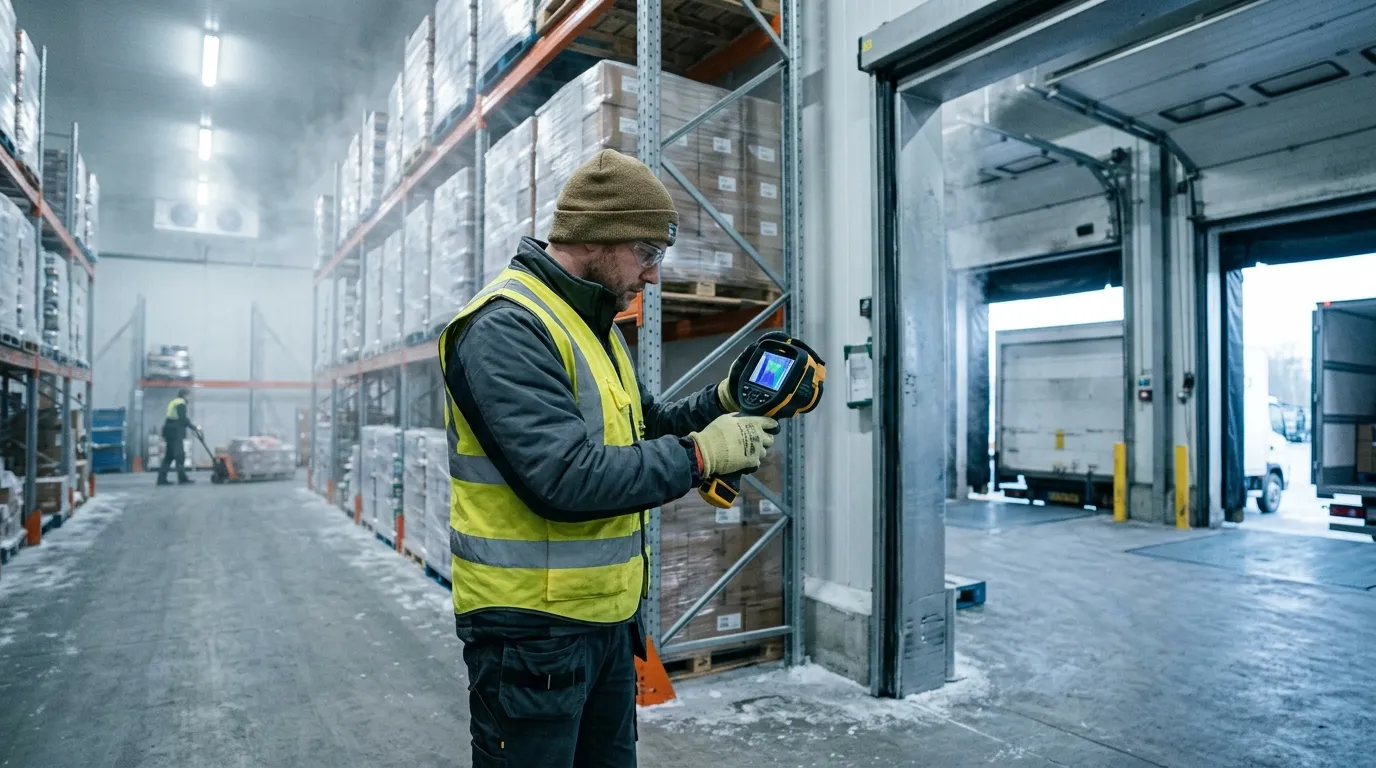
A good scan starts with a temperature difference. If your cooler is at 38°F and the dock is at 72°F, leaks draw themselves on the screen. If the dock and room are both cold after a long winter night, thermal contrast drops and small defects disappear. Wait for a real load condition: doors cycling, evaporators running, forklifts moving, people rushing because the 6 a.m. route is already late.
Use thermal imaging for the shell. Use calibrated contact tools for the food. The FDA Food Code 2022 sets 41°F or less as the cold-holding benchmark for many time/temperature control for safety foods at retail and foodservice, but a thermal camera sees apparent surface temperature. A box of chicken under film wrap, a stainless table, and a shiny trailer liner can all mislead the image.
| Area | Thermal clue | Likely cause | Best follow-up |
|---|---|---|---|
| Door gasket | Thin warm line around edge | Torn vinyl, weak latch, ice buildup | Close on paper strip, adjust latch, replace gasket |
| Panel seam | Warm vertical or ceiling stripe | Failed sealant, foam gap, thermal bridge | Inspect joint, check fasteners, reseal |
| Floor-wall joint | Warm band near cove | Damaged curb, forklift impact, moisture | Probe for water, inspect kick plates |
| Trailer rear doors | Bright edge at hinge side | Worn compression seal, bent door | Check cam locks, hinge pins, gasket crush |
The best time to scan a walk-in freezer is after it has been under load for at least 20 to 30 minutes. You want the system working. A perfectly empty box that has sat closed all night can look clean even when the door sweep leaks during shift change. Scan from inside and outside when you can, because a warm streak visible from the inside may show as a cold plume outside the door.
One small trick helps in cold storage: carry matte tape. Stainless steel, aluminum tread plate, and glossy FRP panels reflect the worker holding the camera. A square of black electrical tape or painter’s tape gives the thermal device a more reliable reference spot. It feels low-tech. It works.
Door problems are the first place to look because they happen every hour. A cold room door may cycle hundreds of times per day, and the gasket takes abuse from pallet jacks, washdown, ice, pressure changes, and impatient shoulders. On a thermal image, a healthy gasket usually shows a clean temperature boundary. A bad gasket shows a bright thread, a feathered plume, or a hot patch near the latch.
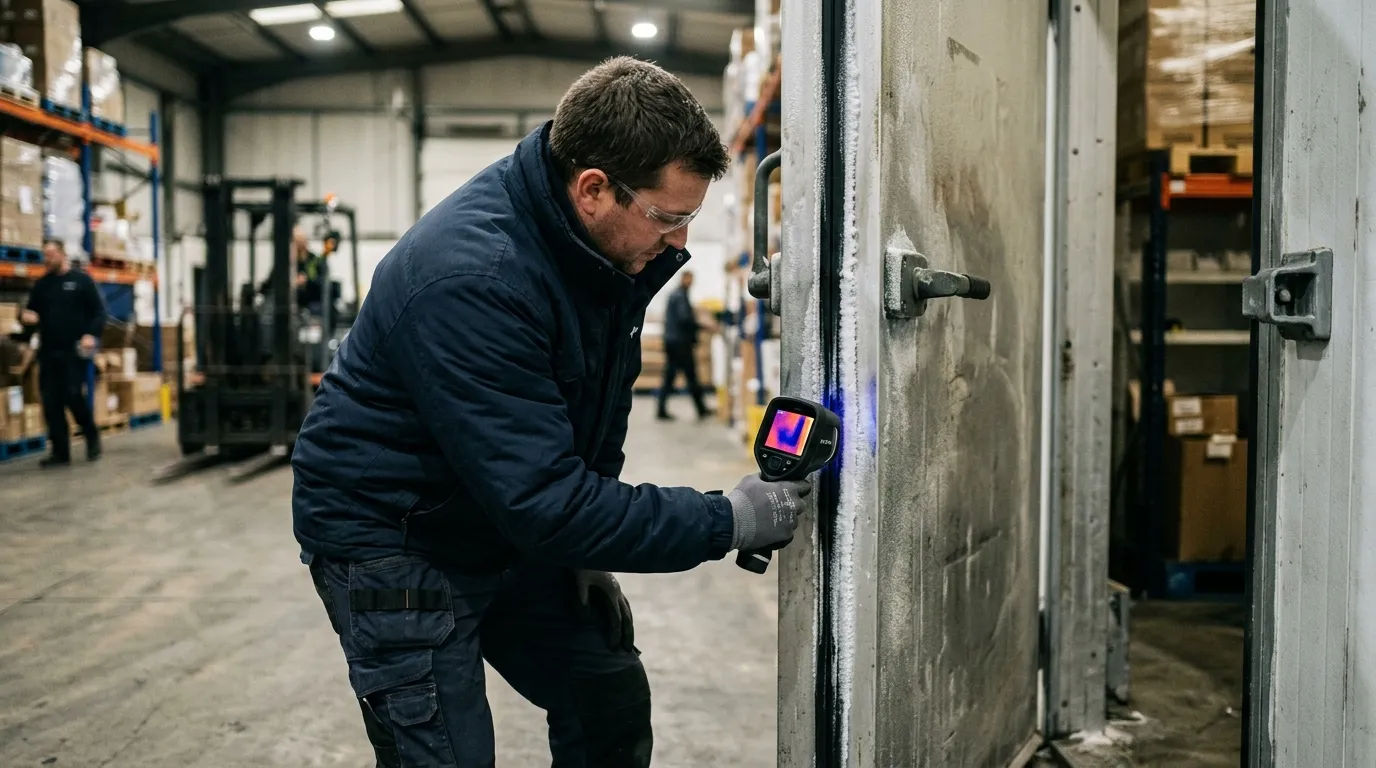
Don’t treat every warm edge the same. A straight warm line around the entire door often points to latch pressure or door alignment. A hot corner near the threshold often points to a torn sweep, floor heave, or ice that stops the gasket from seating. A warm oval at handle height can be nothing more than a handprint from ten seconds ago (annoying, but real).
For refrigerated logistics, rear trailer doors deserve their own scan. A Thermo King Precedent S-750 or Carrier Transicold Vector 8500 can hold setpoint only if the box stops exchanging air with the yard. Scan Utility 3000R, Great Dane Everest, and Wabash refrigerated trailers at the rear frame, hinge side, lower sill, and vent door. The refrigeration unit may be fine; the leak may be a $90 gasket.
Run this quick door test before you blame the refrigeration unit:
A thermal image also helps stop guesswork between operations and maintenance. The operator says, “Freezer 2 won’t recover after lunch.” The technician sees a warm tongue under the roll-up door and a frost ridge on the threshold. Now the repair is specific: replace the bottom seal, inspect the heater wire, and retrain the team to clear ice before the dock rush.
Panel failures are quieter than door leaks. They don’t whistle. They don’t slam. They sit behind product racks and slowly turn electricity into waste. A failed insulated metal panel can show as a warm rectangle, a vertical stripe, or a blotchy area that doesn’t match the panel pattern beside it.
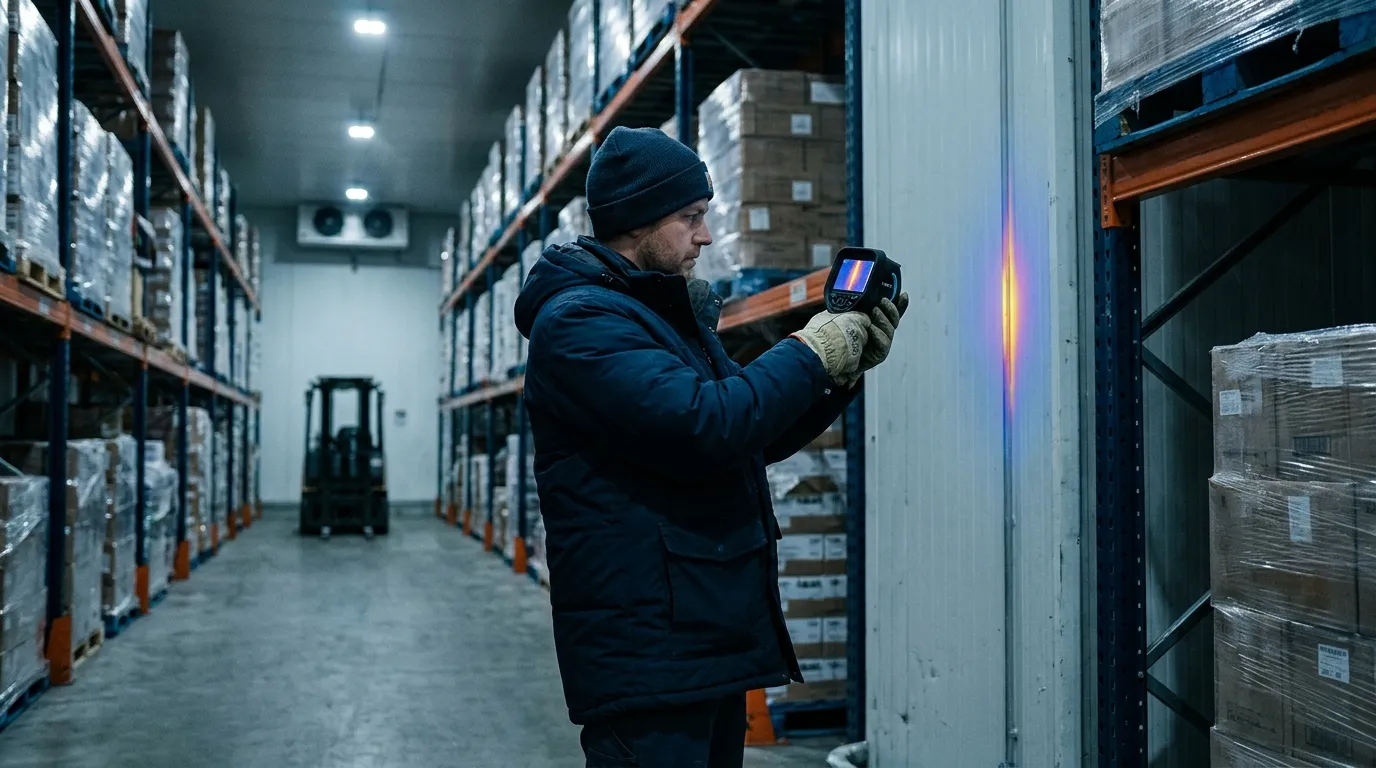
Wet insulation is the ugly version. Once moisture enters foam or mineral wool, the panel loses thermal resistance and can stay wet for months. A thermal scan won’t tell you the moisture percentage, but it can flag the suspect bay. After that, use a pinless moisture meter where the surface allows, inspect penetrations, and check roof drainage. If this is a freezer, look for frost on the warm side too. Frost outside a freezer wall is a bill with a delay.
The same discipline used when plumbers locate slab leaks & radiant heating pipes with thermal applies inside a cold room: you aren’t hunting for the pipe or leak directly every time; you’re reading the pattern left by heat moving through material. Straight lines often mean structure. Soft patches often mean moisture. Repeating marks often mean fasteners or panel geometry.
Panel seams need special attention near evaporators, door frames, pipe penetrations, and electrical conduit. A half-inch unsealed conduit gap can matter more than a scuffed wall panel because moving air carries heat and moisture. Warm air enters, moisture condenses, ice forms, the gap grows, and then the evaporator spends more time removing a problem the wall created.
| Thermal pattern | Common location | Maintenance read | Repair priority |
|---|---|---|---|
| Sharp vertical stripe | Panel joint | Sealant failure or metal bridge | High if near product zone |
| Blotchy warm patch | Wall or ceiling panel | Wet or damaged insulation | High if spreading |
| Warm halo | Pipe or conduit penetration | Air leak around sleeve | Medium to high |
| Repeating dots | Fasteners or clips | Thermal bridging | Low unless condensation appears |
Scan panel seams at a slight angle, then straight on. Move slowly. If the pattern follows your viewing angle, reflection may be fooling you. If the pattern stays fixed on the wall, you probably have a real thermal anomaly. This is where patience beats a dramatic color palette.
Trailers add motion, sunlight, and schedule pressure. A reefer trailer can look fine at the yard and fail on a route after four door openings, one long dwell at a grocery dock, and a driver who parks the rear doors facing afternoon sun. Thermal scanning gives you a pre-trip and post-trip way to catch weak points before they become rejected loads.
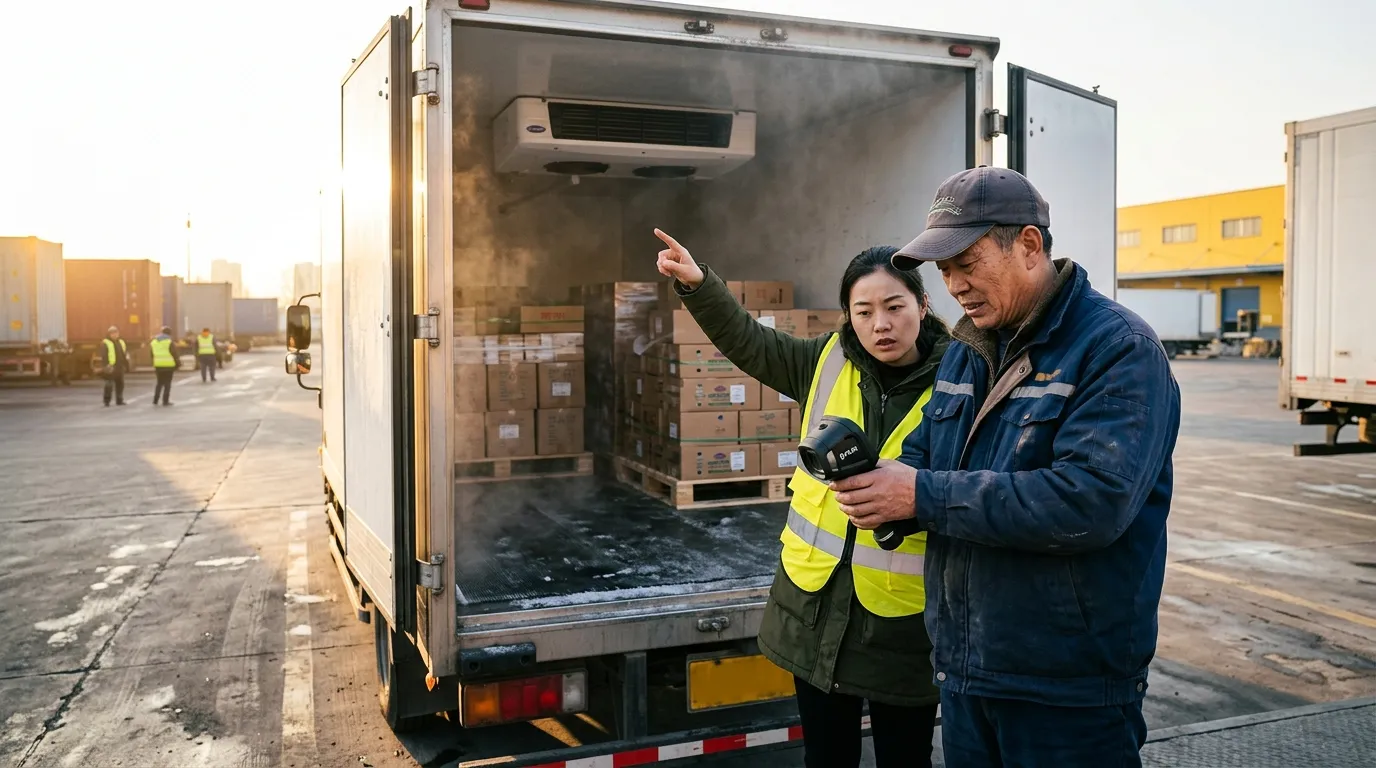
Scan before loading, not after product blocks the walls. A clean trailer inspection takes five to seven minutes: rear doors, sidewalls, ceiling, floor channels, bulkhead, drain openings, chute, and unit frame. For multi-temp trailers, scan the bulkhead and movable divider after it is locked. A divider that leaks between frozen and chilled zones can make one zone overwork while the other one drifts.
A practical trailer scan has four data points attached to every image:
| Field | Example entry | Why it matters | Mistake to avoid |
|---|---|---|---|
| Setpoint | 34°F fresh, -10°F frozen | Gives context for thermal contrast | Recording only air temp |
| Ambient | 88°F sunny yard | Explains solar load | Comparing to night scans |
| Trailer ID | Wabash RF-2048 | Ties defect to asset | Using route name only |
| Door state | Closed 10 minutes | Confirms stable condition | Scanning during open-door chaos |
Sidewalls need extra caution in direct sun. Solar gain can paint a warm rectangle that looks like insulation failure. If the sun is hitting the curb side, scan the road side too. Better yet, repeat the scan in shade or indoors. This works better than arguing over one image in a maintenance meeting.
For distribution centers with cold rooms next to offices or dry storage, moisture risk can move beyond the cold envelope. After a gasket leak or wet panel is repaired, the adjacent wall cavity may still need attention; the inspection logic behind detecting hidden moisture & mold risk behind drywall with thermal fits those mixed-use areas well. Cold-chain damage often shows up first as condensation where no one expected condensation.
Thermal imaging also helps during claims. If a receiver rejects a load, your records should include reefer download data, product probe checks, trailer pre-trip notes, and any thermal images from before dispatch. Thermal evidence won’t overrule a failed pulp temperature. It can show whether the box had visible envelope defects before the load left.
Energy waste in cold storage is brutally direct. Heat leaks in. Compressors remove it. You pay twice when moisture rides with the heat, because latent load adds defrost cycles, ice, fan penalties, and labor. ENERGY STAR says certified commercial refrigerators and freezers are on average 20 percent more energy efficient than standard models, but even efficient equipment loses ground when the envelope leaks.
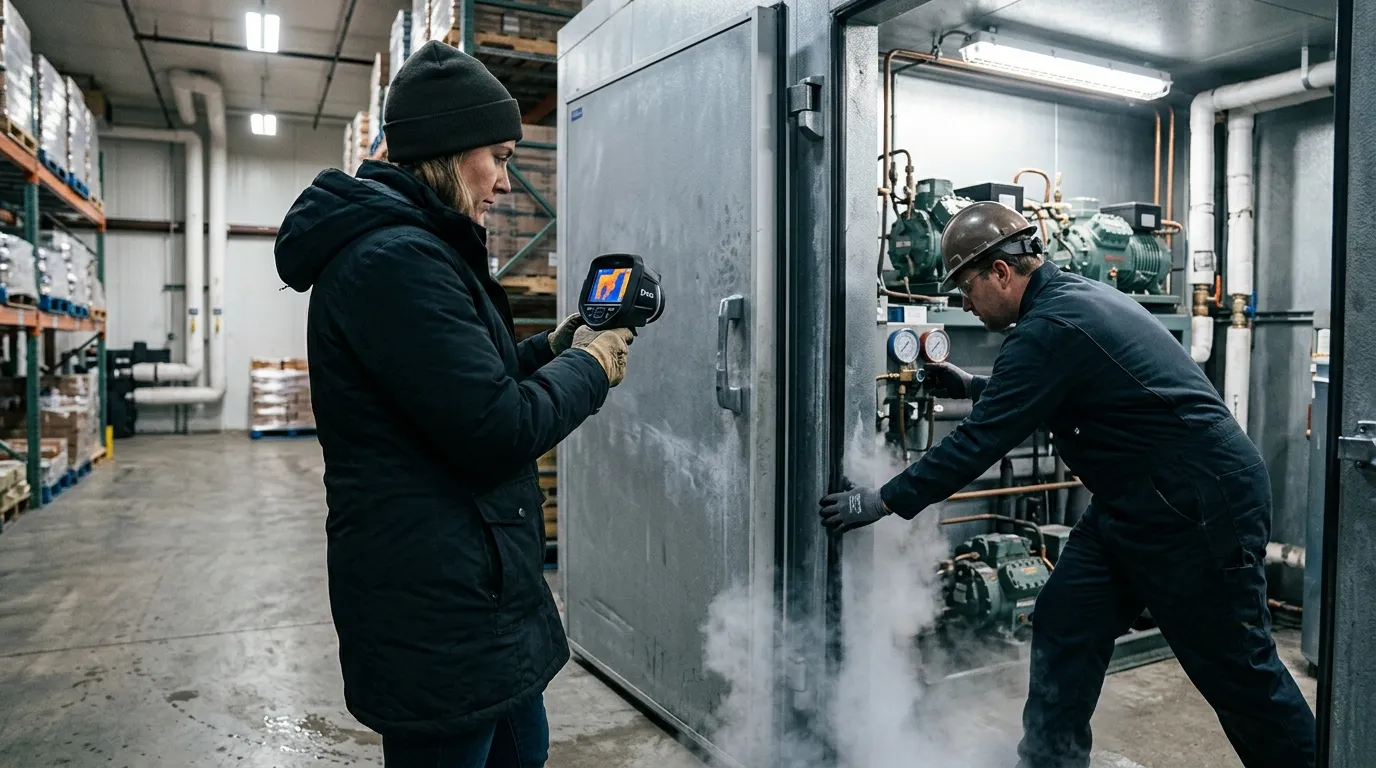
Compliance has a different language. The FDA FSMA Sanitary Transportation final rule, issued in 2016, requires covered shippers, loaders, carriers, and receivers to use practices that keep food safe during transport, including temperature controls when needed. A thermal image isn’t a regulatory temperature record. It is maintenance evidence that supports the control program.
Think of the record package as two folders. Folder one proves product control: calibrated probes, data logger files, reefer downloads, corrective actions, and receiving checks. Folder two proves asset condition: thermal images, gasket work orders, panel repairs, PM logs, and retest photos. Auditors and customers care about folder one first. Folder two explains why folder one stayed clean.
Use this naming format for thermal files:
2026-06-13_Freezer2_DoorA_Inside_0Fset_76Fambient_before.jpg2026-06-13_Freezer2_DoorA_Inside_0Fset_76Fambient_after.jpg2026-06-13_TrailerRF2048_RearDoor_34Fset_88Fambient_pretrip.jpg2026-06-13_Cooler5_CeilingSeam_38Fset_70Fambient_workorder8127.jpgThat level of detail feels fussy until six months later, when a customer asks why their berries warmed during a holiday weekend route. A dated image with setpoint, ambient temperature, trailer ID, and repair note is much easier to defend than “maintenance checked it.”
Don’t use thermal imaging where it doesn’t fit. If the room has no meaningful temperature difference, wait. If the target surface is mirror-like metal, add a matte reference or change your angle. If the question is “Is this pallet safe?”, use product temperature methods. If the question is “Where is heat entering this box?”, thermal earns its place.
Start with the asset list. Pick the rooms and trailers that hurt you most: high door counts, slow pull-down, repeated frost, unusual compressor runtime, rejected loads, or employee complaints about sweating walls. One freezer with a chronic ice ridge deserves attention before ten perfect coolers.
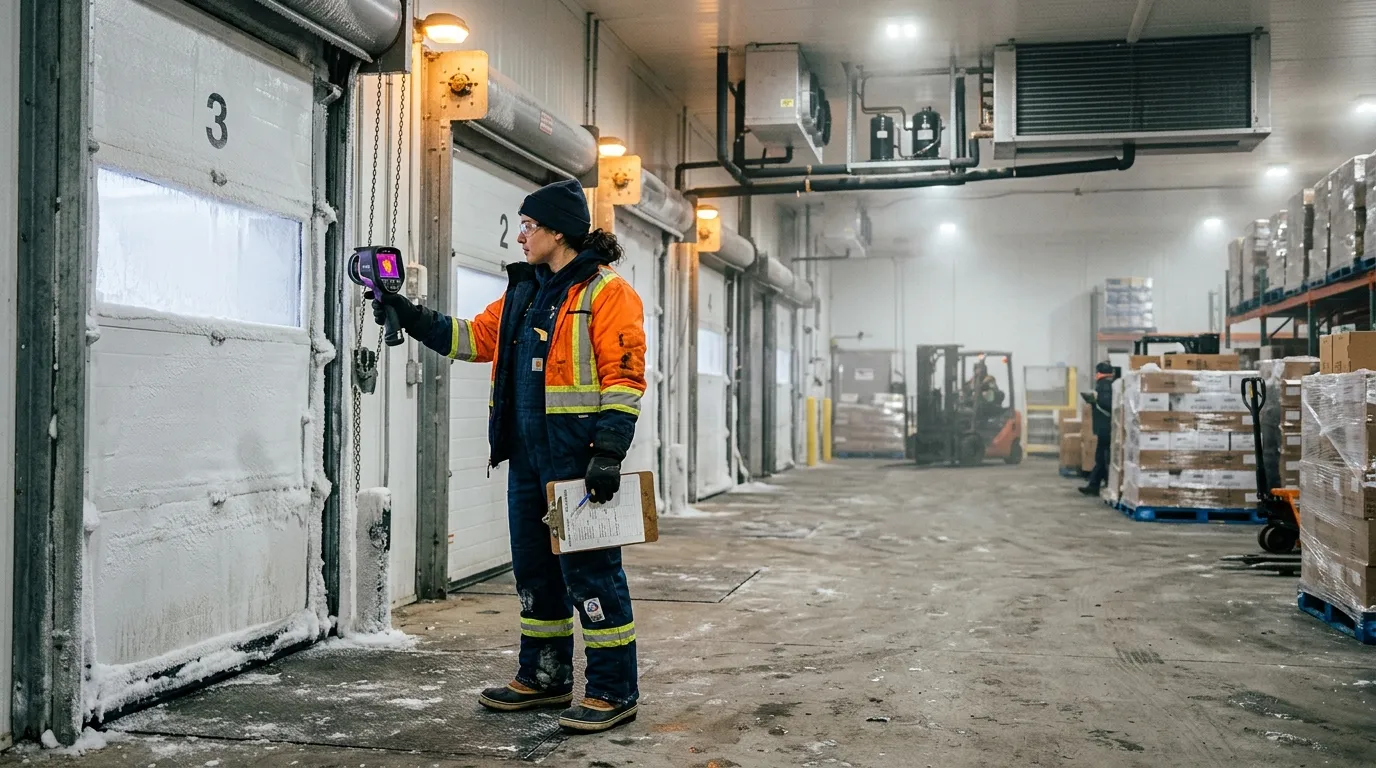
For each asset, scan the same path every time. Consistency beats drama. In a walk-in cooler, start at the main door, move clockwise around wall seams, check penetrations, scan ceiling joints, scan evaporator surrounds, then finish at the floor-wall joint. In a reefer trailer, start at rear doors, move forward along sidewalls, scan the ceiling, check the bulkhead, scan the floor channels, then finish at the unit end.
A good thermal route takes less than 15 minutes per room once the team knows it. The first pass takes longer because you are building the map and naming the assets. After that, the value comes from comparison: before repair, after repair, summer peak, winter baseline, pre-trip, post-trip.
Use a simple scoring method:
| Score | Condition | Action | Retest timing |
|---|---|---|---|
| 1 | Minor bridge, no condensation | Watch list | Next monthly scan |
| 2 | Small air leak or gasket wear | Schedule repair | Within 30 days |
| 3 | Warm seam near product or frost | Repair soon | Within 7 days |
| 4 | Major door leak, wet panel, load risk | Remove from service or restrict use | Same day |
Train two people per shift if possible. Cold-chain inspections fail when only one technician knows the camera and that person is off on inventory day. The scan path should be boring enough that a night-shift lead can repeat it without guessing.
Set the palette to something your team can read quickly. Iron and rainbow palettes make defects pop, but they can exaggerate small differences. Grayscale can be calmer for documentation. Temperature span matters more than palette choice: lock or narrow the span when comparing before-and-after images, or the camera may auto-adjust and make a repaired gasket look unchanged.
No. Thermal imaging shows surface-temperature patterns on doors, panels, floors, and trailer walls. Use calibrated probes, data loggers, and reefer downloads to document product temperature and food safety control.
A 15°F to 25°F difference between the cold space and surrounding area usually gives useful contrast. Bigger differences help, especially around gaskets, panel seams, and trailer rear doors.
Scan parked trailers with doors closed and the reefer running at setpoint. Moving scans are poor for records because airflow, sunlight, vibration, and changing backgrounds can distort the image.
Yes. Stainless steel and glossy liners reflect heat from people, forklifts, lights, and open dock doors. Change the angle or add a small matte tape reference spot before trusting the reading.
Scan high-use doors weekly, refrigerated trailers before peak routes, and full cold rooms monthly. Also scan after gasket replacement, panel repair, forklift impact, water intrusion, or any unexplained pull-down problem.
Before the next dock rush, pick one cooler and run a 12-minute Pixfra scan: door gasket, lower sill, latch side, ceiling seams, pipe penetrations, and floor-wall joint. Save one before image, fix one visible defect, then rescan the same spot under the same setpoint. That single before-and-after pair is the fastest way to turn thermal inspection from a neat picture into a maintenance habit.
Every year, American homeowners waste hundreds of dollars on energy they never actually use — all because of hidden air leaks, insulation gaps, and drafts they can’t see with the naked eye. At Pixfra, we build thermal imaging technology that makes these invisible problems visible. In this case study, we’ll walk you through exactly how thermal devices are used in home energy audits and why this simple step can save you real money.
A home energy audit is a full checkup of how your house uses energy and where it wastes it. Think of it like a doctor’s visit — but for your home. A certified auditor comes in with specialized tools and examines everything from your walls and windows to your HVAC system and attic insulation. A certified pro inspects insulation, doors and windows, ductwork, and major systems — often using tools like blower doors and infrared cameras — to find where you’re wasting energy. The result is a prioritized roadmap that can lower utility bills, improve comfort, and boost indoor air quality.

The goal is simple: find out where your home is leaking energy and fix it. Making energy efficiency upgrades identified in a home energy assessment can save 5–30 percent on your monthly energy bill while also ensuring the health and safety of your house. That’s a big deal when you add it up over the course of a year or a decade. And the main tool that makes all of this possible? A thermal imaging camera.
Before we get into the details of the case study, let’s quickly talk about what makes a thermal device worth your time. If you want a deeper breakdown of the specs that actually matter, we’ve put together a full guide on the Die 6 wichtigsten Funktionen, die das beste Wärmebildgerät im Jahr 2026 haben sollte. It covers everything from NETD sensitivity to refresh rate — all the things that separate a good camera from one that gives you blurry, useless images.
Thermal imaging, also called infrared thermography, uses a special camera that picks up heat energy your eyes can’t see. Thermal imaging involves the use of infrared cameras to capture temperature variations in a home. These cameras detect heat emissions and create visual representations that highlight areas of energy inefficiency. Different temperatures show up as different colors on the screen — warm spots appear red, orange, or yellow, while cold areas look blue or purple. This color map lets you instantly spot where heat is escaping or cold air is sneaking in.

The process is non-invasive, which means nobody has to rip open your walls or tear up your floors. Thermal imaging is a non-invasive method for identifying energy inefficiencies. It’s a fast and efficient process that doesn’t require the removal of materials or causing any damage to your home. An auditor can scan an entire room in minutes and get a clear picture of what’s happening behind the drywall. You get results fast, and the process doesn’t disrupt your daily life at all.
For the best results, auditors typically look for a significant temperature gap between the inside and outside of your home. For reliable results, audits are usually conducted when there is a significant temperature differential (ΔT) — at least 18°F (10°C) between indoor and outdoor environments. This contrast helps reveal areas where heat is escaping or entering the building. That’s why winter and early morning are popular times for these inspections. But with the right equipment, you can run a scan at almost any time of year — especially if you pair it with a blower door test to push air through cracks and gaps artificially.
Here’s a real-world example that shows exactly why thermal devices matter for energy audits. A homeowner faced high heating bills despite installing a new furnace. A thermal imaging assessment revealed unsealed attic vents and insufficient wall insulation. After addressing these issues, the homeowner saw a 20% reduction in energy costs and significantly improved comfort during winter.
That’s the power of thermal imaging. The homeowner had already spent money on a new furnace, thinking that was the problem. But the real culprits — unsealed vents and thin insulation — were hiding behind the walls where no one could see them. A standard visual inspection would’ve missed these problems entirely. Only a thermal scan could pick up the subtle temperature differences that told the whole story.
This experience lines up with what we see across the industry. Numerous homeowners have witnessed significant improvements after inspections with infrared cameras. For instance, a case study in a suburban neighborhood revealed that homes undergoing infrared inspections identified hidden air leaks and insulation gaps. Time after time, thermal imaging catches things that other methods miss — and the fixes are often cheap and simple. Sealing a gap around a vent or adding insulation to a wall cavity doesn’t cost much, but the payoff on your energy bill is real and lasting.
Research backs this up too. In one study, householders who received a thermal image reduced their energy use at a 1-year follow-up, whereas householders who received a carbon footprint audit and a non-intervention control demonstrated no change. In a second study, householders were nearly 5 times more likely to install draught-proofing measures after seeing a thermal image.There’s something about actually seeing the heat leaking from your home that motivates you to act on it. Numbers on a report are easy to ignore. A glowing red streak showing warm air pouring out of your roof? That gets your attention.
So what exactly can a thermal camera find during a home energy audit? The list is longer than you might think.
The biggest one is poor insulation. Whether it’s missing, damaged, or just settled over time, bad insulation is a top cause of high energy bills. Poor insulation is a leading cause of high energy bills. Thermal imaging allows auditors to quickly spot inconsistencies in the thermal envelope — especially in attics, crawl spaces, and exterior walls — without disturbing the building materials.Blown-in insulation is especially prone to settling over the years, leaving cold spots that slowly drain your heating budget every winter.

Air leaks are another big one. Air leaks are one of the most common causes of energy loss in a home. Small gaps around windows, doors, vents, and ducts can allow warm or cool air to escape, forcing your HVAC system to work harder. These tiny gaps might seem harmless on their own, but add them all up and it’s like leaving a window open year-round. Addressing air leakage, which accounts for 25–40% of energy loss in typical homes, often delivers 10–20% savings in heating and cooling costs for a relatively modest investment of $300–$1,500.
Moisture problems are another thing thermal cameras catch. Thermal imagers are very effective tools for identifying moisture. Water has a high thermal capacitance, meaning that it efficiently absorbs and stores energy. The thermal capacitance of water or the effects of evaporative cooling (usually a 2°F to 5°F surface temperature difference) help reveal the extent of moisture damage, even when the surface feels dry to the touch. Left alone, moisture behind walls can lead to mold, rot, and even bigger repair bills down the road.
And then there’s your HVAC ductwork. Leaky ductwork causes the average home to lose 20–30% of its heating and cooling capacity. That’s a huge amount of energy you’re paying for but never getting. A thermal scan of your ducts can show exactly where the leaks are so you can seal them up.
Key findings thermal devices typically reveal during a home energy audit:
| Problem Detected | Common Locations | Typical Energy Loss | Average Fix Cost |
|---|---|---|---|
| Missing/settled insulation | Attics, walls, crawl spaces | 15–25% of heating/cooling | $500–$2,500 |
| Air leaks & drafts | Windows, doors, vents, outlets | 25–40% of total energy | $300–$1,500 |
| Ductwork leaks | Basement, attic, between floors | 20–30% of HVAC output | $300–$1,000 |
| Moisture intrusion | Behind walls, ceilings, basements | Reduces insulation R-value | $500–$3,000+ |
| Thermal bridging | Studs, lintels, slab edges | 5–15% of envelope loss | Varies |
Let’s talk dollars and cents — because at the end of the day, that’s what matters most.
The average homeowner saves $685 annually by implementing audit recommendations. It’s about having a clear roadmap for making your home better. At an average cost of $437 with payback in under 8 months, an audit is one of the smartest investments you can make in your home. That means you spend a few hundred dollars once, and you start saving every single month from that point forward.

The cost for home energy audits typically ranges from $300 to $600, with some advanced audits exceeding this range due to specialized tools and testing. The more detailed the audit — with blower door tests, infrared scanning, and full reporting — the higher the cost, but also the higher the payoff. And many utility companies and state programs offer discounts, rebates, or even free assessments to their customers, so your out-of-pocket cost could be a lot lower than you’d expect.
The return on investment here is hard to ignore. Acting on an audit typically cuts energy use 5–30%. On a $200/month bill, that’s about $120–$720 per year saved. With a $200–$700 audit, the fee often pays back within 1–3 years. And the savings keep coming year after year for as long as you live in the home. Unlike a lot of home improvement projects that are mostly about looks, an energy audit generates actual, measurable financial returns.
Not all thermal cameras are built the same, and when it comes to energy audits, the details in the device specs make a big difference. The most telling spec is NETD, which stands for Noise Equivalent Temperature Difference. It measures how sensitive the camera is to small changes in temperature. The lower the NETD value, the better the camera is at picking up subtle heat patterns — and subtle is exactly what you’re dealing with in a home energy audit, where a drafty window might only show a temperature shift of a few degrees.
At Pixfra, we build our thermal cameras with proprietary heat-detection technology. Our devices achieve NETD values of ≤18mK, which means they can pick up extremely small temperature differences with sharp clarity. That level of sensitivity is what separates a camera that gives you a blurry heat blob from one that shows you exactly where the problem is — down to the nail heads in your wall studs. As one home inspector put it: “the temperature differential does reveal what’s going on behind the wall” — and with the right device, those differentials are crystal clear.
Thermal sensitivity also plays a big role in detecting moisture, which is one of the sneakier issues thermal cameras can catch. Since wet materials cool down through evaporative cooling, the temperature difference is often just 2°F to 5°F compared to dry surfaces. A camera with poor NETD will miss that entirely. A camera with ≤18mK sensitivity will catch it every time. If you’re using a thermal device for any kind of home inspection or energy audit work, sensitivity should be at the top of your priority list — it’s the single spec that determines whether you find the real problems or just the obvious ones.
You’ve got two main options when it comes to thermal imaging for home energy audits: do it yourself or hire a pro.
Thermal imaging is available through professional services or DIY tools. Professional services use certified technicians with advanced equipment to conduct thorough energy audits and provide actionable insights. Affordable infrared cameras and smartphone attachments allow homeowners to conduct their own assessments. However, professional expertise is often necessary for accurate interpretation of results.

DIY thermal scans have gotten a lot more affordable in recent years. You can grab a smartphone-attached thermal camera for as little as $200, and it’ll give you a basic picture of where heat is escaping. It’s a great first step if you want to find obvious issues like major drafts around windows or completely missing insulation in your attic. But DIY has its limits. A DIY audit can show you that a window is drafty, but it can’t tell you the home’s total leakage rate or how it compares to building standards.
Professional audits, on the other hand, deliver the full picture. A certified energy auditor brings high-sensitivity thermal cameras, blower door equipment, and the know-how to read the results correctly. Energy auditors and weatherization professionals use thermal imaging because it provides a fast and easy way to pinpoint and document exact locations of problems. In an industry where speed and accuracy are vital, infrared allows for faster inspections and more detailed documentation. They’ll compile everything into a report with prioritized recommendations, so you know exactly what to fix first for the biggest savings. If you’re serious about cutting your energy bills, the professional route is worth every dollar.
Can thermal imaging really save money on energy bills?
Yes. Thermal imaging helps you find and fix hidden energy leaks that you’d never spot with your eyes alone. Once you seal air leaks, improve insulation, and fix ductwork issues, the savings show up on your energy bills right away. Homeowners who act on audit recommendations typically save 5–30% on their monthly energy costs, which adds up to hundreds of dollars every year.
What is the best time of year for a thermal energy audit?
Winter is usually the best time in most parts of the U.S. because the bigger the temperature gap between inside and outside, the easier it is for the thermal camera to pick up problems. However, you can get useful results in summer too — especially if you’re running the air conditioner. The key is having at least an 18°F difference between indoor and outdoor temperatures.
How much does a thermal imaging energy audit cost?
Most professional thermal energy audits cost between $300 and $700, depending on your home’s size and the level of detail involved. Many utility companies and state programs offer rebates or even free assessments. The average payback period is under 8 months, making it one of the best home investments you can make.
Can I do a thermal energy audit myself?
You can do a basic one with an affordable infrared camera or smartphone attachment. It’s good for spotting obvious drafts and insulation gaps. But for a full assessment with blower door testing, detailed thermographic analysis, and a written report with prioritized recommendations, hiring a certified professional is the way to go. Their equipment and training let them catch problems that DIY tools simply can’t.
What does a thermal camera actually show during a home energy audit?
A thermal camera picks up infrared radiation — heat energy — and displays it as a color-coded image on the screen. Warm areas show up as red, orange, or yellow, and cold areas appear as blue or purple. During an energy audit, this makes it easy to see where heat is leaking out of your home, where insulation is missing, and where cold air is getting in. It also picks up moisture intrusion and overheating electrical components.