When a rescue team gets the call that someone is missing in the backcountry at night, every minute matters. Traditional search methods — flashlights, headlamps, ground sweeps — are slow and burn through manpower fast. We at Pixfra have seen firsthand how thermal imaging technology changes the entire equation, turning what used to be a desperate guessing game into a fast, targeted operation.
Before we get into the case study itself, let’s cover the basics so you know exactly what’s happening when a thermal device hits the field during a rescue mission. Thermal cameras work by detecting infrared radiation emitted by all objects, including people and animals. That radiation gets converted into a thermal image, displaying varying temperatures in different colors. Warmer objects, such as a human body, appear brighter against cooler backgrounds. That’s the whole trick — your body is basically a beacon of heat in a cold landscape, and a thermal device picks that up whether it’s pitch black, foggy, or raining sideways.

Search and rescue missions at night present unique challenges. Limited visibility, difficult terrain, and unpredictable weather can hinder even the most well-trained teams. Traditional night-vision devices and spotlights have their limitations, especially in environments like forests, mountains, or urban areas with obstructed views. This is exactly where a handheld thermal monocular or scope gives you an edge that nothing else can match. Unlike night vision, which needs at least some ambient light to work, thermal devices detect heat rather than light. That means total darkness, dense fog, and heavy rain don’t shut you down.
This tech isn’t new, but what’s changed in 2026 is the accessibility. You no longer need a government budget to get a solid thermal device with high sensitivity and long detection range. Our lineup at Pixfra, for example, offers NETD values of ≤18mK and detection ranges reaching up to 3,600 meters — specs that were strictly military-grade not long ago. If you want to know what separates the best thermal devices in 2026 from mediocre ones, check out our breakdown of the 6 najważniejszych cech, jakie powinno posiadać najlepsze urządzenie termiczne w 2026 roku. Those same features — thermal sensitivity, rugged build, battery life, detection range — are exactly what determine whether a thermal device performs when a life is on the line.
Here’s the scenario. A 68-year-old man with early-stage cognitive decline wanders off a well-marked trail in a wooded mountain area during the late afternoon. By the time his family calls it in, the sun is already setting. Temperatures are dropping fast — into the low 30s°F — and the terrain is a mix of dense forest, rocky outcrops, and brush-covered ravines. A ground search team is mobilized, but within the first two hours, they’ve covered very little ground. The flashlights barely cut through the trees, and the terrain is too dangerous to move through quickly at night.
This is a scenario that plays out across the United States more often than most people realize. According to the U.S. Coast Guard Search and Rescue Statistics, there are over 15,000 reported cases per year in the United States alone. Nearly 86% result in lives saved. But that 14% gap — the cases that don’t end well — is often a matter of time and visibility. When you can’t see the person you’re looking for, the clock runs out fast, especially in cold weather where hypothermia becomes a real threat in just a few hours.
The search team in this scenario pulled out a handheld thermal monocular — a compact, rugged unit with a 640×512 sensor resolution, ≤18mK NETD, and a detection range well over 1,000 meters. Within minutes of powering up the device and scanning from a ridge, the operator spotted a bright heat signature roughly 400 meters out, partially obscured by brush. The thermal device found the man within just eight minutes. He was lying still in tall sagebrush, making it impossible for the ground search crew to locate him. With its White Hot palette, the cold ground was displayed as dark gray on the thermal camera’s sensor, while the man showed up in bright white, contrasting sharply with the area around him. That contrast — a warm body against cold terrain — is exactly what makes thermal imaging so effective when every other search method fails.
Not every thermal device can deliver in a scenario like this. The difference between a successful rescue and a failed one often comes down to a few specs you might overlook when shopping. Let’s walk through what actually mattered in this case.

Thermal sensitivity, measured by NETD (Noise Equivalent Temperature Difference), was the first factor. The missing man had been stationary for a while, his body temperature dropping toward the ambient surroundings. A device with poor NETD — say, anything above 40mK — might not have picked up the fading contrast between his body and the cold brush around him. Our Pixfra devices hit ≤18mK NETD, which means they detect incredibly small temperature differences and produce clear, high-contrast images even when the heat gap between a person and the environment is narrow. In rescue terms, that’s the difference between a bright, obvious shape on your screen and a smudgy nothing.
Detection range was the second factor. The operator scanned from an elevated ridge roughly 400 meters away. A device with a 256×192 sensor and a short detection range — common in budget thermal units — might not have resolved that heat signature at all. Higher sensor resolutions like 640×512, paired with our 12μm pixel pitch technology, give you the detail you need to distinguish a human body from a warm rock or an animal at distances that matter in the field. Our Sirius HD series, for example, pushes detection range out to 3,600 meters. For search and rescue teams sweeping large areas, that kind of reach means you cover more ground from fewer positions.
Build quality and battery life were the third and fourth factors. This rescue happened in cold, wet conditions — exactly the kind of environment that kills cheap electronics. IP67-rated housing, which all our Pixfra devices carry, means the unit is fully sealed against dust and survives water submersion. On top of that, cold weather can cut battery life by 30-50%. The team used a device with swappable 18650 batteries, which meant they could pop in a warm spare from an inside pocket without any downtime. That kind of real-world readiness isn’t a luxury — it’s what keeps a device running when conditions turn ugly.
To put the value of thermal imaging into perspective during rescue operations, here’s a quick comparison:
| Factor | Traditional Ground Search | Thermal Device-Assisted Search |
|---|---|---|
| Visibility in Darkness | Very limited (flashlights only) | Full visibility via heat detection |
| Average Area Covered per Hour | 0.1–0.5 sq. miles | 1–3+ sq. miles (from elevated position) |
| Effectiveness in Fog/Rain | Severely reduced | Minimal impact on detection |
| Ability to Detect Stationary Persons | Very low | High (body heat still visible) |
| Risk to Search Personnel | High (terrain, fatigue) | Reduced (scan from safe distance) |
| Typical Time to First Detection | Hours | Minutes |
Thermal imaging enables quick identification of individuals, significantly reducing search times. When you’re working against hypothermia, injury, or exposure, cutting your search time from hours to minutes isn’t just a performance stat — it directly translates to lives saved. The ability to detect heat signatures makes thermal devices incredibly effective in pinpointing the exact location of individuals, even in complex terrains. Dense forests, rocky landscapes, and mountainous regions can be navigated with greater accuracy using thermal imaging, reducing false positives and missed targets.
Our Pixfra Outdoor App also plays a role here. Through the app, you can stream live thermal footage, transfer images and video directly to your smartphone, and share data with other team members in real time. In a coordinated search, that means the person with the thermal device can relay a target’s GPS position to ground teams instantly — no radio miscommunication, no wasted time guessing at directions.
If there’s one takeaway from this rescue, it’s that the device you carry needs to match the worst-case scenario, not the best one. A thermal monocular that performs well on a calm, dry evening might fall apart when you actually need it — in the rain, in the cold, at 2 AM, with gloved hands.

Here’s what we recommend based on what worked in this rescue and what we’ve learned from years of building thermal devices at Pixfra. First, don’t compromise on NETD. You want ≤25mK at minimum for any outdoor use, and ≤18mK if you’re serious about detection in tough conditions. Second, match your sensor resolution to your expected range. If you’re scanning wide areas from elevated positions, go for 640×512. If you’re working shorter distances in denser terrain, 384×288 will serve you well and keep costs down. Third, make sure your battery system can handle extended, cold-weather use. Swappable 18650 batteries beat proprietary internal cells every time for field operations. And fourth, insist on IP67 or better weather resistance — no exceptions.
Our Pixfra Outdoor App supports all our current models, including the Sirius, Arc LRF, Mile 2, Pegasus Pro, Chiron LRF, Taurus, and Taurus LRF series. Through the app, you can update firmware, adjust device settings, and transfer scouting data — all useful features whether you’re on a rescue team, managing property security, or tracking wildlife. If you want a device that can pull double duty across hunting, observation, and emergency scenarios, the Volans series stands out with its all-day vision capability and adjustable aperture from F1.2 to F3.0, making it one of the few thermal devices that performs equally well in daylight and total darkness. That kind of flexibility means one device covers all your bases.
While this case study focuses on search and rescue, the same features that saved a life here are the ones that make a thermal device invaluable for hunters, property owners, and wildlife observers. A hunter tracking hogs at night benefits from the exact same NETD sensitivity and detection range that let a rescue team spot a stationary person in dense brush. A rancher checking fence lines after dark relies on the same IP67 weather resistance and battery endurance. The application of thermal imaging technology is not limited by environmental conditions. Even in pitch-dark environments where visibility is zero, or when individuals are unconscious and immobile, thermal imagers can still capture body temperature signals emitted by humans. Swap “humans” for “coyotes approaching your livestock” and the value is identical.
At Pixfra, we build thermal monoculars, thermal scopes, thermal front attachments, and multispectral binoculars — all designed for real outdoor conditions. Whether you need the lightweight portability of our Draco series for all-day carry or the long-range precision of the Sirius HD series for professional applications, we engineer around the six features that matter most: thermal sensitivity, sensor resolution, detection range, battery life, durability, and smart connectivity. We don’t build features for spec sheets — we build them for 2 AM in a hunting blind, for a freezing ridge during a search, for the real moments when gear either performs or fails you.
If you’re ready to see what a properly built thermal device can do, check out our full product lineup at Pixfra and find the right fit for your needs.
Can a thermal device find a person who is unconscious or not moving?
Yes. Even in pitch-dark environments where visibility is zero, or when individuals are unconscious and immobile, thermal imagers can still capture body temperature signals emitted by humans. A thermal device detects heat, not movement. As long as a person’s body is warmer than the surrounding environment — which it almost always is — the device will pick up the contrast. This is one of the biggest advantages thermal has over visual or motion-based search methods.
Does thermal imaging work through fog, smoke, and heavy rain?
Infrared thermal cameras offer a distinct operational advantage as they rely on heat detection, allowing them to penetrate haze, glare, light smoke, or total darkness. Heavy rain and very dense fog can reduce effective range somewhat, but thermal devices still dramatically outperform flashlights, spotlights, and standard night-vision gear in those conditions. For any serious outdoor use, look for a device with high NETD sensitivity (≤18mK) and an IP67 weather rating to ensure it keeps working when the weather turns bad.
What NETD rating do I need for a rescue or outdoor thermal device?
For search and rescue, wildlife observation, and hunting, you want a thermal device with an NETD of ≤25mK or lower. At Pixfra, our devices achieve ≤18mK, which places them at the top end of sensitivity for outdoor-grade thermal optics. Lower NETD means the device can detect smaller temperature differences, which is exactly what you need when you’re trying to spot a person whose body heat is fading in cold conditions.
Z jakiej odległości urządzenie termowizyjne może wykryć osobę?
Detection range depends on the sensor resolution, lens size, and environmental conditions. Entry-level handheld thermal devices typically detect a human-sized heat source at 500 meters or less. Mid-range models like our Pixfra Arc LRF and Mile 2 series hit the sweet spot for most users in the 600–1,500-meter range. Our premium Sirius HD series pushes detection out to 3,600 meters — more than enough for large-area scanning during a search operation or open-terrain surveillance.
Is a thermal device worth carrying on backcountry trips for safety?
Absolutely. Beyond the obvious search and rescue applications, a compact thermal monocular lets you scan trail areas for wildlife at night, check your surroundings when you hear something outside camp, and signal rescuers if you become the one who needs help. Lightweight models like our Draco series are built specifically for multi-functional performance without adding bulk to your pack. If you spend any time in the backcountry after dark, a thermal device is one of the highest-value safety tools you can carry.
Most people hear “handheld thermal device” and think it’s just for hunters. But that’s only scratching the surface. A single handheld thermal monocular covers hunting, property security, wildlife observation, boating, search and rescue, camping, and utility inspection. Whether you’re scanning your back forty for coyotes at 2 AM, checking your home for heat leaks, or navigating a foggy trail in the backcountry, a thermal imager earns its place in your gear bag fast. At Pixfra, we build thermal monoculars, thermal scopes, thermal front attachments, and multispectral binoculars — all designed for real outdoor conditions. And we’ve seen firsthand just how many ways people put these devices to work outside of hunting season.
Before we walk through all nine uses, it helps to know what separates a good handheld thermal device from a frustrating one. If you’re still sorting out what specs actually matter when you’re shopping, our guide on the 6 najważniejszych cech, jakie powinno posiadać najlepsze urządzenie termiczne w 2026 roku breaks down everything from NETD sensitivity to battery life and IP ratings — so you can match the right device to the job you need it for.
This is the use case that put handheld thermal devices on the map, and it’s still the number-one reason people buy them. Thermal technology allows hunters to detect and track animals based on their body heat, irrespective of the lighting conditions, offering an undeniable advantage for nighttime hunting and wildlife observation. Whether you’re running hogs in Texas, calling coyotes in Kansas, or sitting a deer stand in Georgia, a thermal monocular lets you spot game before it spots you — in total darkness, through fog, and even in thick brush.

Here’s how it works in practice: instead of picking up your rifle and swinging a scope left and right — which gets tiring and sloppy after a few hours — you scan with your handheld thermal device first. The biggest advantage of owning a thermal monocular is that it saves you from picking up your rifle with a thermal scope and swinging it in different directions, which can be exhausting and inconvenient. With a thermal monocular, you can easily spot game, set the monocular down, and then grab your rifle to take an accurate shot without unnecessary movement. That’s safer and more effective.
Game recovery is the other half of this equation. After making a successful shot, an animal can run out of sight fast. A handheld thermal imager picks up the heat signature of a downed animal from hundreds of yards out — no more crawling through brush with a flashlight. Our Pixfra lineup covers detection ranges from around 500 meters for entry-level models all the way up to 3,600 meters with the Sirius HD series. For most recreational hunters working inside 300 to 600 meters, mid-range models like our Arc LRF and Mile 2 series hit the sweet spot between performance and price. Models with “LRF” in the name also include built-in laser rangefinders with 1,000-meter range — so you get exact distance to your target without fumbling for a separate device in the dark.
You don’t have to be a hunter to get serious use out of a handheld thermal device. Thermal imaging cameras have revolutionised wildlife observation, allowing us to see the unseen in nature. Birders, wildlife researchers, nature photographers, and backyard naturalists are all picking up thermal monoculars to watch nocturnal animals without disturbing them. A flashlight or headlamp scares animals away. A thermal device doesn’t — because it’s completely passive. It doesn’t emit any light or radiation. It just reads the heat that’s already there.
This means you can watch a family of foxes playing in your meadow, track an owl hunting along a tree line, or count deer bedded down in a field — all without the animals ever knowing you’re there. These devices detect heat instead of light, so they work day or night, piercing through darkness, fog, and even camouflage to reveal animals that would otherwise remain hidden. For researchers doing population surveys, thermal monoculars speed up the work and produce more accurate counts.
Our Pixfra thermal devices achieve NETD values of ≤18mK, which gives you crisp contrasts between an animal and its background, even in tricky conditions like fog, rain, or humidity. When we pair that with 12μm pixel pitch technology across our product lines, from the Mile 2 series for everyday use to the Sirius HD series for demanding professional work, you get sharp, high-contrast images that let you tell a raccoon from a possum at distance — not just see a blob of heat.
Nothing beats thermal imaging for keeping an eye on your property after dark. Traditional security cameras struggle in low light, but thermal monoculars work perfectly in total darkness. Whether you own a rural ranch, a suburban home, or a commercial property, a handheld thermal device adds a layer of security that standard cameras and floodlights can’t match.

Think about it this way: a security camera needs light to see. Even a good infrared security camera has limited range and can be fooled by shadows, foliage, or weather. A thermal device reads heat signatures, so a person walking along your fence line at 3 AM lights up on the display like a beacon — regardless of what they’re wearing, how dark it is, or whether it’s raining. In the security and law enforcement sectors, a thermal monocular can detect people and vehicles in total darkness, through fog, and even in densely vegetated areas.
You can scan your entire property in seconds with a quick sweep. There’s no waiting for motion-triggered alerts, no reviewing hours of footage. Just point, look, and you know immediately if something is out there. For folks in rural areas dealing with trespassers, poachers, or livestock predators, this kind of rapid situational awareness is a real game-changer. Our Pixfra Draco series was designed with a lightweight build for exactly these kinds of multi-use scenarios — property security one night, predator control the next.
When someone’s lost or injured, every minute counts. Thermal imaging dramatically improves search and rescue success rates by detecting body heat from distances that would be impossible with flashlights or night vision. This is one of the most life-saving uses for a handheld thermal device, and it’s one that doesn’t get talked about enough outside of professional circles.
For SAR teams navigating thick forests or urban wreckage, thermal imaging monoculars provide a compact, one-handed solution for rapid area sweeps. These devices are essential for detecting the “thermal glow” of a survivor trapped under debris or hidden behind foliage, significantly reducing the time spent on manual ground searches. First responders, volunteer search teams, fire departments, and rural sheriffs all use handheld thermal imagers on the regular. But you don’t have to be a professional to carry one. If you spend time in the backcountry, on the water, or in areas where people get lost, a thermal monocular in your pack could save a life — including your own.
A key spec to watch here is refresh rate. A 50Hz refresh rate gives you smooth, fluid imagery so you can track movement without blur or chop. Anything below 30Hz will stutter and make fast-moving targets hard to follow. Our Pixfra devices are built with high refresh rates across the board because in the field, smooth imaging isn’t a luxury — it’s a necessity. Paired with IP67-rated housing that survives rain, stream crossings, and accidental drops, you’ve got a device that performs when conditions go sideways.
Farmers and ranchers have dozens of uses for thermal monoculars that save time and prevent losses. Check on animals at night without disturbing the herd. Spot a cow that’s separated from the group or lying down when she shouldn’t be. Identify sick animals by detecting fever — elevated body temperature shows up instantly on thermal displays. You can cover large pastures quickly without driving out to every corner of your property.

This is a use case that’s growing fast in the ag community, especially in beef cattle, dairy, and poultry operations. Thermal imaging lets you spot early signs of illness, mastitis, or lameness in livestock before the condition gets worse. You don’t need to run the animal through a chute or get hands on them — you can scan from a distance and flag the ones that need attention. During calving season, ranchers use thermal devices to check pregnant cows overnight without spooking them with headlights or pickup trucks.
Thermal imaging also helps with predator control. Coyotes, feral hogs, or other animals threatening livestock show up clearly, even from long distances. If you’re running livestock in an area with predator pressure, a thermal monocular doubles as both a management tool and a security device. You check on the herd and scan for threats in the same sweep.
Here’s a quick look at how different farming operations benefit from handheld thermal devices:
| Farm Operation | Primary Use | Secondary Use |
|---|---|---|
| Beef cattle ranching | Nighttime herd checks, calving monitoring | Coyote and predator detection |
| Dairy farming | Early illness/fever detection | Facility heat loss inspection |
| Poultry operations | Flock health monitoring | Barn insulation checks |
| Horse ranching | Injury/inflammation detection | Property perimeter security |
| Crop farming | Irrigation leak detection | Wildlife damage assessment |
When the sun sets and the fog rolls in, most boaters know the feeling: disorientation, anxiety, and a deep respect for the power of the water. Whether you’re a mariner navigating the coast, an angler chasing the bite before dawn, or a search-and-rescue responder cutting through rough water at night, visibility can mean the difference between mission success and dangerous uncertainty.
A handheld thermal device gives you the ability to spot floating debris, unlit boats, swimmers, buoys, and shoreline features in total darkness or through fog and haze. Thermal technology makes a valuable difference. For one, it allows you to operate your boat more safely at night or in difficult weather because it can identify bridges, docks, buoys, fixed markers, and other boats. In addition, it will show shoaling rocks, floating debris, and other unlit objects. You don’t need a $20,000 fixed-mount system to get this benefit. A compact handheld thermal monocular you can stow in the console or a dry bag gives you serious situational awareness on any size vessel.
Anglers are getting in on this, too. Thermal imaging can help you spot weed lines, kelp paddies, and surface disturbances from schools of fish at night — all features that attract offshore gamefish. For kayak anglers, bass boaters, and inshore fishermen running before first light, a handheld thermal device adds a margin of safety that’s hard to put a price on. Our Pixfra devices work in both day and night conditions. The Volans series specifically features all-day vision capability with an adjustable aperture from F1.2 to F3.0, making it one of the few thermal devices that performs just as well in broad daylight as in total darkness.
There are several reasons why thermal imaging cameras are becoming indispensable for campers and outdoor enthusiasts. Wildlife detection: if you’re camping in areas with abundant wildlife, a thermal imaging camera can help you spot animals that are active at night or hidden in dense vegetation. The ability to see animals in complete darkness can enhance both the excitement and safety of your camping experience.

This goes beyond just “cool factor,” though it is pretty cool to see the world in thermal. A handheld thermal device solves real problems in the backcountry. Need to navigate back to camp after dark without blowing out your night vision with a headlamp? Thermal. Want to know if that rustling in the bushes is a raccoon or something bigger before you unzip your tent? Thermal. Trying to find your buddy who wandered off from the campfire? Thermal.
Camping security is a valuable aspect to consider, especially if you are in a remote area. These cameras can help detect potential threats such as animals approaching your camp or intruders in the vicinity. In bear country, knowing there’s a large animal 200 yards from your camp gives you time to react calmly instead of being startled. Our Pixfra devices range from approximately 4.5 hours to 15 hours of battery life depending on the model and conditions. Many models use standard 18650 batteries that you can swap in seconds — a deliberate design choice because proprietary internal batteries don’t help when you’re three days into a backcountry trip.
Your heating bill’s high, but you don’t know where the warmth’s escaping. A thermal monocular solves that problem in minutes. Walk around your house with a thermal device and you’ll instantly see cold spots where insulation’s missing or deteriorating. Windows and doors that aren’t properly sealed show up as temperature differences on the display. You can check wall cavities for gaps without tearing anything apart.
This is one of those uses that surprises people who think thermal devices are only for the outdoors. Energy auditing is the most common homeowner application. Thermal imagers reveal missing or compressed insulation in walls and ceilings, air leaks around windows and doors, and uninsulated areas behind switch plates or HVAC penetrations. You can also check for moisture intrusion, find hot spots in your electrical panel, and verify that your HVAC system is distributing air evenly.
One homeowner saved over $400 annually after finding and fixing insulation gaps they discovered with thermal imaging. The device pays for itself after just a few years of reduced energy costs. If you already own a thermal monocular for hunting or outdoor use, you’ve got a home energy audit tool sitting right in your gear closet. Just point it at your walls, windows, and attic and you’ll see exactly where your money is going.
For hunters and campers, a handheld thermal monocular is a convenience. For police officers and search-and-rescue crews, it is a safety-critical tool. Law enforcement officers, border patrol agents, security professionals, and private property managers all rely on handheld thermal devices for perimeter monitoring, suspect tracking, and evidence documentation.

Handheld thermal imagers work by creating a virtual display showing the heat signatures of objects in the field of view. These devices can provide responders with a covert method of surveillance, providing a tactical advantage at night.The beauty of thermal is that it’s passive — no light, no laser, no signal that gives away the operator’s position. You see them; they don’t see you.
For this kind of work, durability and ergonomics matter just as much as image quality. Cold, gloved hands at 2 AM don’t mix well with complicated menus or tiny buttons. Our Pixfra controls are designed for single-handed, intuitive operation — because if you can’t run your device in the dark with gloves on, it’s not built for real fieldwork. We also support all our current models through the Pixfra Outdoor App, including the Sirius, Arc LRF, Mile 2, Pegasus Pro, Chiron LRF, Taurus, and Taurus LRF series. Through the app, you can update firmware, adjust settings, stream live footage, and transfer images and video directly to your phone for evidence documentation or team coordination.
Not all handheld thermal devices are built the same, and the spec sheet doesn’t always tell you the full story. Here’s a quick reference that shows what numbers actually matter when you’re comparing devices:
| Spec | What It Means | What to Look For |
|---|---|---|
| NETD (thermal sensitivity) | Smallest temperature difference the sensor can pick up | ≤25mK for general use; ≤18mK for serious field work |
| Sensor resolution | Number of pixels on the thermal sensor | 256×192 for short range; 384×288 mid-range; 640×512 for long range |
| Zasięg wykrywania | How far the device can spot a heat signature | 500m entry-level to 3,600m premium |
| Refresh rate | How smooth the live image looks | 50Hz for smooth tracking; below 30Hz will stutter |
| IP rating | Dust and water resistance | IP67 minimum for outdoor use |
| Żywotność baterii | How long you can operate before recharging | 8-15 hours for all-night use; swappable 18650s preferred |
Our Pixfra devices hit ≤18mK NETD across the lineup, which puts them at the high end of sensitivity for outdoor-grade thermal optics. Paired with 12μm pixel pitch and IP67 construction, you’re getting a device that’s built for the conditions you’ll actually use it in — not just the ones that look good in a product video.
Can a handheld thermal device see through walls?
No. Thermal imagers can’t “see through” solid walls like X-rays do — this is a common misunderstanding. Their job is to detect the temperature on an object’s surface. A thermal imager can show the temperature pattern across a wall. If something behind the wall causes unusual temperatures on the wall’s surface, or if the wall has insulation gaps, moisture, or air leaks, the thermal imager will spot these hidden temperature differences on the wall itself. But they do not penetrate solid barriers.
Do handheld thermal devices work in rain, fog, and bad weather?
Yes, they still work — and usually far better than your eyes or night vision goggles. Thermal imagers can detect through a light amount of fog, rain, dust, smoke, and snow. However, as these conditions worsen, it lowers the visibility of the thermal camera. That’s one reason we build our Pixfra devices with IP67-rated housing — so the unit itself survives the weather, too.
How far can a handheld thermal device detect?
Many handheld thermals can detect heat signatures between 1,000 and 2,000 yards, with top-end 640 models reaching even farther. Real-world identification distances are usually shorter and depend on resolution, lens size, weather, and background conditions. At Pixfra, our detection ranges go from about 500 meters on entry-level models to 3,600 meters on the Sirius HD series.
What’s the difference between a thermal device and night vision?
Unlike traditional night vision that amplifies ambient light, thermal devices do not require any light at all — they rely solely on heat. This means you can get a clear picture in complete darkness as well as in daylight, since the technology is based on temperature contrast, not visible light. Night vision needs at least some ambient light to work. Thermal works anywhere, anytime.
Is a built-in laser rangefinder worth the extra cost?
If you’re hunting at distances beyond 150 yards or shooting at night, yes. A built-in LRF gives you instant distance data so you can adjust your shot. Our Pixfra Arc LRF, Chiron LRF, and Taurus LRF models all include integrated laser rangefinders with 1,000-meter range. Paired with built-in ballistic calculators, these models give you a complete targeting solution in one device. For close-range use in heavy timber, though, you might not need the extra feature.
Your thermal device is only half the equation. The apps and software you pair with it can turn a good field experience into a great one — or leave you fumbling in the dark with files you can’t use. Here at Pixfra, we’ve built our entire ecosystem around making sure the software side works just as hard as the hardware.
A thermal device captures heat data. But that raw data doesn’t do you much good sitting on the device itself. You need software to view it clearly, adjust it, share it, and sometimes analyze it later back at home. Whether you’re a hunter reviewing footage from last night’s sit, a wildlife observer documenting nocturnal animal behavior, or a property owner running security sweeps, the right app or software turns thermal captures into real, usable information.
Thermal imaging software helps make the most of the images collected from your camera. Without it, you’re stuck with a raw thermal feed and no way to fine-tune what you’re seeing. Think about it this way: you wouldn’t shoot photos on a DSLR and never edit or organize them. Thermal imaging works the same way. The software layer is where raw heat signatures become clear visuals you can act on, save, or share.

Thermal image analysis software is a cornerstone of modern infrared data utilization, enabling organizations to transform raw thermal imagery into actionable insights across engineering, maintenance, and research. And while that language sounds like it’s aimed at industrial users, the same principle applies to outdoor users like hunters and wildlife observers. Your thermal monocular or scope captures temperature differences — the software is what lets you see those differences clearly, switch color palettes, record video, and pull useful details from the image.
At Pixfra, we pair our thermal devices with the Pixfra Outdoor App specifically because we know that a companion app isn’t a bonus feature — it’s a core part of the experience. If you’re still shopping for the right thermal device to go with your software setup, our guide on the 6 najważniejszych cech, jakie powinno posiadać najlepsze urządzenie termiczne w 2026 roku breaks down what actually matters in the field.
Not all thermal imaging software does the same thing, and knowing the difference saves you time, money, and frustration. The thermal software landscape in 2026 broadly falls into a few categories: companion apps that pair directly with your thermal device, desktop analysis suites for post-processing, cloud-based platforms for team collaboration, and open-source tools for tinkerers who want full control.
Companion apps are the most relevant for hunters and outdoor users. These are the mobile apps — usually for iOS and Android — that connect to your thermal monocular, scope, or front attachment via Wi-Fi. In this setup, the app plays a role — it allows users to view thermal images in real time, switch color palettes, measure temperatures, record photos or videos, and sometimes generate inspection reports. The Pixfra Outdoor App falls squarely in this category. It supports all our current models, including the Sirius, Arc LRF, Mile 2, Pegasus Pro, Chiron LRF, Taurus, and Taurus LRF series. Through the app, you can update firmware, adjust device settings, and transfer images and video directly to your smartphone. That kind of connectivity means you’re not just looking through a thermal device — you’re managing a complete field toolkit from your phone.
Desktop analysis suites sit on the other end of the spectrum. Thermal image analysis software is a cornerstone of modern data-driven decision-making, enabling accurate interpretation of infrared data across sectors like engineering, construction, and research. With options ranging from professional tools for advanced batch processing to free essentials for basic analysis, choosing the right software is key to unlocking actionable insights. These desktop programs — things like radiometric analysis tools or batch processing platforms — are built for professionals who process large volumes of thermal data. They handle isotherms, delta temperature measurements, trend analysis, and customizable report generation. For most outdoor and hunting users, a strong companion app covers everything you need without the learning curve of industrial-grade software.
Open-source options also exist for users who want to dig deeper without paying for a license. There is free open-source software that provides much more functionality over that of the OEM supplied software. It runs on Linux, preferably Debian variants and recent RaspPi distros. It requires no privileges unlike the OEM smartphone apps and the source is free to inspect or modify as desired. These tools are great for hobbyists and DIY users, but they often lack the polish and direct hardware integration that branded companion apps offer. If you want a plug-and-play experience — where your app talks directly to your thermal device without setup headaches — a purpose-built companion app is the way to go.
When you’re evaluating thermal device apps and software, don’t just look at the marketing screenshots. Focus on the features that actually affect your experience in the field. Here’s what separates a solid thermal imaging app from one that’ll frustrate you on your third outing.

Real-time streaming and live view are baseline features in 2026. Your app should let you see what your thermal device sees, streamed directly to your phone screen over Wi-Fi. This is useful for showing hunting partners what you’re looking at, streaming footage for documentation, or simply getting a bigger screen view. The mobile app lets you stream live video to your mobile device from most thermal cameras with Wi-Fi capability, allowing you to monitor from a safe distance and show others what the camera is seeing as it happens. The Pixfra Outdoor App handles this seamlessly — you get a live feed from your device right on your phone, no cables, no fuss.
Color palette controls are another feature you’ll use constantly. Your thermal device probably offers multiple palette modes, and your app should let you switch between them on the fly. White Hot is the most common mode where heat sources show up as white — it’s the go-to for general detection in open fields. Black Hot, where heat sources appear dark against a lighter background, is popular with hunters who want better detail on an animal’s body shape. Red Hot highlights the hottest points in red and is great for picking out a target fast in a messy environment. Iron Bow and Rainbow use a full spectrum to show temperature gradients, which can help with everything from spotting game to identifying environmental features. There is no universally best thermal palette. Personal visual perception plays a role, and preferences vary from one hunter to another. The most effective approach is understanding the general characteristics of each palette and then selecting the one that matches your eyes, your environment, and your hunting objective.
Firmware updates over the air (OTA) are a feature that often gets overlooked until you need it. Your thermal device’s performance depends on up-to-date firmware, and the easiest way to keep it current is through your companion app. The Pixfra Outdoor App supports OTA firmware updates across our entire product lineup, so you never have to connect cables or visit a service center just to get the latest software version.
Image and video capture, transfer, and storage round out the must-haves. You should be able to record thermal video, snap still images, and transfer them to your phone for sharing or archiving. Whether you’re documenting a hunt, keeping records of wildlife activity on your land, or sharing scouting data with a partner, this feature turns your thermal device into more than just a viewing tool — it becomes a recording system.
The table below breaks down the key software features and how they map to different use cases:
| Funkcja | Polowanie | Obserwacja dzikiej przyrody | Property Security | Backcountry Exploration |
|---|---|---|---|---|
| Live Wi-Fi streaming | High value | High value | High value | Medium value |
| Color palette switching | High value | High value | Medium value | Medium value |
| OTA firmware updates | High value | High value | High value | High value |
| Video recording & transfer | High value | High value | High value | Medium value |
| Ballistic calculator integration | High value | Nie jest to konieczne | Nie jest to konieczne | Nie jest to konieczne |
| Image annotation & notes | Medium value | High value | High value | Medium value |
We built the Pixfra Outdoor App to be the control center for every thermal device in our lineup. It’s not an afterthought or a third-party bolt-on — it’s designed from the ground up to work with our hardware. The app connects to your Pixfra device via Wi-Fi and gives you full access to settings, firmware updates, image and video transfer, and live streaming, all from your smartphone.
One thing we hear from hunters and outdoor users over and over is that they want simplicity. Nobody wants to scroll through complicated menus at 2 AM in a hunting blind with cold hands. That’s why we keep the Pixfra Outdoor App’s interface clean and direct. You open it, connect to your device, and you’re ready to go. Adjust your color palette, start recording, transfer your files — all with a few taps.
The app also ties into the smart features built into our hardware. Models like the Chiron LRF, Taurus LRF, and Volans LRF include integrated ballistic calculators that compute bullet drop, wind correction, and adjusted aiming points. The app connects to this data and lets you review or adjust your settings without squinting at a small device screen. For hunters taking shots beyond 150 yards at night, that kind of integration between app and hardware means faster, more confident shot placement. Paired with our devices’ ≤18mK NETD thermal sensitivity, you get a system that not only sees targets with razor-sharp clarity but also gives you the software tools to act on what you see — all from a single ecosystem. Our Volans series takes this even further with all-day vision capability and an adjustable aperture from F1.2 to F3.0, meaning the app works alongside a device that performs just as well in broad daylight as it does in total darkness.
Here’s where a lot of people get tripped up. There’s a big difference between a thermal camera app and actual thermal imaging software that works with real thermal hardware.
Most thermal camera apps available today do not perform real thermal imaging. Instead, they apply visual effects or color filters to images captured by a phone’s standard camera. These filters change colors based on brightness, contrast, or pixel intensity, creating an image that looks similar to a thermal image. In other words, those free “thermal camera” apps on the app store? They’re just applying a color filter to your regular phone camera. They can’t detect heat, measure temperature, or show you anything a standard photo filter couldn’t. Most apps are not detecting heat at all — they are simply modifying visible-light images. Without access to real thermal data, these apps cannot measure temperature or detect heat patterns in a meaningful way.

Real thermal imaging requires real thermal hardware. Your phone doesn’t have an infrared sensor, so no app can magically turn it into a thermal camera. What a proper companion app does — like the Pixfra Outdoor App — is serve as the display, control, and data management platform for an actual thermal device that contains a real infrared sensor. The phone app is not acting as the thermal sensor. Instead, it functions as a display and control platform for the external thermal imaging camera.
This distinction matters because if you’re relying on a fake thermal app while hunting or observing wildlife, you’re getting zero useful data. No heat signatures, no temperature readings, no ability to distinguish a deer from a rock at 200 meters. Invest in a real thermal device with a proper companion app, and you get a system that actually works. At Pixfra, every device in our lineup — from the compact Arc LRF to the long-range Sirius HD series with its 3,600-meter detection range — pairs with the Pixfra Outdoor App for real thermal data, real-time streaming, and real results.
Even the best thermal imaging app won’t help if you’re not using it right. Here are some practical tips we’ve picked up from years of field testing our own devices and software.
First, always update your firmware before heading out. This sounds obvious, but a surprising number of users skip firmware updates and then wonder why a feature isn’t working or why the image looks off. Once per season, check for app updates and feature enhancements. The Pixfra Outdoor App makes this a one-tap process — connect your device, check for updates, and install. Do it at home over Wi-Fi before your hunt, not in the field where connectivity might be spotty.
Second, learn your color palettes before you need them. Don’t wait until you’re tracking a coyote through dense brush to figure out which palette works best. Skilled hunters treat palettes as tools, switching between them to match environmental and operational demands. Start with White Hot for broad-area scanning, transition to Black Hot for detailed confirmation and identification, and switch to Monochrome or Rainbow modes for specialized tasks. Spend time with each palette during daylight practice sessions so that switching becomes second nature in the dark.
Third, use the recording features to build a library. Thermal footage isn’t just for bragging rights on social media — it’s genuinely useful data. Record your hunts and observation sessions, transfer the files to your phone via the app, and review them later. You’ll start noticing patterns in animal movement, identifying hotspots on your property, and refining your strategies based on real evidence rather than guesswork. The Pixfra Outdoor App lets you transfer images and video directly to your smartphone, so building that library takes minimal effort.
Finally, keep your device’s battery situation in check. Your app can monitor battery status, but it can’t magically add more charge. Our Pixfra devices range from about 4.5 to 15 hours of battery life depending on the model, and many use swappable 18650 batteries. Always carry spares, especially in cold weather where battery performance can drop by 30 to 50 percent.
Can I use a free thermal camera app instead of a real thermal device?
No. Free thermal camera apps on your phone are just color filters applied to standard photos. Most thermal camera apps available today do not perform real thermal imaging. Instead, they apply visual effects or color filters to images captured by a phone’s standard camera. They can’t detect heat, measure temperatures, or identify targets in darkness. For real thermal imaging, you need a dedicated thermal device with an infrared sensor — and a proper companion app to control it.
What does a thermal imaging companion app actually do?
A good companion app connects to your thermal device via Wi-Fi and acts as a display, controller, and file manager. The app allows users to view thermal images in real time, switch color palettes, measure temperatures, record photos or videos, and sometimes generate inspection reports. The Pixfra Outdoor App also handles OTA firmware updates and supports all current Pixfra models.
Which thermal color palette is best for hunting at night?
There’s no single best palette — it depends on your environment and personal preference. White Hot and Black Hot are the most versatile and reliable for most conditions, but the optimal choice depends on environment, temperature, and observation goal. White Hot is great for general detection, Black Hot works well in hot environments or dense foliage, and Red Hot helps pick out targets quickly in cluttered scenes.
Do I need desktop software to analyze my thermal images?
For most hunters and outdoor users, a companion mobile app covers everything you need. Desktop analysis suites are built for professional thermographers who process thousands of images with tools like isotherms, batch processing, and detailed reporting. Robust desktop and mobile phone software is a key aspect of thermal inspection workflows. Thermography software can help enhance and clarify images, add analysis, and share professional-looking reports. If you’re using your thermal device for hunting, wildlife observation, or property security, a well-built mobile app like the Pixfra Outdoor App will handle your needs without the complexity of desktop software.
How often should I update the firmware on my thermal device?
At least once per season, or whenever your companion app notifies you of an available update. To ensure your thermal camera has the latest updates and operates at optimal performance, it is essential to ensure the product firmware is up to date. Product firmware and desktop software updates will include key features and applications, as well as bug fixes and feature improvements. The Pixfra Outdoor App makes firmware updates quick and painless — connect, tap update, and you’re done.
Branża termowizyjna w 2026 roku rozwija się w błyskawicznym tempie — szybciej, niż większość ludzi zdaje sobie sprawę. Prognozuje się, że globalny rynek termowizji wzrośnie z około $4,6 mld w 2023 roku do $7,6 mld do 2030 roku. Jeśli jesteś myśliwym, obserwatorem dzikiej przyrody lub po prostu chcesz lepiej widzieć w ciemności, te zmiany dotyczą właśnie Ciebie. Jesteśmy firmą Pixfra i tworzymy monokularów termowizyjnych, lunet, nakładek przednich oraz lornetek wielospektralnych dla prawdziwych miłośników przyrody. W tym wpisie przybliżamy siedem nowych technologii urządzeń termicznych, na które warto zwrócić uwagę już teraz — oraz wyjaśniamy, co oznaczają one dla Twojego kolejnego zakupu.
Zanim zaczniesz czytać dalej, warto wiedzieć, że Jakie cechy faktycznie decydują o tym, jakie urządzenie termiczne będzie najlepsze w 2026 roku?. W tamtym artykule omówiono kwestie sprzętowe. Ten artykuł skupia się na tym, w jakim kierunku zmierza technologia — i jak już teraz zmienia ona to, z czym mamy do czynienia w terenie.
Jeśli istnieje jeden trend technologiczny, który w 2026 roku bardziej niż cokolwiek innego zmienia oblicze urządzeń termowizyjnych, to jest nim sztuczna inteligencja. Włączenie sztucznej inteligencji do systemów termowizyjnych stanowi prawdopodobnie najbardziej znaczącą zmianę w sposobie, w jaki organizacje wdrażają i wykorzystują technologię podczerwieni. Ale co to właściwie oznacza dla Ciebie, gdy o 2 w nocy pracujesz w terenie?

Mówiąc prościej, przetwarzanie obrazu wspomagane przez sztuczną inteligencję pobiera surowe dane termiczne zebrane przez czujnik i sprawia, że stają się one ostrzejsze, czystsze i łatwiejsze do odczytania — a wszystko to w czasie rzeczywistym. Technologia obrazowania SharpIR wspomagana przez sztuczną inteligencję dynamicznie wyostrza krawędzie, poprawia kontrast i zwiększa wyrazistość obiektów w czasie rzeczywistym. Nie chodzi tu o filtr, który nakłada się już po wykonaniu zdjęcia. Samo urządzenie nieustannie analizuje każdą klatkę i dostosowuje obraz. Oznacza to, że gdy cyfrowo powiększasz cel znajdujący się w odległości 400 jardów, obraz nie staje się po prostu większy i bardziej rozmyty — algorytmy sztucznej inteligencji dbają o zachowanie wyrazistości krawędzi i redukcję szumów, dzięki czemu nadal możesz odróżnić kojota od pnia drzewa.
Technologia ta łączy się również z bardziej zaawansowanym rozpoznawaniem scen. Sztuczna inteligencja oparta na głębokim uczeniu się w inteligentny sposób tłumi szumy i zakłócenia. Analizuje każdą zarejestrowaną klatkę w czasie rzeczywistym, dostosowując optymalny algorytm w zależności od różnych scenariuszy, aby zwiększyć zakres dynamiczny obrazu. Dzięki temu obraz jest nie tylko wyraźniejszy i ostrzejszy, ale także obiekty są lepiej wyeksponowane. Dla myśliwych i użytkowników spędzających czas na świeżym powietrzu jest to rzeczywista zaleta — a nie tylko chwyt marketingowy. W firmie Pixfra nasza autorska technologia wykrywania ciepła zapewnia już czułość NETD na poziomie ≤18 mK w całej gamie naszych urządzeń. Połączenie takiego poziomu wydajności czujnika z przetwarzaniem opartym na sztucznej inteligencji sprawia, że termowizja przestaje być po prostu dobrym rozwiązaniem, a staje się przełomową technologią.
Nie jest to już funkcja zarezerwowana wyłącznie dla celowników o powiększeniu $5 000+. Przetwarzanie obrazu wspomagane sztuczną inteligencją oraz integracja ze smartfonami poszerzą możliwości tych urządzeń, przy jednoczesnym utrzymaniu obecnych poziomów cenowych. W całej branży termowizja oparta na sztucznej inteligencji staje się coraz bardziej dostępna w modelach klasy średniej, co oznacza, że więcej z was będzie miało do niej dostęp bez konieczności wydawania fortuny.
Czułość czujnika zawsze stanowiła podstawę dobrego urządzenia termowizyjnego. NETD (Noise Equivalent Temperature Difference – różnica temperatur równoważna szumowi) określa najmniejszą zmianę temperatury, jaką czujnik jest w stanie wykryć. Im niższa wartość, tym ostrzejszy obraz w trudnych warunkach: na przykład podczas gęstej mgły, deszczu lub ciepłej letniej nocy, kiedy wszystkie obiekty promieniują w podobnych temperaturach.
W 2026 roku poprzeczka została podniesiona. Najnowsze, wysoce czułe czujniki termiczne dostępne na rynku oferują czułość sięgającą wartości NETD poniżej 15 mK, w połączeniu z optyką germanową o wysokiej przepuszczalności, która maksymalizuje przepustowość światła i zdolność wykrywania. Dwa lata temu wartość ≤25 mK była solidnym wynikiem. Obecnie najwyższy standard sięga poniżej 15 mK, a czułość, która kiedyś była uważana za najwyższą klasy — jak np. ≤18 mK, którą zapewniają nasze urządzenia Pixfra — plasuje się teraz w idealnym punkcie równowagi między wydajnością a ceną.
Dlaczego ma to dla Ciebie znaczenie? Ponieważ kiedy przeszukujesz wzrokiem linię drzew w wilgotnym letnim powietrzu lub próbujesz dostrzec leżącego jelenia z odległości 300 jardów podczas lekkiego deszczu, te dodatkowe milikelwiny czułości decydują o tym, czy zobaczysz wyraźny zarys, czy będziesz mrużyć oczy, próbując rozróżnić niewyraźną plamę. Urządzenie o czułości poniżej 20 mK może wykrywać różnice temperatur rzędu zaledwie 0,018°C, ujawniając zwierzęta ukryte w gęstym zaroślach, które byłyby niewidoczne dla urządzeń o czułości powyżej 50 mK. Różnica między czułością 18 mK a 40 mK jest ogromna podczas tropienia rannej zwierzyny lub wykrywania częściowo ukrytych celów.
W całej naszej ofercie Pixfra — od serii Mile 2 po model Sirius HD — stosujemy czujniki o czułości ≤18 mK w połączeniu z rozmiarem piksela wynoszącym 12 μm, co zapewnia ostry obraz o wysokim kontraście. Takie połączenie gwarantuje wyraźne szczegóły przy każdym poziomie powiększenia, nawet w trudnych warunkach, w których mniej czułe urządzenia nie radziłyby sobie.
Czujniki stają się coraz mniejsze — i to dobrze. Miniaturyzacja czujników spowodowała zmniejszenie rozmiarów pikseli z 35 μm do 10 μm lub mniej, co pozwala na tworzenie bardziej kompaktowych urządzeń bez utraty rozdzielczości. Mniejszy odstęp między pikselami oznacza, że na tym samym czujniku można zmieścić więcej pikseli, co zapewnia wyższą rozdzielczość w urządzeniu, które nie obciąża użytkownika.

W 2026 roku rozstaw pikseli wynoszący 12 μm stał się standardem w profesjonalnych urządzeniach termowizyjnych. Jest to idealny kompromis, który pozwala producentom tworzyć kompaktowe, lekkie urządzenia o rozdzielczości wystarczającej do identyfikacji obiektów z odległości występujących w rzeczywistych warunkach. Wszystkie nasze urządzenia Pixfra wykorzystują technologię o rozstawie pikseli wynoszącym 12 μm — od modeli podstawowych po profesjonalną serię Sirius HD — dzięki czemu użytkownik uzyskuje ostry obraz niezależnie od przedziału cenowego, w którym dokonuje zakupu.
Ta miniaturyzacja przekłada się również bezpośrednio na lżejsze i bardziej ergonomiczne konstrukcje. Na przykład nasza seria Draco została oparta na lekkiej platformie stworzonej specjalnie z myślą o myśliwych, którzy potrzebują wielofunkcjonalności bez zbędnej masy. Kiedy nosisz urządzenie przez wiele godzin w zimną noc, liczy się każdy gram. Zmniejszenie rozmiarów czujnika oznacza zmniejszenie obudowy układu optycznego, wymagań dotyczących baterii oraz całkowitej masy — przy jednoczesnej poprawie jakości obrazu. Jest to rodzaj kompromisu inżynieryjnego, który ma miejsce tylko wtedy, gdy technologia czujników robi prawdziwy krok naprzód.
Jedną z najbardziej ekscytujących technologii urządzeń termowizyjnych, zyskujących na popularności w 2026 roku, jest obrazowanie wielospektralne — łączące dane termowizyjne z danymi z innych pasm czujników w jednym urządzeniu. Fuzja wielospektralna łączy obraz termiczny z obrazem w słabym oświetleniu lub cyfrowym widzeniem nocnym, zapewniając doskonałą orientację sytuacyjną. Zamiast nosić ze sobą dwa urządzenia (monokular termowizyjny na noc i standardowy celownik optyczny na dzień), otrzymujesz jedno urządzenie, które spełnia obie te funkcje.

Organizacje o zróżnicowanych wymaganiach operacyjnych coraz częściej sięgają po wielosensorowe platformy obrazowania, które łączą w sobie różne możliwości spektralne. Zamiast wdrażać oddzielne systemy dla różnych scenariuszy, rozwiązania wielopasmowe zapewniają elastyczność pozwalającą na dostosowanie się do zmiennych temperatur obiektów, warunków atmosferycznych i profili misji za pomocą jednej platformy.
Właśnie w oparciu o tę koncepcję stworzyliśmy serię Pixfra Volans. Model Volans zapewnia widoczność przez cały dzień dzięki regulowanej przysłonie w zakresie od F1,2 do F3,0, która pozwala dostosować się do różnych warunków oświetleniowych, co czyni go jednym z nielicznych urządzeń termowizyjnych na rynku, które sprawdzają się równie dobrze w pełnym świetle dziennym, jak i w całkowitej ciemności. Wystarczy nosić jedno urządzenie zamiast dwóch. Taka wszechstronność była kiedyś zarezerwowana wyłącznie dla sprzętu wojskowego. Teraz jest dostępna dla myśliwych i miłośników outdooru.
Dla myśliwych z stanów, w których korzystanie z technologii termowizyjnej w celu zwalczania drapieżników w nocy jest legalne, a którzy jednocześnie poszukują sprawnego przyrządu optycznego do dziennego rozpoznania terenu, jest to oczywisty wybór. Natomiast dla obserwatorów dzikiej przyrody, którzy śledzą aktywność zwierząt w okresach przejściowych między świtem a zmierzchem, system wielospektralny oznacza, że nigdy nie trzeba zmieniać urządzeń podczas „złotej godziny”, kiedy zwierzęta są najbardziej aktywne.
Trend w kierunku kompleksowych systemów termowizyjnych nabiera coraz większego tempa. Wbudowane dalmierze laserowe, wbudowane funkcje nagrywania dźwięku i obrazu, transmisja strumieniowa przez Wi-Fi oraz ekosystemy aplikacji towarzyszących stają się coraz częściej standardowym wyposażeniem profesjonalnych urządzeń, a nie tylko dodatkowymi funkcjami z wyższej półki. Najlepsze monokularowe urządzenia termowizyjne w 2026 roku oferują kompletny zestaw narzędzi terenowych w jednym urządzeniu.
Wbudowany dalmierz laserowy (LRF) pozwala uzyskać dokładną odległość do celu za jednym naciśnięciem przycisku. Koniec z szukaniem w ciemnościach osobnego urządzenia. Dla myśliwych oddających strzały w nocy z odległości powyżej 150 jardów zintegrowany dalmierz laserowy stanowi różnicę między pewnością a zgadywaniem. Nasze modele Pixfra z funkcją LRF — Arc LRF, Chiron LRF i Taurus LRF — wszystkie oferują zasięg pomiaru do 1 000 metrów w jednym urządzeniu. Modele Chiron LRF i Taurus LRF idą o krok dalej, oferując wbudowane kalkulatory balistyczne, które obliczają spadek pocisku i na bieżąco podają skorygowany punkt celowania.
Ten trend technologiczny wskazuje na coś znacznie większego: urządzenia termowizyjne nie są już tylko narzędziami obserwacyjnymi. Stanowią one kompletne systemy celownicze. Lunety celownicze nowej generacji z termowizją wyposażone są w precyzyjny dalmierz laserowy, obliczenia balistyczne oparte na sztucznej inteligencji oraz prawdziwie otwarty wyświetlacz zapewniający orientację sytuacyjną — zarówno w dzień, jak i w nocy, bez żadnych kompromisów.Urządzenia, które trafią na rynek w 2026 roku, zastąpią trzy lub cztery oddzielne elementy wyposażenia. Dane generowane przez te zintegrowane systemy – od pomiarów odległości po rozwiązania balistyczne – są przekazywane bezpośrednio do aplikacji towarzyszących w celu dokumentacji, udostępniania i analizy po polowaniu.
Oto krótkie zestawienie, jak zintegrowane funkcje sprawdzają się w różnych scenariuszach użytkowania w 2026 roku:
| Funkcja | Użycie rekreacyjne / Krótkie polowania | Poważne polowanie nocne | Sektor profesjonalny / Służby porządkowe |
|---|---|---|---|
| Dalmierz laserowy | Byłoby miło to mieć | Niezbędnik | Niezbędnik |
| Kalkulator balistyczny | Nie jest to konieczne | Gorąco polecam | Niezbędnik |
| Łączność Wi-Fi / aplikacja | Byłoby miło to mieć | Polecane | Niezbędnik |
| Rejestracja obrazu z kamery pokładowej | Byłoby miło to mieć | Polecane | Niezbędnik |
| Obraz w obrazie | Nie jest to konieczne | Byłoby miło to mieć | Polecane |
Jakość wykonania nie jest może efektowną cechą techniczną, ale jest to jedna z technologii, która w 2026 roku po cichu uległa znacznej poprawie. Połączenie lekkich materiałów i wysokiej klasy uszczelnień chroniących przed czynnikami zewnętrznymi oznacza, że nie musisz wybierać między urządzeniem, które łatwo się nosi, a takim, które wytrzyma rzeczywiste warunki użytkowania.
IP67 to obecnie złoty standard. Oznacza to pełną szczelność przed pyłem oraz ochronę przed chwilowym zanurzeniem w wodzie — wystarczającą, by poradzić sobie z deszczem, przekraczaniem strumieni, śniegiem i tymi “ups” — upadkami do kałuży. Niektóre tańsze urządzenia nadal są dostarczane z klasą ochrony IP54, która zapewnia ochronę przed rozpryskami, ale nie wytrzyma prawdziwego zanurzenia. Jeśli polujesz w każdych warunkach pogodowych (a bądźmy szczerzy – kiedy tego nie robisz?), klasa IP67 jest niezbędna.
W Pixfra tworzymy nasze urządzenia z myślą o tych samych warunkach, w jakich je używamy. Nasze celowniki termowizyjne wytrzymują silny odrzut. Nasze monokularowe urządzenia termowizyjne są odporne na upadki. Materiały, z których wykonane są obudowy, są odporne na korozję nawet po wielu latach użytkowania. Ważną rolę odgrywa tu również waga — zbyt ciężkie urządzenie termowizyjne zmęczy Cię podczas długich sesji, utrudniając celowanie i wyczerpując Twoją cierpliwość. Dlatego w modelach takich jak seria Draco stawiamy na lekką konstrukcję, która zapewnia wielofunkcyjność bez zbędnego obciążenia.
W grę wchodzi tu również ergonomia. Zimne, ubrane w rękawiczki dłonie o 2 w nocy w czatowni nie idą w parze ze skomplikowanymi menu czy kapryśnymi przyciskami. Jeśli nie da się obsługiwać urządzenia termowizyjnego jedną ręką w ciemności, mając na rękach rękawiczki, oznacza to, że projekt zawiódł. Proste, łatwo dostępne elementy sterujące we wszystkich urządzeniach z danej serii to cecha odróżniająca sprzęt sprawdzony w terenie od sprzętu testowanego w laboratorium.
Ostatnia technologia na naszej liście może niektórych zaskoczyć, ale jest to jeden z najszybciej zyskujących na znaczeniu czynników wyróżniających urządzenia termowizyjne: oprogramowanie. Integracja systemów termowizyjnych z technologiami inteligentnymi oraz Internetem rzeczy (IoT) staje się coraz bardziej znaczącym trendem. Ta konwergencja pozwala na usprawnienie gromadzenia i analizy danych, umożliwiając monitorowanie i podejmowanie decyzji w czasie rzeczywistym.

Najlepsze urządzenia termowizyjne w 2026 roku nie tylko wyświetlają obraz termiczny — łączą się z telefonem, nagrywają filmy, transmitują na żywo oraz aktualizują oprogramowanie sprzętowe bezprzewodowo. Nasza aplikacja Pixfra Outdoor obsługuje wszystkie nasze aktualne modele, w tym serie Sirius, Arc LRF, Mile 2, Pegasus Pro, Chiron LRF, Taurus oraz Taurus LRF. Za pośrednictwem aplikacji można aktualizować oprogramowanie, dostosowywać ustawienia oraz przesyłać zdjęcia i filmy bezpośrednio na smartfon. Tego rodzaju łączność to coś więcej niż tylko wygoda — to narzędzie do dokumentowania polowań, dzielenia się danymi z partnerami łowieckimi lub prowadzenia rejestru aktywności dzikich zwierząt na Twojej posesji.
Szczególnie istotne są bezprzewodowe aktualizacje oprogramowania sprzętowego (OTA). Dzięki nim urządzenie nie jest ograniczone do zestawu funkcji, z którymi zostało dostarczone — aktualizacje OTA pozwalają producentom na wprowadzanie ulepszeń — lepszego przetwarzania obrazu, nowych palet kolorów, poprawek błędów, a nawet nowych funkcji — bezpośrednio do urządzenia. Tak właśnie działają telefony od lat, a teraz stało się to wreszcie standardem w optyce termowizyjnej. Kupując urządzenie Pixfra, nie kupujesz tylko dzisiejszego zestawu funkcji. Kupujesz platformę, która z czasem staje się coraz lepsza.
Palety kolorów to kolejna przydatna funkcja, którą doceniają doświadczeni użytkownicy. Tryby „White Hot”, „Black Hot”, „Red Hot”, „Iron Bow” i „Rainbow” służą konkretnym celom w zależności od ukształtowania terenu, pogody i osobistych preferencji. Różnorodne opcje palet pozwalają na błyskawiczne dostosowanie wyświetlacza bez zmiany zdolności wykrywania samego urządzenia.
W jaki sposób sztuczna inteligencja usprawni działanie urządzeń termowizyjnych w 2026 roku?
Sztuczna inteligencja przetwarza każdą klatkę z czujnika termowizyjnego w czasie rzeczywistym, wyostrzając krawędzie, redukując szumy i zwiększając kontrast — zwłaszcza przy większych odległościach lub podczas cyfrowego powiększania. Efektem jest wyraźniejszy i bardziej szczegółowy obraz, który pozwala szybciej i dokładniej identyfikować cele, nawet przy złej pogodzie lub na zagraconym tle.
Na jaką wartość NETD należy zwrócić uwagę przy wyborze monokularu termowizyjnego?
Do polowań, obserwacji dzikiej przyrody i ogólnego użytkowania na świeżym powietrzu warto wybrać urządzenie o wartości NETD ≤25 mK lub niższej. Urządzenia o wartości ≤18 mK — takie jak seria Pixfra — zapewniają ostry obraz nawet w trudnych warunkach, takich jak mgła, deszcz czy całkowita ciemność. Im niższa wartość, tym lepiej czujnik wychwytuje niewielkie różnice temperatur między obiektem a tłem.
Czy wbudowany dalmierz laserowy w lunecie termowizyjnej to opłacalny wybór?
Tak — zwłaszcza jeśli polujesz z odległości powyżej 150 jardów lub strzelasz w nocy. Wbudowany dalmierz laserowy (LRF) zapewnia natychmiastowe dane dotyczące odległości bez konieczności noszenia dodatkowego urządzenia. W połączeniu z kalkulatorem balistycznym (jak w naszych modelach Chiron LRF i Taurus LRF) otrzymujesz kompletne rozwiązanie do celowania, które oblicza spadek pocisku i wskazuje skorygowany punkt celowania.
Czy urządzenia termiczne można używać w ciągu dnia?
Urządzenia termowizyjne wykrywają ciepło, a nie światło, dzięki czemu działają przez całą dobę. Niektóre modele, takie jak nasza seria Pixfra Volans, idą jeszcze dalej, oferując możliwość widzenia w ciągu całego dnia oraz regulowaną przysłonę (F1,2–F3,0), która dostosowuje się do zmieniających się warunków oświetleniowych — co czyni je doskonałym wyborem do całodobowego monitoringu za pomocą jednego urządzenia.
Jaka jest różnica między zasięgiem wykrywania a zasięgiem identyfikacji?
Zasięg wykrywania określa, z jakiej odległości urządzenie jest w stanie wykryć sygnaturę cieplną. Zasięg identyfikacji — czyli odległość, z której można potwierdzić, co się widzi — jest zawsze mniejszy. Urządzenie może wykrywać ciepło z odległości 1 500 metrów, ale dopiero z odległości 600 metrów można rozróżnić, czy jest to jeleń, czy pień drzewa. Przed zakupem zawsze sprawdź obie wartości.
Thermal for cold-storage & refrigerated logistics helps you find the warm air paths and insulation defects that make refrigeration systems work harder: torn gaskets, warped doors, wet panels, cracked foam, failed trailer seals, and dock gaps. Use it as a fast building-envelope check, then confirm food temperatures with probes, data loggers, and your normal HACCP or FSMA records.
Thermal for cold-storage & refrigerated logistics is a surface-temperature inspection method for cold rooms, freezers, reefers, and loading docks. It doesn’t prove product safety by itself. It shows where heat is entering, where cold is escaping, and where insulation may be wet, crushed, detached, or bridged by metal.
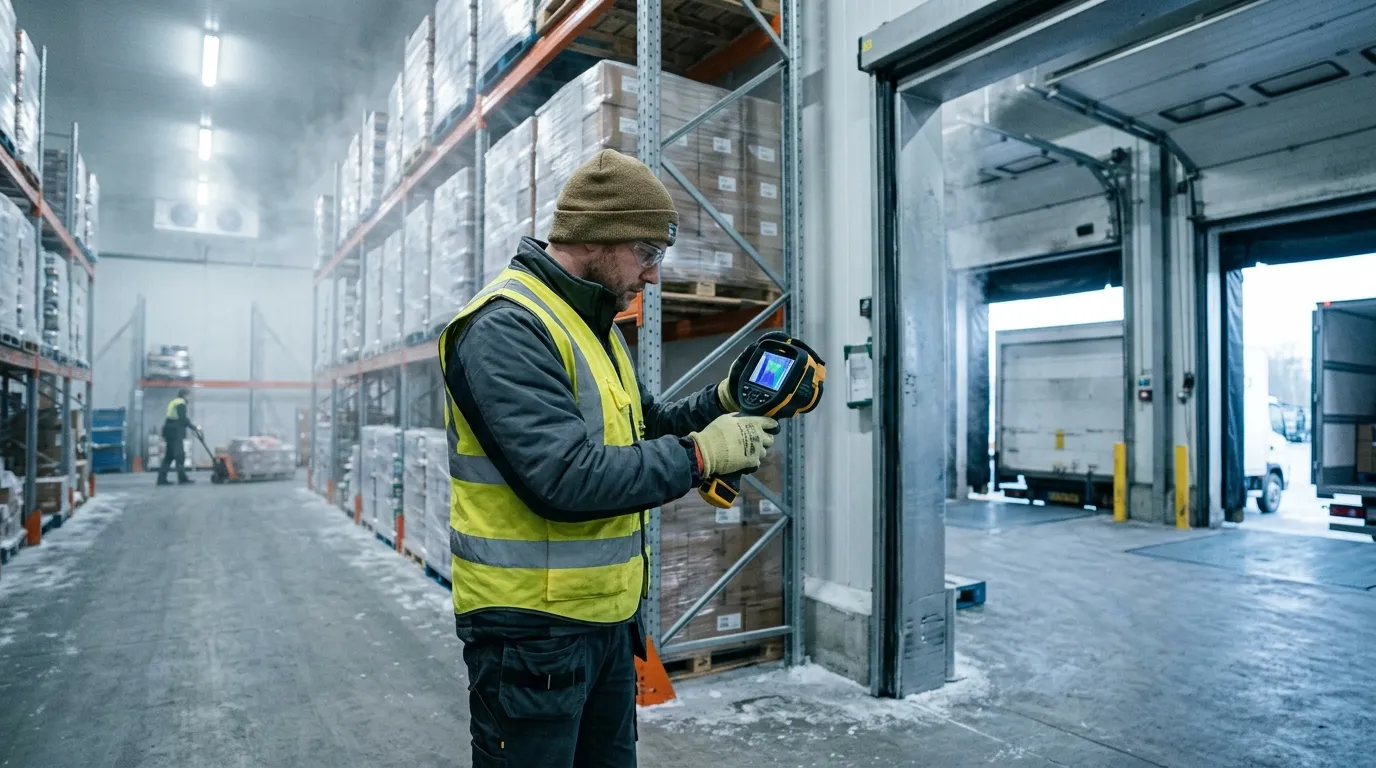
A good scan starts with a temperature difference. If your cooler is at 38°F and the dock is at 72°F, leaks draw themselves on the screen. If the dock and room are both cold after a long winter night, thermal contrast drops and small defects disappear. Wait for a real load condition: doors cycling, evaporators running, forklifts moving, people rushing because the 6 a.m. route is already late.
Use thermal imaging for the shell. Use calibrated contact tools for the food. The FDA Food Code 2022 sets 41°F or less as the cold-holding benchmark for many time/temperature control for safety foods at retail and foodservice, but a thermal camera sees apparent surface temperature. A box of chicken under film wrap, a stainless table, and a shiny trailer liner can all mislead the image.
| Area | Thermal clue | Likely cause | Best follow-up |
|---|---|---|---|
| Door gasket | Thin warm line around edge | Torn vinyl, weak latch, ice buildup | Close on paper strip, adjust latch, replace gasket |
| Panel seam | Warm vertical or ceiling stripe | Failed sealant, foam gap, thermal bridge | Inspect joint, check fasteners, reseal |
| Floor-wall joint | Warm band near cove | Damaged curb, forklift impact, moisture | Probe for water, inspect kick plates |
| Trailer rear doors | Bright edge at hinge side | Worn compression seal, bent door | Check cam locks, hinge pins, gasket crush |
The best time to scan a walk-in freezer is after it has been under load for at least 20 to 30 minutes. You want the system working. A perfectly empty box that has sat closed all night can look clean even when the door sweep leaks during shift change. Scan from inside and outside when you can, because a warm streak visible from the inside may show as a cold plume outside the door.
One small trick helps in cold storage: carry matte tape. Stainless steel, aluminum tread plate, and glossy FRP panels reflect the worker holding the camera. A square of black electrical tape or painter’s tape gives the thermal device a more reliable reference spot. It feels low-tech. It works.
Door problems are the first place to look because they happen every hour. A cold room door may cycle hundreds of times per day, and the gasket takes abuse from pallet jacks, washdown, ice, pressure changes, and impatient shoulders. On a thermal image, a healthy gasket usually shows a clean temperature boundary. A bad gasket shows a bright thread, a feathered plume, or a hot patch near the latch.
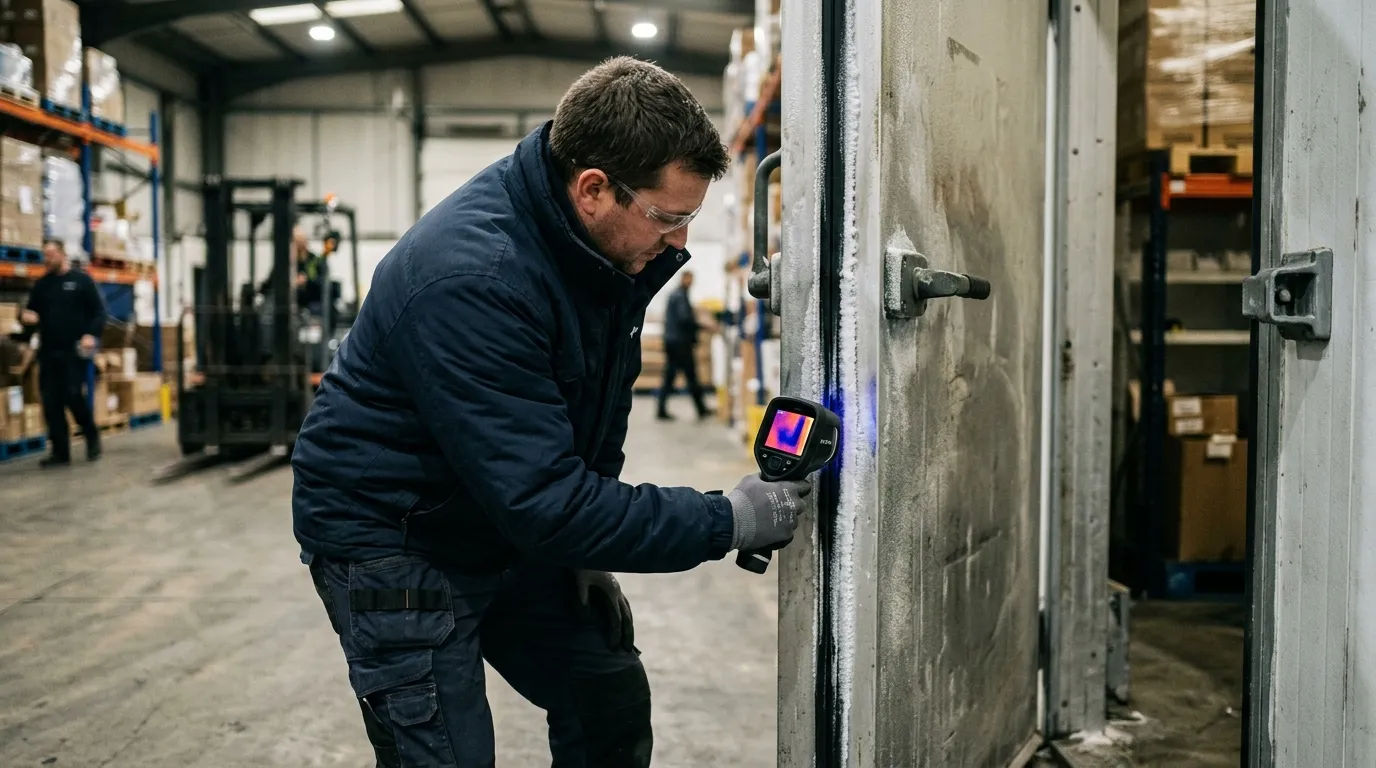
Don’t treat every warm edge the same. A straight warm line around the entire door often points to latch pressure or door alignment. A hot corner near the threshold often points to a torn sweep, floor heave, or ice that stops the gasket from seating. A warm oval at handle height can be nothing more than a handprint from ten seconds ago (annoying, but real).
For refrigerated logistics, rear trailer doors deserve their own scan. A Thermo King Precedent S-750 or Carrier Transicold Vector 8500 can hold setpoint only if the box stops exchanging air with the yard. Scan Utility 3000R, Great Dane Everest, and Wabash refrigerated trailers at the rear frame, hinge side, lower sill, and vent door. The refrigeration unit may be fine; the leak may be a $90 gasket.
Run this quick door test before you blame the refrigeration unit:
A thermal image also helps stop guesswork between operations and maintenance. The operator says, “Freezer 2 won’t recover after lunch.” The technician sees a warm tongue under the roll-up door and a frost ridge on the threshold. Now the repair is specific: replace the bottom seal, inspect the heater wire, and retrain the team to clear ice before the dock rush.
Panel failures are quieter than door leaks. They don’t whistle. They don’t slam. They sit behind product racks and slowly turn electricity into waste. A failed insulated metal panel can show as a warm rectangle, a vertical stripe, or a blotchy area that doesn’t match the panel pattern beside it.
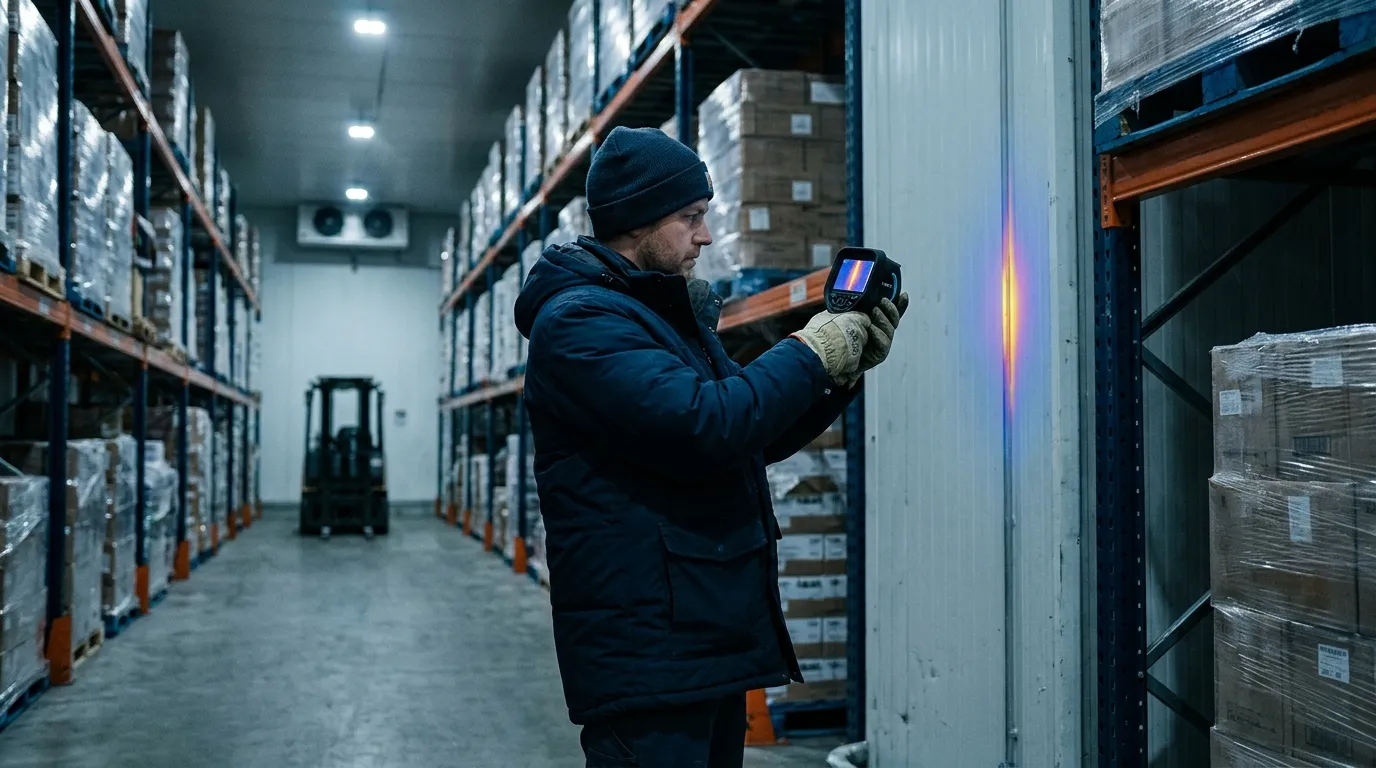
Wet insulation is the ugly version. Once moisture enters foam or mineral wool, the panel loses thermal resistance and can stay wet for months. A thermal scan won’t tell you the moisture percentage, but it can flag the suspect bay. After that, use a pinless moisture meter where the surface allows, inspect penetrations, and check roof drainage. If this is a freezer, look for frost on the warm side too. Frost outside a freezer wall is a bill with a delay.
The same discipline used when plumbers locate slab leaks & radiant heating pipes with thermal applies inside a cold room: you aren’t hunting for the pipe or leak directly every time; you’re reading the pattern left by heat moving through material. Straight lines often mean structure. Soft patches often mean moisture. Repeating marks often mean fasteners or panel geometry.
Panel seams need special attention near evaporators, door frames, pipe penetrations, and electrical conduit. A half-inch unsealed conduit gap can matter more than a scuffed wall panel because moving air carries heat and moisture. Warm air enters, moisture condenses, ice forms, the gap grows, and then the evaporator spends more time removing a problem the wall created.
| Thermal pattern | Common location | Maintenance read | Repair priority |
|---|---|---|---|
| Sharp vertical stripe | Panel joint | Sealant failure or metal bridge | High if near product zone |
| Blotchy warm patch | Wall or ceiling panel | Wet or damaged insulation | High if spreading |
| Warm halo | Pipe or conduit penetration | Air leak around sleeve | Medium to high |
| Repeating dots | Fasteners or clips | Thermal bridging | Low unless condensation appears |
Scan panel seams at a slight angle, then straight on. Move slowly. If the pattern follows your viewing angle, reflection may be fooling you. If the pattern stays fixed on the wall, you probably have a real thermal anomaly. This is where patience beats a dramatic color palette.
Trailers add motion, sunlight, and schedule pressure. A reefer trailer can look fine at the yard and fail on a route after four door openings, one long dwell at a grocery dock, and a driver who parks the rear doors facing afternoon sun. Thermal scanning gives you a pre-trip and post-trip way to catch weak points before they become rejected loads.

Scan before loading, not after product blocks the walls. A clean trailer inspection takes five to seven minutes: rear doors, sidewalls, ceiling, floor channels, bulkhead, drain openings, chute, and unit frame. For multi-temp trailers, scan the bulkhead and movable divider after it is locked. A divider that leaks between frozen and chilled zones can make one zone overwork while the other one drifts.
A practical trailer scan has four data points attached to every image:
| Field | Example entry | Why it matters | Mistake to avoid |
|---|---|---|---|
| Setpoint | 34°F fresh, -10°F frozen | Gives context for thermal contrast | Recording only air temp |
| Ambient | 88°F sunny yard | Explains solar load | Comparing to night scans |
| Trailer ID | Wabash RF-2048 | Ties defect to asset | Using route name only |
| Door state | Closed 10 minutes | Confirms stable condition | Scanning during open-door chaos |
Sidewalls need extra caution in direct sun. Solar gain can paint a warm rectangle that looks like insulation failure. If the sun is hitting the curb side, scan the road side too. Better yet, repeat the scan in shade or indoors. This works better than arguing over one image in a maintenance meeting.
For distribution centers with cold rooms next to offices or dry storage, moisture risk can move beyond the cold envelope. After a gasket leak or wet panel is repaired, the adjacent wall cavity may still need attention; the inspection logic behind detecting hidden moisture & mold risk behind drywall with thermal fits those mixed-use areas well. Cold-chain damage often shows up first as condensation where no one expected condensation.
Thermal imaging also helps during claims. If a receiver rejects a load, your records should include reefer download data, product probe checks, trailer pre-trip notes, and any thermal images from before dispatch. Thermal evidence won’t overrule a failed pulp temperature. It can show whether the box had visible envelope defects before the load left.
Energy waste in cold storage is brutally direct. Heat leaks in. Compressors remove it. You pay twice when moisture rides with the heat, because latent load adds defrost cycles, ice, fan penalties, and labor. ENERGY STAR says certified commercial refrigerators and freezers are on average 20 percent more energy efficient than standard models, but even efficient equipment loses ground when the envelope leaks.
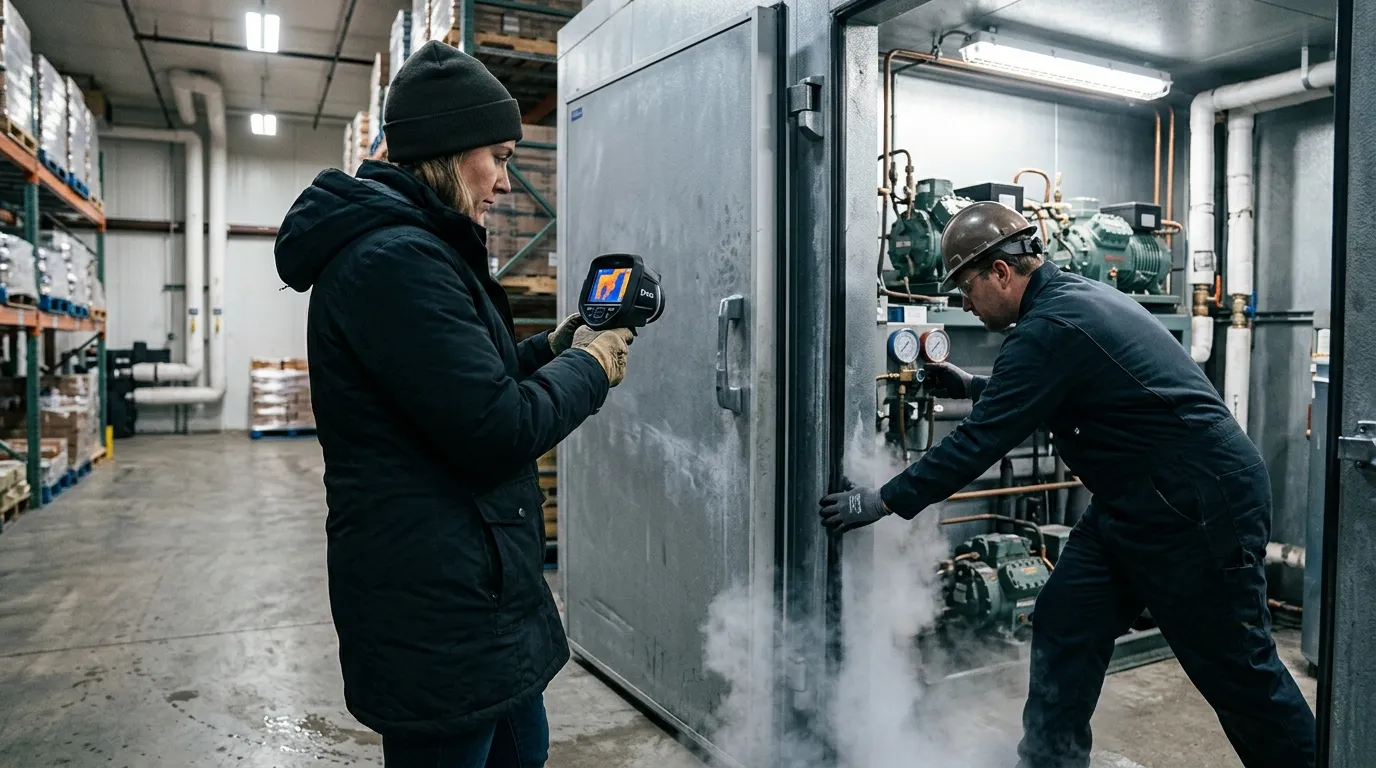
Compliance has a different language. The FDA FSMA Sanitary Transportation final rule, issued in 2016, requires covered shippers, loaders, carriers, and receivers to use practices that keep food safe during transport, including temperature controls when needed. A thermal image isn’t a regulatory temperature record. It is maintenance evidence that supports the control program.
Think of the record package as two folders. Folder one proves product control: calibrated probes, data logger files, reefer downloads, corrective actions, and receiving checks. Folder two proves asset condition: thermal images, gasket work orders, panel repairs, PM logs, and retest photos. Auditors and customers care about folder one first. Folder two explains why folder one stayed clean.
Use this naming format for thermal files:
2026-06-13_Freezer2_DoorA_Inside_0Fset_76Fambient_before.jpg2026-06-13_Freezer2_DoorA_Inside_0Fset_76Fambient_after.jpg2026-06-13_TrailerRF2048_RearDoor_34Fset_88Fambient_pretrip.jpg2026-06-13_Cooler5_CeilingSeam_38Fset_70Fambient_workorder8127.jpgThat level of detail feels fussy until six months later, when a customer asks why their berries warmed during a holiday weekend route. A dated image with setpoint, ambient temperature, trailer ID, and repair note is much easier to defend than “maintenance checked it.”
Don’t use thermal imaging where it doesn’t fit. If the room has no meaningful temperature difference, wait. If the target surface is mirror-like metal, add a matte reference or change your angle. If the question is “Is this pallet safe?”, use product temperature methods. If the question is “Where is heat entering this box?”, thermal earns its place.
Start with the asset list. Pick the rooms and trailers that hurt you most: high door counts, slow pull-down, repeated frost, unusual compressor runtime, rejected loads, or employee complaints about sweating walls. One freezer with a chronic ice ridge deserves attention before ten perfect coolers.
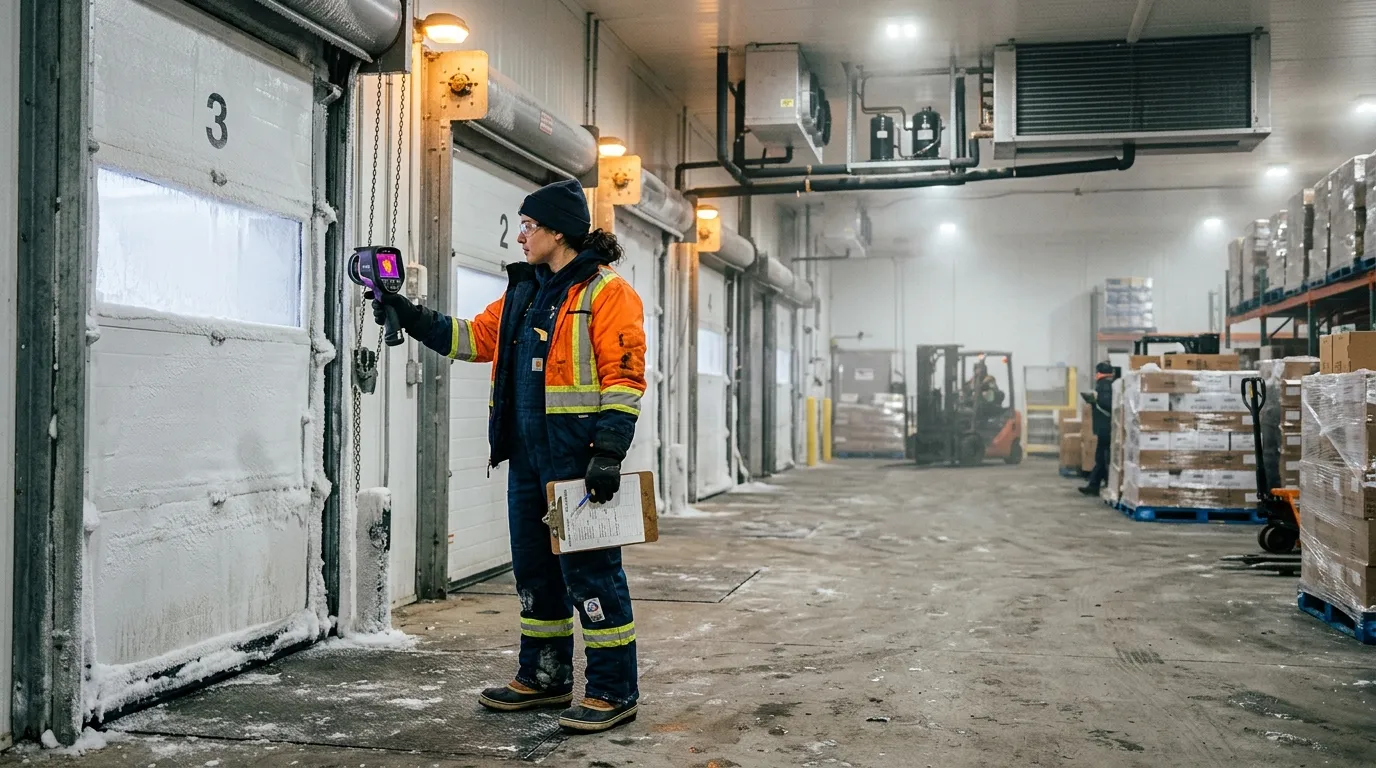
For each asset, scan the same path every time. Consistency beats drama. In a walk-in cooler, start at the main door, move clockwise around wall seams, check penetrations, scan ceiling joints, scan evaporator surrounds, then finish at the floor-wall joint. In a reefer trailer, start at rear doors, move forward along sidewalls, scan the ceiling, check the bulkhead, scan the floor channels, then finish at the unit end.
A good thermal route takes less than 15 minutes per room once the team knows it. The first pass takes longer because you are building the map and naming the assets. After that, the value comes from comparison: before repair, after repair, summer peak, winter baseline, pre-trip, post-trip.
Use a simple scoring method:
| Score | Condition | Action | Retest timing |
|---|---|---|---|
| 1 | Minor bridge, no condensation | Watch list | Next monthly scan |
| 2 | Small air leak or gasket wear | Schedule repair | Within 30 days |
| 3 | Warm seam near product or frost | Repair soon | Within 7 days |
| 4 | Major door leak, wet panel, load risk | Remove from service or restrict use | Same day |
Train two people per shift if possible. Cold-chain inspections fail when only one technician knows the camera and that person is off on inventory day. The scan path should be boring enough that a night-shift lead can repeat it without guessing.
Set the palette to something your team can read quickly. Iron and rainbow palettes make defects pop, but they can exaggerate small differences. Grayscale can be calmer for documentation. Temperature span matters more than palette choice: lock or narrow the span when comparing before-and-after images, or the camera may auto-adjust and make a repaired gasket look unchanged.
Nie. Obrazowanie termowizyjne pozwala uzyskać obraz rozkładu temperatury powierzchniowej na drzwiach, panelach, podłogach i ścianach naczepy. Należy stosować skalibrowane sondy, rejestratory danych oraz dane z systemów chłodniczych w celu dokumentowania temperatury produktów i kontroli bezpieczeństwa żywności.
Różnica temperatur wynosząca od 15°F do 25°F między schłodzoną przestrzenią a otoczeniem zazwyczaj zapewnia odpowiedni kontrast. Pomocne są większe różnice, zwłaszcza w okolicy uszczelek, połączeń paneli oraz tylnych drzwi przyczepy.
Należy skanować zaparkowane naczepy przy zamkniętych drzwiach i przy pracy agregatu chłodniczego przy ustawionej temperaturze zadanej. Skanowanie z ruchu nie nadaje się do dokumentacji, ponieważ przepływ powietrza, światło słoneczne, wibracje i zmieniające się tło mogą zniekształcać obraz.
Tak. Powłoki ze stali nierdzewnej i błyszczące odbijają ciepło pochodzące od ludzi, wózków widłowych, oświetlenia oraz otwartych bram dokowych. Przed uznaniem odczytu za wiarygodny należy zmienić kąt pomiaru lub umieścić niewielką matową naklejkę jako punkt odniesienia.
Scan high-use doors weekly, refrigerated trailers before peak routes, and full cold rooms monthly. Also scan after gasket replacement, panel repair, forklift impact, water intrusion, or any unexplained pull-down problem.
Before the next dock rush, pick one cooler and run a 12-minute Pixfra scan: door gasket, lower sill, latch side, ceiling seams, pipe penetrations, and floor-wall joint. Save one before image, fix one visible defect, then rescan the same spot under the same setpoint. That single before-and-after pair is the fastest way to turn thermal inspection from a neat picture into a maintenance habit.
Every year, American homeowners waste hundreds of dollars on energy they never actually use — all because of hidden air leaks, insulation gaps, and drafts they can’t see with the naked eye. At Pixfra, we build thermal imaging technology that makes these invisible problems visible. In this case study, we’ll walk you through exactly how thermal devices are used in home energy audits and why this simple step can save you real money.
A home energy audit is a full checkup of how your house uses energy and where it wastes it. Think of it like a doctor’s visit — but for your home. A certified auditor comes in with specialized tools and examines everything from your walls and windows to your HVAC system and attic insulation. A certified pro inspects insulation, doors and windows, ductwork, and major systems — often using tools like blower doors and infrared cameras — to find where you’re wasting energy. The result is a prioritized roadmap that can lower utility bills, improve comfort, and boost indoor air quality.

The goal is simple: find out where your home is leaking energy and fix it. Making energy efficiency upgrades identified in a home energy assessment can save 5–30 percent on your monthly energy bill while also ensuring the health and safety of your house. That’s a big deal when you add it up over the course of a year or a decade. And the main tool that makes all of this possible? A thermal imaging camera.
Before we get into the details of the case study, let’s quickly talk about what makes a thermal device worth your time. If you want a deeper breakdown of the specs that actually matter, we’ve put together a full guide on the 6 najważniejszych cech, jakie powinno posiadać najlepsze urządzenie termiczne w 2026 roku. It covers everything from NETD sensitivity to refresh rate — all the things that separate a good camera from one that gives you blurry, useless images.
Thermal imaging, also called infrared thermography, uses a special camera that picks up heat energy your eyes can’t see. Thermal imaging involves the use of infrared cameras to capture temperature variations in a home. These cameras detect heat emissions and create visual representations that highlight areas of energy inefficiency. Different temperatures show up as different colors on the screen — warm spots appear red, orange, or yellow, while cold areas look blue or purple. This color map lets you instantly spot where heat is escaping or cold air is sneaking in.

The process is non-invasive, which means nobody has to rip open your walls or tear up your floors. Thermal imaging is a non-invasive method for identifying energy inefficiencies. It’s a fast and efficient process that doesn’t require the removal of materials or causing any damage to your home. An auditor can scan an entire room in minutes and get a clear picture of what’s happening behind the drywall. You get results fast, and the process doesn’t disrupt your daily life at all.
For the best results, auditors typically look for a significant temperature gap between the inside and outside of your home. For reliable results, audits are usually conducted when there is a significant temperature differential (ΔT) — at least 18°F (10°C) between indoor and outdoor environments. This contrast helps reveal areas where heat is escaping or entering the building. That’s why winter and early morning are popular times for these inspections. But with the right equipment, you can run a scan at almost any time of year — especially if you pair it with a blower door test to push air through cracks and gaps artificially.
Here’s a real-world example that shows exactly why thermal devices matter for energy audits. A homeowner faced high heating bills despite installing a new furnace. A thermal imaging assessment revealed unsealed attic vents and insufficient wall insulation. After addressing these issues, the homeowner saw a 20% reduction in energy costs and significantly improved comfort during winter.
That’s the power of thermal imaging. The homeowner had already spent money on a new furnace, thinking that was the problem. But the real culprits — unsealed vents and thin insulation — were hiding behind the walls where no one could see them. A standard visual inspection would’ve missed these problems entirely. Only a thermal scan could pick up the subtle temperature differences that told the whole story.
This experience lines up with what we see across the industry. Numerous homeowners have witnessed significant improvements after inspections with infrared cameras. For instance, a case study in a suburban neighborhood revealed that homes undergoing infrared inspections identified hidden air leaks and insulation gaps. Time after time, thermal imaging catches things that other methods miss — and the fixes are often cheap and simple. Sealing a gap around a vent or adding insulation to a wall cavity doesn’t cost much, but the payoff on your energy bill is real and lasting.
Research backs this up too. In one study, householders who received a thermal image reduced their energy use at a 1-year follow-up, whereas householders who received a carbon footprint audit and a non-intervention control demonstrated no change. In a second study, householders were nearly 5 times more likely to install draught-proofing measures after seeing a thermal image.There’s something about actually seeing the heat leaking from your home that motivates you to act on it. Numbers on a report are easy to ignore. A glowing red streak showing warm air pouring out of your roof? That gets your attention.
So what exactly can a thermal camera find during a home energy audit? The list is longer than you might think.
The biggest one is poor insulation. Whether it’s missing, damaged, or just settled over time, bad insulation is a top cause of high energy bills. Poor insulation is a leading cause of high energy bills. Thermal imaging allows auditors to quickly spot inconsistencies in the thermal envelope — especially in attics, crawl spaces, and exterior walls — without disturbing the building materials.Blown-in insulation is especially prone to settling over the years, leaving cold spots that slowly drain your heating budget every winter.

Air leaks are another big one. Air leaks are one of the most common causes of energy loss in a home. Small gaps around windows, doors, vents, and ducts can allow warm or cool air to escape, forcing your HVAC system to work harder. These tiny gaps might seem harmless on their own, but add them all up and it’s like leaving a window open year-round. Addressing air leakage, which accounts for 25–40% of energy loss in typical homes, often delivers 10–20% savings in heating and cooling costs for a relatively modest investment of $300–$1,500.
Moisture problems are another thing thermal cameras catch. Thermal imagers are very effective tools for identifying moisture. Water has a high thermal capacitance, meaning that it efficiently absorbs and stores energy. The thermal capacitance of water or the effects of evaporative cooling (usually a 2°F to 5°F surface temperature difference) help reveal the extent of moisture damage, even when the surface feels dry to the touch. Left alone, moisture behind walls can lead to mold, rot, and even bigger repair bills down the road.
And then there’s your HVAC ductwork. Leaky ductwork causes the average home to lose 20–30% of its heating and cooling capacity. That’s a huge amount of energy you’re paying for but never getting. A thermal scan of your ducts can show exactly where the leaks are so you can seal them up.
Key findings thermal devices typically reveal during a home energy audit:
| Problem Detected | Common Locations | Typical Energy Loss | Average Fix Cost |
|---|---|---|---|
| Missing/settled insulation | Attics, walls, crawl spaces | 15–25% of heating/cooling | $500–$2,500 |
| Air leaks & drafts | Windows, doors, vents, outlets | 25–40% of total energy | $300–$1,500 |
| Ductwork leaks | Basement, attic, between floors | 20–30% of HVAC output | $300–$1,000 |
| Moisture intrusion | Behind walls, ceilings, basements | Reduces insulation R-value | $500–$3,000+ |
| Thermal bridging | Studs, lintels, slab edges | 5–15% of envelope loss | Varies |
Let’s talk dollars and cents — because at the end of the day, that’s what matters most.
The average homeowner saves $685 annually by implementing audit recommendations. It’s about having a clear roadmap for making your home better. At an average cost of $437 with payback in under 8 months, an audit is one of the smartest investments you can make in your home. That means you spend a few hundred dollars once, and you start saving every single month from that point forward.

The cost for home energy audits typically ranges from $300 to $600, with some advanced audits exceeding this range due to specialized tools and testing. The more detailed the audit — with blower door tests, infrared scanning, and full reporting — the higher the cost, but also the higher the payoff. And many utility companies and state programs offer discounts, rebates, or even free assessments to their customers, so your out-of-pocket cost could be a lot lower than you’d expect.
The return on investment here is hard to ignore. Acting on an audit typically cuts energy use 5–30%. On a $200/month bill, that’s about $120–$720 per year saved. With a $200–$700 audit, the fee often pays back within 1–3 years. And the savings keep coming year after year for as long as you live in the home. Unlike a lot of home improvement projects that are mostly about looks, an energy audit generates actual, measurable financial returns.
Not all thermal cameras are built the same, and when it comes to energy audits, the details in the device specs make a big difference. The most telling spec is NETD, which stands for Noise Equivalent Temperature Difference. It measures how sensitive the camera is to small changes in temperature. The lower the NETD value, the better the camera is at picking up subtle heat patterns — and subtle is exactly what you’re dealing with in a home energy audit, where a drafty window might only show a temperature shift of a few degrees.
At Pixfra, we build our thermal cameras with proprietary heat-detection technology. Our devices achieve NETD values of ≤18mK, which means they can pick up extremely small temperature differences with sharp clarity. That level of sensitivity is what separates a camera that gives you a blurry heat blob from one that shows you exactly where the problem is — down to the nail heads in your wall studs. As one home inspector put it: “the temperature differential does reveal what’s going on behind the wall” — and with the right device, those differentials are crystal clear.
Thermal sensitivity also plays a big role in detecting moisture, which is one of the sneakier issues thermal cameras can catch. Since wet materials cool down through evaporative cooling, the temperature difference is often just 2°F to 5°F compared to dry surfaces. A camera with poor NETD will miss that entirely. A camera with ≤18mK sensitivity will catch it every time. If you’re using a thermal device for any kind of home inspection or energy audit work, sensitivity should be at the top of your priority list — it’s the single spec that determines whether you find the real problems or just the obvious ones.
You’ve got two main options when it comes to thermal imaging for home energy audits: do it yourself or hire a pro.
Thermal imaging is available through professional services or DIY tools. Professional services use certified technicians with advanced equipment to conduct thorough energy audits and provide actionable insights. Affordable infrared cameras and smartphone attachments allow homeowners to conduct their own assessments. However, professional expertise is often necessary for accurate interpretation of results.

DIY thermal scans have gotten a lot more affordable in recent years. You can grab a smartphone-attached thermal camera for as little as $200, and it’ll give you a basic picture of where heat is escaping. It’s a great first step if you want to find obvious issues like major drafts around windows or completely missing insulation in your attic. But DIY has its limits. A DIY audit can show you that a window is drafty, but it can’t tell you the home’s total leakage rate or how it compares to building standards.
Professional audits, on the other hand, deliver the full picture. A certified energy auditor brings high-sensitivity thermal cameras, blower door equipment, and the know-how to read the results correctly. Energy auditors and weatherization professionals use thermal imaging because it provides a fast and easy way to pinpoint and document exact locations of problems. In an industry where speed and accuracy are vital, infrared allows for faster inspections and more detailed documentation. They’ll compile everything into a report with prioritized recommendations, so you know exactly what to fix first for the biggest savings. If you’re serious about cutting your energy bills, the professional route is worth every dollar.
Can thermal imaging really save money on energy bills?
Yes. Thermal imaging helps you find and fix hidden energy leaks that you’d never spot with your eyes alone. Once you seal air leaks, improve insulation, and fix ductwork issues, the savings show up on your energy bills right away. Homeowners who act on audit recommendations typically save 5–30% on their monthly energy costs, which adds up to hundreds of dollars every year.
What is the best time of year for a thermal energy audit?
Winter is usually the best time in most parts of the U.S. because the bigger the temperature gap between inside and outside, the easier it is for the thermal camera to pick up problems. However, you can get useful results in summer too — especially if you’re running the air conditioner. The key is having at least an 18°F difference between indoor and outdoor temperatures.
How much does a thermal imaging energy audit cost?
Most professional thermal energy audits cost between $300 and $700, depending on your home’s size and the level of detail involved. Many utility companies and state programs offer rebates or even free assessments. The average payback period is under 8 months, making it one of the best home investments you can make.
Can I do a thermal energy audit myself?
You can do a basic one with an affordable infrared camera or smartphone attachment. It’s good for spotting obvious drafts and insulation gaps. But for a full assessment with blower door testing, detailed thermographic analysis, and a written report with prioritized recommendations, hiring a certified professional is the way to go. Their equipment and training let them catch problems that DIY tools simply can’t.
What does a thermal camera actually show during a home energy audit?
A thermal camera picks up infrared radiation — heat energy — and displays it as a color-coded image on the screen. Warm areas show up as red, orange, or yellow, and cold areas appear as blue or purple. During an energy audit, this makes it easy to see where heat is leaking out of your home, where insulation is missing, and where cold air is getting in. It also picks up moisture intrusion and overheating electrical components.